5 Halloween Cocktails That Are Easy to Serve at Your 2026 Bash

Mix five vivid, approachable Halloween cocktails with measured recipes, simple prep tips, and an alcohol-free option for your party guests.
Can't remember the last time you washed the handles or the inside of your suitcase? That's a sure sign it's time to give your suitcase a good cleaning .
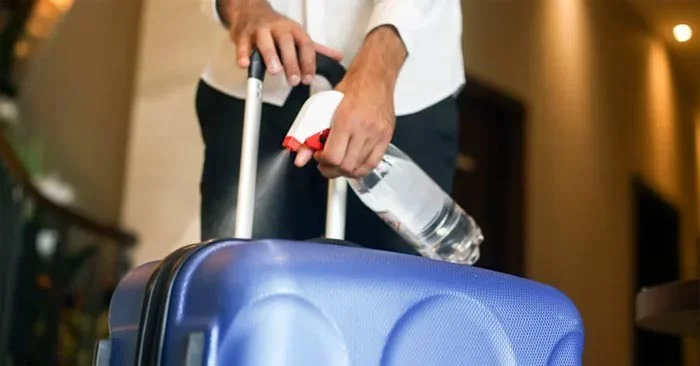
Most people love a great vacation, and we all know that luggage goes through a lot of wear and tear when traveling. From being dragged down countless sidewalks and through crowded airports to being picked up by strangers and stuffed into tight spaces, suitcases can accumulate a lot of dust, dirt, and bacteria over time.
Here are some tips that can help you clean your luggage , from how often you should clean it to how to maintain the exterior and interior.
How to clean the outside of a suitcase
Once you’re home and starting to unpack, start by wiping down the outside of your suitcase. Use antibacterial wipes or a mixture of water and liquid hand soap on a soft cloth for hard-sided suitcases. A simple sponge can also be effective for removing stubborn stains.
For soft-sided canvas suitcases, use an antibacterial wipe or a similar mixture of water and liquid soap. Use a soft brush or an old toothbrush to scrub. You will need to spend more time slowly working the solution into the fabric and lifting the dirt. Stubborn stains may require a foam cleaner or, alternatively, a solution of one part water and two parts vinegar. When finished, wipe away any excess moisture and let the suitcase dry in a warm environment or in the sun.
In either case, be sure to pay attention to the bottom of the suitcase, including the wheels. Suitcase wheels can collect a lot of hair, fibers, and other nasty debris. Using a cloth or towel, remove any material and give it a good clean. In extreme cases, use a pair of scissors to cut away any obstructions. When you’re done, the wheels should spin normally.
How to clean inside suitcase
Ready to clean the inside of your suitcase? To start, use a vacuum cleaner or a regular vacuum with the appropriate nozzle, then go over the lining a few times until you feel everything is clean. Make sure to clean all the corners and pockets (you can always start by shaking the suitcase upside down from the outside).
Any removable linings or pockets should be removed and cleaned with a soap and water solution or disinfecting wipes. According to Wirecutter, stained linings can be treated with a mixture of water and laundry detergent. Blot the stain with a clean cloth, let it sit for a few minutes, then wipe the area with clean water and let it dry.
How to clean luggage handles
Luggage handles can be a breeding ground for bacteria and dirt. Start by stretching the handles as far as they can go, then scrub them with a mixture of liquid soap and water. Dry the handles with a soft cloth or paper towel, then use antibacterial wipes to thoroughly disinfect them. Since handles get a lot of use, using super-absorbent wipes is essential to help eliminate bacteria.
Things to avoid
When it comes to cleaning and maintaining your suitcase in general, there are a few considerations that are definitely worth keeping in mind.
One of the most important—though seemingly obvious—things to do is to avoid leaving your suitcase on your bed when you get home. Leave your luggage in the bathtub or on a tiled bathroom floor to reduce the risk of insects getting into your sleeping area.
When transporting dirty clothes, shoes or food in a suitcase, you should also wrap dirty items in plastic bags to prevent the suitcase from smelling or becoming stained.
Finally, you might consider investing in a cover for each suitcase. Many companies now sell machine-washable fabric versions. Additionally, some manufacturers have begun making suitcases with built-in anti-microbial protection, although their effectiveness is not guaranteed.
Mix five vivid, approachable Halloween cocktails with measured recipes, simple prep tips, and an alcohol-free option for your party guests.
Find 15 office-friendly Halloween costume ideas for 2026, with practical checks for dress codes, respectful themes, comfort, and workplace safety.
Plan a fun elementary school Halloween party with easy crafts, games, inclusive treats, costume tips, and a sample 75-minute classroom schedule.
Compare realistic side hustles for 2026 by startup cost, fees, flexibility, and income control, with current tax and scam guidance from official sources.
Upgrade your home office ergonomics with current OSHA and NIOSH guidance on chair fit, monitor height, laptop setup, lighting, and movement.
Learn why emotional intelligence matters in leadership, where it helps most, how to strengthen it, and how to tell whether your approach is working.
A practical roadmap for moving into tech without a degree: choose an accessible role, build job-ready skills, prove them with projects, and use hiring feedback to improve.
Build a credible LinkedIn personal brand in 2026 with current profile, content, newsletter, analytics, verification, and visibility guidance from LinkedIn.
Quiet quitting and quiet firing are catchy labels, not diagnoses. Learn what is verified, what depends on context, and what employees and managers can do next.
Fractional executives offer senior leadership without a full-time hire. Learn when the model works, what to ask, and the risks to manage.








