Hamachi is a tool that supports playing over LAN (almost like Garena). However, to use this software, users need to have a Hamachi account to log in on the home page or in the software itself when they want to play the game.
With LogMeIn Hamachi for Linux, users should pay attention, because this is a beta version (VPN client software - the network for connecting organizational computers via the Internet), so the current interface is still the form "command line" (command line). Therefore, your computer must install LSB 3.0 package (or more) before installing LogMeIn Hamachi for Linux.
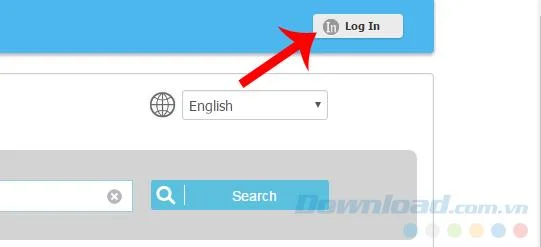
Step 1 : You can use any web browser to access Hamachi's homepage at THIS ADDRESS , then left-click Log In right at the main interface.
Create a Hamachi account on the homepage
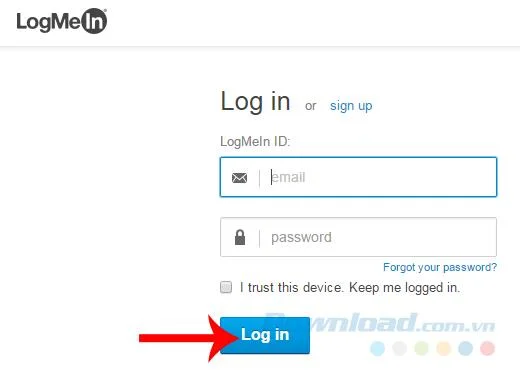
Step 2: A new interface will appear, you will enter Hamachi account registration information in the fields below in order, then click Log in to complete.
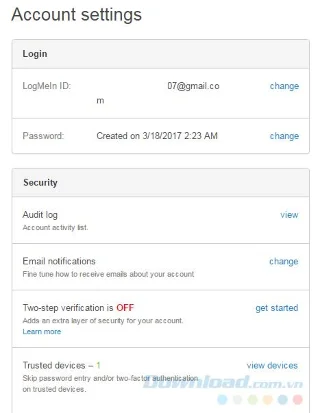
Step 3 : If the next interface appears as below, it means that you have successfully established a Hamachi account.
Account registration successful
Another way that we can apply without accessing the homepage of the virtual LAN creation tool over this Internet is through the Hamachi application installed on the computer.
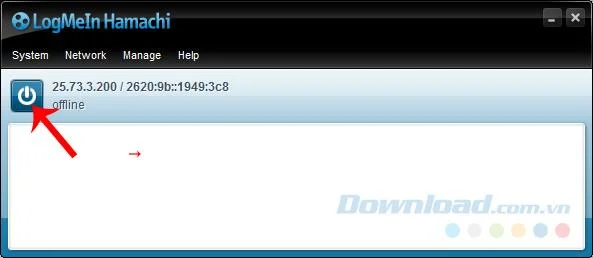
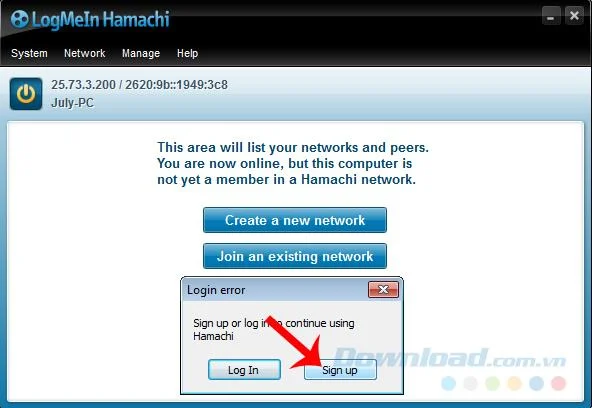
If your computer has Hamachi installed and is preparing to use for gaming, please start up Hamachi, then left click on the power icon as below.
Wait a bit for the program to scan and identify the device, then the interface will appear as below, click on Sign up in the small notification that appears.
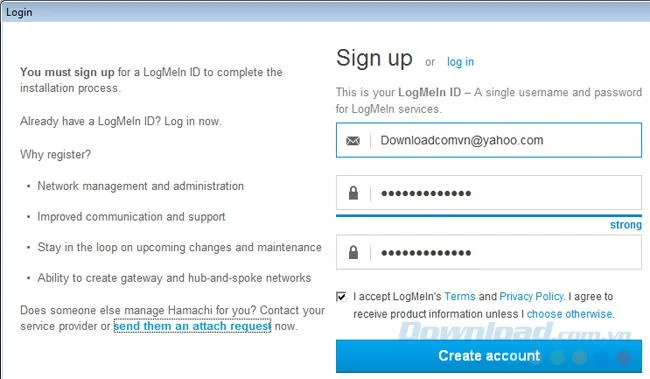
Another window appears and you just need to fill in the registration information, email address and password, then select Create account and you 're done.
Just use your email account to register
Those are all detailed instructions on how to set up a Hamachi account on a computer through the home page and the application on the computer. We can also see that this tool does not force account confirmation so it is very convenient and saves a lot of time.