How to Update Google Chrome Browser

Learn how to update Google Chrome browser on Windows, Mac, and Android in minutes to enjoy better security, speed, and new features. Follow these clear steps.
Sent an email to the wrong person or spotted a typo right after hitting Send? Outlook lets you recall a sent email — but only if both you and the recipient use Microsoft Exchange or Microsoft 365, and the message hasn't been read yet. Here's how to do it in under two minutes.
Keeping old browsing records on your phone can expose visited sites to anyone who picks up the device. Regularly clearing this data also reduces storage use and can speed up Chrome performance on Android devices.
Most users rely on the default Chrome browser, so the steps below focus on that app while also covering system-level options and Firefox.
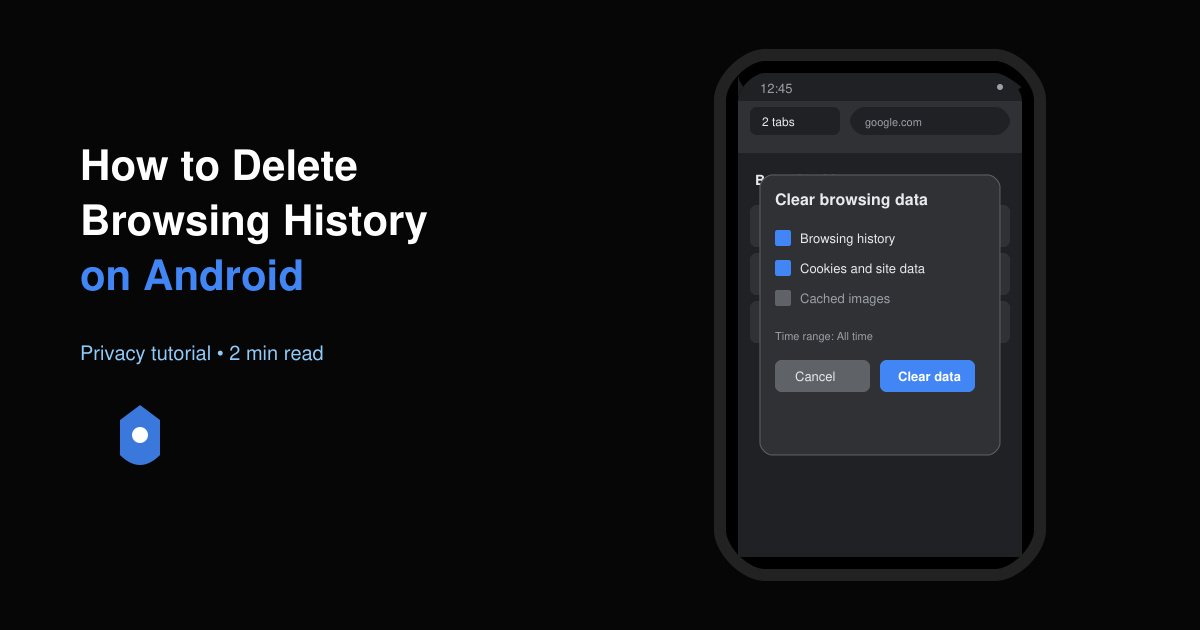
Launch Chrome from your app drawer or home screen. Tap the three-dot menu icon in the top-right corner of the browser window.
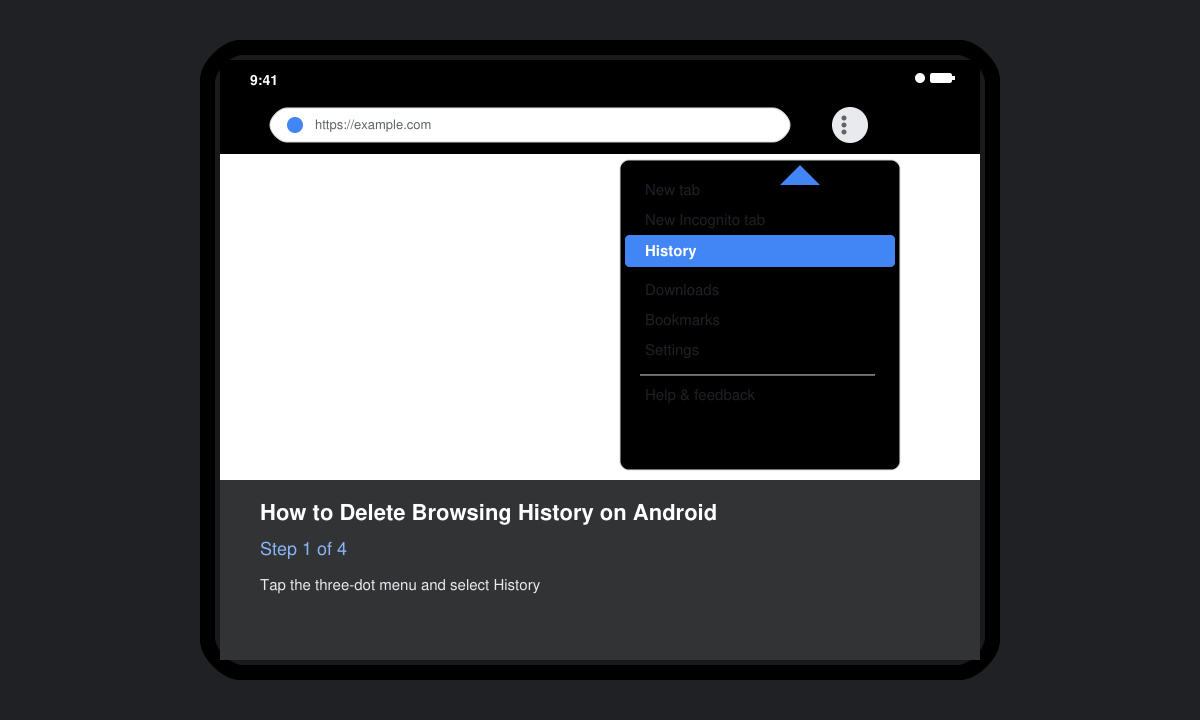
Select History from the dropdown menu. You will see a chronological list of visited websites with dates and times.
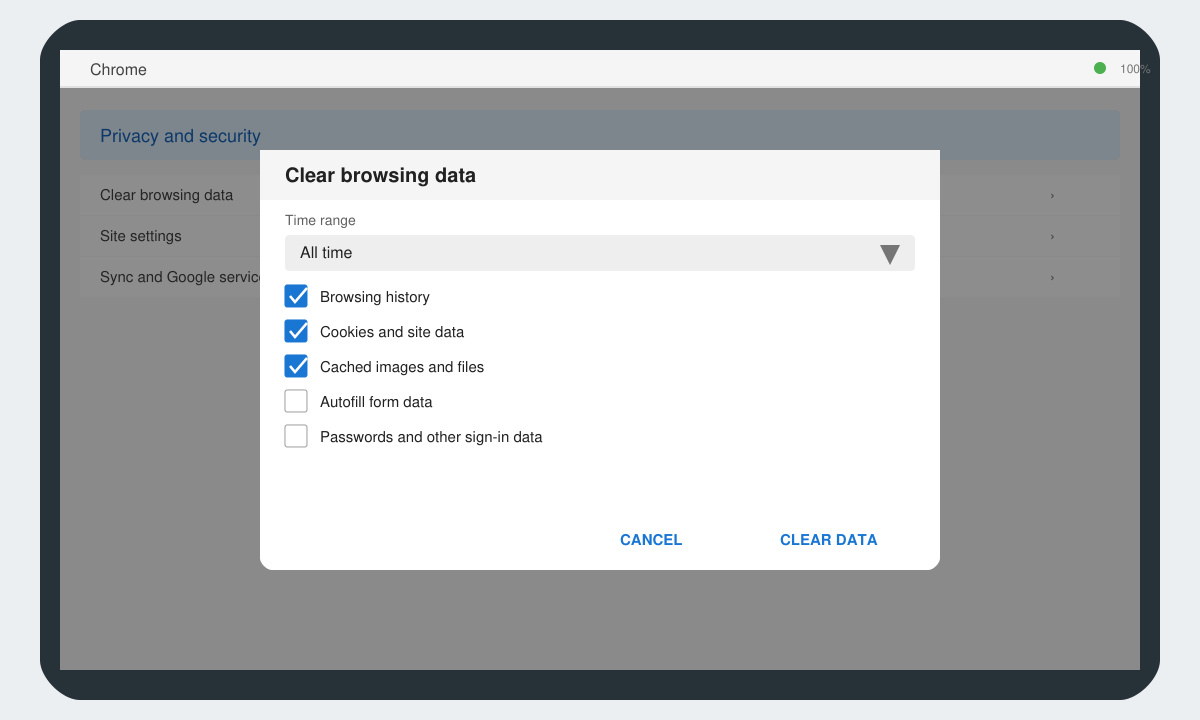
Tap the Clear browsing data button at the bottom of the History screen. A new window opens with time-range options and data-type checkboxes.
Choose Browsing history, Cookies and site data, and Cached images and files. Set the time range to All time if you want a complete deletion, then tap Clear data and confirm with the final prompt.
If you use Firefox, open the app, tap the three-line menu, go to History, then tap Clear browsing history and select the items you want removed. For system-wide cache clearing that affects multiple apps, go to Settings > Apps > Chrome > Storage > Clear cache. Note that clearing cache does not remove saved passwords or bookmarks.
Users who want to automate this process can enable automatic deletion in Chrome by going to Settings > Privacy and security > Clear browsing data on exit and toggling the desired options.
No. Local deletion only clears the phone's records. To remove activity stored in your Google account, visit myactivity.google.com and delete items individually or in bulk.
Yes. In Chrome History, tap the three-dot menu next to any entry and select Remove from history. This leaves all other sites intact.
Yes, if you also clear cookies. Uncheck Cookies and site data if you want to stay logged in while still removing history and cache.
Following the steps above lets you delete browsing history on Android quickly and keep your phone private and responsive.
Learn how to update Google Chrome browser on Windows, Mac, and Android in minutes to enjoy better security, speed, and new features. Follow these clear steps.
Learn how to download old media from WhatsApp and recover photos or videos from past chats. Follow these clear steps to save files that no longer appear in your gallery.
Facebook Messenger Isn T Working on your device? Use these exact troubleshooting steps to restore chats, calls, and notifications fast on Android, iOS, or desktop.
How to See Deleted WhatsApp Messages using your phone's built-in tools. Follow these exact steps to recover messages that contacts have deleted from chats.
Learn how to clear browser history in Chrome on desktop and Android with this exact step-by-step process. Keep your browsing private and free up storage space quickly.
Master how to use CapCut with this practical walkthrough covering project setup, editing tools, effects, and export options for high-quality video results.
Get the latest WhatsApp App Update Download from official sources to access new features and security improvements. Follow these clear steps for Android and iOS devices.
Learn how to safely Download WhatsApp App for Android from the official Google Play Store. Follow our clear step-by-step instructions to install the latest version quickly and securely.
Google Download WhatsApp App safely through the Google Play Store with this clear guide. Get the official version on your Android device quickly and avoid fake downloads.
Facebook and Messenger not working can disrupt your day. Follow these targeted fixes to restore access quickly on mobile and desktop.








