Home
» Wiki
»
How to delete reading list on Safari
How to delete reading list on Safari
Safari's Reading List is a useful feature that allows you to save content for later viewing. However, over time, as you use this feature more and more, your Reading List in Safari can become large and cluttered. Here's how to clear your Reading List in Safari.
How to delete reading list on Safari iPhone
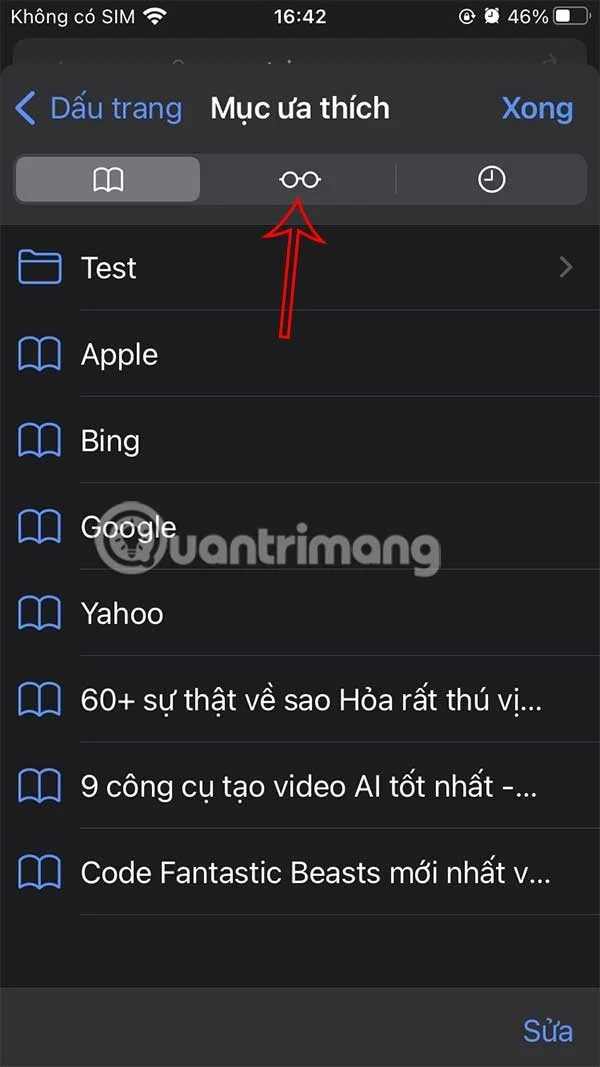
Step 1:
At the interface on the Safari application, users click on the bookmark icon below. Display options as shown, you click on the Reading List icon .
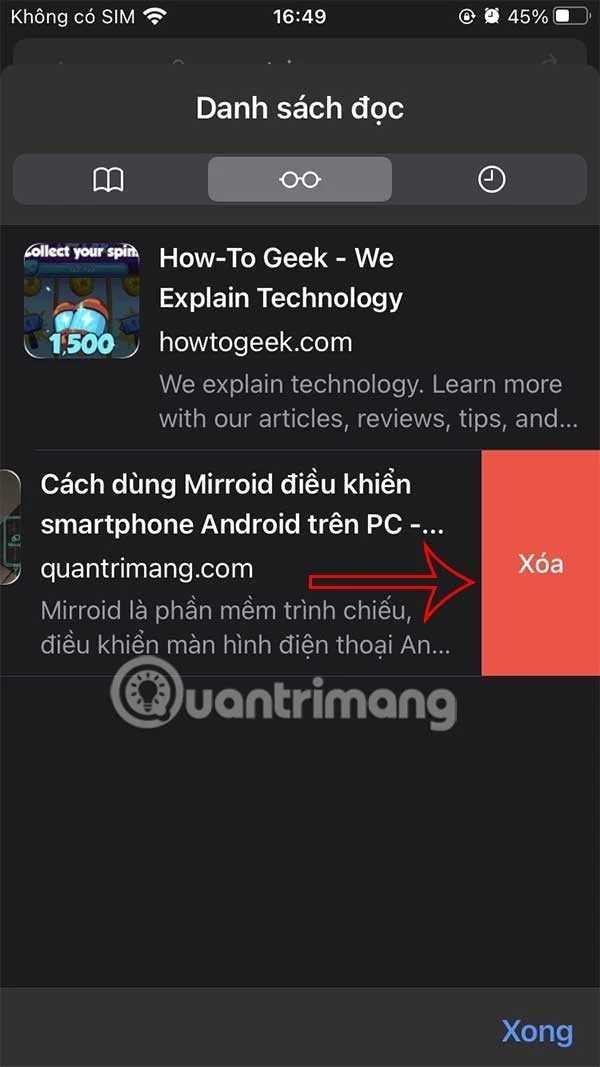
Step 2:
Now the user will see the reading list on Safari. To delete any article in the reading list on Safari, swipe from right to left and then tap Delete to delete the reading list in Safari.
How to delete reading list on Mac
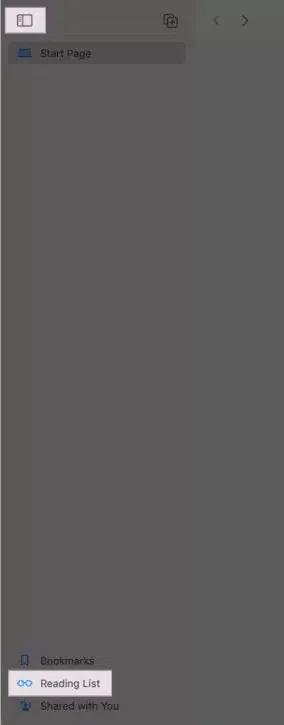
Step 1:
We also open the Safari app then tap the rectangle icon in the upper left corner to open the sidebar. Tap Reading list in the lower left corner to access your saved articles.
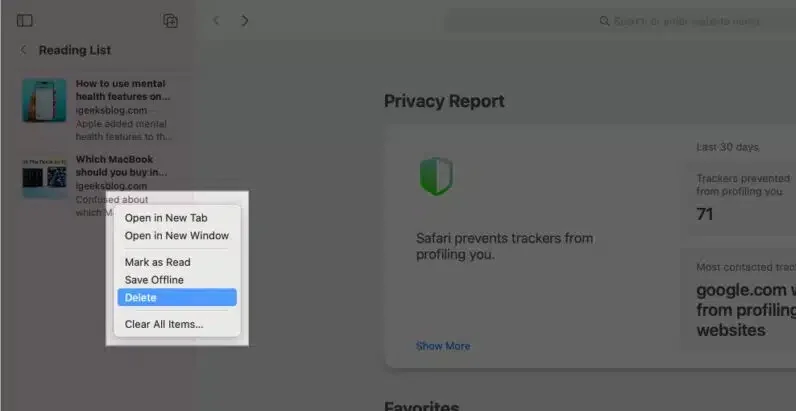
Step 2:
Hold down the Control key and click the post you want to delete and click Delete. Or click Clear All Items to remove all items from the list.