How to Update Google Chrome Browser

Learn how to update Google Chrome browser on Windows, Mac, and Android in minutes to enjoy better security, speed, and new features. Follow these clear steps.
If your Android device stores past searches across Google services and browsers, you can delete search history on Android in just a few taps. Removing this data improves privacy and can slightly reduce storage use. The steps below cover the Google app and Chrome, the two places most users need to act.
Make sure you are signed into the same Google account that performed the searches. Updates to the Google app or Chrome can change menu names slightly, so check that both apps are running the latest version from the Play Store. If you use multiple accounts, switch to the correct one first in the app settings.
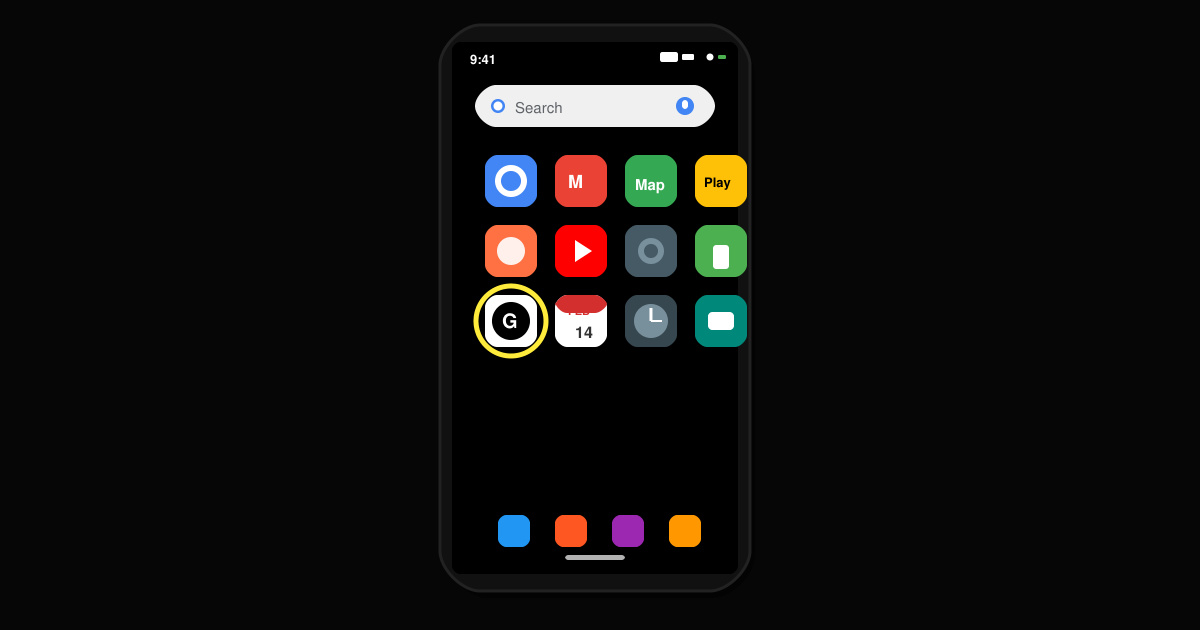
Launch the Google app from your home screen or app drawer. Tap your profile picture in the top right corner to open the account menu.
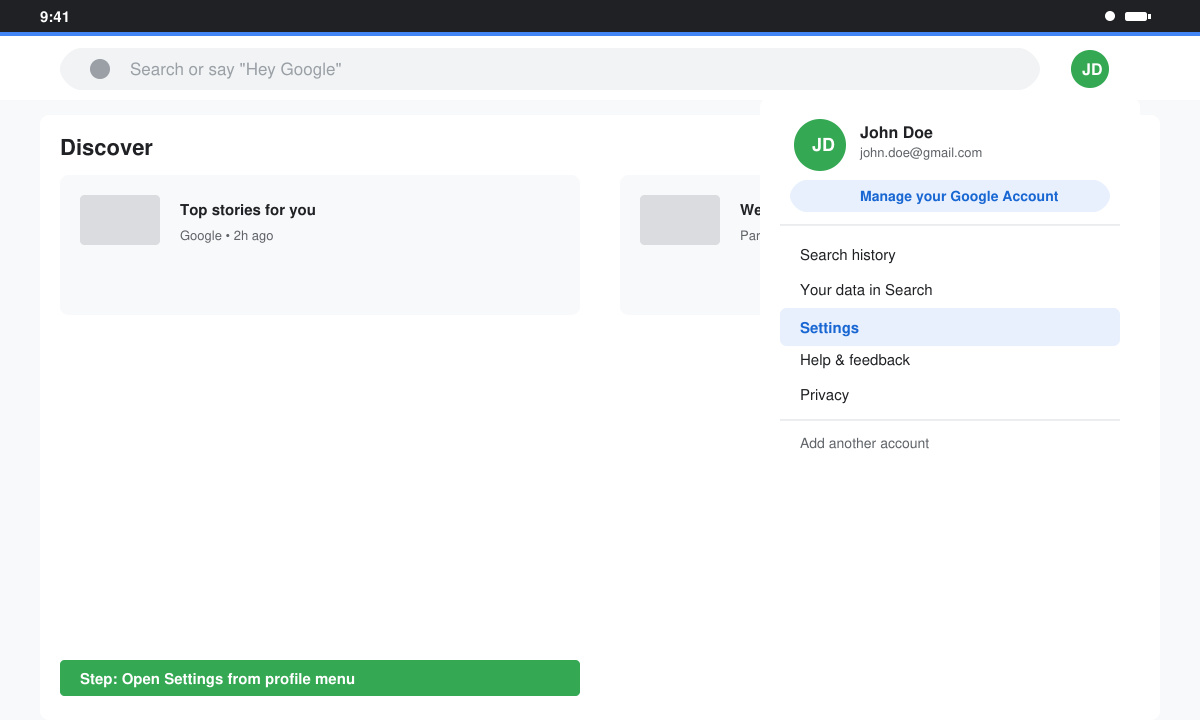
Tap Manage your Google Account, then scroll to the Data & privacy tab. Under History settings, select My Activity. This opens a full list of your past searches and interactions.
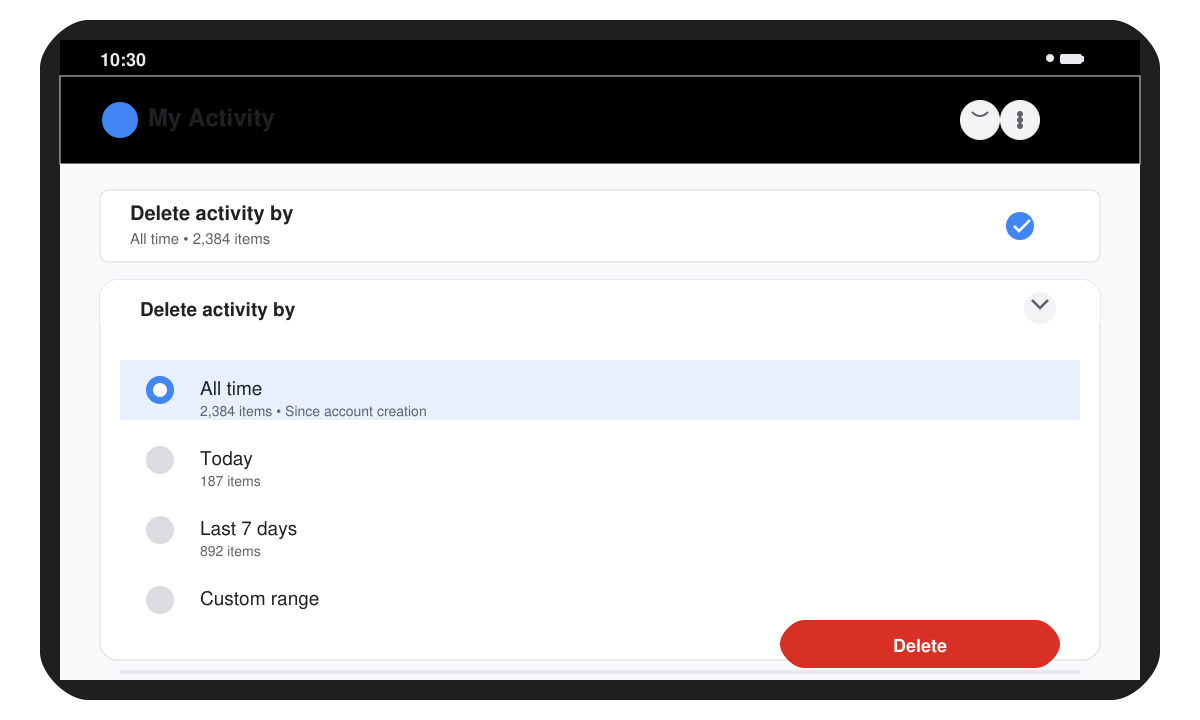
To remove single entries, tap the three-dot menu next to each search result and choose Delete. For bulk removal, tap the three-line menu at the top left, select Delete activity by, choose All time, and confirm with Delete.
Launch the Chrome browser. Tap the three-dot menu in the top right, then select History followed by History again to view the full list.
At the top of the History screen, tap Clear browsing data. Choose the Time range as All time. Make sure Browsing history and Autofill form data are checked, then tap Clear data.
Turn off Web & App Activity in your Google Account settings to stop future searches from being saved. Go to myaccount.google.com/activitycontrols and toggle the switch off. If you only want to pause history for a short period, use the same page and select Turn off for 3 months. Restart your device after large deletions if the storage savings do not appear immediately in Settings > Storage.
Voice searches performed through the Google Assistant also appear in My Activity, so review that section separately if you use voice commands often.
Yes, when you delete from My Activity it syncs across every device signed into the same Google account.
No, once you confirm deletion the records are permanently removed from Google servers and cannot be restored.
No, passwords stay unless you specifically check the Passwords box when clearing browsing data.
Regularly clearing search data keeps your Android device private and organized. Use the Google app for the broadest control and Chrome for browser-specific records.
Learn how to update Google Chrome browser on Windows, Mac, and Android in minutes to enjoy better security, speed, and new features. Follow these clear steps.
Learn how to download old media from WhatsApp and recover photos or videos from past chats. Follow these clear steps to save files that no longer appear in your gallery.
Facebook Messenger Isn T Working on your device? Use these exact troubleshooting steps to restore chats, calls, and notifications fast on Android, iOS, or desktop.
How to See Deleted WhatsApp Messages using your phone's built-in tools. Follow these exact steps to recover messages that contacts have deleted from chats.
Learn how to clear browser history in Chrome on desktop and Android with this exact step-by-step process. Keep your browsing private and free up storage space quickly.
Master how to use CapCut with this practical walkthrough covering project setup, editing tools, effects, and export options for high-quality video results.
Get the latest WhatsApp App Update Download from official sources to access new features and security improvements. Follow these clear steps for Android and iOS devices.
Learn how to safely Download WhatsApp App for Android from the official Google Play Store. Follow our clear step-by-step instructions to install the latest version quickly and securely.
Google Download WhatsApp App safely through the Google Play Store with this clear guide. Get the official version on your Android device quickly and avoid fake downloads.
Facebook and Messenger not working can disrupt your day. Follow these targeted fixes to restore access quickly on mobile and desktop.








