How to Update Google Chrome Browser

Learn how to update Google Chrome browser on Windows, Mac, and Android in minutes to enjoy better security, speed, and new features. Follow these clear steps.
If you need to permanently remove your data from the messaging platform, knowing how to delete Telegram prevents unwanted access and clears your information. The process differs slightly depending on whether you want to delete the account, specific chats, or simply uninstall the app. This guide provides the precise actions required for each option.
Deleting your Telegram account removes all messages, contacts, groups, and media with no recovery option afterward. Export any important chats first by going to Settings, then Advanced, and selecting Export Telegram Data. Note that simply uninstalling the app does not delete your account or server-side data.
Make sure you have access to the phone number linked to the account, as you will need it for verification during deletion. Two-factor authentication must also be disabled beforehand if enabled.
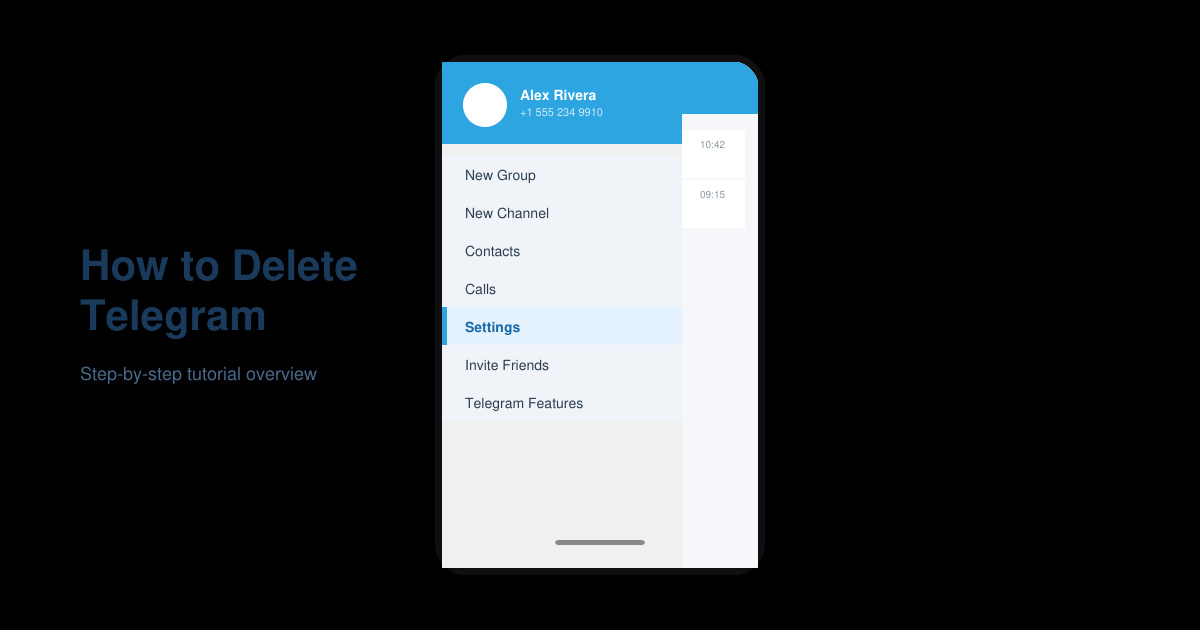
Launch the Telegram application on your device. Tap the three horizontal lines in the top left corner to open the main menu, then select Settings from the list of options.
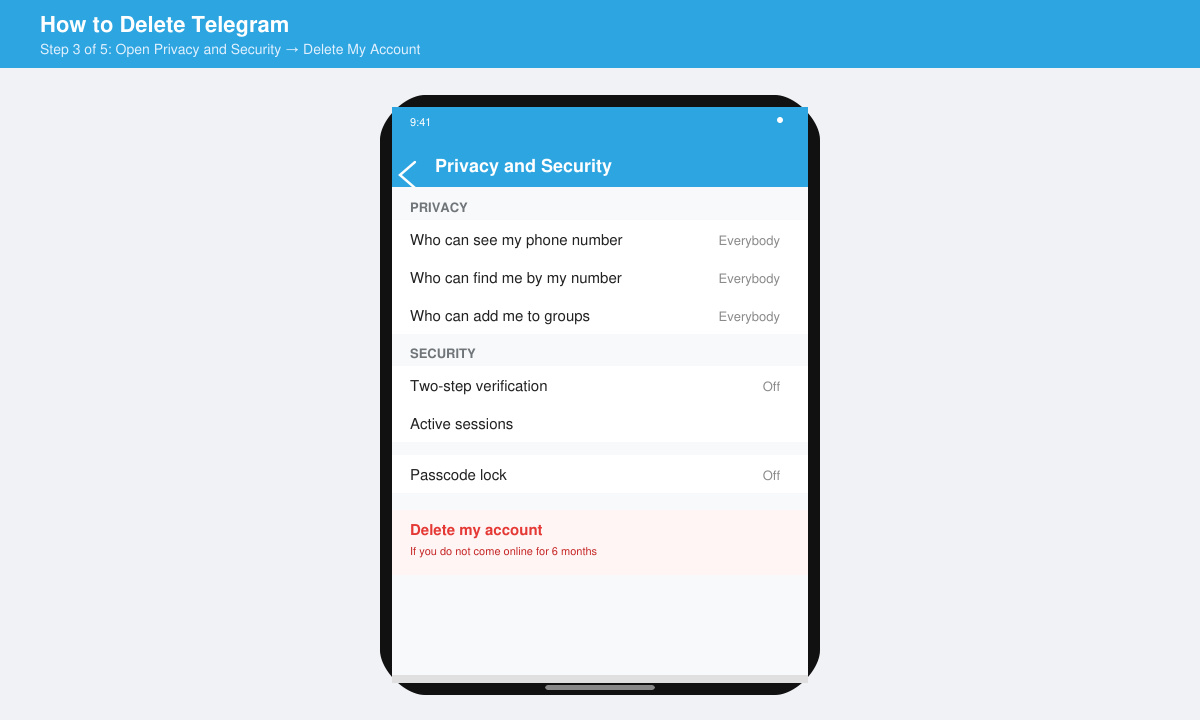
In the Settings screen, scroll down and tap Privacy and Security. This section controls data handling and account deletion options.
Scroll to the bottom of the Privacy and Security page and tap Delete My Account. Choose the inactivity period if prompted, or proceed directly to confirm deletion by entering your phone number for verification.
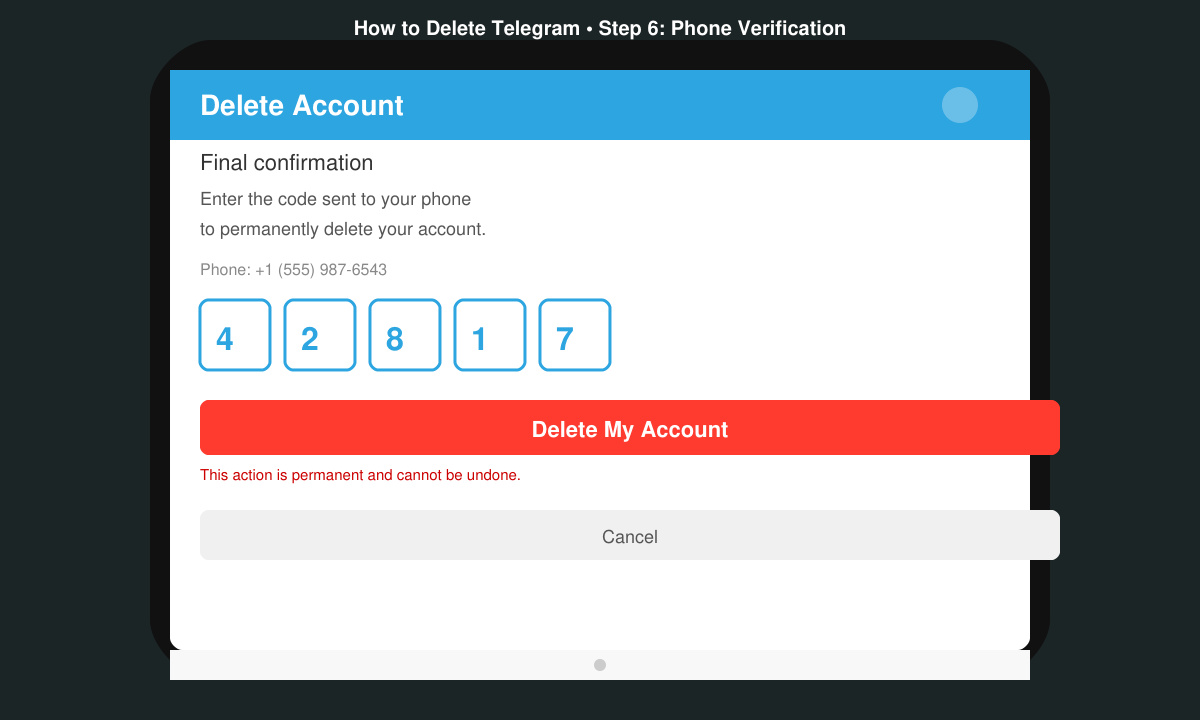
Enter the confirmation code sent via SMS to your linked number. Confirm the final warning message that states all data will be lost. Your account and associated information are now permanently removed from Telegram servers.
No. Once the deletion process completes, the account and all associated data are permanently erased with no recovery path available.
Uninstalling removes the app from your device only. Your account and messages remain active on Telegram servers until you follow the account deletion steps.
Open the chat, tap the contact or group name at the top, scroll down, and select Delete Chat. For multiple chats, use the selection mode in the main Chats screen.
Following the steps above ensures your Telegram presence ends cleanly whether you choose full account removal or selective data clearing.
Learn how to update Google Chrome browser on Windows, Mac, and Android in minutes to enjoy better security, speed, and new features. Follow these clear steps.
Learn how to download old media from WhatsApp and recover photos or videos from past chats. Follow these clear steps to save files that no longer appear in your gallery.
Facebook Messenger Isn T Working on your device? Use these exact troubleshooting steps to restore chats, calls, and notifications fast on Android, iOS, or desktop.
How to See Deleted WhatsApp Messages using your phone's built-in tools. Follow these exact steps to recover messages that contacts have deleted from chats.
Learn how to clear browser history in Chrome on desktop and Android with this exact step-by-step process. Keep your browsing private and free up storage space quickly.
Master how to use CapCut with this practical walkthrough covering project setup, editing tools, effects, and export options for high-quality video results.
Get the latest WhatsApp App Update Download from official sources to access new features and security improvements. Follow these clear steps for Android and iOS devices.
Learn how to safely Download WhatsApp App for Android from the official Google Play Store. Follow our clear step-by-step instructions to install the latest version quickly and securely.
Google Download WhatsApp App safely through the Google Play Store with this clear guide. Get the official version on your Android device quickly and avoid fake downloads.
Facebook and Messenger not working can disrupt your day. Follow these targeted fixes to restore access quickly on mobile and desktop.








