WhatsApp Web or computer provides the convenience for you to message people by linking to your phone account. But many users do not know where the exchanged files are stored. If you do not know the folder to save files on WhatsApp computer, follow the article below.
How to find WhatsApp files on computer
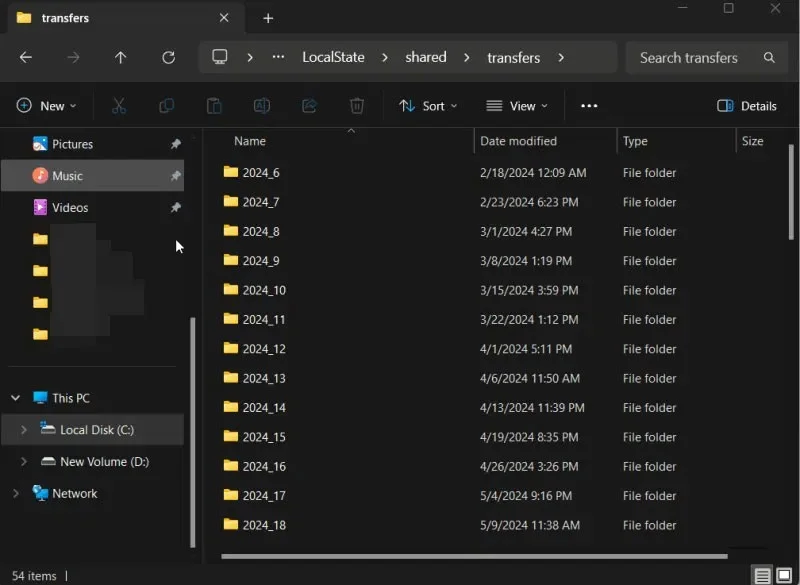
If you have a Windows computer and are using the WhatsApp desktop app, your files will be stored on your primary drive.
We just need to copy this path into File Explorer to open it in the WhatsApp folder, replacing YourUserName with the username on the computer.
C:\Users\YourUserName\AppData\Local\Packages\5319275A.WhatsAppDesktop_cv1g1gvanyjgm\LocalState\shared\transfers
Files are organized into folders marked by year, making it easy to find the specific file you're looking for.
If you're using the WhatsApp app on your Mac, open Finder . Navigate to Go -> Go to Folder . Enter the following path:
~/Library/Containers/WhatsApp/Data/Library/Application Support/WhatsApp/Media
How to find saved files on WhatsApp web
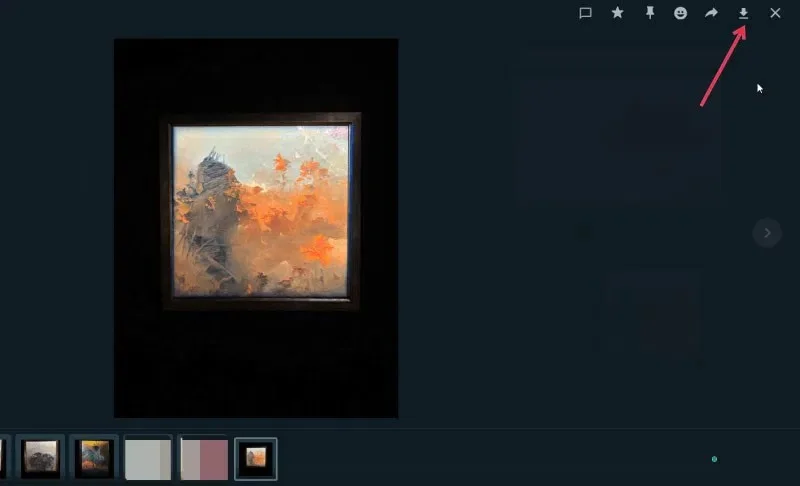
If you use WhatsApp Web to message, the app won't automatically save files and images to your WhatsApp folder like it does on your computer. Instead, you'll have to remember to manually save any files you need for later use.
Then you click on the file and click on the save icon to download and choose the save folder as you like.