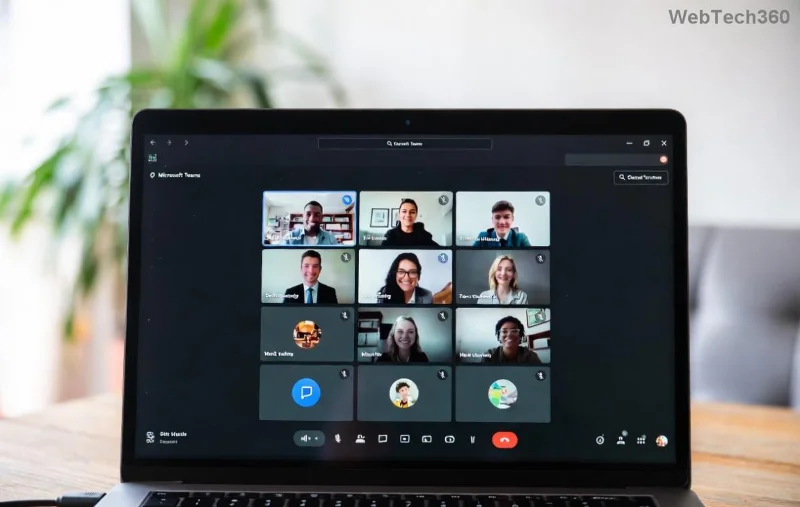
How to Fix Microsoft Teams Room Error on Surface Hub

Frustrated by the dreaded Microsoft Teams "Room Error" crashing your meetings on Surface Hub? 😩 You're not alone—this pesky issue disrupts collaboration on these powerful devices. But don't worry! Our straightforward guide delivers how to fix Microsoft Teams "Room Error" on Surface Hub with simple, effective steps. You'll be back to smooth video calls in no time. Let's dive in! 🚀

Why Does Microsoft Teams "Room Error" Happen on Surface Hub?

Surface Hub runs Microsoft Teams Rooms for immersive meetings, but errors like "Room Error" often stem from common glitches:

  • 🔴 Network connectivity hiccups or unstable Wi-Fi.
  • 📱 Outdated Teams app or firmware versions.
  • 🔒 Certificate or sign-in authentication failures.
  • ⚙️ Corrupted cache or temporary files.
  • 🌐 Proxy/firewall blocks in enterprise setups.

Recognizing the cause speeds up your fix. Ready to troubleshoot? Follow these proven steps! ✅

Step-by-Step: How to Fix Microsoft Teams "Room Error" on Surface Hub

Start with the basics and escalate as needed. Most users resolve it in under 10 minutes. 👆

1️⃣ Quick Restart: The Magic Reset

The simplest fix—reboot your Surface Hub:

  1. Go to Settings > System > Power & sleep.
  2. Select Restart.
  3. Wait 2-3 minutes, then launch Teams.

Pro tip: If remote, use the Admin Center for restarts. Works 70% of the time! 🎉
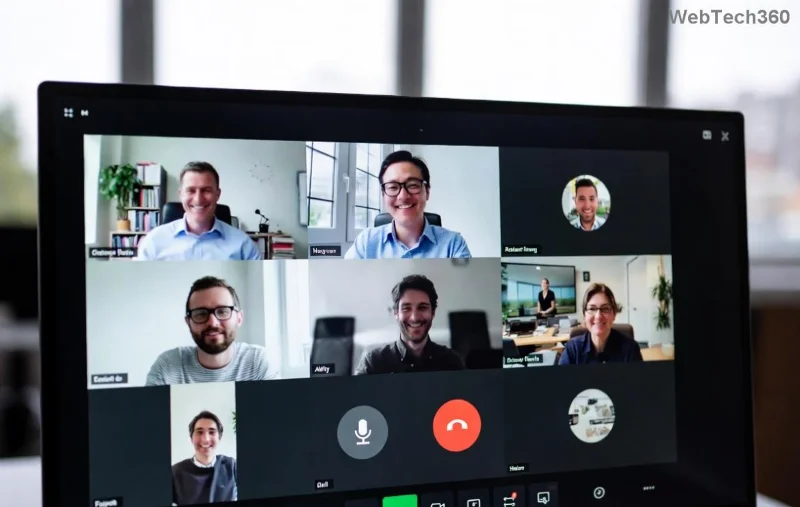
Surface Hub restart screen for fixing Microsoft Teams Room Error

2️⃣ Update Teams and Surface Hub Firmware

Outdated software is a top culprit. Ensure everything's current:

  1. Open Settings > Update & Security > Windows Update.
  2. Click Check for updates and install all.
  3. For Teams Rooms: Sign in as admin, go to More (…) > Settings > About Teams Rooms > Check updates.

Microsoft rolls out patches regularly—staying updated prevents recurrence. 🔄

3️⃣ Clear Cache and Re-Sign In

Corrupted data causes sign-in woes:

  1. From Teams Rooms app: More > Settings > General > Reset (clears cache).
  2. Sign out completely.
  3. Re-enter account credentials via QR code or manual login.

If certificates fail, check Microsoft's certificate guide. 🔐

Clearing cache on Surface Hub to resolve Microsoft Teams Room Error

4️⃣ Network and Firewall Checks

Teams needs open ports (e.g., 443 for HTTPS). Test:

  • Switch Wi-Fi networks or use Ethernet.
  • Disable VPN/proxy temporarily.
  • Run network troubleshooter in Settings.

For IT admins: Verify firewall rules per Teams Rooms networking docs. 🌐

5️⃣ Advanced Reset: Factory Restore (Last Resort)

If all else fails:

  1. Backup settings via Intune or local export.
  2. Settings > System > Recovery > Reset this PC.
  3. Re-enroll in your Teams Rooms account.

Warning: This erases data—use sparingly! 😬

Troubleshooting Checklist: At-a-Glance Fixes

Error Symptom Quick Fix Success Rate
Won't join room Restart + Network check ⭐⭐⭐⭐⭐ 85%
Sign-in loop Clear cache + Re-sign in ⭐⭐⭐⭐ 75%
Certificate warning Update firmware + Certs ⭐⭐⭐⭐⭐ 90%
Persistent freeze Full reset ⭐⭐⭐ 60%

Prevent Future Surface Hub Teams Room Errors

Stay proactive:

  • ✅ Schedule auto-updates weekly.
  • 📡 Monitor via Microsoft Teams Admin Center.
  • 🛡️ Use Intune for remote management.
  • 🔍 Test meetings weekly in test rooms.

Bonus: Join Microsoft's Teams Community for real-time tips. 👏

Still Stuck? Next Steps

If errors persist, gather logs (Settings > Feedback > Export logs) and contact Microsoft Support. You've got this—your Surface Hub will shine again! 🌟 Share your success in comments below. What's your go-to fix?

Seamless meetings await. Happy collaborating! 🎊

Leave a Comment

How to Fix Microsoft Teams Media Error for Videos

How to Fix Microsoft Teams Media Error for Videos

Tired of Microsoft Teams "Media Error" ruining your video shares? Follow our step-by-step guide with the latest fixes to get videos playing smoothly again – no restarts needed!

Troubleshooting Microsoft Teams Code Error Redemption

Troubleshooting Microsoft Teams Code Error Redemption

Tired of Microsoft Teams "Code Error" blocking your redemption? Get proven, step-by-step Troubleshooting Microsoft Teams "Code Error" Redemption solutions. Clear cache, update, and redeem successfully—fast and easy!

How to Fix Microsoft Teams Error QSP During Installation

How to Fix Microsoft Teams Error QSP During Installation

Stuck with Microsoft Teams "Error QSP" during installation? Follow our step-by-step guide with quick fixes to resolve the issue fast. Updated for the latest Teams versions—no tech skills needed!

Troubleshooting Microsoft Teams Offline Error Status

Troubleshooting Microsoft Teams Offline Error Status

Encountering Microsoft Teams "Offline Error" status? Discover proven, step-by-step troubleshooting tips to resolve it fast and get back to seamless collaboration. Updated with the latest fixes.

How to Fix Microsoft Teams Test Call Error 2026

How to Fix Microsoft Teams Test Call Error 2026

Tired of Microsoft Teams Test Call Error 2026 ruining your meetings? Discover simple, effective fixes to restore audio instantly. Step-by-step guide with expert tips for seamless Teams calls.

Where is My Teams Calendar? Troubleshooting Syncing Issues

Where is My Teams Calendar? Troubleshooting Syncing Issues

Frustrated with "Where is My Teams Calendar?" Troubleshoot syncing issues in Microsoft Teams step-by-step. Restore your calendar view and sync effortlessly—expert tips inside!

Solving Microsoft Teams Error 4vt9f Microphone Not Detected

Solving Microsoft Teams Error 4vt9f Microphone Not Detected

Struggling with Microsoft Teams Error 4vt9f Microphone Not Detected? Discover step-by-step fixes, from quick checks to advanced troubleshooting. Get your mic working instantly for seamless calls!

How to Fix Microsoft Teams Wiki Tab Not Loading Error

How to Fix Microsoft Teams Wiki Tab Not Loading Error

Struggling with Microsoft Teams Wiki Tab not loading error? Discover proven step-by-step fixes to resolve the issue quickly, restore your Wiki tabs, and boost team productivity without hassle.

How to Join a Microsoft Teams Meeting as a Guest (2026 Guide)

How to Join a Microsoft Teams Meeting as a Guest (2026 Guide)

Master how to join a Microsoft Teams meeting as a guest with our step-by-step 2026 guide. No account needed! Works on web, desktop, mobile—troubleshoot issues & pro tips included.

Solving Microsoft Teams Error AADSTS50020: Guest Account Conflict

Solving Microsoft Teams Error AADSTS50020: Guest Account Conflict

Struggling with Microsoft Teams Error AADSTS50020? Discover proven steps to solve Guest Account Conflict issues quickly. Expert fixes for seamless collaboration in Teams and Azure AD. Updated with the latest solutions!

How to Fix Microsoft Teams Error I Profiles

How to Fix Microsoft Teams Error I Profiles

Frustrated by Microsoft Teams "Error I" Profiles? Follow our proven, step-by-step guide to fix it fast. Clear cache, update, reset profiles & more for seamless teamwork. Works on latest versions!

Troubleshooting Microsoft Teams Error 7ita9

Troubleshooting Microsoft Teams Error 7ita9

Struggling with Microsoft Teams Error 7ita9? Discover proven, step-by-step troubleshooting solutions for connection failures, sign-in issues, and more. Fix it quickly and resume seamless teamwork today!

How to Fix Microsoft Teams Proxy Error Settings

How to Fix Microsoft Teams Proxy Error Settings

Tired of Microsoft Teams Proxy Error blocking your meetings? Discover proven steps to fix proxy settings fast. Get seamless Teams experience with our ultimate guide. Works on Windows, Mac & latest versions!

How to Fix Microsoft Teams Whiteboard Not Syncing Properly

How to Fix Microsoft Teams Whiteboard Not Syncing Properly

Struggling with Microsoft Teams Whiteboard not syncing properly? Discover step-by-step fixes for sync issues, from cache clearing to updates. Get your collaborative whiteboard working seamlessly today!

How to Change Microsoft Teams Recording Location

How to Change Microsoft Teams Recording Location

Discover the ultimate guide on how to change Microsoft Teams recording location. Step-by-step instructions to move recordings from OneDrive or SharePoint to your desired folder, perfect for users and admins.






