How to Fix Microsoft Teams Status Error Stuck on Away

Imagine this: You're ready for a crucial meeting, but your Microsoft Teams status is stubbornly stuck on "Away," even though you're glued to your desk. Frustrating, right? 😩 Don't worry—this common Microsoft Teams status error affects millions, but it's fixable with simple steps. In this guide, we'll walk you through proven solutions to reset your status to "Available" fast. By the end, you'll be back in action, impressing your team. Let's dive in! 👆
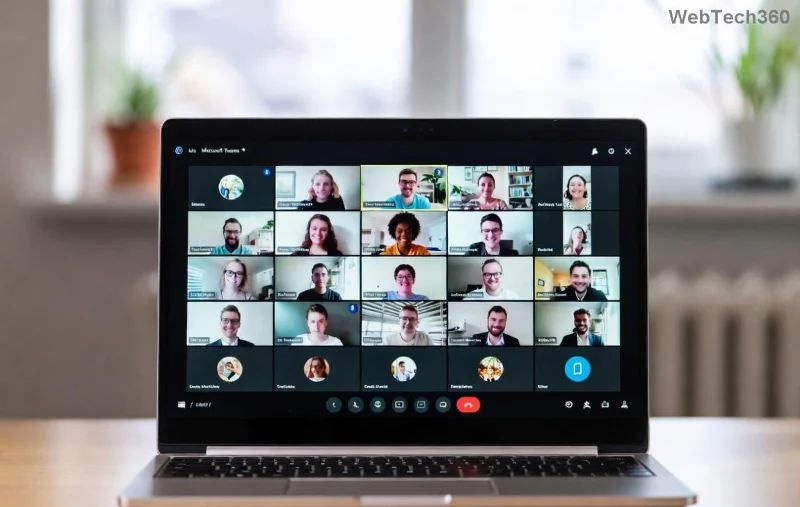
<strong>Microsoft Teams</strong> status stuck on Away error screenshot

Why Is Your Microsoft Teams Status Stuck on Away? Quick Causes

Before fixes, understand the culprits. Teams status error stuck on Away often stems from:

  • 👻 Idle detection glitches: Teams uses your computer's sensors (mouse/keyboard activity) to set status.
  • 🌐 Network hiccups or VPN issues delaying sync.
  • 🗑️ Corrupted app cache or outdated version.
  • ⚙️ Permissions blocks, like background app restrictions.
  • 💻 OS power settings forcing "Away" mode.

Spot on? Great—now let's fix it. Start with quick wins, then advanced tweaks. Follow sequentially for best results.

⭐ Quick Fixes: Reset Teams Status in Seconds

90% of users solve it here. No restarts needed!

  1. Manual Status Override 👆
    Double-click your profile picture in Teams > Select "Available" or "Do not disturb." Set duration to "Reset status upon activity." Boom—fixed?
  2. Check Activity Signals
    Move your mouse, type in chat, or click around. Teams should update in 5 minutes. Still stuck? Next.
  3. Sign Out & Back In
    Profile icon > Sign out > Relaunch and sign in. Clears temporary glitches.

If these don't work, level up.

Quick Fixes Comparison Table
Fix Time Difficulty Success Rate
Manual Override 10s Easy ⭐⭐⭐⭐
Sign Out/In 1min Easy ⭐⭐⭐⭐⭐
Clear Cache (below) 2min Medium ⭐⭐⭐⭐⭐

🛠️ Step-by-Step: Advanced How to Fix Microsoft Teams Status Stuck on Away

Ready for deeper dives? These target root causes.

1. Clear Teams Cache (Most Effective!)

Corrupted cache is the #1 villain.

  1. Quit Teams completely (Task Manager: End all "Teams.exe" processes).
  2. Windows: Press Win+R > %appdata%\Microsoft\Teams > Delete contents of folders like "blob_storage," "Cache," "databases," "GPUCache," "IndexedDB," "Local Storage," "tmp."
  3. macOS: ~/Library/Application Support/Microsoft/Teams > Same delete.
  4. Relaunch Teams. Status refreshes automatically!

2. Update Microsoft Teams to Latest Version

Outdated apps cause sync errors. Check Profile > Check for updates. Or download fresh from official site.

Clearing <strong>Microsoft Teams</strong> cache to fix status error

3. Tweak Windows/macOS Settings

  • Power & Sleep: Settings > System > Power & Sleep > Set "Screen" and "Sleep" longer than 5 mins.
  • Sensors Privacy: Windows Settings > Privacy > Background apps > Allow Teams. Disable "Let apps use your idle detection."
  • Disable VPN temporarily—test status.

4. Web/Mobile Specific Fixes

Teams Web: Clear browser cache (Ctrl+Shift+Del in Chrome). Incognito mode test.

Mobile: Force close app > Clear cache (Android: Settings > Apps > Teams). Reinstall if needed.

5. Nuclear Option: Reset or Reinstall

Last resort: Settings > Apps > Teams > Advanced > Reset. Or uninstall/reinstall via Control Panel.

Pro Tip: After any fix, wait 5-10 mins for cloud sync. 🎉

🚫 Prevent Teams Status Error Forever

  • ⭐ Pin "Available" as default.
  • Keep app updated weekly.
  • Use stable Wi-Fi, avoid public networks.
  • Enable "Status message" for context: "At desk but focused."

Bonus: Integrate Teams with Outlook calendar for auto-status (Available in meetings, Busy OOO).

Still Stuck? When to Seek Help

If nothing works, it's likely admin policy or account issue. Contact your IT team or check Microsoft Support. Share error logs from Teams (Help > Give feedback).

Congrats—you've conquered the Microsoft Teams "Status Error" Stuck on Away! Your status is now reliable, meetings smooth. Share this guide if it helped a colleague. What's your go-to fix? Drop a comment below. Stay productive! 🚀👏

Leave a Comment

Solving Microsoft Teams Web Error 503 Service Unavailable

Solving Microsoft Teams Web Error 503 Service Unavailable

Tired of Microsoft Teams Web Error 503 Service Unavailable blocking your meetings? Discover quick, step-by-step fixes to resolve the 503 error fast – no tech skills needed! Clear cache, check status, and get back to collaborating seamlessly.

Troubleshooting Microsoft Teams Update Error 0x80070002

Troubleshooting Microsoft Teams Update Error 0x80070002

Stuck with Microsoft Teams Update Error 0x80070002? Discover proven troubleshooting steps to resolve this frustrating issue quickly and get your Teams app updated seamlessly for uninterrupted collaboration.

Solving Microsoft Teams Error AADSTS50020: User Account Conflict

Solving Microsoft Teams Error AADSTS50020: User Account Conflict

Tired of Microsoft Teams Error AADSTS50020 blocking your sign-in? Discover step-by-step fixes for user account conflicts, backed by the latest Azure AD solutions. Get back to work fast!

How to Fix Microsoft Teams Microphone Error No Sound

How to Fix Microsoft Teams Microphone Error No Sound

Tired of Microsoft Teams microphone error with no sound? Discover quick, step-by-step fixes for Teams mic not working on Windows, Mac, and more. Restore crystal-clear audio in minutes!

How to Fix Microsoft Teams Task Management Error

How to Fix Microsoft Teams Task Management Error

Tired of the Microsoft Teams "Task Management" Error disrupting your workflow? Discover proven fixes like clearing cache, updating Teams, and troubleshooting permissions to get back to seamless collaboration in minutes. Updated with the latest solutions.

How to Fix Microsoft Teams How to Teams Help Error

How to Fix Microsoft Teams How to Teams Help Error

Frustrated by the Microsoft Teams 'How to Teams' Help Error? Discover proven, step-by-step solutions to fix it quickly and restore smooth help access. Latest 2026 updates included for seamless teamwork.

Solving Microsoft Teams Room Error Syncing

Solving Microsoft Teams Room Error Syncing

Struggling with Microsoft Teams "Room Error" Syncing? This ultimate guide provides step-by-step fixes for Microsoft Teams Room Error Syncing issues, ensuring seamless meetings and quick resolutions. Updated with the latest tips.

Troubleshooting Microsoft Teams Workflows Power Automate

Troubleshooting Microsoft Teams Workflows Power Automate

Master troubleshooting Microsoft Teams Workflows Power Automate issues with step-by-step fixes for common errors. Get your automations running smoothly – no more frustration! Proven solutions for triggers, permissions, and more.

Solving Microsoft Teams Restart Error (2026)

Solving Microsoft Teams Restart Error (2026)

Struggling with Microsoft Teams "Restart Error" in 2026? Discover proven, step-by-step fixes to resolve the endless restart loop quickly. Clear cache, reset app, and more for seamless collaboration. Get back online fast!

How to Create Breakout Rooms in Microsoft Teams Before a Meeting

How to Create Breakout Rooms in Microsoft Teams Before a Meeting

Master how to create breakout rooms in Microsoft Teams before a meeting with this easy guide. Pre-assign participants, boost collaboration, and elevate your virtual sessions effortlessly.

How to Fix Microsoft Teams Layout Error: Sidebar Missing

How to Fix Microsoft Teams Layout Error: Sidebar Missing

Tired of Microsoft Teams sidebar missing? Get instant fixes for layout errors. Step-by-step guide with latest tips to restore your Teams sidebar fast and frustration-free.

Solving Microsoft Teams Download Error for Macbook

Solving Microsoft Teams Download Error for Macbook

Struggling with Microsoft Teams Download Error on MacBook? Get step-by-step fixes for smooth installation on the latest macOS. Solve download failed issues quickly and easily.

Solving Microsoft Teams Error J Accounts

Solving Microsoft Teams Error J Accounts

Tired of Microsoft Teams Error J blocking your accounts? Get instant fixes for Error J in Teams with step-by-step guides, cache clears, and account resets. Regain access fast—no tech skills needed!

Rethinking Document Management to Streamline Your Workflow

Rethinking Document Management to Streamline Your Workflow

Work slows down when files sit in too many places, approval steps feel confusing, and people spend more time searching than actually finishing tasks. Strong document management can bring order back without making daily work feel complicated.

How to Fix Microsoft Teams Whiteboard Error Login

How to Fix Microsoft Teams Whiteboard Error Login

Frustrated by the Microsoft Teams Whiteboard Error Login? Discover proven, step-by-step fixes to resolve it quickly and get back to seamless collaboration. Latest solutions for desktop, web, and mobile. No tech skills needed!







