How to Fix Microsoft Teams Voice Call Error

Frustrated by Microsoft Teams voice call errors that disrupt your meetings? You're not alone—millions face Teams voice glitches like no audio, echo, or one-way sound. The good news? Most issues resolve quickly with simple tweaks. This guide delivers precise, up-to-date steps to restore your Microsoft Teams voice calls. Let's dive in and get you back to smooth conversations! ✅
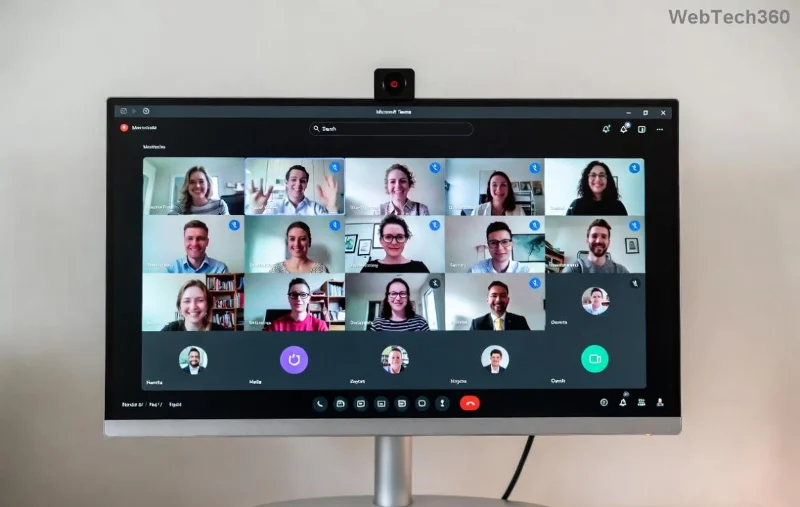
<strong>Microsoft Teams voice call error</strong> screenshot showing no audio issue

🔍 Common Causes of Microsoft Teams Voice Call Errors

Before fixing, understand the culprits. Teams voice errors often stem from:

  • 🔊 Hardware or permission issues with microphone/speakers.
  • 🌐 Network instability or firewall blocks.
  • ⚙️ Outdated app or corrupted cache.
  • 🛡️ Antivirus interference.
  • 📱 Device-specific glitches on Windows, Mac, or mobile.

Spot your issue? Jump to the relevant fix below. We'll prioritize quick wins first. 👇

1️⃣ Quick Checks: Fix 80% of Teams Voice Call Errors Instantly

Start here—these take under 2 minutes! 😊

  1. Test Audio Devices: In Teams, click your profile picture > Settings > Devices. Make a test call. Swap mic/speaker if needed.
  2. Grant Permissions: On Windows/Mac, ensure Teams has mic/camera access via system privacy settings.
  3. Restart Teams: Close fully (Task Manager on Windows) and relaunch.

Still no luck? Proceed to advanced steps. Your calls are almost fixed! 🚀

2️⃣ Update and Reset Microsoft Teams for Flawless Voice

Outdated versions cause most Teams voice errors. Here's how to update:

Step Action Platform
1. Check Version Profile > Check for updates All
2. Force Update Download latest from official site Desktop
3. Clear Cache %appdata%\Microsoft\Teams > Delete contents Windows
4. Reset App Settings > Apps > Teams > Reset Windows 11

Pro Tip: After clearing cache, sign out/in. This resolves echo and distortion in Microsoft Teams voice calls. 🎉

Step-by-step <strong>fix Microsoft Teams voice call error</strong> with cache clear

3️⃣ Network Fixes for Stable Teams Voice

Poor connectivity? Teams voice errors like call drops scream network woes.

  • 🔧 Run Teams Network Assessment Tool: Download from Microsoft Support.
  • 🌐 Switch to wired Ethernet over Wi-Fi.
  • 📵 Disable VPN temporarily—Teams hates conflicts!
  • 🔥 Check firewall: Allow Teams.exe through Windows Defender Firewall.

Bonus: Use Teams web version at teams.microsoft.com to bypass app issues. Seamless switch! ✨

4️⃣ Advanced Troubleshooting: Antivirus, Hardware, and More

For stubborn Microsoft Teams voice call errors:

  1. Antivirus Scan: Temporarily disable third-party tools like Norton/McAfee. Add Teams exceptions.
  2. Reinstall Teams: Uninstall via Control Panel, reboot, reinstall fresh.
  3. Driver Updates: Update audio drivers via Device Manager (Windows) or App Store (Mac).
  4. Mobile Fixes: Force stop app, clear storage, or reinstall from store.

If on enterprise setup, contact your IT admin—group policies might block audio. 🛡️

📊 Quick Reference Table: Teams Voice Error Symptoms & Fixes

Symptom Likely Cause Fast Fix
No sound at all Mic muted/devices wrong Devices settings & test call
Echo/distortion Multiple audio sources Clear cache & exclusive mode
One-way audio Firewall/network Network tool & port forwarding
Call drops Bandwidth limits Lower video quality

💡 Pro Tips to Prevent Future Microsoft Teams Voice Call Errors

  • ⭐ Always use headphones for meetings—reduces echo.
  • 📡 Monitor internet speed (Teams needs 1.2 Mbps up/down).
  • 🔄 Keep Teams auto-updating.
  • 🧪 Test calls weekly via Teams built-in tool.

Master these, and Teams voice errors become history. Share your success in comments! 👏

Ready for Crystal-Clear Calls?

Followed the steps? Your Microsoft Teams voice calls should be perfect now. If issues persist, reply below or check Microsoft Teams Support. Stay connected effortlessly! 🌟

Leave a Comment

How to Fix Microsoft Teams Error 2603: Login Loop Fix

How to Fix Microsoft Teams Error 2603: Login Loop Fix

Stuck in Microsoft Teams Error 2603 login loop? Get proven step-by-step fixes to resolve the issue fast and restore seamless teamwork. Clear cache, reset, reinstall – all covered!

How to Fix Microsoft Teams Voice Call Error

How to Fix Microsoft Teams Voice Call Error

Tired of Microsoft Teams voice call errors? Follow our step-by-step guide to troubleshoot no audio, echo, or call drops. Proven fixes for crystal-clear calls every time.

How to Fix Microsoft Teams Workflows Error Power Automate

How to Fix Microsoft Teams Workflows Error Power Automate

Struggling with Microsoft Teams "Workflows Error" in Power Automate? Discover proven, step-by-step fixes to resolve connection issues, permissions, and more. Get your workflows running smoothly today!

How to Fix Microsoft Teams Reddit Popular Error Fixes

How to Fix Microsoft Teams Reddit Popular Error Fixes

Tired of Microsoft Teams crashes, black screens, and sign-in loops? Unlock Reddit&#39;s most popular, proven fixes to resolve common Microsoft Teams errors quickly and get back to productive meetings. Step-by-step guides inside!

Troubleshooting Microsoft Teams Error 53003: Access Denied

Troubleshooting Microsoft Teams Error 53003: Access Denied

Tired of Microsoft Teams Error 53003 Access Denied blocking your meetings? Discover proven, step-by-step fixes to troubleshoot and resolve it quickly – no tech expertise needed!

How to Fix Microsoft Teams Media Error During Calls

How to Fix Microsoft Teams Media Error During Calls

Tired of Microsoft Teams media errors ruining your calls? Follow our expert, step-by-step guide to fix audio, video, and media issues quickly. Restore crystal-clear meetings today!

How to Fix Microsoft Teams Classic Login Error

How to Fix Microsoft Teams Classic Login Error

Struggling with Microsoft Teams "Classic" login error? Discover proven, step-by-step fixes to get back online fast. Clear cache, reset credentials, and more—no tech skills needed!

Troubleshooting Microsoft Teams Test Call Mic Error

Troubleshooting Microsoft Teams Test Call Mic Error

Struggling with Microsoft Teams Test Call mic error? Discover step-by-step troubleshooting for microphone issues, from quick checks to advanced fixes. Restore crystal-clear audio in minutes!

Solving Microsoft Teams Error AADSTS90023: Invalid Authentication

Solving Microsoft Teams Error AADSTS90023: Invalid Authentication

Struggling with Microsoft Teams Error AADSTS90023 Invalid Authentication? Discover step-by-step fixes to resolve this Azure AD issue quickly. Clear cache, reset credentials, and get back to seamless collaboration today!

Solving Microsoft Teams Error 1200: Step-by-Step Recovery

Solving Microsoft Teams Error 1200: Step-by-Step Recovery

Struggling with Microsoft Teams Error 1200? Discover proven step-by-step fixes to resolve connection issues, clear cache, and get back to seamless collaboration. Quick recovery tips inside!

Why is My Microsoft Teams Status Stuck on Away?

Why is My Microsoft Teams Status Stuck on Away?

Frustrated with your Microsoft Teams status stuck on 'Away'? Uncover the top reasons like idle timeouts and power settings, plus step-by-step fixes to get back to 'Available' fast. Updated with the latest Teams features.

How to Fix Microsoft Teams Error: Administrator Has Disabled Chat

How to Fix Microsoft Teams Error: Administrator Has Disabled Chat

Stuck with Microsoft Teams error "Administrator Has Disabled Chat"? Discover proven step-by-step solutions for admins and users to restore chat functionality fast. No tech skills needed!

Troubleshooting Microsoft Teams Error CDL_WORKER_FAILURE

Troubleshooting Microsoft Teams Error CDL_WORKER_FAILURE

Stuck with Microsoft Teams Error CDL_WORKER_FAILURE? Follow this step-by-step guide to troubleshoot and fix it quickly. Proven solutions for seamless Teams experience.

How to Fix Microsoft Teams Javascript Error on Mac

How to Fix Microsoft Teams Javascript Error on Mac

Stuck with Microsoft Teams JavaScript Error on Mac? Discover quick, step-by-step fixes to resolve it fast. Clear cache, update, reinstall & more for seamless Teams on macOS. Get back to work!

Solving Microsoft Teams Error En Teams (Spanish Fix)

Solving Microsoft Teams Error En Teams (Spanish Fix)

Tired of the frustrating "Error En Teams" popping up in Microsoft Teams? Get instant fixes for this Spanish language glitch. Step-by-step guide with proven solutions to restore seamless collaboration. Works on Windows, Mac, and web!








