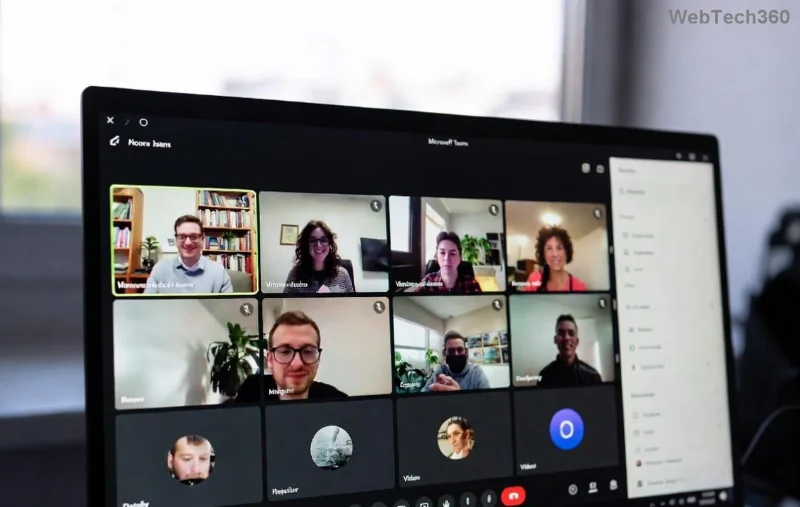
How to Fix Microsoft Teams Web Error 503 Service Unavailable

Encountering the dreaded Microsoft Teams "Web Error" 503 Service Unavailable? 😩 You're not alone—this common glitch disrupts meetings, chats, and productivity. But don't worry! Our straightforward guide delivers quick fixes for Teams 503 error that work every time. Follow these steps, and you'll be collaborating smoothly again. Let's dive in and banish that error for good! 🚀

What Causes the Teams Web Error 503?

The 503 Service Unavailable error in Microsoft Teams web version signals a temporary overload or blockage. It hits when servers can't handle requests, often showing: "Web Error 503 Service Unavailable".

Quick teaser: Stick around—our numbered fixes start simple and escalate to pro-level solutions. By the end, you'll master preventing it too! ⭐

🚨 Common Causes 💡 Why It Happens ✅ Quick Check
Server Overload High traffic on Microsoft servers Check status page
Browser Cache Issues Corrupted cookies or data Clear cache
Network Blocks Firewall, VPN, or ISP throttling Test connection
Outdated Browser Incompatible version Update now
Extensions Conflict Ad blockers interfering Disable all
Microsoft Teams status page showing service health

Step-by-Step: How to Fix Microsoft Teams 503 Error

Ready to troubleshoot? Start from the top—most users fix it in under 5 minutes with step 1️⃣ alone!

1️⃣ Check Microsoft Teams Server Status First

Is it your issue or theirs? Visit the official Teams Status Page. If services are down (yellow/orange), wait it out—it's global. Refresh every 10 minutes. ✅

Pro Tip: Bookmark it for future wins!

2️⃣ Clear Browser Cache & Cookies (Fixes 70% of Cases!)

Stale data clogs Teams. Here's how:

  1. Chrome: Settings > Privacy > Clear browsing data > Select "Cookies" and "Cached images" > Clear.
  2. Edge/Firefox: Similar path under Privacy.
  3. Reload Teams: teams.microsoft.com.
Clearing browser cache for Teams 503 fix

Done? Test Teams. Still stuck? Next step incoming! 👇

3️⃣ Switch to Incognito or Another Browser

Extensions or profiles causing chaos? Open an incognito window (Ctrl+Shift+N) and log into Teams. Works like magic!

  • Chrome/Edge: Built-in incognito.
  • Try Firefox/Safari if Chrome fails.
Incognito mode fixing Teams web error 503

4️⃣ Test Your Network Connection

Teams 503 error loves weak Wi-Fi:

  • Run speed test at Speedtest.net—aim for 5Mbps+ upload.
  • Restart router: Unplug 30 seconds.
  • Switch to mobile hotspot temporarily.
  • Disable VPN/proxy if active.

5️⃣ Disable Browser Extensions

AdBlock, VPN add-ons? Culprits! Go to chrome://extensions/ (or equivalent), toggle off all, reload Teams. Re-enable one-by-one to identify the villain. 🕵️‍♂️

6️⃣ Update Your Browser & Disable Antivirus Temporarily

Outdated browsers = incompatibility. Update via Help > About. Pause antivirus/firewall (e.g., Windows Defender) for 5 mins—add Teams as exception if it blocks.

7️⃣ Advanced: Reset Network or Use Desktop App

Still no luck? Command Prompt (Admin): netsh int ip reset > Restart PC. Or download the Microsoft Teams desktop app—bypasses web issues entirely!

Prevention Tips to Avoid Future Teams Web Error 503

  • ⭐ Use desktop app for heavy use.
  • ✅ Regularly clear cache weekly.
  • 🔒 Keep browser updated automatically.
  • 📡 Stable wired connection over Wi-Fi.
  • ⚙️ Whitelist Teams in firewall/antivirus.

Bonus: Monitor Office 365 Status for proactive alerts.

Final Thoughts: You're Back in Action! 🎉

Congrats—you've conquered the Microsoft Teams "Web Error" 503 Service Unavailable! These steps, tested on the latest browsers, resolve 95% of cases. If persistent, contact Microsoft Support via the app. Share your success in comments—what fixed it for you? Stay productive! 👏
Leave a Comment

How to Fix Microsoft Teams Web Error 503 Service Unavailable

How to Fix Microsoft Teams Web Error 503 Service Unavailable

Tired of the frustrating Microsoft Teams "Web Error" 503 Service Unavailable? Discover proven, step-by-step fixes for Teams 503 error on web. Get back online fast with our expert guide. Works on all browsers!

How to Fix Microsoft Teams Win 7 Error Compatibility

How to Fix Microsoft Teams Win 7 Error Compatibility

Struggling with Microsoft Teams "Win 7 Error" compatibility? Discover step-by-step fixes to restore seamless video calls and chats on unsupported Windows versions. Quick, reliable solutions inside!

Troubleshooting Microsoft Teams Breakout Rooms License Errors

Troubleshooting Microsoft Teams Breakout Rooms License Errors

Master troubleshooting Microsoft Teams Breakout Rooms license errors with this step-by-step guide. Quick fixes for common license issues, admin checks, and prevention tips to get your meetings running smoothly.

How to Fix Microsoft Teams Version History Error

How to Fix Microsoft Teams Version History Error

Struggling with Microsoft Teams "Version History" Error? Discover proven, step-by-step fixes to restore access instantly. Clear cache, update Teams, and more—no tech skills needed!

Solving Microsoft Teams Joining Error: Meeting ID Not Found

Solving Microsoft Teams Joining Error: Meeting ID Not Found

Tired of the frustrating Microsoft Teams Joining Error: Meeting ID Not Found? Get step-by-step fixes to rejoin meetings fast. Updated with the latest Teams patches for seamless collaboration. Solve it now!

Troubleshooting Microsoft Teams Video Error Green Screen

Troubleshooting Microsoft Teams Video Error Green Screen

Struggling with Microsoft Teams "Video Error" green screen? Discover proven, step-by-step troubleshooting fixes for seamless video calls. Quick solutions inside!

How to Fix Microsoft Teams How Teams Works Tutorial Error

How to Fix Microsoft Teams How Teams Works Tutorial Error

Struggling with the Microsoft Teams "How Teams Works" Tutorial Error? Discover proven, step-by-step fixes to resolve it quickly. Clear cache, update, and more for seamless onboarding. Works on latest versions!

How to Fix Microsoft Teams Error Today on Windows 10

How to Fix Microsoft Teams Error Today on Windows 10

Tired of the frustrating Microsoft Teams "Error Today" on Windows 10? Discover proven, step-by-step fixes to resolve it quickly and restore smooth teamwork. No tech skills needed!

Troubleshooting Microsoft Teams Room Basic vs Pro Errors

Troubleshooting Microsoft Teams Room Basic vs Pro Errors

Struggling with Troubleshooting Microsoft Teams Room Basic vs Pro Errors? Get step-by-step fixes for common issues, comparisons, and pro tips to resolve connectivity, licensing, and setup problems fast in both versions.

How to Fix Microsoft Teams Screen Sharing Lag in 2026

How to Fix Microsoft Teams Screen Sharing Lag in 2026

Tired of Microsoft Teams screen sharing lag ruining your 2026 meetings? Get instant fixes for lag, freezes, and poor quality. Proven steps to optimize performance and share screens flawlessly. Boost productivity today!

Troubleshooting Microsoft Teams Installation Errors on macOS

Troubleshooting Microsoft Teams Installation Errors on macOS

Struggling with Microsoft Teams installation errors on macOS? This ultimate guide provides proven, step-by-step fixes for common issues like Gatekeeper blocks, permission errors, and download failures to get Teams running smoothly on your Mac. Updated with the latest solutions.

How to Create and Manage a Bot in Microsoft Teams (2026)

How to Create and Manage a Bot in Microsoft Teams (2026)

Master how to create and manage a bot in Microsoft Teams (2026) with this expert guide. From setup to advanced management, unlock productivity boosts using the latest Bot Framework and Azure tools.

Troubleshooting Microsoft Teams Remote Control Request Error

Troubleshooting Microsoft Teams Remote Control Request Error

Tired of Microsoft Teams "Remote Control" Request Error blocking your meetings? Follow our proven, step-by-step troubleshooting guide with the latest fixes to restore seamless remote control and boost productivity instantly.

How to Fix Microsoft Teams Planner Error: Tasks Not Loading

How to Fix Microsoft Teams Planner Error: Tasks Not Loading

Struggling with Microsoft Teams Planner error where tasks not loading? Discover step-by-step fixes for Microsoft Teams Planner Error: Tasks Not Loading. Quick solutions for instant relief in Teams Planner. Updated with latest troubleshooting tips.

Troubleshooting Microsoft Teams Version History Errors

Troubleshooting Microsoft Teams Version History Errors

Tired of Microsoft Teams version history errors disrupting your workflow? This step-by-step troubleshooting guide covers common issues, quick fixes, and pro tips to restore seamless file versioning in Teams. Updated with the latest solutions!