5 Halloween Cocktails That Are Easy to Serve at Your 2026 Bash

Mix five vivid, approachable Halloween cocktails with measured recipes, simple prep tips, and an alcohol-free option for your party guests.
Recovering Facebook when the password is hacked and the registered email is lost is not a rare situation when the Facebook account is hacked . Therefore, implementing 2-layer security for Facebook with a phone number is necessary to be able to recover Facebook, or add an email to the Facebook account and add a phone number to Facebook to be able to recover the password. In addition, you should also add trusted friends on Facebook to have more options to recover the Facebook password. Below are some methods to recover a hacked Facebook password and lost registered email.
1. Get back Facebook using alternative email or phone number
Once you have added another email to your Facebook account, it will help you log in and receive notifications as well as reset your Facebook password easily.
When you add a new email, Facebook will also send a confirmation code to that email address.
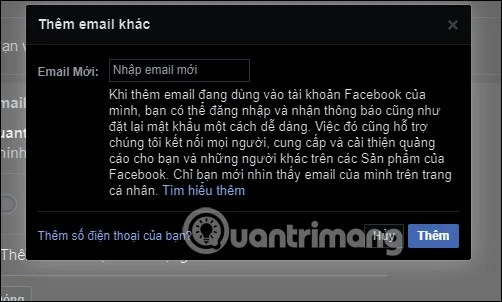
In case you are hacked and forget your registration email, click on the link below.
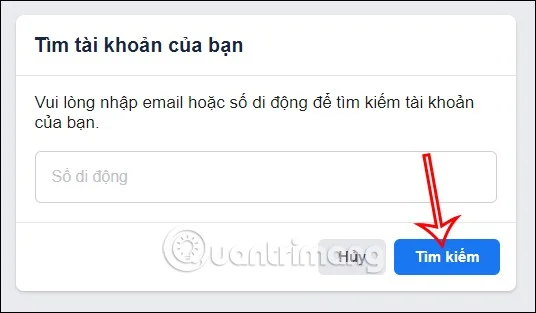
https://www.facebook.com/login/identifyThen enter an alternative email or phone number . Click the Search button to let Facebook search for your account via the entered email or phone number.
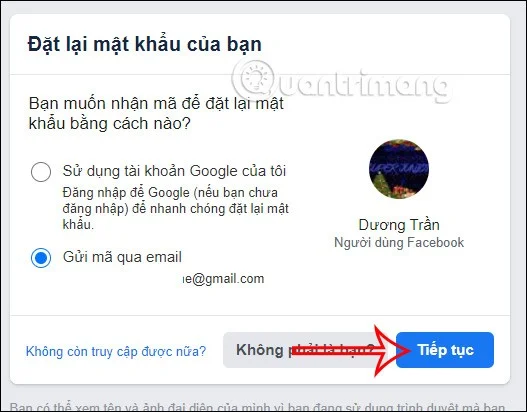
At this point you will be notified to reset your Facebook password via the added email address.
In case you do not have access to this recovery email, click No longer have access .
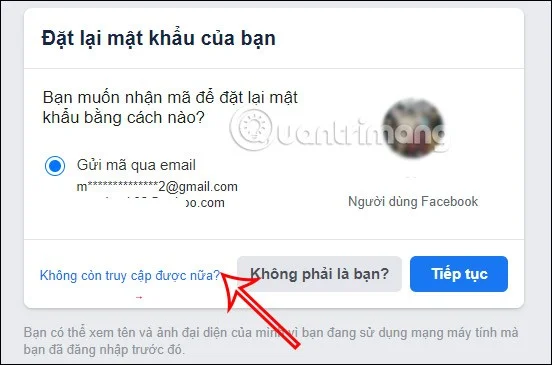
Now you will need to enter a new email address that you have never used to register for Facebook .
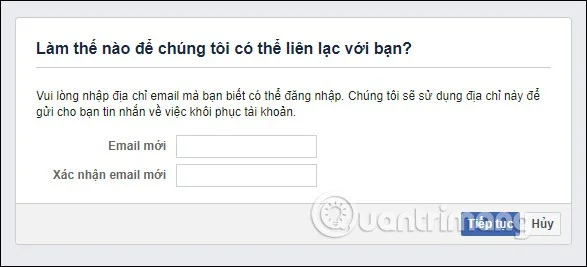
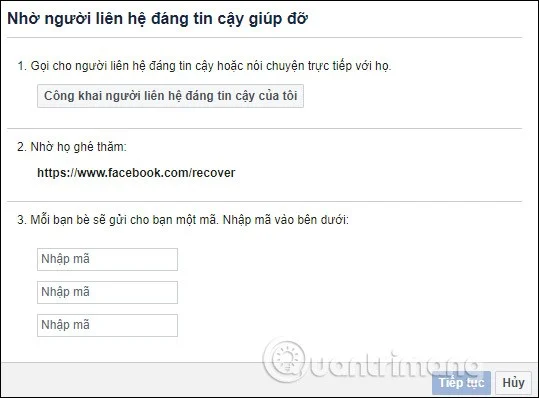
Next, you need to enter the trusted Facebook friend account that has been added to the trusted contact list on Facebook and then follow the instructions below.
2. Recover Facebook registered email account
Facebook registration account is very important to be able to secure and recover the account. When you have lost your Facebook registration email and have not added another email to Facebook, the only way left is to try to recover the email.
Contact your email service provider to regain access to your Facebook email account. Here are some ways to recover your email account.
What do bad guys want with your Facebook account?
Hackers can gain access to your account in a variety of ways.
The simplest reason is emotional. Some people are jealous or obsessive and want to look into your account and messages. They can hire a hacker to break into your account. From there, they can scan your personal information or even post something negative under your identity.
A complete stranger can hack you too. This is where shady messages come in. They can send messages to your friends, tricking them into clicking on malicious links that can hack your account too.
Hackers can also steal personal information through your Facebook account, which can eventually help them steal your identity. Some people have credit cards, phone numbers, and even social security numbers stored on the platform. Hackers can also find information that answers security questions, such as your first pet or your mother's maiden name.
Your account can be compromised in a variety of ways. For example:
See also the following articles:
Mix five vivid, approachable Halloween cocktails with measured recipes, simple prep tips, and an alcohol-free option for your party guests.
Find 15 office-friendly Halloween costume ideas for 2026, with practical checks for dress codes, respectful themes, comfort, and workplace safety.
Plan a fun elementary school Halloween party with easy crafts, games, inclusive treats, costume tips, and a sample 75-minute classroom schedule.
Compare realistic side hustles for 2026 by startup cost, fees, flexibility, and income control, with current tax and scam guidance from official sources.
Upgrade your home office ergonomics with current OSHA and NIOSH guidance on chair fit, monitor height, laptop setup, lighting, and movement.
Learn why emotional intelligence matters in leadership, where it helps most, how to strengthen it, and how to tell whether your approach is working.
A practical roadmap for moving into tech without a degree: choose an accessible role, build job-ready skills, prove them with projects, and use hiring feedback to improve.
Build a credible LinkedIn personal brand in 2026 with current profile, content, newsletter, analytics, verification, and visibility guidance from LinkedIn.
Quiet quitting and quiet firing are catchy labels, not diagnoses. Learn what is verified, what depends on context, and what employees and managers can do next.
Fractional executives offer senior leadership without a full-time hire. Learn when the model works, what to ask, and the risks to manage.








