Maybe your Google Play payment card has expired, maybe you just want to switch to a new bank, or maybe you just want to get rid of the prepaid card that's taking up your account. But unlike other settings, you can't update your payment method directly in the Google Play app. Here's how to remove a payment method from your Google Play account.
How to remove a payment method from Google Play
Step 1:
You access the Google Play website via the link below. Then you log in to your Google account as usual.
Step 2:
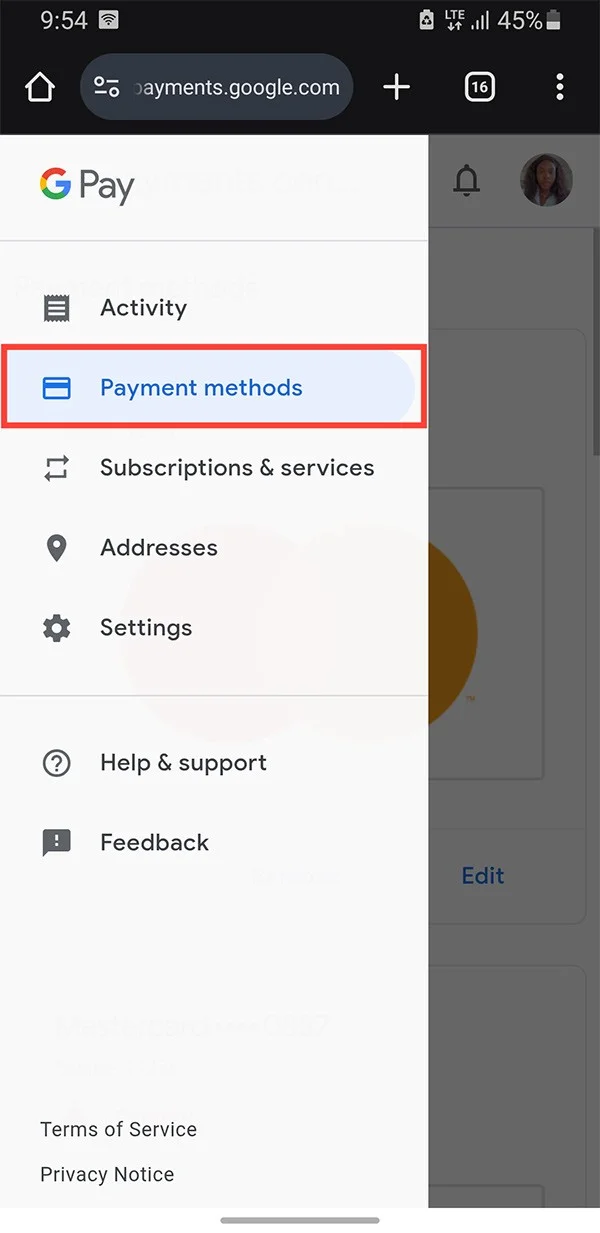
Click on the 3 dashes icon , then click on Payment Methods .
Step 3:
Now you will see the payment method available on Google Play. At the payment method you want to delete, we click the Remove button .

Step 4:
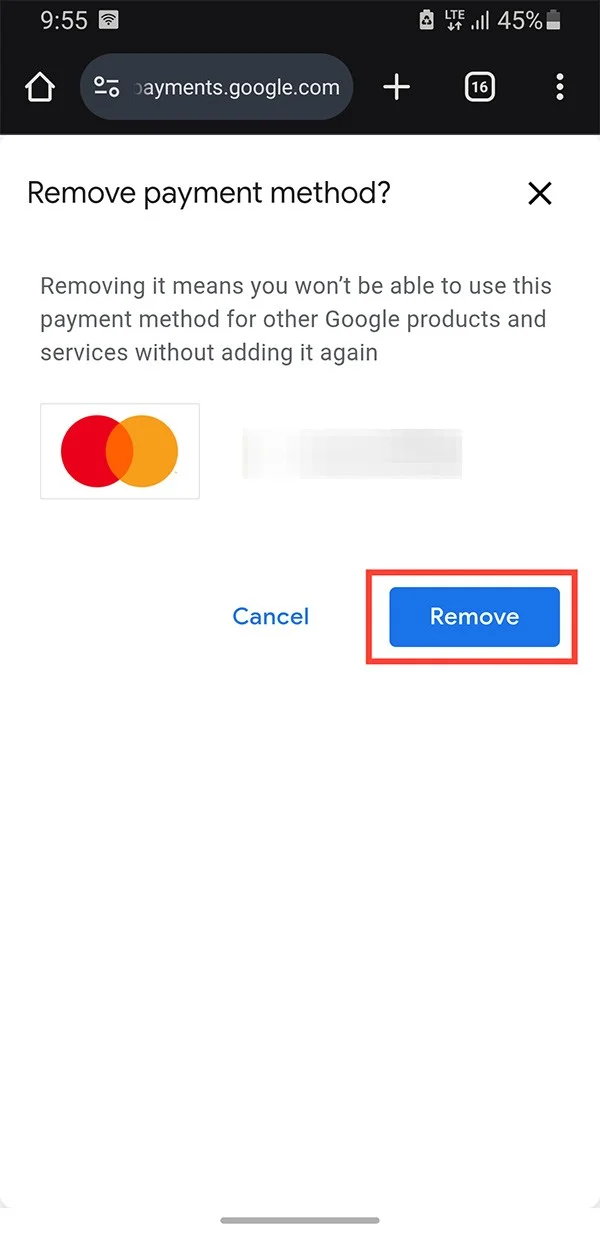
Finally you confirm the prompt and remove the payment method from your Google Play account and you are done.

Google will no longer charge you using that payment method.