When to Start Decorating for Halloween in 2026

Use a simple 2026 Halloween decorating timeline for indoor décor, outdoor displays, and fresh pumpkins, with practical adjustments for weather and events.
Blackheads are a very common skin condition that mainly affects the face, neck, back and chest. Here are some of the easiest ways to treat blackheads at home .
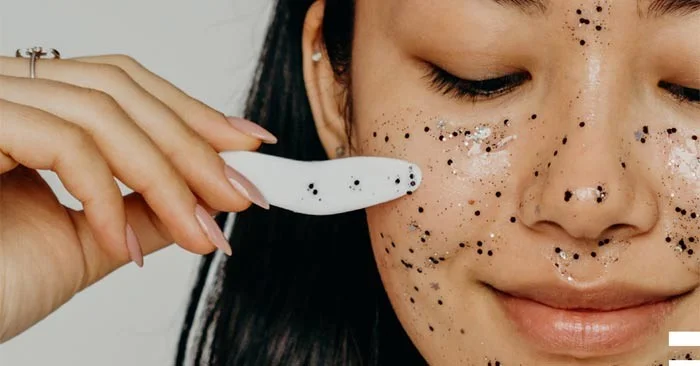
What are blackheads?
Blackheads are a common type of acne. They are open pimples on the skin filled with excess oil and dead skin. They look like dirt in the pimple, but the uneven reflection of light from the clogged hair follicle is what actually causes the dark spots.
Blackheads are not pimples. Pimples are small, painful, discolored bumps with thick, yellowish-white fluid (pus) at the tip.
Who is most prone to blackheads?
Blackheads often affect teenagers and young adults who are going through hormonal changes. However, many adults continue to experience acne into their 20s, 30s, and beyond. Some even get blackheads for the first time as adults.
Causes of blackheads
Sebaceous glands are located all over your body and most of them are connected to hair follicles. Blackheads and whiteheads are both types of acne. Blackheads are open comedones and whiteheads are closed comedones. Acne occurs when a hair follicle/sebaceous gland becomes inflamed. Inflammation can occur due to:
How to treat blackheads at home
Wash your hands thoroughly before squeezing blackheads.
Only squeeze or pick at blackheads after washing your hands thoroughly. Blackheads can be squeezed without leaving scars, as long as you are clean and careful. When done correctly, this is a quick and effective home remedy for clearing out your pores.
Many stores now sell blackhead removal tools so you can treat your face at home. However, these tools are often full of bacteria and can cause scarring. So it’s best to use clean hands to squeeze the blackheads and then wash your face thoroughly.
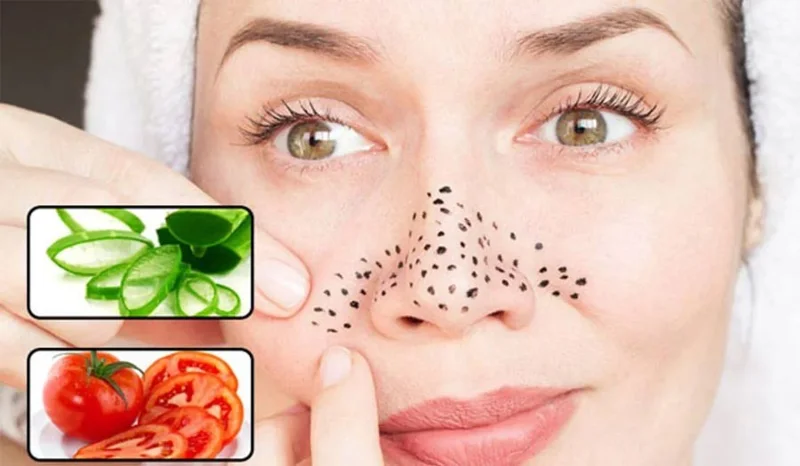
Use natural mixture to remove blackheads
Use honey and cinnamon
Some studies show that honey has antibiotic properties. Some people believe that it can help remove dirt from your open pores. Mix 1 tablespoon (15 mL) of honey with ½ teaspoon (1.4 g) of cinnamon and apply it to dry skin with your fingers. Rub in circular motions for 3 minutes, then rinse with warm water. Make sure to wash your hands before you start applying the mask.
Egg white mask
Some people believe that egg whites can help tighten pores and pull out any clogged dirt, leaving you with smooth, clear skin. A simple egg white mask can be a great way to get rid of blackheads and leave your skin feeling fresh and clean.
Clay mask
Not only does this clay mask exfoliate, it can also dry out oily pores and remove unwanted debris. Mix a tablespoon of powdered clay with enough apple cider vinegar to form a paste, and apply it to your face. Leave it on for 10-15 minutes until it feels dry to the touch, then rinse off with warm water.
How to prevent blackheads
Preventing blackheads can be difficult, if not impossible, during normal hormonal changes. But there are a few things that can help:
Use a simple 2026 Halloween decorating timeline for indoor décor, outdoor displays, and fresh pumpkins, with practical adjustments for weather and events.
Mix five vivid, approachable Halloween cocktails with measured recipes, simple prep tips, and an alcohol-free option for your party guests.
Find 15 office-friendly Halloween costume ideas for 2026, with practical checks for dress codes, respectful themes, comfort, and workplace safety.
Plan a fun elementary school Halloween party with easy crafts, games, inclusive treats, costume tips, and a sample 75-minute classroom schedule.
Compare realistic side hustles for 2026 by startup cost, fees, flexibility, and income control, with current tax and scam guidance from official sources.
Upgrade your home office ergonomics with current OSHA and NIOSH guidance on chair fit, monitor height, laptop setup, lighting, and movement.
Learn why emotional intelligence matters in leadership, where it helps most, how to strengthen it, and how to tell whether your approach is working.
A practical roadmap for moving into tech without a degree: choose an accessible role, build job-ready skills, prove them with projects, and use hiring feedback to improve.
Build a credible LinkedIn personal brand in 2026 with current profile, content, newsletter, analytics, verification, and visibility guidance from LinkedIn.
Quiet quitting and quiet firing are catchy labels, not diagnoses. Learn what is verified, what depends on context, and what employees and managers can do next.








