5 Halloween Cocktails That Are Easy to Serve at Your 2026 Bash

Mix five vivid, approachable Halloween cocktails with measured recipes, simple prep tips, and an alcohol-free option for your party guests.
Current washing machines all have a drum cleaning feature , but not all users know how to use this mode effectively. The following article will help you understand how to use the washing machine cleaning mode properly to help remove bacteria and dirt.
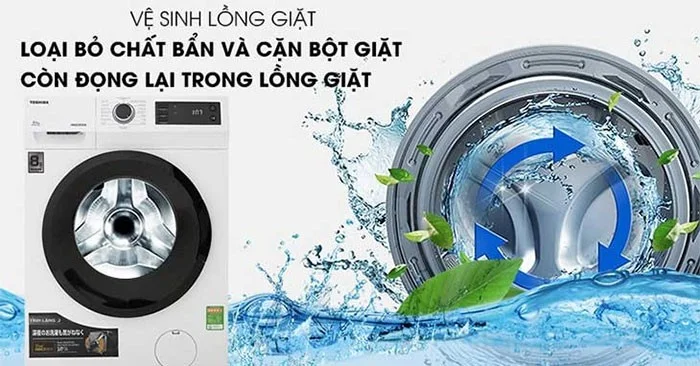
Table of Contents
After a period of use, the washing machine drum will have a lot of dirt and lint stuck to the washing machine wall, drain pipe, laundry bag, etc. During the washing process, dirt will stick to clothes.
In addition, after taking clothes out of the washing machine, many people often close the washing machine door immediately, creating a humid environment for bacteria to grow, easily sticking to clothes when washing.
The drum cleaning mode cleans the drum and kills bacteria, keeping your clothes clean and fragrant after washing.
Notes when using the washing machine cleaning mode help keep the inside of the washing machine clean, removing all dirt and bacteria.
Use specialized solution
Cleaning the washing machine without using detergents is like washing clothes without detergent, it will not be very effective. Therefore, you should add detergents such as: detergent, laundry detergent, baking soda, vinegar, lemon juice,... to increase the effectiveness of the washing machine cleaning process.
Note, put detergent directly into the washing drum when using the washing machine cleaning mode, not into the tray.
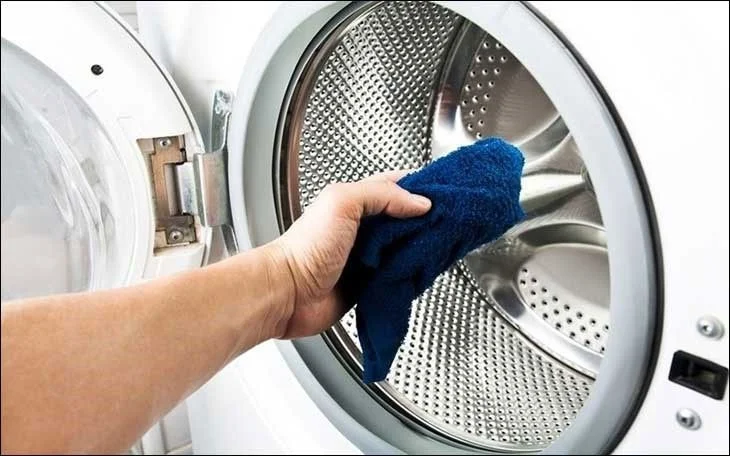
Check the washing machine drum cleaning process after completing the cycle. You can use a soft cotton towel to wipe the drum again to ensure that the drum has been cleaned thoroughly.
The washing machine filter should also be cleaned.
The filter of a top-loading washing machine is located on the inside wall of the washing drum, while that of a front-loading washing machine is located in the lower right or left corner of the washing machine. If the filter is not cleaned, dirt from here will overflow with the water and stick to the clothes during the washing process.
Clean the washing machine once a month
The longer you leave it, the more dirt will accumulate inside and stick more firmly, making cleaning more difficult. Therefore, we should clean the washing machine drum once a month.
Mix five vivid, approachable Halloween cocktails with measured recipes, simple prep tips, and an alcohol-free option for your party guests.
Find 15 office-friendly Halloween costume ideas for 2026, with practical checks for dress codes, respectful themes, comfort, and workplace safety.
Plan a fun elementary school Halloween party with easy crafts, games, inclusive treats, costume tips, and a sample 75-minute classroom schedule.
Compare realistic side hustles for 2026 by startup cost, fees, flexibility, and income control, with current tax and scam guidance from official sources.
Upgrade your home office ergonomics with current OSHA and NIOSH guidance on chair fit, monitor height, laptop setup, lighting, and movement.
Learn why emotional intelligence matters in leadership, where it helps most, how to strengthen it, and how to tell whether your approach is working.
A practical roadmap for moving into tech without a degree: choose an accessible role, build job-ready skills, prove them with projects, and use hiring feedback to improve.
Build a credible LinkedIn personal brand in 2026 with current profile, content, newsletter, analytics, verification, and visibility guidance from LinkedIn.
Quiet quitting and quiet firing are catchy labels, not diagnoses. Learn what is verified, what depends on context, and what employees and managers can do next.
Fractional executives offer senior leadership without a full-time hire. Learn when the model works, what to ask, and the risks to manage.








