When to Start Decorating for Halloween in 2026

Use a simple 2026 Halloween decorating timeline for indoor décor, outdoor displays, and fresh pumpkins, with practical adjustments for weather and events.
A basic sweater is a staple in everyone’s fall and winter wardrobe. You can pair it with dresses, pants, jeans, and even leggings. While most people tend to choose what to wear without much thought, we can still create many great and comfortable outfits from a simple sweater.
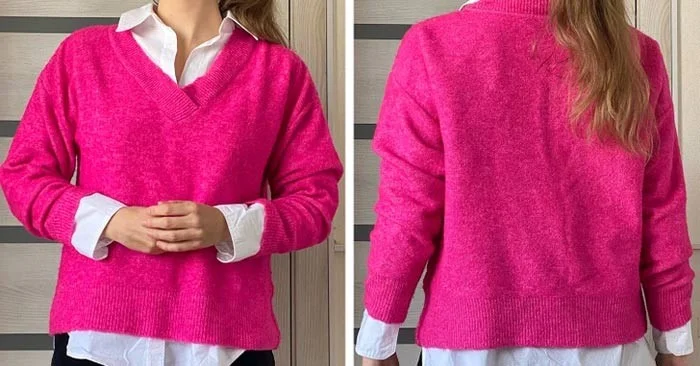
Sweaters and long-sleeved shirts
Wearing a shirt under a sweater is quite common, but usually only the collar is visible. However, if you wear an oversized sweater over a shirt, you will look stylish and trendy. Choose a long-sleeved shirt, with the hem showing underneath. You can mix and match different shades or just wear one color. This outfit is a good choice for a friendly look in the office. You can also choose contrasting colors for a street style look.
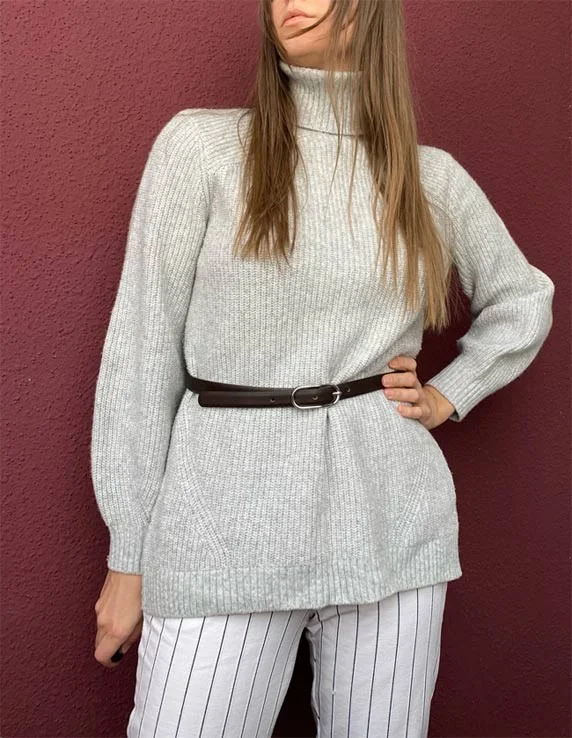
Sweater and belt
A belt is an accessory that can transform almost any outfit. If you tie a sweater around your waist, it will accentuate your waist. For a more playful look, you can add a soft bow to your cropped sweater to create a more playful look. A classic sweater in a neutral tone can be cinched at the waist with a brown leather belt.
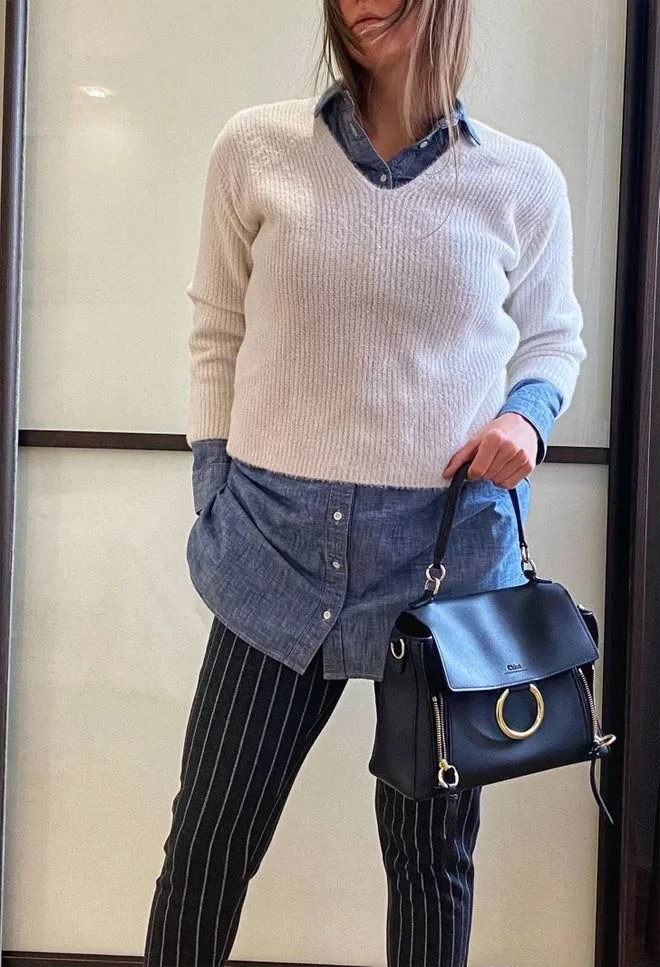
Sweater and denim shirt
Denim shirts look attractive, but they will look more stylish if you know how to combine them with other outfits, creating many layers. You can wear a sweater on the outside and roll up the sleeves. This way, the sweater becomes the highlight of your outfit, while the denim shirt plays a supporting role, enhancing your overall beauty.
Sweater with rolled up sleeves
We often roll our sleeves up above the elbow when we’re warm or want to do something with our hands. But rolling up your sleeves is also a great way to change up the look of your sweater. Of course, it takes a little time to get your sleeves rolled up the way you want them, but the results are worth it.
Over the shoulder sweater
This style only works with thin sweaters, as thicker sweaters will look too bulky. Start by folding the sweater to cover the neckline. Then drape it over your shoulders, letting the sleeves hang down in front. You can also tie them if you want. This way the sweater becomes an accessory and you get a relaxed look.
Use a simple 2026 Halloween decorating timeline for indoor décor, outdoor displays, and fresh pumpkins, with practical adjustments for weather and events.
Mix five vivid, approachable Halloween cocktails with measured recipes, simple prep tips, and an alcohol-free option for your party guests.
Find 15 office-friendly Halloween costume ideas for 2026, with practical checks for dress codes, respectful themes, comfort, and workplace safety.
Plan a fun elementary school Halloween party with easy crafts, games, inclusive treats, costume tips, and a sample 75-minute classroom schedule.
Compare realistic side hustles for 2026 by startup cost, fees, flexibility, and income control, with current tax and scam guidance from official sources.
Upgrade your home office ergonomics with current OSHA and NIOSH guidance on chair fit, monitor height, laptop setup, lighting, and movement.
Learn why emotional intelligence matters in leadership, where it helps most, how to strengthen it, and how to tell whether your approach is working.
A practical roadmap for moving into tech without a degree: choose an accessible role, build job-ready skills, prove them with projects, and use hiring feedback to improve.
Build a credible LinkedIn personal brand in 2026 with current profile, content, newsletter, analytics, verification, and visibility guidance from LinkedIn.
Quiet quitting and quiet firing are catchy labels, not diagnoses. Learn what is verified, what depends on context, and what employees and managers can do next.








