When to Start Decorating for Halloween in 2026

Use a simple 2026 Halloween decorating timeline for indoor décor, outdoor displays, and fresh pumpkins, with practical adjustments for weather and events.
Wicked , the big screen version of the beloved Broadway musical, has been a huge success, ranking sixth in the list of highest-grossing films in their opening weekend. Behind this incredible success are some fascinating behind-the-scenes details that are hard to believe but 100% true.
Interesting behind-the-scenes footage of the movie Wicked
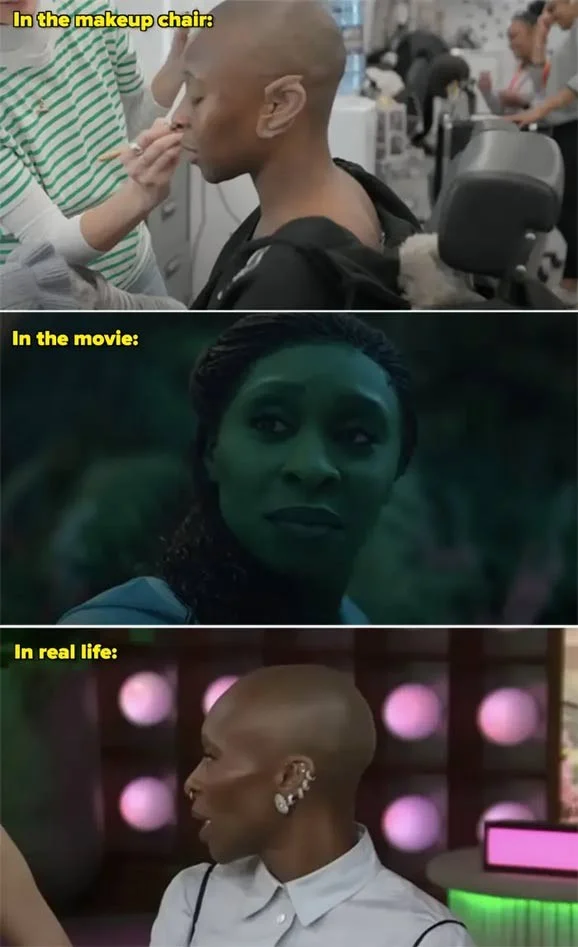
1. Cynthia Erivo wore prosthetic ears throughout Wicked as Elphaba. Her ears are usually pierced, so instead of taking them all out, she wore fitted covers to cover everything up.
2. The Wicked crew planted and cared for 9 million tulips to become part of the Munchkinland landscape. In the musical, the Munchkins are responsible for collecting the colors from the tulip fields, so having real patches of flowers instead of using CGI technology later was important.

3. Both Nick and Joe Jonas auditioned for the role of Fiyero, but the role ultimately went to Jonathan Bailey. Nick had this to say about his audition: " I thought it went really well. I was so happy when I walked out of the room. I'm a huge fan of the show, and it's a role that I always thought would be fun to play. But I think Jonathan would do a great job. "

4. Reneé Rapp, Dove Cameron, and Amanda Seyfried all auditioned for the role of Glinda, but the role ultimately went to Ariana Grande.

5. It takes over four hours each morning to paint Cynthia's body the signature shade of green. Depending on her outfit for the day and how much skin needs to be visible (for example, if they only need to cover her head, neck, and hands), they can shorten the time to 2 hours and 45 minutes.
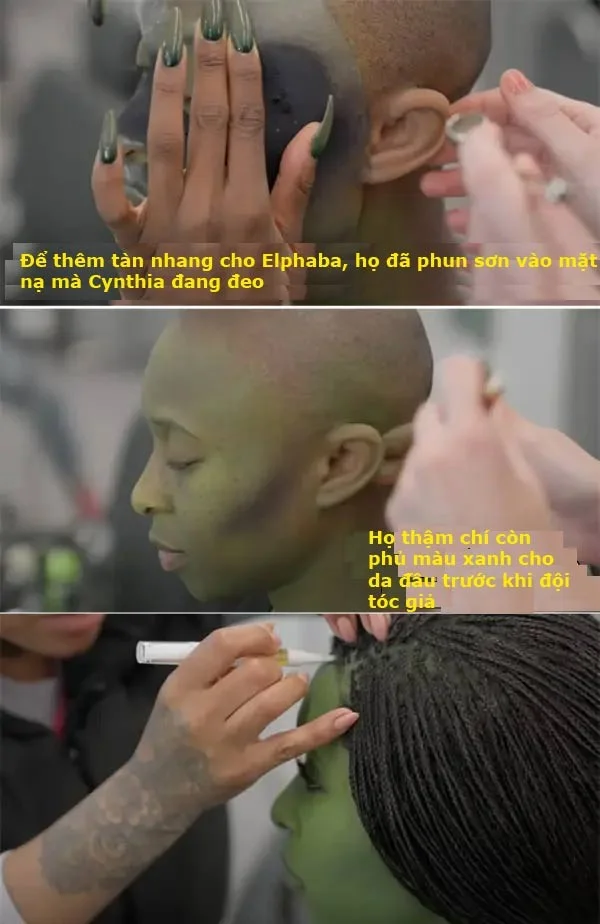
6. The green "paint" also takes about 45 minutes to wipe off at the end of each shoot and they need a special makeup remover to do it.
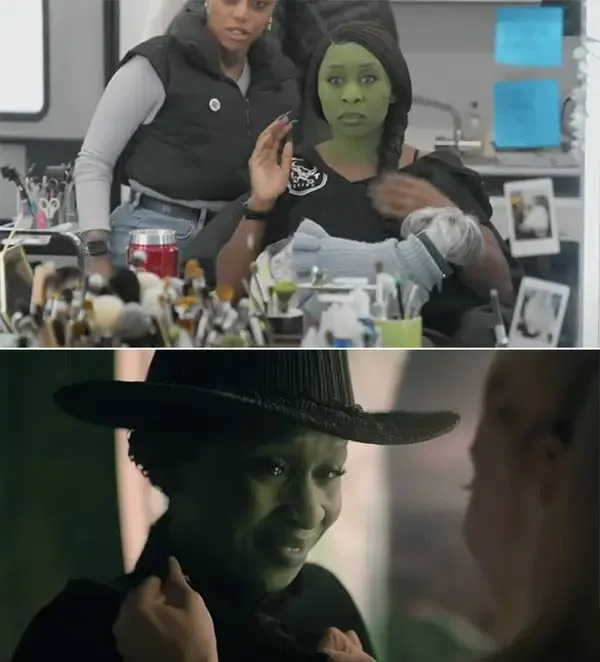
7. According to Frances Hannon, the Oscar-winning hair and makeup supervisor on Wicked, the team's toughest challenge was developing a shade of green that looked more like skin than face paint. They went through many "green tests" to find the right shade, eventually settling on something with a bright yellow undertone because it looked better on Cynthia's darker skin and also "reflected light rather than absorbing it."
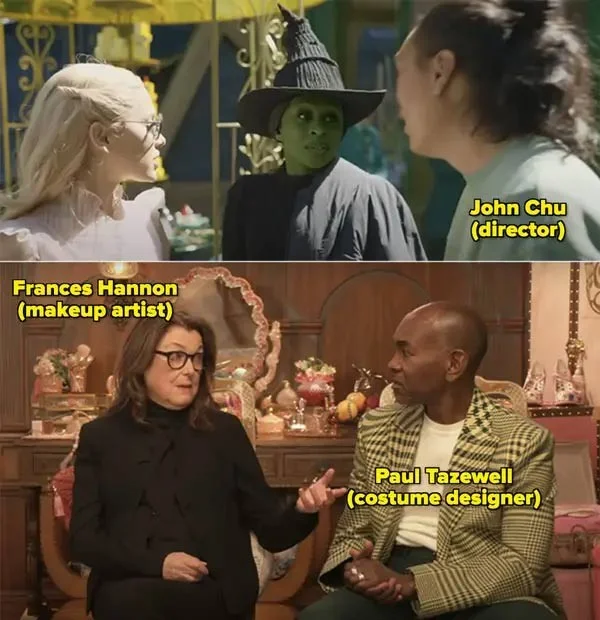
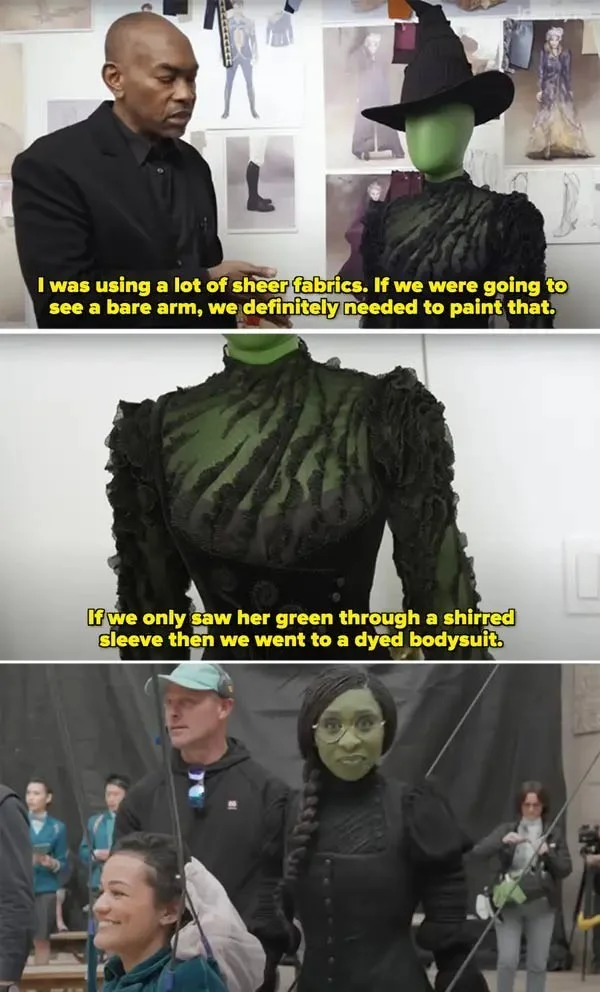
8. Oscar-nominated costume designer Paul Tazewell also had a tough job. To prevent the green makeup from constantly staining all of Cynthia’s costumes, he created a colored leather suit and also lined Cynthia’s costume with dyed fabric. This helped create the effect that her character was completely green without having to paint her entire body and stain her costume, which would have ruined the scene.
9. Instead of relying on CGI, a series of practical sets were built to shoot the film because they wanted everything to feel as “immersive” as possible. Here’s a closer look at what those sets actually looked like when built, from laying out Yellow Brick Road to spray painting the floors green.

10. The set also doubles as a recording studio, and that's because Ariana Grande and Cynthia Erivo insisted on singing live while filming, rather than relying on pre-recorded material. According to Ariana, sticking to a score would have been too restrictive and wouldn't have allowed them to improvise or try new things. It would also have prevented more of an "emotional connection" between the characters, the actors, and the music. But more importantly, they wanted to sing live "in solidarity with the women on Broadway who do these eight shows a week."

Use a simple 2026 Halloween decorating timeline for indoor décor, outdoor displays, and fresh pumpkins, with practical adjustments for weather and events.
Mix five vivid, approachable Halloween cocktails with measured recipes, simple prep tips, and an alcohol-free option for your party guests.
Find 15 office-friendly Halloween costume ideas for 2026, with practical checks for dress codes, respectful themes, comfort, and workplace safety.
Plan a fun elementary school Halloween party with easy crafts, games, inclusive treats, costume tips, and a sample 75-minute classroom schedule.
Compare realistic side hustles for 2026 by startup cost, fees, flexibility, and income control, with current tax and scam guidance from official sources.
Upgrade your home office ergonomics with current OSHA and NIOSH guidance on chair fit, monitor height, laptop setup, lighting, and movement.
Learn why emotional intelligence matters in leadership, where it helps most, how to strengthen it, and how to tell whether your approach is working.
A practical roadmap for moving into tech without a degree: choose an accessible role, build job-ready skills, prove them with projects, and use hiring feedback to improve.
Build a credible LinkedIn personal brand in 2026 with current profile, content, newsletter, analytics, verification, and visibility guidance from LinkedIn.
Quiet quitting and quiet firing are catchy labels, not diagnoses. Learn what is verified, what depends on context, and what employees and managers can do next.








