Home
» Wiki
»
Latest Elemental Dungeons Codes and How to Enter Codes
Latest Elemental Dungeons Codes and How to Enter Codes
The latest Elemental Dungeons code and how to enter the code below will help you exchange a fair amount of gems along with a period of x2 experience like the Blox Fruit code . This x2 experience period is considered to help you save more time leveling because it will double the amount of experience you receive from all sources. Don't hesitate to exchange the latest Elemental Dungeons game code below to get rewards.
Receive a certain amount of Gems, a period of x2 experience, and reset character stats
Still in use (New)
UPD4
Receive a certain amount of Gems, a period of x2 experience, and reset character stats
Still in use (New)
SORRYDELAYS3
Receive a certain amount of Gems, a period of x2 experience, and reset character stats
Still in use (New)
100MVISITSTHANKS
Receive a certain amount of Gems, a period of x2 experience, and reset character stats
Still in use (New)
SEASONONE
Receive a certain amount of Gems, a period of x2 experience, and reset character stats
Still in use (New)
SORRYDELAYS2
Receive a certain amount of Gems, a period of x2 experience, and reset character stats
Still in use
CALMDOWNTANGERINES
Receive a certain amount of Gems, a period of x2 experience, and reset character stats
Still in use
SORRYDELAYS:(
Receive a certain amount of Gems, a period of x2 experience, and reset character stats
Still in use
SORRY:(
Receive a certain amount of Gems, a period of x2 experience, and reset character stats
Still in use
SubToToadBoiGaming
Receive a certain amount of Gems, a period of x2 experience, and reset character stats
Still in use
BETA
Receive a certain amount of Gems, a period of x2 experience, and reset character stats
Still in use
RefundSP
Receive a certain amount of Gems, a period of x2 experience, and reset character stats
Still in use
Old Elemental Dungeons Codes
Code
Reward when redeeming code
Time to use code
ATLANTIS212
Receive a certain amount of Gems, a period of x2 experience, and reset character stats
End of life
tyfor20kplayers
Receive a certain amount of Gems, a period of x2 experience, and reset character stats
End of life
WERESOSORRYDELAYS2
Receive a certain amount of Gems, a period of x2 experience, and reset character stats
End of life
UNDERWORLD
Receive a certain amount of Gems, a period of x2 experience, and reset character stats
End of life
TradingSoon
Receive a certain amount of Gems, a period of x2 experience, and reset character stats
End of life
HALLOWEEN
Receive a certain amount of Gems, a period of x2 experience, and reset character stats
End of life
frog
Receive a certain amount of Gems, a period of x2 experience, and reset character stats
End of life
TYFOR50KPLAYERS851
Receive a certain amount of Gems, a period of x2 experience, and reset character stats
End of life
10MVISITS
Receive a certain amount of Gems, a period of x2 experience, and reset character stats
End of life
NEWCODE
Receive a certain amount of Gems, a period of x2 experience, and reset character stats
End of life
BrokenGameMeSorry123
Receive a certain amount of Gems, a period of x2 experience, and reset character stats
End of life
How to enter Elemental Dungeons code
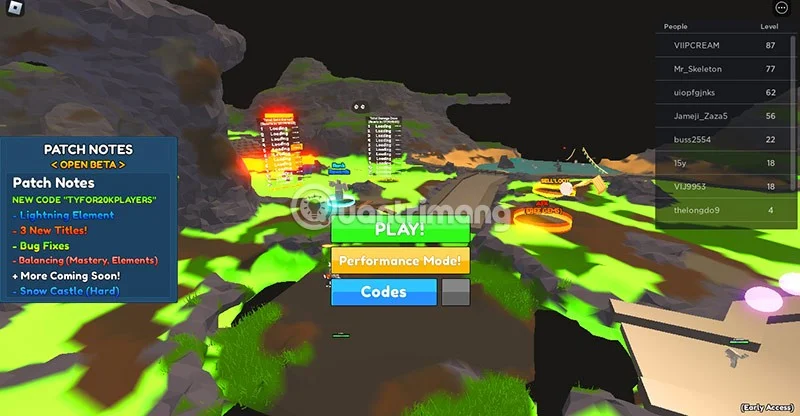
Step 1: As soon as you enter the game's menu interface, select the Codes or Codes icon at the bottom of the menu.
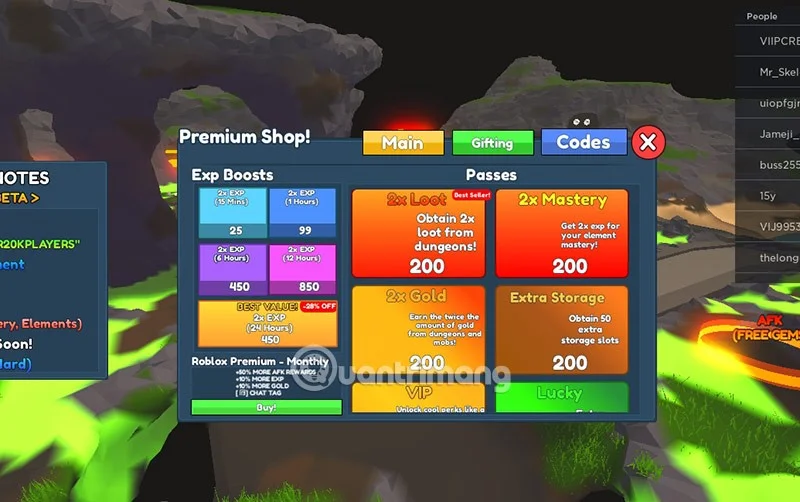
Step 2: Select the Codes icon in the Premium Shop menu. Here you can also see the items and services that you can use. They are usually purchased with in-game currency or Robux .
Step 3: Enter all valid codes into the Type Code Here code entry box and select Redeem to redeem the code.
If the code is still valid, you will see a Code Redeemed message displayed.
How to get more Elemental Dungeons codes?
Of course, codes often appear in the hands of game developers, they will provide additional bonus codes on special occasions such as holidays, game updates, big events such as reaching the number of players, important achievements... Many Roblox game developers have released new codes every time their games reach milestones in likes/game visits and number of players.
So you should follow the game's official social media pages on Facebook , Twitter , Instagram or Discord or on Reddit. Most Roblox game developers create Roblox Groups or Discord or Twitter pages. And usually less on Instagram and Facebook.
Or simply, you just need to save this page of Quantrimang.com to check back every day. We will regularly update new codes for you to redeem rewards. Please select CTRL+D to save this website if you are using Google Chrome or Coc Coc .
Code not entered?
There are many reasons why you cannot redeem the code, the most common of which is that the code you entered has expired. Codes do not last forever, they usually expire after a period of time from a few days to a few weeks. So you should follow information from the game publisher to update the latest codes and redeem them for rewards before they expire.
Another reason why you cannot redeem the reward code is that you entered the wrong code or you have already redeemed the code without noticing. In this case, please enter the correct uppercase and lowercase letters, numbers and special characters if you cannot copy the code in the code table above to enter the code.