Office 2021 and Microsoft 365 can both handle office editing tasks. So is Office 2021 or Microsoft 365 best for you? Let's find out with Download.vn !
Should I use Office 2021 or Microsoft 365?
Differences between Office 2021 and Microsoft 365
Once and register
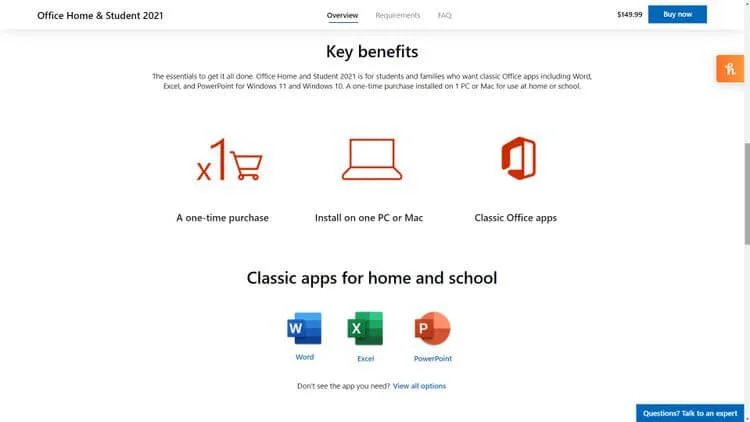
Office 2021 is a one-time purchase version of the office product suite developed by Microsoft. It includes 2 versions: Home & Student 2021 and Home & Business 2021.
Home & Student 2021 costs 149.99USD, including desktop versions of Word, Excel , PowerPoint , OneNote.
Home & Business 2021 costs 249.99USD, adding Outlook in addition to the software included in the above version. Additionally, it also allows you to collaborate across applications as a team.
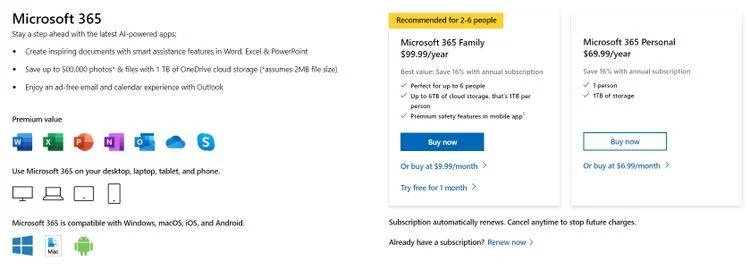
Microsoft 365, a subscription-based office suite, includes two options: Personal and Family. The Personal package costs 69.99 USD/year (or 6.99 USD/month), while the Family package costs 99.99 USD/year (or 9.99 USD/month).
Thus, the price of Office 2021 is higher than Microsoft 365. However, because it is a one-time purchase, you will not need to pay an annual fee like with Microsoft 365 Personal. In the long term, if you often have to edit documents, process documents and spreadsheets, Office 2021 is the most reasonable choice.
Classic vs. versions Premium

Benefits of using Office Home & Student 2021
If you choose Office 2021, you will own the 2021 versions of Word, Excel, PowerPoint, Outlook (included in Home & Business editions). But if you buy Microsoft 365, you will have the 365 version of these applications.
So what is the difference between the two versions of the above applications? Currently, there is no difference in features because Office 2021 has just been released.
However, with the Classic 2021 version, you will not receive any future updates or new features. On the other hand, with the Premium 365 version, you can upgrade installed applications every time Microsoft updates or adds new features.
For example, Excel 365 got the XLOOKUP function in August 2019. However, if you use Microsoft Excel 2019 version, you cannot use this feature. You only find it in Excel 2021.
Additional applications and services

Microsoft 365
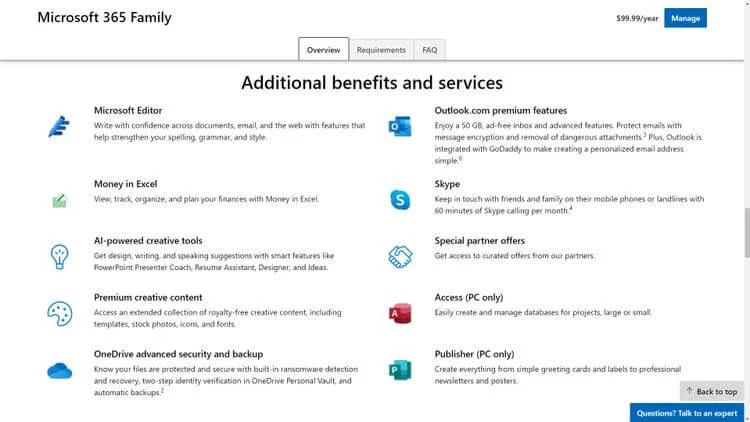
Besides Word, Excel, PowerPoint and OneNote, with Microsoft 365 you will also have access to Skype, OneDrive. With Skype, you can make up to 60 minutes of international calling every month. With OneDrive, you have 1TB of free space per user. So, if your family account includes 6 users, you have 6TB of cloud storage.
A Microsoft 365 subscription also includes Microsoft Access and Publisher when you get it. Therefore, if you use these applications, you should consider downloading Microsoft 365.
What's more, with Microsoft 365, each person can install all Office apps on up to five different devices in any combination.
So, if you have a MacBook, a Windows desktop, an iPhone, an iPad, an Android device, you can install this office suite on all devices without additional costs.
Meanwhile, if you use a family plan of 6 people, you can install all Microsoft 365 applications on up to 30 devices.

Microsoft 365 Family gives you many great benefits
More benefits when using Microsoft 365
- Allows you to directly insert copyright-free creative content, including stock images, icons, fonts, templates...
- You also have AI tools like PowerPoint Presenter Coach, Resume Assistant, Designer, Ideas. They help you get many things done automatically.
Above is a comparison of the basic differences when using Office 2021 and Microsoft 365 . Hopefully this article helps you easily choose the office software suite that best suits you.