Restore Jitsi Meet Bridge Connections by Checking UDP and NAT
Trace bridge failures from service health to UDP 10000 and NAT mapping, then retest Jitsi Meet without opening unrelated firewall ports.
For a standard Jitsi Meet deployment, add one or more Jitsi Videobridge (JVB) nodes to the existing Prosody and Jicofo service, make each bridge reachable on the required network paths, and let Jicofo select an available bridge. You do not need OCTO just to distribute separate conferences across several bridges. Enable OCTO only when a single conference must span multiple bridges, such as for geographic distribution or a very large meeting.
Verified: Jicofo selects a bridge for a conference, while JVB routes the participants’ real-time audio and video. In a single-cluster horizontal setup, additional bridges increase the pool available to host conferences. OCTO, also called secure relaying, links bridges so endpoints on different bridges can participate in the same conference. These solve different capacity problems. Action: decide whether you need more concurrent conferences or one conference spread across bridges before changing configuration.
Depends on your deployment: For regional deployments, client-region detection, Jicofo’s bridge-selection strategy, and JVB region labels must align. A region label by itself does not route a client to the nearest bridge. Action: start with one region unless you already have a reliable way to pass participant region information to the Jitsi shard.
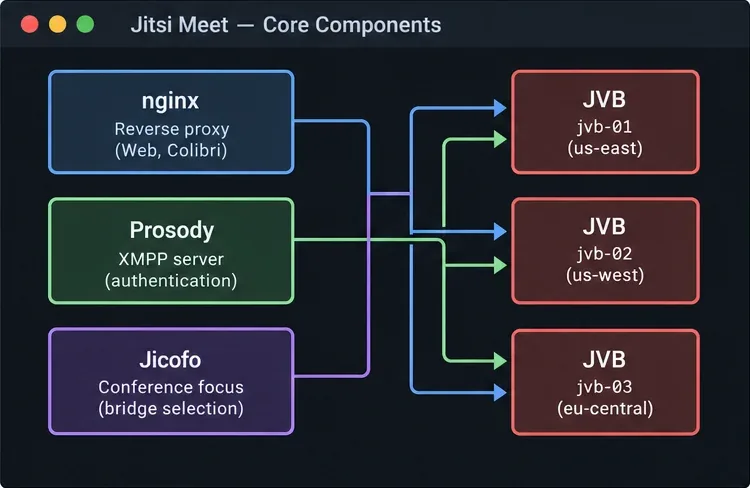
The scalable architecture keeps the web front end, Prosody XMPP server, and Jicofo on the central Jitsi Meet host, while each additional server runs jitsi-videobridge2. On Debian or Ubuntu, use the current official package instructions and the same Jitsi Meet domain/XMPP deployment values used by the existing installation. Keep bridge versions aligned during rollout. The Jitsi scalable setup notes that the default installation is already configured for horizontal scalability and that Jicofo normally needs no change for this basic design.
Do not copy a running bridge’s entire configuration blindly. Confirm each node joins the same Prosody deployment and the expected bridge brewery/MUC, and give each bridge its own host identity and reachable address. The precise package prompts and configuration files can vary with the installation method and release. Action: provision one new bridge first, compare its service configuration with the official guide for your install type, then repeat the working pattern through configuration management.
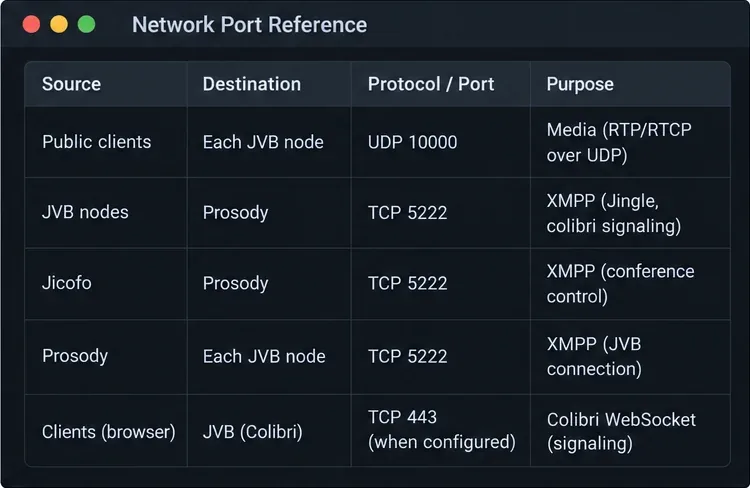
Every bridge must be able to connect to Prosody over TCP 5222, restricted to the bridge hosts where practical. Clients need a media path to each JVB on UDP 10000, the standard port in the Jitsi scalable setup. If you use Colibri WebSockets, the advertised WebSocket endpoint must resolve and be routed to the correct bridge; TCP 443 is commonly used when the endpoint is exposed through HTTPS. Do not assume that opening only the website’s 443 port carries the video media.
Depends on your network: NAT, cloud firewalls, a reverse proxy, IPv6, and custom JVB ports can change the exact rules. With NAT, configure the bridge’s public/private address mapping as required by the official install guide. Action: create rules per bridge, test from an external client network, and inspect the browser’s connection details rather than treating a successful web page load as proof that UDP media works.
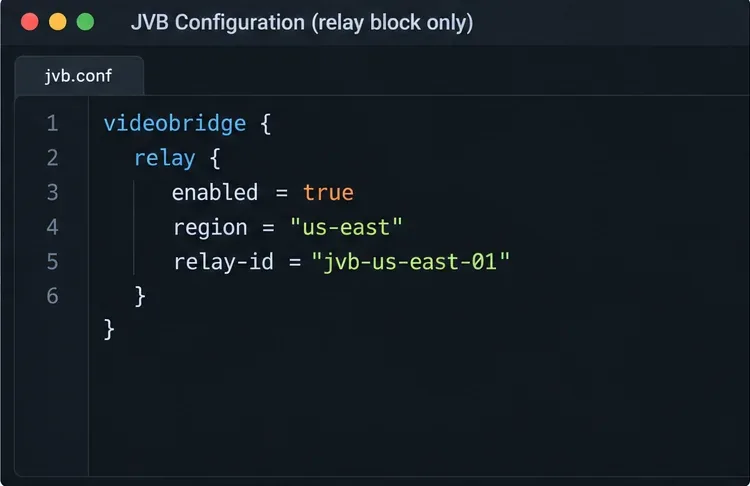
For cross-bridge conferences, configure each participating JVB with a unique relay ID and, when using regions, its region in /etc/jitsi/videobridge/jvb.conf:
videobridge {
  relay {
    enabled = true
    region = "us-east"
    relay-id = "jvb-us-east-01"
  }
}
Use a distinct relay-id on every bridge; set the region to a meaningful, consistent label. In /etc/jitsi/jicofo/jicofo.conf, enable OCTO and select a bridge strategy appropriate for your deployment. For region-aware selection, the Jitsi relay documentation shows:
jicofo {
  bridge {
    selection-strategy = RegionBasedBridgeSelectionStrategy
  }
  octo {
    enabled = true
  }
}
Secure OCTO uses ICE and DTLS/SRTP between bridges; it does not require an untrusted clear-text relay network. The current JVB documentation also requires Colibri WebSockets for bridge-to-bridge connections and says the /colibri-relay-ws endpoints must be proxied when a proxy is used. Action: apply the relay settings to all intended bridge nodes, configure the websocket route if applicable, and verify connectivity between regions before inviting users.
Common misconception: enabling OCTO is not a general load balancer switch, and setting regions alone does not make geographic routing work. The region-aware flow also depends on Jicofo’s strategy and clients being assigned a region through the deployment. Action: test bridge selection with the documented split strategy in a test environment if useful, then return to the intended production strategy and validate client-region handling.
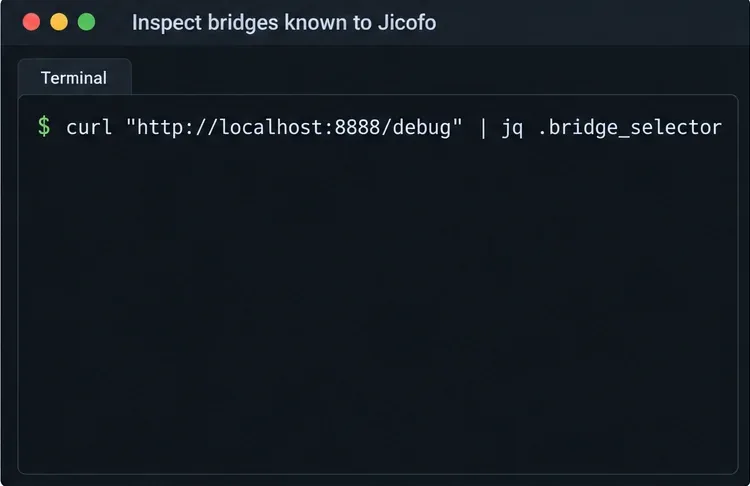
On the Jicofo host, inspect the bridges known to its selector with the documented debug endpoint:
curl "http://localhost:8888/debug" | jq .bridge_selectorConfirm each new bridge appears with the expected version and region. Jicofo will not mix JVBs of different versions in the same conference, so keep versions aligned while testing. For OCTO, inspect a conference’s state and look for multiple bridge sessions; the Jitsi relay documentation identifies colibri_session_manager as the place to examine those sessions. Then join from clients on different networks and verify that audio and video work, not just that the bridge appears in the debug output.
Not established by bridge count alone: a bridge appearing in Jicofo’s list does not prove sufficient capacity, correct NAT traversal, or successful media between regions. Capacity depends on workload and host/network limits. Action: monitor JVB load and packet statistics under your actual meeting pattern, add bridges incrementally, and test the failure of one bridge before treating the pool as production-ready.
Trace bridge failures from service health to UDP 10000 and NAT mapping, then retest Jitsi Meet without opening unrelated firewall ports.
Add Jitsi Videobridge nodes for more concurrent meetings, configure OCTO only when a single conference must span bridges, and verify network paths and bridge discovery.
Discover whether the Rockefeller Center Christmas Tree is worth the hype. Follow 5 proven steps to avoid crowds and enjoy the holiday display.
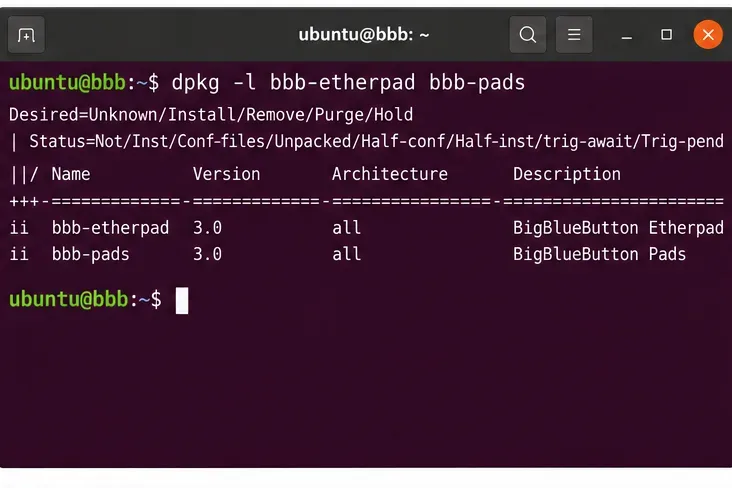
Check the version first, then install BBB 3.0's Etherpad packages and set the shared-notes editor globally or per meeting.
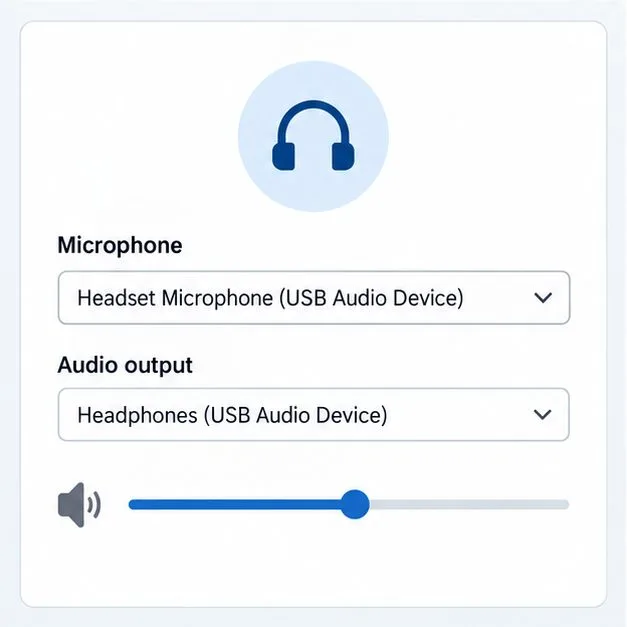
Use BigBlueButton’s echo test, headset, and browser audio settings to stop microphone feedback, then isolate network or server causes of audio lag.
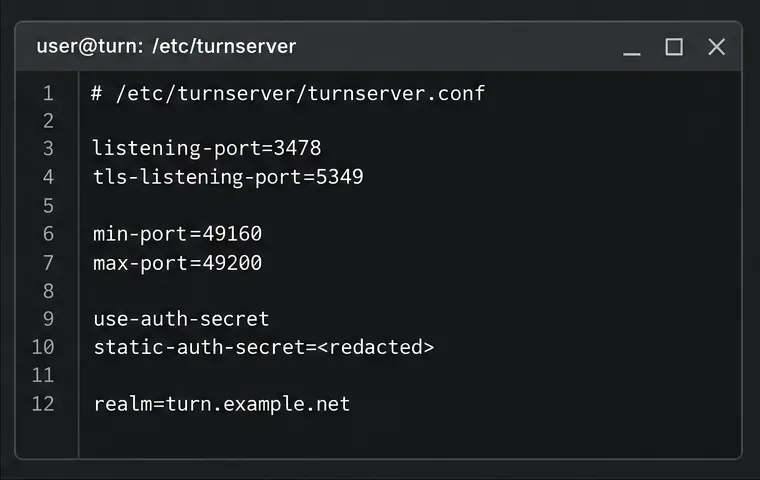
Configure coturn, NAT port forwarding, and Prosody so Jitsi can relay calls when direct media connections fail.
Master a 5-step guide to understand holiday inflation spending, balance family traditions with budget realities, and safeguard your finances.
Install Jitsi Meet from its official Ubuntu packages, obtain a Let’s Encrypt certificate, open the right ports, and verify secure meetings.
Discover what happens behind the scenes of Giving Tuesday donations across 6 detailed steps, from payment gateways to matching fund delivery.
Reduce browser CPU spikes in Jitsi Meet by limiting incoming video, tuning camera use, checking hardware acceleration, and testing the result.