Set a Reliable Expiration Policy for Nextcloud Deleted Files
Configure Nextcloud to remove deleted files after a defined retention period, schedule background jobs reliably, and avoid commands that purge every user’s trash.
To empty Nextcloud’s Deleted files automatically, set a maximum retention age and make sure Nextcloud background jobs run on a schedule. For example, set trashbin_retention_obligation to auto, 30 to delete trash items older than 30 days automatically, then run Nextcloud’s recommended system cron every five minutes. The default auto policy alone does not promise deletion right at day 30.
Automatic deletion is permanent. Choose a retention period that gives users time to recover mistakes, and keep backups for anything that must remain recoverable after it leaves the trashbin.
Nextcloud 35’s administrator documentation describes auto as keeping deleted items for at least 30 days, then allowing them to be removed if storage space is needed. If space is not needed, items may remain beyond 30 days. That behavior makes the trashbin a recovery area, not a strict 30-day deletion timer.
| Policy value | What it means | Use it when |
|---|---|---|
auto | Keep items at least 30 days; remove them later if space is needed. | You want the default recovery window and space-based cleanup. |
auto, 30 | Delete items older than 30 days automatically; items may also be removed earlier if space is needed. | You want a 30-day maximum age. |
30, 90 | Keep items for at least 30 days and delete them after 90 days. | You want a recovery window plus an upper retention bound. |
disabled | Do not automatically clean the trashbin. | You have a separate retention process and intend to retain deleted items. |
Retention is not absolute if a user’s quota is exceeded because of trash items: Nextcloud may override the configured policy and clean items until the quota requirement is met. Check the current trashbin retention documentation before applying a policy to accounts with quota constraints.
Run occ from the Nextcloud installation directory and as the HTTP user so file permissions stay consistent. On Debian or Ubuntu, that user is commonly www-data, and the installation path is often /var/www/nextcloud. Substitute your actual user and path on other systems or in containers.
cd /var/www/nextcloud
sudo -E -u www-data php occ config:system:set trashbin_retention_obligation --value='auto, 30'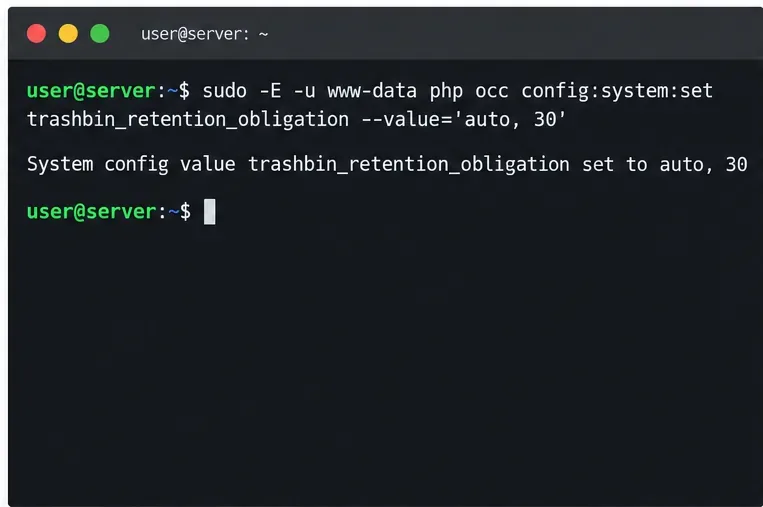
This setting is stored in Nextcloud’s system configuration. To check the active value, run:
sudo -E -u www-data php occ config:system:get trashbin_retention_obligationThe output should show auto, 30. If you prefer a different policy, use the table above and enter its value instead. The 30, 90 option aims to keep items for at least 30 days and remove them after 90 days; quota enforcement can still force earlier cleanup.
Nextcloud runs trash expiration as a background job. The administrator manual says the trashbin background job runs every 30 minutes, but it still depends on your installation’s background-job runner being invoked. Nextcloud recommends operating-system cron for regular tasks; its default AJAX mode is less reliable because jobs run only when users visit the site.
Set Nextcloud to cron mode:
sudo -E -u www-data php occ background:cron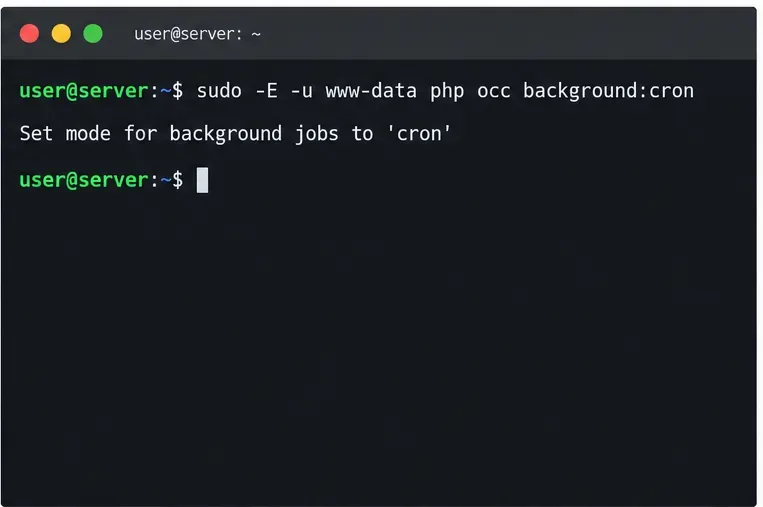
Then edit the web-server user’s crontab. On a typical Debian or Ubuntu host:
sudo crontab -u www-data -eAdd this line, changing the PHP executable or Nextcloud path if your installation uses different locations:
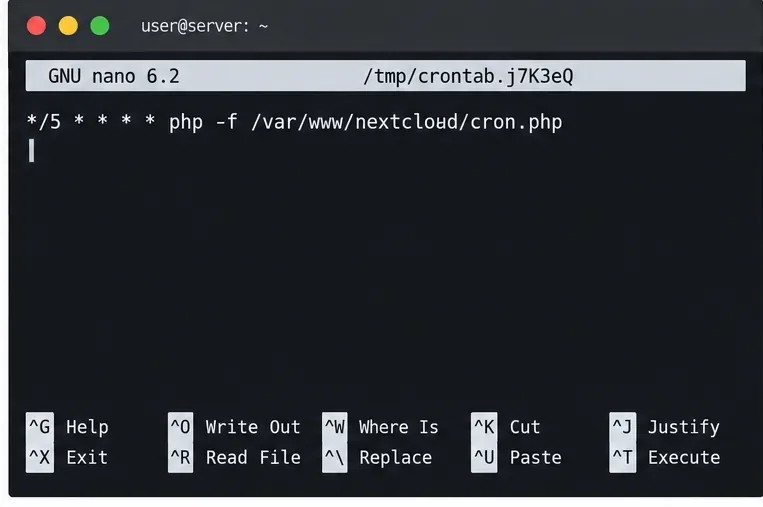
*/5 * * * * php -f /var/www/nextcloud/cron.phpThis schedule triggers Nextcloud’s background runner every five minutes; individual jobs keep their own schedules. For a container deployment, use the documented cron service or scheduled worker for that deployment and run cron.php as the Nextcloud web user. Do not add a second job blindly if your image or platform already runs it.
First verify both the policy and the scheduled job. Check the policy with occ config:system:get trashbin_retention_obligation, then list the scheduled task:
sudo crontab -u www-data -l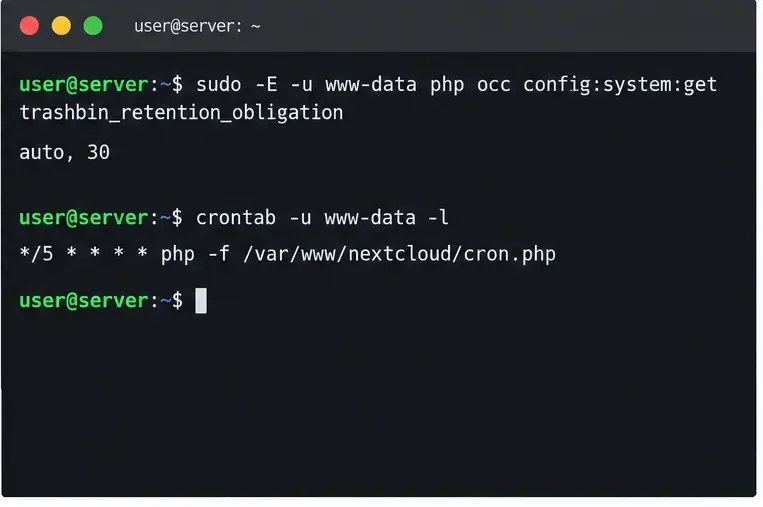
In Nextcloud’s administration settings, confirm that background jobs are set to Cron and that the last job execution time advances. After the configured maximum age passes, check Deleted files for an old test item that is safe to lose. The expiry job runs on its schedule, so cleanup is not necessarily immediate at the exact retention boundary.
For a one-time test with a custom retention policy, run the retention-aware command:
sudo -E -u www-data php occ trashbin:expire --quietOn current Nextcloud, trashbin:expire applies the configured retention period. With the default auto policy, the command exits without expiring items; default auto-expiration is handled by the background job. Do not substitute trashbin:cleanup --all-users: that command permanently removes all trash for every user, regardless of age, and is not a routine retention setting.
occ config:system:get trashbin_retention_obligation matches your intended retention window.cron.php path.If the last execution time does not advance, troubleshoot the system cron, PHP CLI path, web-server user, and Nextcloud path before changing the retention value. A correct policy cannot clean anything if the background runner never executes.
Configure Nextcloud to remove deleted files after a defined retention period, schedule background jobs reliably, and avoid commands that purge every user’s trash.
Run Nextcloud’s OCC repair safely, preview the database changes, and check why the warning might remain.
Allow larger Nextcloud browser uploads by aligning PHP, Nginx or Apache, temporary storage, and timeout settings—and verify which limit is blocking the file.
Set the PHP memory limit Nextcloud actually uses, restart the right service, and confirm the 512 MB setting in Admin Overview.
Mount a compatible object-storage bucket in Nextcloud using its S3 backend, with the right endpoint, credentials, access scope, and verification steps.
Safely move a Linux Nextcloud data directory to an external drive using a persistent UUID mount, maintenance mode, a verified copy, and the original-path symlink.
Restore Nextcloud access after an update by diagnosing SQL errors, checking database connectivity, and safely completing interrupted migrations.
Use Nextcloud’s OCC command to reset an administrator password from the server shell, with guidance for usernames, permissions, and external login providers.
Clear Nextcloud’s HSTS warning by setting the header at Apache, NGINX, or your TLS proxy, then verify the public HTTPS response safely.
Trace App Store installation failures to DNS, HTTPS, proxy, TLS, or configuration issues from the Nextcloud server itself.