How to Update Google Chrome Browser

Learn how to update Google Chrome browser on Windows, Mac, and Android in minutes to enjoy better security, speed, and new features. Follow these clear steps.
Nothing lasts forever, not even an iPhone. Did your iPhone freeze and now won’t turn off? Is it the only thing you can see on the lock screen? There’s no reason to get depressed yet. Sometimes just a few easy steps are all you need to take to get the issue fixed.

Mobile devices, in general, get stuck when there’s an app that’s taking up too much space or because the hardware is outdated. Nonetheless, in some cases, it’s an easy fix and you won’t have to pay for expensive repairs.
Go through this list of scenarios we have prepared for you and see if any of our easy fixes can help you when your iPhone is frozen.
iPhone Frozen and Won’t Turn Off
It can be a gut-wrenching feeling when your iPhone goes buggy for the first time. Seeing your phone start glitching can leave you dumbstruck. You might have never believed your shiny, new device would get old, but it did.
If your phone is starting to glitch, and you’ve had it for more than a couple of years, it may not be that big of a surprise. However, if you’ve got a new phone and this occurs, it may be time to use your warranty.
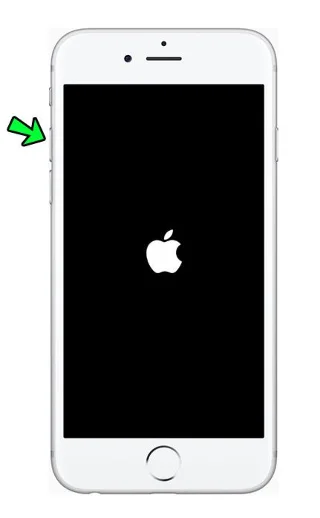
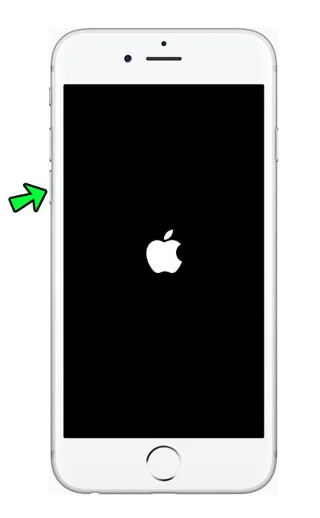
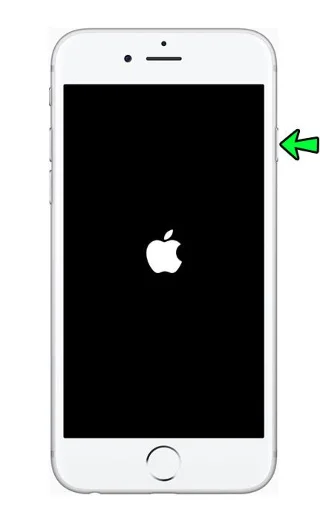
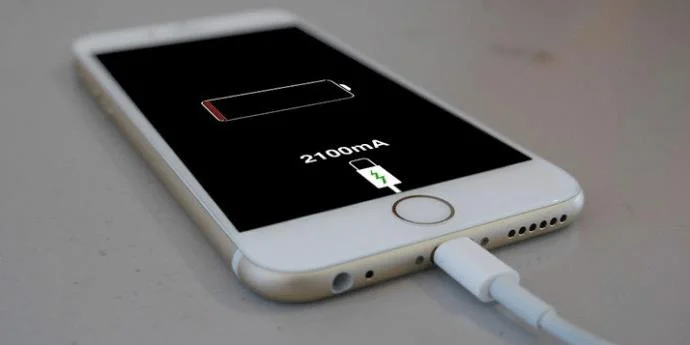
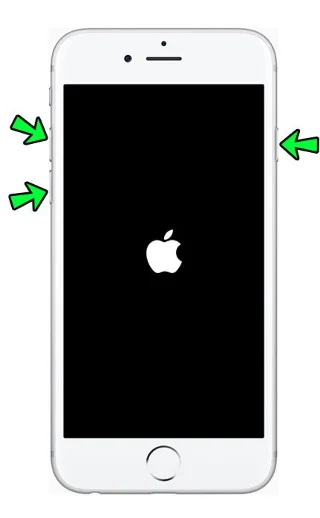
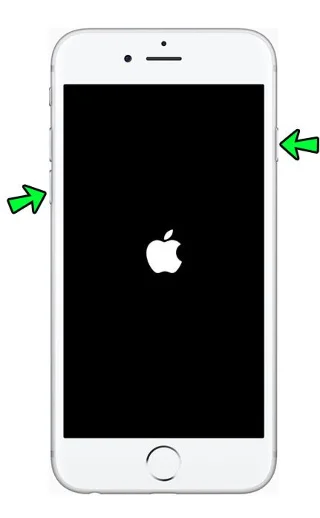
In the meantime, here’s what to do if your iPhone gets frozen and won’t turn off:
Note: The above instructions apply for an iPhone 12, iPhone 11, iPhone XS, iPhone XR, iPhone SE (2nd Gen.), iPhone X, or iPhone 8. Other models have a slightly different process:
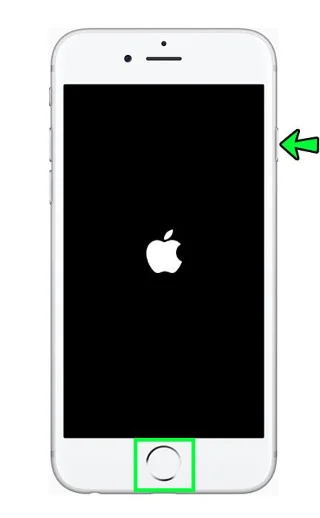
iPhone Frozen on Apple Logo
This issue usually arises after a backup, or when you migrate your phone data from another device. The device will be stuck on the Apple logo screen for as long as an hour. Here’s what to do:
iPhone Frozen on Power-Off Screen
This is a rare issue, but if you’re experiencing it, it may be for one of these reasons:
Here’s what you can do:
iPhone Frozen on Lock Screen
It’s important to keep in mind that, even though these bugs might seem unrelated, they are mostly caused by the same issues. If your phone is frozen on the Lock screen, here’s what you can do:
iPhone Frozen During Update
Today’s mobile devices depend on software updates. It’s the updates that keep your phone packed with all the latest features that keep your device running smoothly. However, your iOS device might freeze during this process and cause some frustration. It may arise as the result of a bad Wi-Fi connection or insufficient storage room on the phone.
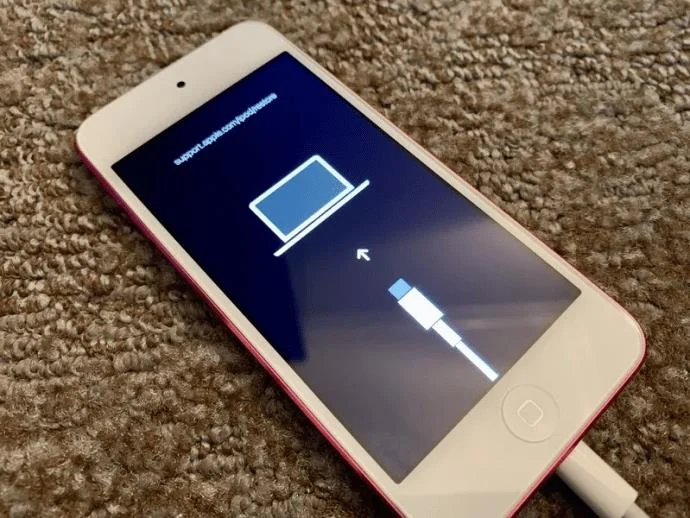
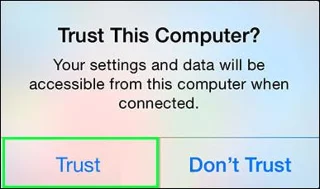
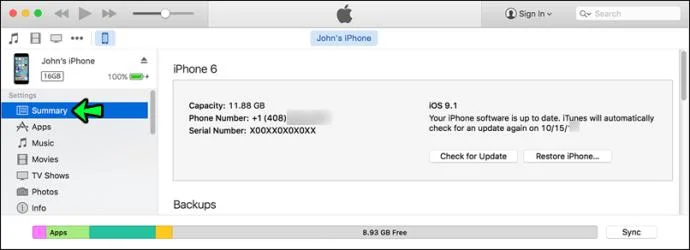
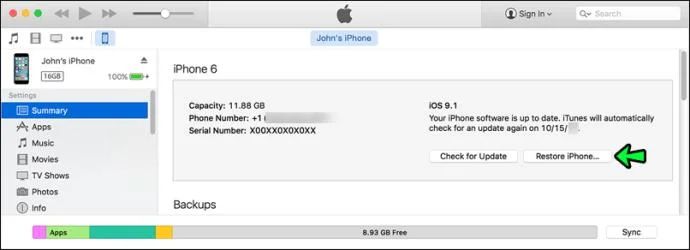
Here’s what to do in this case:
Note: The iTunes option resets your device back to factory settings, which means you will lose all your current data.
Avoid the Deep Freeze
We hope this article helped you get your iPhone back up and running after a freeze. We’ve all been there, but now you’ve got a few easy fixes if it happens again. Make sure to check your free storage, and always keep some space free. When updating, make sure you’ve got a stable Wi-Fi connection, and you should be fine.
Has this article helped you solve your issue? Do you have any easy fixes we’ve missed? Let us know in the comment section below.
Learn how to update Google Chrome browser on Windows, Mac, and Android in minutes to enjoy better security, speed, and new features. Follow these clear steps.
Learn how to download old media from WhatsApp and recover photos or videos from past chats. Follow these clear steps to save files that no longer appear in your gallery.
Facebook Messenger Isn T Working on your device? Use these exact troubleshooting steps to restore chats, calls, and notifications fast on Android, iOS, or desktop.
How to See Deleted WhatsApp Messages using your phone's built-in tools. Follow these exact steps to recover messages that contacts have deleted from chats.
Learn how to clear browser history in Chrome on desktop and Android with this exact step-by-step process. Keep your browsing private and free up storage space quickly.
Master how to use CapCut with this practical walkthrough covering project setup, editing tools, effects, and export options for high-quality video results.
Get the latest WhatsApp App Update Download from official sources to access new features and security improvements. Follow these clear steps for Android and iOS devices.
Learn how to safely Download WhatsApp App for Android from the official Google Play Store. Follow our clear step-by-step instructions to install the latest version quickly and securely.
Google Download WhatsApp App safely through the Google Play Store with this clear guide. Get the official version on your Android device quickly and avoid fake downloads.
Facebook and Messenger not working can disrupt your day. Follow these targeted fixes to restore access quickly on mobile and desktop.








