Have you been looking for a way to modify your player’s build without recreating a new character in “Diablo 4”? Well, you’re in luck. The game allows you to respec your player’s skill set without much hassle. Resetting skills in “Diablo 4” introduces new play(throughs) and helps diversify your gaming experience.
Read on to learn how to reset skills in “Diablo 4.” You’ll also find valuable information about resets, including skill reset costs and why players may want to do it.
Respec-ing in Diablo 4
Many reasons can influence you to reset your skills in “Diablo 4.” Managing your gameplay, for instance, is essential in adapting to changes in the meta. Or new skills may be needed to ensure your survival. Whatever your reason, the instructions below will guide you in resetting your skills:
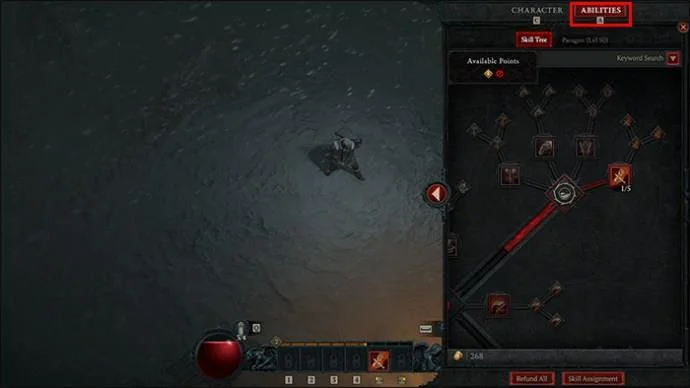
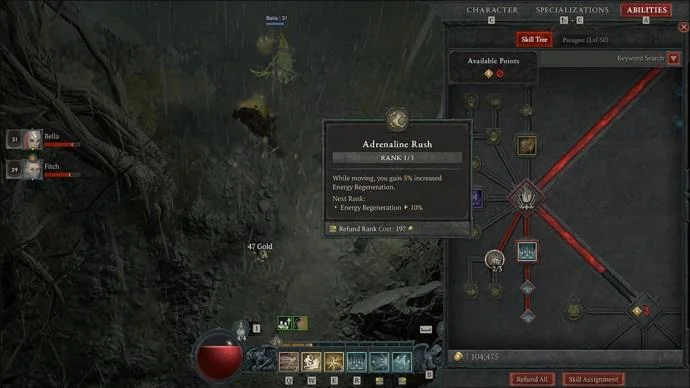
- Go to your “Inventory” menu and select the “Abilities” tab. For PC users, the hotkey is “A,” for PlayStation users, it’s the “square” button, while Xbox users can use the “X” key.

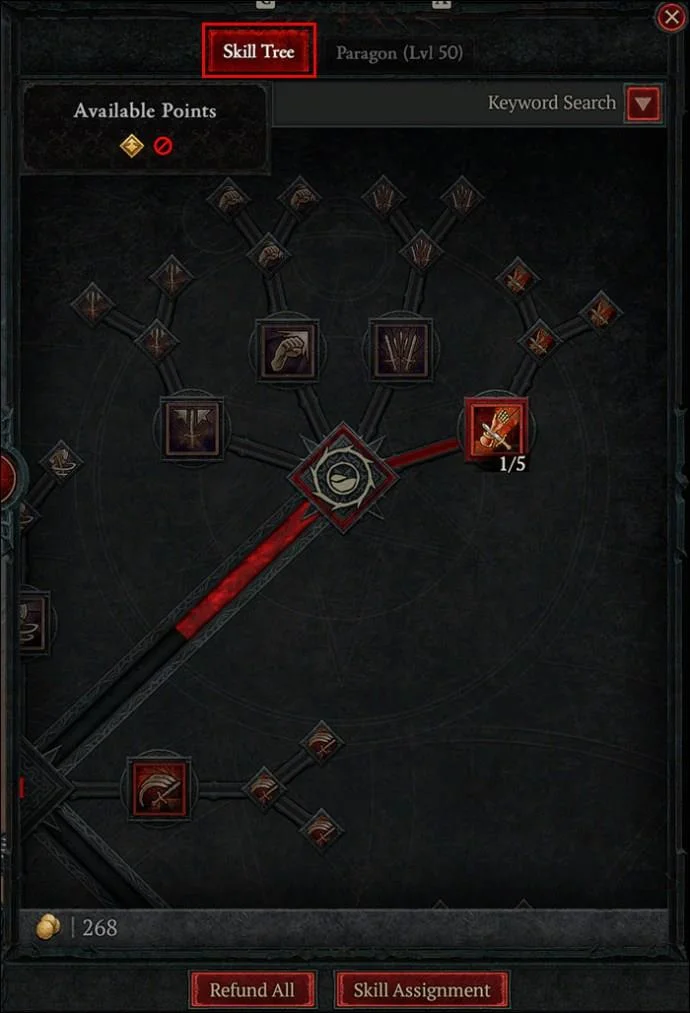
- Scroll down the “Skill Tree” menu.

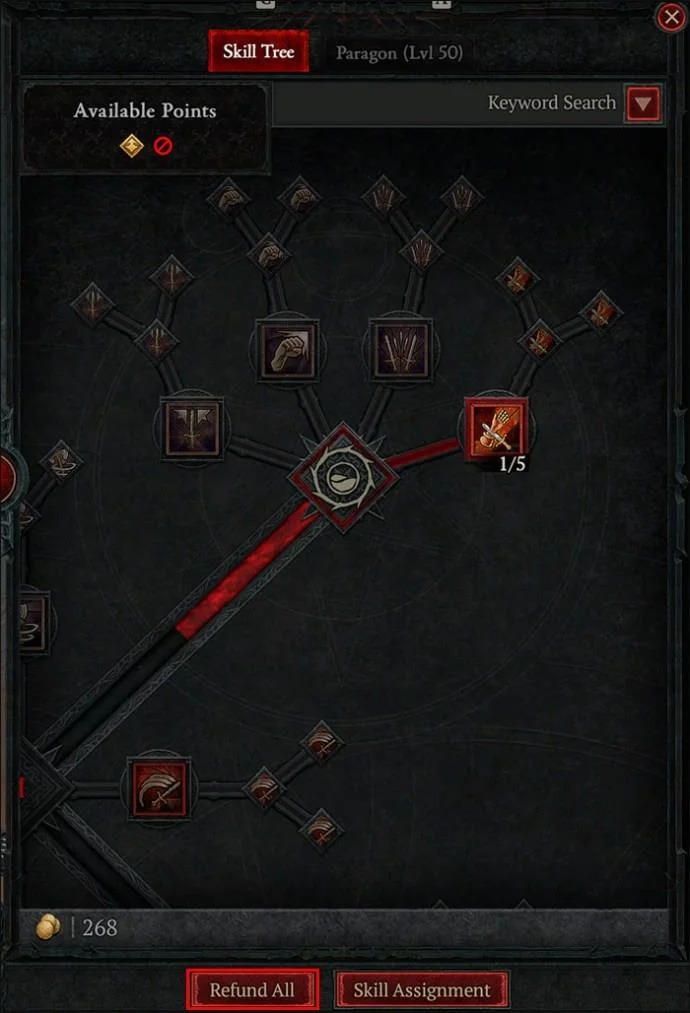
- Click on the “Refund All” button at the bottom of the screen and all your skills will be reset.

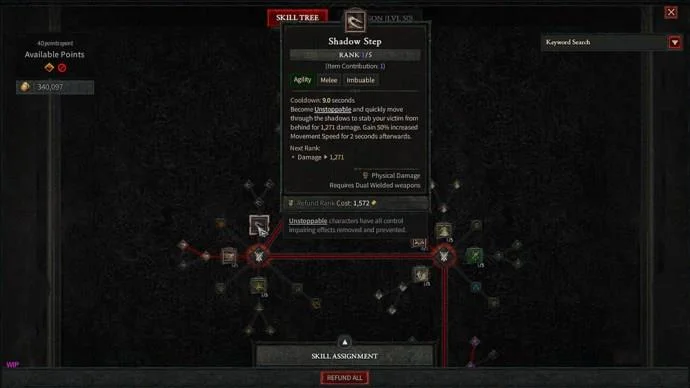
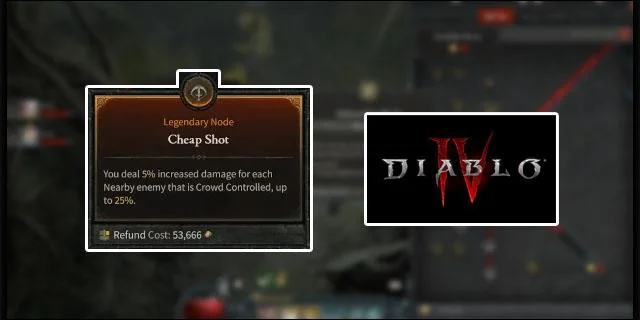
Alternatively, if you don’t want to reset all your skills, you can hover your mouse over a skill node and right-click on it to refund the specific skill.
Even though you can reset your skills at any time in “Diablo 4,” the choice to reinvest your skill points will always come at a cost. Therefore, it’s essential that you carefully evaluate your character’s needs, the playthrough you want to pursue, and the design you want your player to possess. This will help you allocate the skill points strategically.
Cost to Respecc in Diablo 4

The process of resetting your character’s skills is pretty convenient and straightforward. But understanding the costs and mechanics can help you make more informed decisions. Listed below are essential aspects of respec-ing in “Diablo 4”:
- When scaling the first 10 levels of the game, you’ll enjoy initial free respec. This allows you to make early game modifications at no cost and allows you to learn and explore the setup.
- Once you get past Level 10, resetting each skill point will cost you 1 Gold. The price will gradually increase as you advance through the game and increase your rank. For every two levels you scale in the game, the cost of resetting a skill will increase by 1 Gold.
- The cost will be much higher if you want to overhaul the entire build and reset all skills. For instance, it’ll cost you approximately 52,000 Gold to respec a Level 50 character. At Level 100, the price will go up to 400,000 Gold.
- Paragon points are necessary for customizing your character’s build. The resetting cost for these stats also depends on your player’s level. It costs 10 Gold to respec the Paragon points of a Level 50 character. For every 10 levels you progress, the cost of resetting one Paragon point increases by 10 Gold.
You can reset your skills at any time as long as you have the necessary amount of Gold required for the respec. There is also no cap on how many times you can reset your skills. “Diablo 4” offers you unbridled flexibility when it comes to character optimization and customization options.
Although the game allows you to respec any skill tree section, there is a catch. If you want to reset a skill that is tied into another that is unlocked within the same branch, you’ll have to reset the whole component.
Reasons for Skill Resets in Diablo 4

Respec-ing introduces a plethora of possibilities in the game and provides players with invaluable benefits. If you get it right in the game’s early stages, it’ll help you save on precious Gold that is handy when exploring the perilous Sanctuary open world. The reason is that it simply gets to be very expensive to reset skills at higher levels, so you’re better off doing any experimentation in the beginning.
Below are reasons why players choose to reset their character’s skill points in “Diablo 4”:
Design Experimentation
With the numerous character-building options in “Diablo 4,” players can find it challenging to settle on a design that perfectly aligns with the playthrough they want to pursue. Respec-ing offers you a chance to explore different builds until you can find one that matches your gaming preferences.
Incorrect Point Allocation
Errors are bound to happen during gameplay. Players may mistakenly allocate a skill point to the wrong function, potentially destabilizing the whole character’s build. The provision of a skill reset in “Diablo 4” comes in handy in such situations. You can quickly rectify all errors made and re-allocate the skill points afresh.
Challenging Obstacles
As you advance through the game, the challenges keep growing more complicated, and the game becomes more complex. The current build of your character may fail to rise to the challenge, and you may need to modify your attributes. Resetting your skills is a smart option. Through respec-ing, you can increase your character’s proficiency in handling the problematic expeditions in “Diablo 4” so you can continue advancing through the game.
Staying in Tune With the Meta
To stay competitive and make an impact with other “Diablo 4” players, it’s a good idea to keep up with the ever-evolving meta. Respec-ing allows you to constantly switch up your character’s skills to align with new game trends and strategies. This ensures your character remains powerful and presents a formidable build against upcoming competitors and challenges.
FAQs
How hard is it to reset skills in Diablo 4?
Respec-ing in “Diablo 4” is straightforward. You can quickly complete the process via the skill menu.
How much Gold do you need to reset skills in Diablo 4?
Resets are free during the initial stages of the game. But, when you get past Level 10, the price rises. Unfortunately, there is no fixed cost for a skill reset. The amount of Gold required increases as you advance through the game.
How many times can you respec in Diablo 4?
You can reset your skills as many times as you need as long as you have enough Gold to cover the cost.
Can you reset your Paragon Points in Diablo 4?
Yes. However, it’s not as easy as resetting your character skills.
Invest Your Skill Points Wisely
If you’ve been playing the “Diablo” series long enough, you already know that skills play a significant role in the game’s progression. This makes learning how to respec an essential skill every player should learn.
“Diablo 4” is basically all about perfecting your character’s build; getting it right won’t be easy. Remember, the higher your level, the more the cost of resetting your skills. Try to set up a quality character build in the game’s early stages to reap all the benefits of having a solid build and avoid the high endgame costs. Use your Gold sparingly if possible because respec-ing at higher levels requires exorbitant amounts.
What’s the highest amount of Gold you’ve spent on a skill reset so far? What would you advise other players to do to minimize respec-ing? Let us know in the comments section below.