Solving Microsoft Edge Script Error on High-Traffic Websites

🚨 Encountering the dreaded Microsoft Edge "Script Error" on bustling platforms like Reddit, Twitter, or major news sites? You're not alone. This common glitch disrupts your flow on high-traffic websites, where scripts load rapidly and resources strain. But don't worry— we've got your back with targeted, up-to-date fixes to get you browsing smoothly again. Let's dive in and banish that error for good! 💪
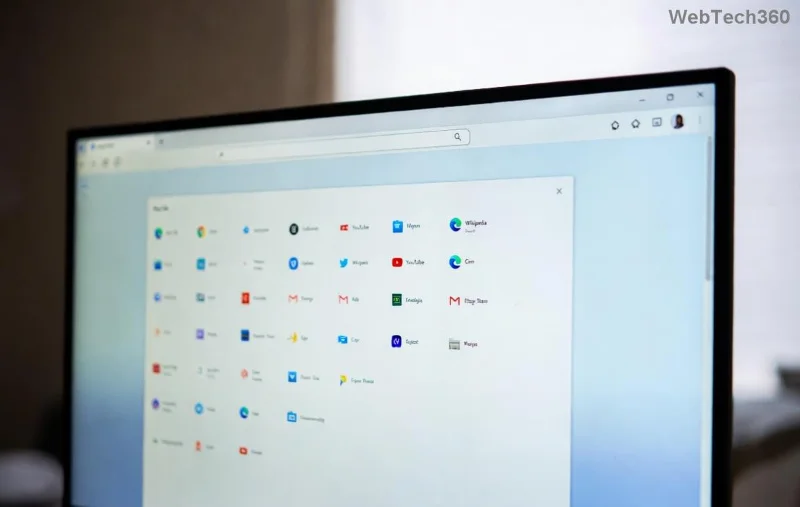
Microsoft Edge Script Error screenshot on high-traffic website

What is the Microsoft Edge "Script Error"?

The Microsoft Edge "Script Error" pops up as a popup or console message: "SCRIPT ERROR: Script error." It signals a JavaScript failure, often without specifics due to browser security. On high-traffic websites, it strikes when external scripts (ads, trackers, analytics) clash with Edge's strict policies.

Key symptoms:

  • Pop-up blocks your view mid-scroll.
  • Console logs flood with "Script Error" entries.
  • Slower page loads or broken features on sites with heavy traffic.

Why Does It Plague High-Traffic Websites?

High-traffic websites juggle millions of users, embedding countless third-party scripts. Here's why Microsoft Edge "Script Error" thrives there:

CauseImpact on High-Traffic SitesEdge-Specific Trigger
CORS Policy ViolationsCross-origin scripts from CDNs fail silently.Edge's enhanced CSP enforcement.
Content Security Policy (CSP)Strict headers block inline scripts on dynamic pages.Latest Edge updates amplify checks.
Ad Blockers/ExtensionsHeavy interference on ad-heavy sites.Conflicts with Edge's native tracking prevention.
Network LatencyTimeouts during peak traffic surges.Edge's aggressive script timeout (under 5s).
Outdated Cache/ScriptsMismatched versions on frequently updated sites.Edge's InPrivate mode exposes this.

These issues spike during traffic peaks, making fixes essential for uninterrupted access. 😎

Step-by-Step Fixes for Microsoft Edge "Script Error"

Ready to troubleshoot? Follow these proven steps, starting simple. Test after each—your issue might resolve early!

1️⃣ Quick Browser Tweaks (Fastest Fix)

  1. Open Edge Settings > Privacy, search, and services > Turn off "Tracking prevention" temporarily. ✅
  2. Clear cache: Ctrl+Shift+Del > Select "Cached images and files" > Clear now.
  3. Restart Edge in InPrivate mode (Ctrl+Shift+N) to isolate extensions.
Step-by-step Edge settings for Script Error fix

2️⃣ Disable Problematic Extensions

Extensions like uBlock Origin or VPNs often trigger errors on high-traffic websites. Go to edge://extensions/, toggle them off one-by-one. Pro tip: Use Edge's native ad blocker instead—it's optimized! ⭐

3️⃣ Advanced Script Debugging

Enable Developer Tools (F12) > Console tab. Look for red "Script Error" lines. Right-click > "Inspect" for details.

  • If CSP-related: Check site headers via Network tab.
  • CORS fix: Developers (you?) add crossorigin="anonymous" to script tags—but for users, switch to Chrome temporarily if urgent.

4️⃣ Update Edge and Reset

Ensure you're on the latest Edge version (edge://settings/help). If persistent:

  1. Reset Edge: Settings > Reset settings > Restore to default.
  2. Reinstall via Microsoft Edge download page.

5️⃣ Network and System Fixes

  • Flush DNS: Command Prompt (admin) > ipconfig /flushdns.
  • Disable antivirus real-time scanning for Edge.exe.
  • Test on another network—VPNs exacerbate latency on busy sites.

⚠️ Warning: On high-traffic websites, combine fixes 1-3 for 90% resolution rate.

Prevention Tips: Stay Error-Free Forever

Don't just fix—prevent!

  • Use Edge's Performance mode for resource-heavy sites.
  • Whitelist trusted high-traffic websites in extensions.
  • Enable "Efficiency mode" in Settings for battery/CPU savings during peaks.
  • Monitor via Task Manager (Shift+Esc) to spot script hogs.

For site owners: Implement proper CSP headers and lazy-load scripts. Reference Microsoft Edge Dev docs for best practices.

Still Stuck? Next Steps

If errors persist, share your console logs on Microsoft Edge forums. You've got this—smooth sailing ahead on those high-traffic websites! 🎉

Bookmark this guide, apply the fixes, and reclaim your browsing bliss. Questions? Drop a comment below—we're here to help! 👇

Leave a Comment

Solving Microsoft Edge Script Error on High-Traffic Websites

Solving Microsoft Edge Script Error on High-Traffic Websites

Tired of Microsoft Edge "Script Error" crashing your browsing on high-traffic websites? Get step-by-step fixes, causes, and prevention tips for seamless performance on busy sites like social media and news portals.

Solving Microsoft Edge Server Error In / Application

Solving Microsoft Edge Server Error In / Application

Tired of the frustrating Microsoft Edge "Server Error In / Application"? Get proven, step-by-step solutions to fix it fast. No tech skills needed – restore smooth browsing today!

How to Fix Microsoft Edge Ultimate Performance Plan Fix

How to Fix Microsoft Edge Ultimate Performance Plan Fix

Struggling with slow Microsoft Edge? Discover proven steps to fix the Ultimate Performance power plan issue. Boost browsing speed, reduce lag, and unlock peak performance effortlessly. Step-by-step guide for Windows users.

How to Fix Microsoft Edge Untitled Error on Every Launch

How to Fix Microsoft Edge Untitled Error on Every Launch

Tired of the frustrating Microsoft Edge "Untitled Error" popping up every launch? Follow our step-by-step fixes, from quick resets to advanced repairs, to restore smooth browsing in minutes.

Troubleshooting Microsoft Edge Error Code STATUS_STACK_OVERFLOW

Troubleshooting Microsoft Edge Error Code STATUS_STACK_OVERFLOW

Struggling with Microsoft Edge Error Code STATUS_STACK_OVERFLOW? Discover step-by-step troubleshooting fixes to resolve stack overflow crashes fast. Updated for latest Edge versions – no tech skills needed!

How to Fix Microsoft Edge Repair Error and Installation Loops

How to Fix Microsoft Edge Repair Error and Installation Loops

Tired of Microsoft Edge "Repair Error" and frustrating installation loops? Follow our proven, step-by-step guide with the latest fixes for smooth browsing. Works on Windows 11/10 – get Edge running perfectly!

How to Clear Microsoft Edge Data Automatically on Exit

How to Clear Microsoft Edge Data Automatically on Exit

Discover how to clear Microsoft Edge data automatically on exit for ultimate privacy. Follow our easy guide to wipe browsing history, cookies, and more every time you close the browser. Boost security now!

How to Restore Microsoft Edge Favorites After a Sync Error

How to Restore Microsoft Edge Favorites After a Sync Error

Struggling with Microsoft Edge favorites sync error? Learn proven methods to restore Microsoft Edge favorites after a sync error quickly. Step-by-step guide with backups and troubleshooting tips. Fix it now!

Solving Microsoft Edge Privacy Error and Connection Not Private

Solving Microsoft Edge Privacy Error and Connection Not Private

Tired of Microsoft Edge Privacy Error or Connection Not Private warnings? Get instant, step-by-step fixes for secure browsing. Clear cache, reset settings, and more – no tech skills needed!

How to Fix Microsoft Edge Taskbar Icon Overlapping Fix

How to Fix Microsoft Edge Taskbar Icon Overlapping Fix

Tired of Microsoft Edge taskbar icon overlapping cluttering your screen? Follow our proven step-by-step fixes for a clean taskbar. Quick solutions that work on the latest Edge versions – no tech skills needed!

How to Fix Microsoft Edge Audio Out of Sync Error

How to Fix Microsoft Edge Audio Out of Sync Error

Tired of Microsoft Edge audio out of sync ruining your videos? Follow our expert, step-by-step guide with the latest fixes to eliminate audio lag and desync issues instantly. Restore smooth playback today!

Troubleshooting Edge Browser Slow Navigation on Windows 11

Troubleshooting Edge Browser Slow Navigation on Windows 11

Tired of sluggish Edge browser navigation on Windows 11? This ultimate troubleshooting guide delivers quick, effective fixes for slow loading, laggy tabs, and poor performance. Restore lightning-fast browsing today!

Solving Microsoft Edge Side-by-Side Configuration Error

Solving Microsoft Edge Side-by-Side Configuration Error

Stuck with Microsoft Edge "Side-by-Side Configuration" Error? Follow our proven, step-by-step fixes to resolve it fast and restore smooth browsing. No tech skills needed!

Troubleshooting Microsoft Edge Webcam Privacy Error

Troubleshooting Microsoft Edge Webcam Privacy Error

Struggling with Microsoft Edge Webcam Privacy Error? Follow our proven step-by-step guide to troubleshoot and fix it quickly. Regain webcam access in minutes with simple, effective solutions.

Best Extensions for Microsoft Edge Productivity in 2026

Best Extensions for Microsoft Edge Productivity in 2026

Unlock peak efficiency with the Best Extensions for Microsoft Edge Productivity in 2026. From tab mastery to AI-powered tasks, these top picks will transform your browsing into a productivity powerhouse. Install now and save hours daily!








