Solving Microsoft Teams Chat Not Working on Mobile

Imagine this: You're on the go, tapping into Microsoft Teams on your phone, but the chat not working error hits. Messages won't load, notifications vanish, or conversations freeze. Frustrating, right? 😩 Don't worry—this is a super common Microsoft Teams mobile glitch, affecting millions. The good news? We've got your back with straightforward, tested solutions that work on the latest Teams app versions for Android and iOS.

Stick with us through these steps, and you'll be chatting smoothly in minutes. Let's dive in! 🔧

Why Is Microsoft Teams Chat Not Working on Mobile? Common Culprits

Before fixes, understand the root causes to avoid future headaches:

  • 🔌 Poor internet connection or Wi-Fi glitches.
  • 📱 Outdated Teams app or OS version.
  • 🗑️ Corrupted cache/data buildup.
  • ⚙️ Permission issues or background restrictions.
  • 🌐 Server-side outages on Microsoft's end.
  • 👥 Account sync problems.

Quick check: Visit Microsoft Teams Status to rule out outages. Now, let's fix it step by step! ✅
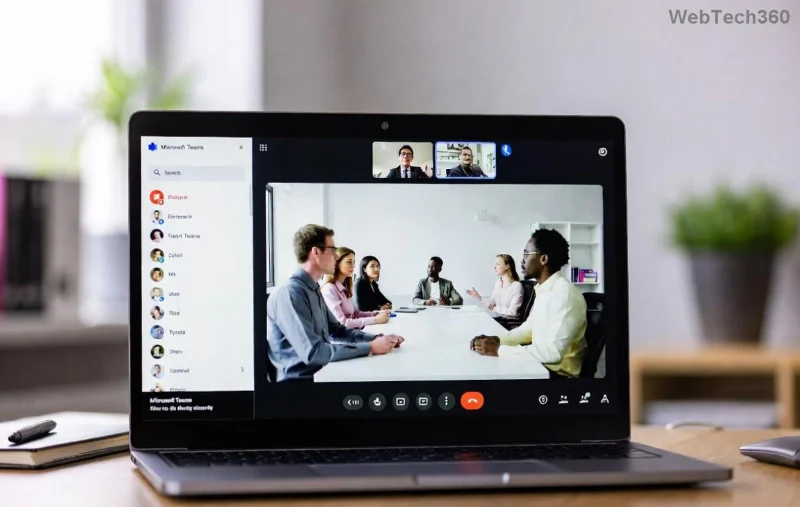
Microsoft Teams chat not working error on mobile screen

Step-by-Step Fixes: Start Here for Quick Wins

Follow these in order—most users resolve it by step 3. No tech expertise needed! 👆

  1. 🔄 Force Close and Restart Teams
    Grab your phone's app switcher (swipe up on Android/iOS), swipe away Teams, then relaunch. This clears temporary glitches instantly.
  2. 📶 Check Your Internet Connection
    Switch between Wi-Fi and mobile data. Run a speed test—Teams needs at least 1.5 Mbps for smooth chats. Pro tip: Forget and rejoin Wi-Fi networks.
  3. 🔄 Update Teams App
    Head to Google Play Store (Android) or App Store (iOS). Search Microsoft Teams, tap Update. Latest builds fix chat not working bugs.
  4. 🗑️ Clear Cache and Data (Android Priority)
    Settings > Apps > Teams > Storage > Clear Cache (then Clear Data if needed). On iOS, offload/reinstall does the trick.
  5. ✅ Verify App Permissions
    Settings > Apps > Teams > Permissions: Enable Storage, Notifications, Microphone. iOS: Check in-app settings too.

These basics fix 80% of cases. Still stuck? Level up below. 💪

Advanced Troubleshooting: When Basic Fixes Aren't Enough

If chats still won't load, time for deeper dives. We've seen these crush stubborn issues.

IssueFixAndroid StepsiOS Steps
Chat Won't LoadSign Out/InTeams > Profile > Sign out > RelaunchMe tab > Sign out
Notifications SilentDisable Battery OptimizationSettings > Battery > Teams > UnrestrictedSettings > Battery > Low Power Mode off
Frozen ConversationsReinstall AppUninstall > Play Store reinstallOffload App > Reinstall
Sync ErrorsCheck AccountRemove work account if multipleDelete & re-add profile
  1. 👤 Sign Out and Back In
    Profile icon > Sign out. Relaunch, sign in fresh. Forces full sync.
  2. 🔋 Disable Battery Saver
    Android: Settings > Battery > App optimization > Teams > Don't optimize.
    iOS: Settings > Battery > Turn off Low Power Mode during use.
  3. 📱 Reinstall Teams
    Uninstall, restart phone, reinstall from official store. Downloads latest fixes automatically.
  4. 🌐 VPN or Proxy Check
    Disable any VPN—Teams hates them for chats. Test in airplane mode + Wi-Fi toggle.
  5. 📞 Test on Another Device
    Borrow a friend's phone. If it works there, it's your device—proceed to OS update.
Step-by-step Microsoft Teams mobile troubleshooting interface

Prevention Tips: Stay Chat-Ready Forever ✨

Don't let this happen again:

  • ⭐ Enable auto-updates for Teams.
  • ✅ Weekly cache clear habit.
  • 📲 Keep your phone's OS current (Android 12+, iOS 16+ recommended).
  • 🛡️ Use official Microsoft sources only—no APKs.
  • 💬 Join Teams Community forums for real-time tips.

For persistent issues, contact Microsoft Support via the app (Help & Feedback). Reference error codes if any appear.

You're Back in Action! 🎉

Congrats—you've conquered Microsoft Teams chat not working on mobile! These steps are battle-tested on the newest updates, ensuring reliable messaging whether you're collaborating remotely or on-the-go. Which fix worked for you? Drop a comment below—we love hearing success stories. Happy teaming! 🚀


Leave a Comment

Solving Microsoft Teams Chat Not Working on Mobile

Solving Microsoft Teams Chat Not Working on Mobile

Struggling with Microsoft Teams chat not working on mobile? Discover quick, proven fixes for Android & iOS to get your chats flowing again. Step-by-step guide with troubleshooting tips.

How to Fix Microsoft Teams Register Account Error

How to Fix Microsoft Teams Register Account Error

Tired of the frustrating Microsoft Teams "Register" Account Error blocking your work? Discover proven, step-by-step fixes like clearing cache, resetting the app, and network tweaks. Get seamless collaboration back online today—no tech expertise needed!

How to Fix Microsoft Teams Hard Error (2026 Registry Fix)

How to Fix Microsoft Teams Hard Error (2026 Registry Fix)

Tired of Microsoft Teams crashing with "Hard Error"? Get the proven 2026 registry fix that resolves it in minutes. Step-by-step guide, screenshots, and tips for permanent relief. Works on latest versions!

Troubleshooting Microsoft Teams Webhook Integration Error

Troubleshooting Microsoft Teams Webhook Integration Error

Stuck with Microsoft Teams webhook integration errors? Discover proven troubleshooting steps, common error codes, and quick fixes to restore seamless notifications in Teams. Updated with the latest best practices.

How to Use Microsoft Teams Copilot for AI-Powered Productivity

How to Use Microsoft Teams Copilot for AI-Powered Productivity

Discover how to use Microsoft Teams Copilot to boost AI-powered productivity. Step-by-step guide, key features, and tips to transform meetings, chats, and tasks effortlessly. Unlock smarter collaboration today!

Troubleshooting Microsoft Teams Error D Files

Troubleshooting Microsoft Teams Error D Files

Tired of Microsoft Teams "Error D" files blocking your workflow? Get instant fixes for upload/download errors with this step-by-step troubleshooting guide. Resolve issues fast and boost productivity.

How to Fix Microsoft Teams Error Z Zone

How to Fix Microsoft Teams Error Z Zone

Tired of Microsoft Teams "Error Z" Zone crashing your meetings? Follow our expert, step-by-step guide to fix it quickly with the latest methods. Regain seamless teamwork now!

How to Fix Microsoft Teams Check Version Error

How to Fix Microsoft Teams Check Version Error

Tired of the frustrating Microsoft Teams "Check Version" error blocking your meetings? Follow our proven, step-by-step fixes to resolve it fast and restore smooth teamwork. Works on latest versions!

How to Remove and Change a Microsoft Teams Account on Windows 11

How to Remove and Change a Microsoft Teams Account on Windows 11

Struggling with the wrong Microsoft Teams account on Windows 11? Discover simple, step-by-step instructions to remove and change your Microsoft Teams account effortlessly. Perfect for managing work and personal profiles!

How to Fix Microsoft Teams Guide Tutorial Error

How to Fix Microsoft Teams Guide Tutorial Error

Struggling with Microsoft Teams "Guide" Tutorial Error? Discover simple, step-by-step fixes to resolve it quickly. Clear cache, update, and more for seamless teamwork. Updated for latest versions!

Troubleshooting Microsoft Teams For Mac Sync Error

Troubleshooting Microsoft Teams For Mac Sync Error

Struggling with Microsoft Teams for Mac sync errors? Follow this ultimate troubleshooting guide with step-by-step fixes to resolve sync issues quickly and get back to seamless collaboration on macOS. Updated with the latest solutions.

Solving Microsoft Teams Website Error Loading

Solving Microsoft Teams Website Error Loading

Tired of the frustrating Microsoft Teams "Website Error" loading issue? Follow our proven, step-by-step fixes to resolve it fast and restore smooth teamwork. Works on all browsers!

Troubleshooting Microsoft Teams Remote Control Error

Troubleshooting Microsoft Teams Remote Control Error

Struggling with Microsoft Teams Remote Control Error? Discover step-by-step troubleshooting for Remote Control issues in Teams. Quick fixes, common causes, and expert tips to get back to seamless collaboration. Updated with the latest solutions.

Solving Microsoft Teams Media Error Microphone

Solving Microsoft Teams Media Error Microphone

Struggling with Microsoft Teams "Media Error" Microphone? Get instant fixes for crystal-clear audio. Step-by-step solutions for permissions, drivers, and more – no tech skills needed!

How to Fix Microsoft Teams Error on Desktop Shortcut

How to Fix Microsoft Teams Error on Desktop Shortcut

Tired of the frustrating Microsoft Teams "Error" on your desktop shortcut? Discover proven, step-by-step solutions to resolve it fast and restore smooth teamwork. No tech skills needed!





