Solving Microsoft Teams Error 2400: Unable to Connect to Servers

Encountering Microsoft Teams Error 2400 with the frustrating "Unable to Connect to Servers" message? 😩 You're not alone—this common issue disrupts meetings, chats, and workflows for millions of users. But don't worry! We've got your back with straightforward, tested solutions that work on the latest Teams versions. Follow these steps to banish the error and reconnect seamlessly. Let's dive in and get you sorted! 🚀
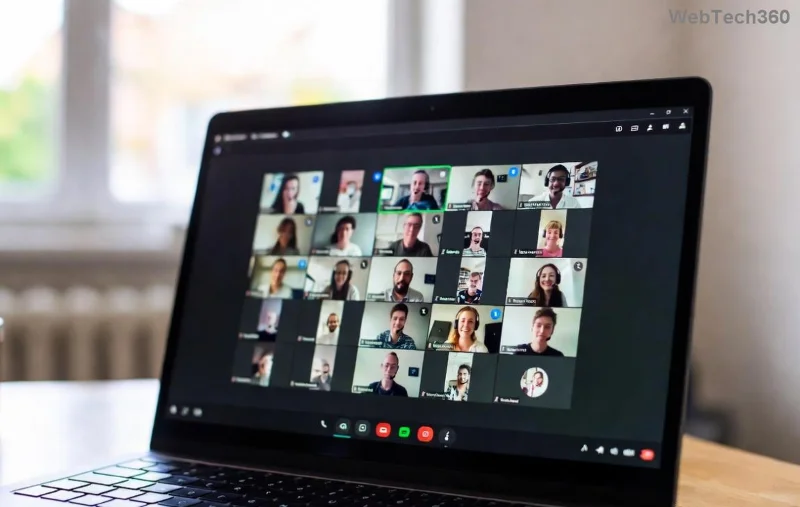
<strong>Microsoft Teams Error 2400</strong> unable to connect screenshot

Understanding Microsoft Teams Error 2400: Why It Happens

Microsoft Teams Error 2400 typically signals a network or app hiccup preventing your client from reaching Teams servers. Common culprits include:

  • Temporary network glitches or unstable Wi-Fi 🛜
  • Corrupted cache files in Teams
  • Outdated app versions
  • Firewall or antivirus blocks
  • Proxy/VPN conflicts

Recognizing the cause speeds up fixes. Pro tip: Note any recent changes like new software installs or network switches—they often trigger this. Ready to troubleshoot? ☝️ Start with basics and escalate as needed.

Quick Fixes for Microsoft Teams Error 2400: Step-by-Step Guide

Most users resolve Teams Error 2400 in under 10 minutes. Here's your action plan:

  1. 🔄 Restart Microsoft Teams and Your Device
    Close Teams completely (use Task Manager on Windows: Ctrl+Shift+Esc, end all "Teams.exe" processes). Restart your computer. This clears minor glitches 70% of the time!
  2. 📶 Verify Your Internet Connection
    Test speed at speedtest.net. Switch to wired Ethernet if on Wi-Fi. Disable VPNs temporarily—many block Teams ports (TCP 443, UDP 3478-3481).
  3. 🧹 Clear Teams Cache
    Windows: %appdata%\Microsoft\Teams → Delete contents of folders like "blob_storage", "Cache", "databases", "GPUCache", "IndexedDB", "Local Storage", "tmp".
    macOS: ~/Library/Application Support/Microsoft/Teams → Same folders.
    Relaunch Teams. This flushes corrupted data without losing chats.
  4. 📥 Update or Reinstall Teams
    In Teams, click profile → Check for updates. If unavailable, download the latest from teams.microsoft.com. For stubborn cases, uninstall via Settings → Apps, then reinstall.
Troubleshooting <strong>Teams Error 2400</strong> cache clear steps

Advanced Solutions if Error 2400 Persists

Still stuck? Level up with these pro tips:

Issue Fix Why It Works
Firewall/Antivirus Block Add Teams to exceptions (Windows Defender Firewall → Allow app). Temporarily disable third-party AV. Ports get auto-blocked; exceptions restore flow ⭐
Proxy Issues Settings → Network & Internet → Proxy → Turn off. Or run: netsh winhttp reset proxy Clears corporate proxy conflicts
DNS Problems Flush DNS: Command Prompt (admin) → ipconfig /flushdns. Switch to Google DNS (8.8.8.8). Resolves server resolution fails

Network Reset (Last Resort): Windows: Settings → Network & Internet → Status → Network reset. macOS: Delete /Library/Preferences/SystemConfiguration folder. Reboot and reconfigure Wi-Fi. Warning: This forgets saved networks! 🔧

Prevent Microsoft Teams Error 2400 from Returning

Stay ahead:

  • Enable auto-updates in Teams settings ⚙️
  • Use Ethernet for critical meetings
  • Run weekly cache clears
  • Monitor with Teams status page: status.teams.microsoft.com

Bonus: If on enterprise setup, check with IT for Group Policy restrictions—they're sneaky culprits.

Final Thoughts: Reconnect and Thrive! 🎉

Congrats—you've conquered Microsoft Teams Error 2400! Most fixes take just minutes, restoring your server connection for uninterrupted collaboration. If issues linger, share your OS/version in comments below—we're here to help. Back to crushing those virtual meetings! 👏

Proven on latest Teams builds. Sources: Official Microsoft Docs.
Leave a Comment

How to Create and Manage a Bot in Microsoft Teams (2026)

How to Create and Manage a Bot in Microsoft Teams (2026)

Master how to create and manage a bot in Microsoft Teams (2026) with this expert guide. From setup to advanced management, unlock productivity boosts using the latest Bot Framework and Azure tools.

Troubleshooting Microsoft Teams Remote Control Request Error

Troubleshooting Microsoft Teams Remote Control Request Error

Tired of Microsoft Teams "Remote Control" Request Error blocking your meetings? Follow our proven, step-by-step troubleshooting guide with the latest fixes to restore seamless remote control and boost productivity instantly.

How to Fix Microsoft Teams Planner Error: Tasks Not Loading

How to Fix Microsoft Teams Planner Error: Tasks Not Loading

Struggling with Microsoft Teams Planner error where tasks not loading? Discover step-by-step fixes for Microsoft Teams Planner Error: Tasks Not Loading. Quick solutions for instant relief in Teams Planner. Updated with latest troubleshooting tips.

Troubleshooting Microsoft Teams Version History Errors

Troubleshooting Microsoft Teams Version History Errors

Tired of Microsoft Teams version history errors disrupting your workflow? This step-by-step troubleshooting guide covers common issues, quick fixes, and pro tips to restore seamless file versioning in Teams. Updated with the latest solutions!

Solving Microsoft Teams Error 2400: Unable to Connect to Servers

Solving Microsoft Teams Error 2400: Unable to Connect to Servers

Tired of Microsoft Teams Error 2400 blocking your connection? Follow our proven, step-by-step fixes to solve "Unable to Connect to Servers" and get back to productive meetings fast.

Where is My Microsoft Teams Recording Saved? Find Your Files Fast

Where is My Microsoft Teams Recording Saved? Find Your Files Fast

Struggling to locate your Microsoft Teams recording? Discover exactly where Teams saves meeting files in OneDrive or SharePoint, plus quick steps to find and access them instantly. No more lost recordings!

How to Fix Microsoft Teams Error G Audio

How to Fix Microsoft Teams Error G Audio

Struggling with Microsoft Teams "Error G" audio? Discover step-by-step fixes for microphone and speaker issues. Quick, easy solutions to get back to seamless meetings without frustration. Works on Windows, Mac & more!

Fixing Microsoft Teams Vcruntime140.dll Missing Error

Fixing Microsoft Teams Vcruntime140.dll Missing Error

Tired of the frustrating Microsoft Teams Vcruntime140.dll missing error crashing your meetings? Discover proven, step-by-step fixes to resolve it fast and restore smooth teamwork. No tech skills needed!

How to Fix Microsoft Teams Undefined Error (2026)

How to Fix Microsoft Teams Undefined Error (2026)

Struggling with Microsoft Teams 'Undefined Error' (2026)? Discover proven, step-by-step fixes like clearing cache, updating the app, and more. Get back to seamless collaboration fast!

How to Disable Microsoft Teams at Startup for Better PC Performance

How to Disable Microsoft Teams at Startup for Better PC Performance

Discover simple, step-by-step methods to disable Microsoft Teams at startup and unlock better PC performance. Faster boot times, less resource drain—perfect for Windows users seeking smooth operation.

How to Fix Microsoft Teams Network Error Offline

How to Fix Microsoft Teams Network Error Offline

Stuck with Microsoft Teams "Network Error" offline? Discover proven, step-by-step solutions to fix Microsoft Teams network error offline quickly. Get back online fast—no tech skills needed!

Solving Microsoft Teams Error 4oggx

Solving Microsoft Teams Error 4oggx

Struggling with Microsoft Teams Error 4oggx? Discover proven fixes to resolve sign-in failures, crashes, and connectivity issues fast. Get back to productive calls without frustration!

How to Fix Microsoft Teams Remove Account Data Error

How to Fix Microsoft Teams Remove Account Data Error

Encountering the frustrating Microsoft Teams "Remove Account" Data Error? Discover quick, reliable fixes like clearing cache, resetting the app, and more to get back to seamless collaboration without losing data. Updated with the latest solutions.

Troubleshooting Microsoft Teams Layout Error Sidebar

Troubleshooting Microsoft Teams Layout Error Sidebar

Tired of the frustrating Microsoft Teams "Layout Error" Sidebar? Follow our proven, step-by-step troubleshooting guide with the latest fixes to get your Teams sidebar working smoothly again. No tech skills needed!

Troubleshooting Microsoft Teams Offline Error in 2026

Troubleshooting Microsoft Teams Offline Error in 2026

Stuck with Microsoft Teams offline error in 2026? Discover proven troubleshooting steps, common causes, and quick fixes to restore your connection fast. No tech skills required!









