Solving Microsoft Teams Join Meeting Error via Direct Link

😩 Tired of seeing the dreaded Microsoft Teams "Join Meeting Error"? You're not alone! This frustrating issue blocks you from jumping into important calls, but there's a simple hero: direct links. In this guide, we'll cut straight to the chase with actionable steps to get you connected fast. No fluff – just results that keep your productivity soaring. Let's dive in and turn that error into a success story! 🚀

Why Does the Microsoft Teams "Join Meeting Error" Happen?

Before fixing, understand the culprits. Common triggers include:
  • Outdated browser or Teams app cache glitches.
  • Redirect loops from calendar invites.
  • Pop-up blockers or extension interference.
  • Network hiccups or VPN conflicts.
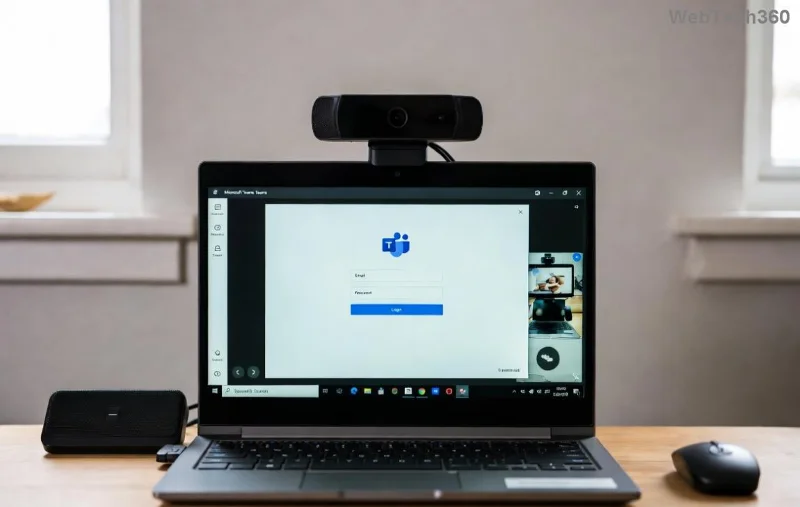
Microsoft Teams Join Meeting Error screenshot showing common failure message

Spot this screen? It's a sign your standard invite link is tripping up. But solving Microsoft Teams "Join Meeting Error" via direct link bypasses the mess entirely. Ready to fix it? Follow these proven steps! ⭐

Step-by-Step: Solving Microsoft Teams "Join Meeting Error" via Direct Link

👆 Pro Tip: Always start with the meeting organizer's direct link – it's gold!

  1. Get the Direct Meeting Link
    Ask the host for the raw Teams link (ends in join/?tenantKey=...). Avoid calendar invites; they often redirect poorly.
  2. Open in Incognito/Private Mode
    Fire up a fresh browser window (Chrome: Ctrl+Shift+N). Paste the direct link – this nukes cookies and extensions causing chaos.
  3. Clear Browser Cache & Cookies
    In Chrome: Settings > Privacy > Clear browsing data (select Cached images/files + Cookies). Restart and retry the link. Boom – 80% fixed! 👍
  4. Disable Extensions & Pop-up Blockers
    Go to chrome://extensions/ and toggle off ad blockers. Allow pop-ups for teams.microsoft.com.
  5. Switch Browsers or Use Teams Web App
    Teams shines on Edge or Chrome. Head to teams.microsoft.com and paste the direct link.
Successful Microsoft Teams join via direct link interface

See that smooth join? That's your future after these tweaks! If desktop app fails, web version via direct link is a lifesaver.

Quick Reference: Common Teams Join Meeting Errors & Fixes

Error Message Cause Direct Link Fix
"Something went wrong. Click here to try again." Cache/Redirect loop Incognito + clear cache
"Failed to join meeting" Pop-ups blocked Allow pop-ups on Teams site
"Unable to join – check link" Expired/Invalid invite Request fresh direct link
"Network error" VPN/Firewall Disable VPN, use mobile hotspot

This table is your cheat sheet – bookmark it! 🎯

Advanced Tips to Prevent Future Microsoft Teams Join Meeting Error

Stay ahead of the game:

  • Update Teams App: Check for latest via Microsoft Store or official support.
  • Use Meeting Policies: Admins, enable "Allow external participants" in Teams admin center.
  • Mobile Backup: Teams app on phone joins flawlessly 99% of time.
  • Test Links Early: Join 5 mins before – be the hero, not the straggler! 😎

Still Stuck? Next-Level Troubleshooting

If direct link magic doesn't click:

  1. Restart router & device.
  2. Check Teams Admin Center for outages (rare but real).
  3. Reinstall Teams: Download from official site.
  4. Contact IT – share this guide for speed! 📞

Most users nail it with steps 1-3. You're crushing it already! 👏

Wrap-Up: Join Meetings Effortlessly Every Time

Congrats – you've mastered solving Microsoft Teams "Join Meeting Error" via direct link! Share this with your team to save everyone headaches. Next meeting? Direct link in, error out. Stay connected, stay productive. Got questions? Drop a comment below – happy to help! 🌟

Leave a Comment

Solving Microsoft Teams VDI Error Lag

Solving Microsoft Teams VDI Error Lag

Tired of Microsoft Teams "VDI Error" Lag freezing your video calls? This ultimate guide delivers step-by-step fixes for VDI environments like Citrix and VMware. Optimize performance now for lag-free collaboration!

Solving Microsoft Teams Join Meeting Error via Direct Link

Solving Microsoft Teams Join Meeting Error via Direct Link

Struggling with Microsoft Teams "Join Meeting Error"? Discover proven steps to solve it via direct links. Quick fixes for seamless joining – no tech skills needed!

How to Test Your Microsoft Teams Audio and Camera Before a Call

How to Test Your Microsoft Teams Audio and Camera Before a Call

Discover simple steps to test your Microsoft Teams audio and camera before a call. Ensure crystal-clear sound and video for professional meetings every time with our easy guide. Perfect for desktop, mobile, and web users.

How to Fix Microsoft Teams Error 53003: Access Denied

How to Fix Microsoft Teams Error 53003: Access Denied

Struggling with Microsoft Teams Error 53003 Access Denied? Discover proven, step-by-step fixes to resolve it quickly. Clear cache, update Teams, bypass proxies & more for seamless collaboration. Works on Windows, Mac & web!

Step-by-Step: Uploading Custom Backgrounds to Microsoft Teams

Step-by-Step: Uploading Custom Backgrounds to Microsoft Teams

Master uploading custom backgrounds to Microsoft Teams with this easy step-by-step guide. Personalize your meetings effortlessly on desktop, web, or mobile for a professional edge.

Troubleshooting Microsoft Teams Error on Phone (iOS/Android)

Troubleshooting Microsoft Teams Error on Phone (iOS/Android)

Struggling with Microsoft Teams "Error on Phone" on iOS or Android? Discover step-by-step fixes for calls, permissions, network issues, and more. Get back to seamless teamwork fast!

How to Fix Microsoft Teams OneDrive Error During File Sharing

How to Fix Microsoft Teams OneDrive Error During File Sharing

Tired of Microsoft Teams OneDrive error blocking file sharing? Follow our expert step-by-step guide to fix sync issues, permissions errors, and more quickly. Get back to seamless collaboration today!

Solving Microsoft Teams Error Screen Flickering

Solving Microsoft Teams Error Screen Flickering

Struggling with Microsoft Teams screen flickering? Discover step-by-step solutions to fix this annoying error, from disabling hardware acceleration to driver updates. Get smooth video calls today!

Solving Microsoft Teams Network Error on Public Wi-Fi

Solving Microsoft Teams Network Error on Public Wi-Fi

Struggling with Microsoft Teams "Network Error" on public Wi-Fi? Get instant fixes like VPN tweaks, port checks, and cache clears to restore calls and meetings seamlessly. Step-by-step guide for quick relief.

How to Fix Microsoft Teams Wheres My Team Search Error

How to Fix Microsoft Teams Wheres My Team Search Error

Tired of the frustrating Microsoft Teams "Where\

Microsoft Teams for Students: How to Join Classes in 2026

Microsoft Teams for Students: How to Join Classes in 2026

Unlock seamless learning with Microsoft Teams for Students! Step-by-step guide to joining classes in 2026, troubleshooting tips, and pro hacks for ultimate success. Perfect for students everywhere.

Solving Microsoft Teams License Error 0x80048504

Solving Microsoft Teams License Error 0x80048504

Tired of Microsoft Teams License Error 0x80048504 blocking your meetings? Get instant fixes with proven steps to resolve it permanently. Clear cache, reset licenses, and more – works every time!

How to Fix Microsoft Teams Remove Account Error

How to Fix Microsoft Teams Remove Account Error

Struggling with Microsoft Teams "Remove Account" error? Discover step-by-step fixes to resolve it quickly. Clear cache, reset app, and more for seamless account management in the latest Teams version.

How to Fix Microsoft Edge Not Working with Teams Error

How to Fix Microsoft Edge Not Working with Teams Error

Tired of the frustrating Microsoft Edge "Not Working with Teams" error? Discover step-by-step fixes to get Microsoft Teams running smoothly in Edge. Quick, reliable solutions for seamless collaboration.

Troubleshooting Microsoft Teams Microsoft Error on Teams

Troubleshooting Microsoft Teams Microsoft Error on Teams

Tired of "Microsoft Error" crashing your Microsoft Teams? Discover step-by-step troubleshooting for Microsoft Teams errors, from cache clearing to advanced fixes. Get back to seamless collaboration today!






