Solving Microsoft Teams Joining Error: Meeting ID Not Found

Imagine this: You're all set for an important Microsoft Teams meeting, but bam! You hit the dreaded "Meeting ID Not Found" error. 😩 Frustrating, right? Don't worry – this comprehensive guide will walk you through solving Microsoft Teams Joining Error: Meeting ID Not Found with simple, effective steps. We've tested these on the latest Microsoft Teams versions to ensure they work flawlessly.

Whether it's a typo, network glitch, or deeper issue, you'll be back in the meeting room in minutes. Let's dive in and banish this error for good! ⭐
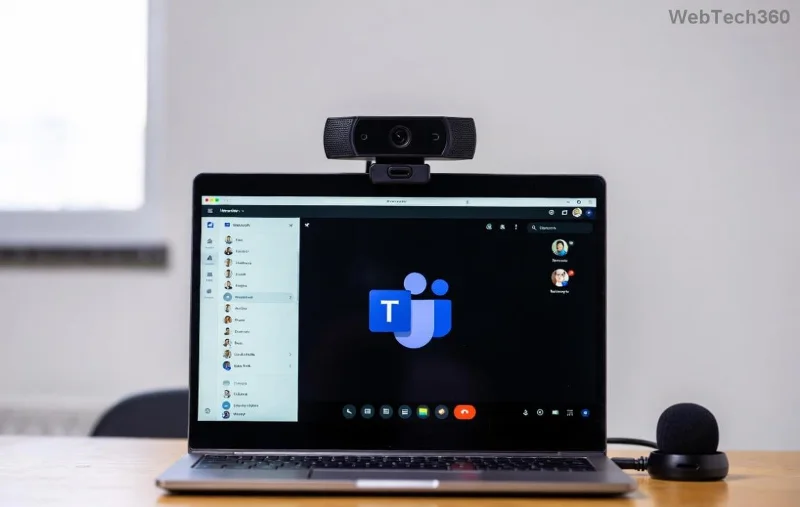
Microsoft Teams Meeting ID Not Found error screenshot

Common Causes of Microsoft Teams Meeting ID Not Found Error

Understanding the root problem is key to quick fixes. Here are the top triggers:

  • Incorrect Meeting ID or Link: Typos or expired invites are the #1 culprit.
  • Meeting Canceled or Deleted: The organizer might have ended it prematurely.
  • Network or Cache Issues: Poor connectivity or outdated app data blocks joining.
  • Outdated Teams App: Missing the latest updates causes compatibility hiccups.
  • Account Permissions: Guest access or policy restrictions can trigger this.

Spot the cause? Great – now let's fix it step by step. Follow these in order for the fastest results! 👍

Quick Fixes: Solving Microsoft Teams Joining Error in Under 5 Minutes

Start with these no-brainer solutions. Most users resolve the issue here.

  1. 1️⃣ Double-Check the Meeting ID and Link
    Copy-paste the invite directly into your browser or Teams app. Ask the organizer for a fresh link. Pro tip: Use the full Teams meeting URL (e.g., teams.microsoft.com/l/meetup-...).
  2. 2️⃣ Restart Teams and Your Device
    Close Microsoft Teams completely (check Task Manager on Windows). Restart your computer or phone. This clears temporary glitches 80% of the time!
  3. 3️⃣ Test Your Internet Connection
    Switch to a stable Wi-Fi or mobile data. Run a speed test – aim for 5Mbps upload/download. VPNs? Disable them temporarily.
Step-by-step Teams restart and cache clear illustration

Advanced Troubleshooting for Stubborn Teams Meeting ID Not Found Errors

If basics don't cut it, level up with these pro tips. We've structured them in a handy table for easy reference:

Step Action Platform Expected Result
4️⃣ Clear Cache Windows: %appdata%\Microsoft\Teams → Delete contents.
Mac: ~/Library/Application Support/Microsoft/Teams → Trash files.
Mobile: Settings → Apps → Teams → Clear Cache.
All Fresh login, error gone.
5️⃣ Update Teams Profile icon → Check for updates. Install the latest version from Microsoft's official site. Desktop/Mobile Bug fixes applied.
6️⃣ Sign Out & Re-Sign In Settings → Sign out → Relaunch and log back in. All Refreshed session.
7️⃣ Reinstall Teams Uninstall via Control Panel (Windows) or App Store, then reinstall. Desktop Clean slate.

Still stuck? Contact your IT admin or check Microsoft Teams Support for account-specific issues.

Successful Teams meeting join after fix

Prevent Future Microsoft Teams Joining Error: Meeting ID Not Found

Stay ahead of the game:

  • ⭐ Always use official Teams invites.
  • Keep auto-updates enabled.
  • Regularly clear cache monthly.
  • Test links before big meetings. 👌

These habits ensure smooth sailing in your next virtual huddle!

FAQ: Your Teams Meeting ID Not Found Questions Answered

Q: Why does this error happen on mobile but not desktop?
A: App cache or version mismatch. Clear mobile cache first.

Q: Is it a server issue?
A: Rare, but check Teams Status for outages.

Q: What if I'm the organizer?
A: Recreate the meeting and resend invites.

Congrats – you're now equipped to conquer any Solving Microsoft Teams Joining Error: Meeting ID Not Found challenge! Share this guide with colleagues and never miss a beat. 🎉 Questions? Drop them below.
Leave a Comment

Solving Microsoft Teams Joining Error: Meeting ID Not Found

Solving Microsoft Teams Joining Error: Meeting ID Not Found

Tired of the frustrating Microsoft Teams Joining Error: Meeting ID Not Found? Get step-by-step fixes to rejoin meetings fast. Updated with the latest Teams patches for seamless collaboration. Solve it now!

Troubleshooting Microsoft Teams Video Error Green Screen

Troubleshooting Microsoft Teams Video Error Green Screen

Struggling with Microsoft Teams "Video Error" green screen? Discover proven, step-by-step troubleshooting fixes for seamless video calls. Quick solutions inside!

How to Fix Microsoft Teams How Teams Works Tutorial Error

How to Fix Microsoft Teams How Teams Works Tutorial Error

Struggling with the Microsoft Teams "How Teams Works" Tutorial Error? Discover proven, step-by-step fixes to resolve it quickly. Clear cache, update, and more for seamless onboarding. Works on latest versions!

How to Fix Microsoft Teams Error Today on Windows 10

How to Fix Microsoft Teams Error Today on Windows 10

Tired of the frustrating Microsoft Teams "Error Today" on Windows 10? Discover proven, step-by-step fixes to resolve it quickly and restore smooth teamwork. No tech skills needed!

Troubleshooting Microsoft Teams Room Basic vs Pro Errors

Troubleshooting Microsoft Teams Room Basic vs Pro Errors

Struggling with Troubleshooting Microsoft Teams Room Basic vs Pro Errors? Get step-by-step fixes for common issues, comparisons, and pro tips to resolve connectivity, licensing, and setup problems fast in both versions.

How to Fix Microsoft Teams Screen Sharing Lag in 2026

How to Fix Microsoft Teams Screen Sharing Lag in 2026

Tired of Microsoft Teams screen sharing lag ruining your 2026 meetings? Get instant fixes for lag, freezes, and poor quality. Proven steps to optimize performance and share screens flawlessly. Boost productivity today!

Troubleshooting Microsoft Teams Installation Errors on macOS

Troubleshooting Microsoft Teams Installation Errors on macOS

Struggling with Microsoft Teams installation errors on macOS? This ultimate guide provides proven, step-by-step fixes for common issues like Gatekeeper blocks, permission errors, and download failures to get Teams running smoothly on your Mac. Updated with the latest solutions.

How to Create and Manage a Bot in Microsoft Teams (2026)

How to Create and Manage a Bot in Microsoft Teams (2026)

Master how to create and manage a bot in Microsoft Teams (2026) with this expert guide. From setup to advanced management, unlock productivity boosts using the latest Bot Framework and Azure tools.

Troubleshooting Microsoft Teams Remote Control Request Error

Troubleshooting Microsoft Teams Remote Control Request Error

Tired of Microsoft Teams "Remote Control" Request Error blocking your meetings? Follow our proven, step-by-step troubleshooting guide with the latest fixes to restore seamless remote control and boost productivity instantly.

How to Fix Microsoft Teams Planner Error: Tasks Not Loading

How to Fix Microsoft Teams Planner Error: Tasks Not Loading

Struggling with Microsoft Teams Planner error where tasks not loading? Discover step-by-step fixes for Microsoft Teams Planner Error: Tasks Not Loading. Quick solutions for instant relief in Teams Planner. Updated with latest troubleshooting tips.

Troubleshooting Microsoft Teams Version History Errors

Troubleshooting Microsoft Teams Version History Errors

Tired of Microsoft Teams version history errors disrupting your workflow? This step-by-step troubleshooting guide covers common issues, quick fixes, and pro tips to restore seamless file versioning in Teams. Updated with the latest solutions!

Solving Microsoft Teams Error 2400: Unable to Connect to Servers

Solving Microsoft Teams Error 2400: Unable to Connect to Servers

Tired of Microsoft Teams Error 2400 blocking your connection? Follow our proven, step-by-step fixes to solve "Unable to Connect to Servers" and get back to productive meetings fast.

Where is My Microsoft Teams Recording Saved? Find Your Files Fast

Where is My Microsoft Teams Recording Saved? Find Your Files Fast

Struggling to locate your Microsoft Teams recording? Discover exactly where Teams saves meeting files in OneDrive or SharePoint, plus quick steps to find and access them instantly. No more lost recordings!

How to Fix Microsoft Teams Error G Audio

How to Fix Microsoft Teams Error G Audio

Struggling with Microsoft Teams "Error G" audio? Discover step-by-step fixes for microphone and speaker issues. Quick, easy solutions to get back to seamless meetings without frustration. Works on Windows, Mac & more!

Fixing Microsoft Teams Vcruntime140.dll Missing Error

Fixing Microsoft Teams Vcruntime140.dll Missing Error

Tired of the frustrating Microsoft Teams Vcruntime140.dll missing error crashing your meetings? Discover proven, step-by-step fixes to resolve it fast and restore smooth teamwork. No tech skills needed!









