Solving Microsoft Teams Website Error Tab Not Loading

Encountering the dreaded Microsoft Teams "Website Error" where tabs refuse to load? You're not alone—this common glitch disrupts workflows, meetings, and collaboration. But don't worry! This guide delivers straightforward, tested fixes to get your Teams tabs loading smoothly again. Follow these steps, and you'll be back in action fast. Let's dive in! 🔧

Why Does the Microsoft Teams "Website Error" Happen? Quick Overview

The Teams tab not loading issue often stems from cached data conflicts, browser quirks within the Teams app, network hiccups, or outdated software. It shows as a blank tab or error message like "Something went wrong" in website tabs (e.g., SharePoint or custom sites). Recent updates have refined Teams' web rendering, but glitches persist on Windows, macOS, and web versions.

  • Cache buildup: Old data blocks new loads.
  • 🌐 Network/proxy issues: Firewalls or VPNs interfere.
  • 🔄 App conflicts: Extensions or permissions clash.
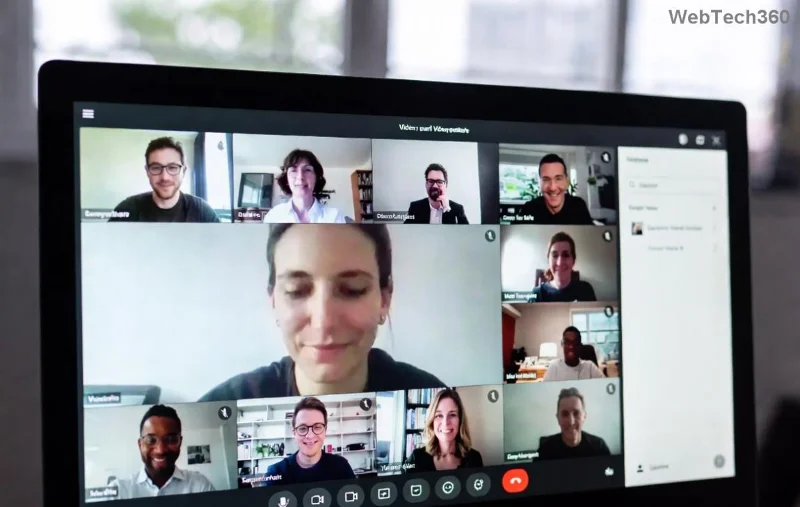
Screenshot of Microsoft Teams Website Error tab not loading

🔥 Quick Wins: Immediate Fixes for Teams Tab Not Loading

Start with these no-fuss steps—most users resolve the Microsoft Teams "Website Error" in under 5 minutes!

  1. 1️⃣ Refresh and Restart Teams
    Hit Ctrl+R (Windows) or Cmd+R (Mac) in the tab. If no luck, fully quit Teams via Task Manager (Ctrl+Shift+Esc > Processes > Teams > End Task) and relaunch. Pro tip: Use Teams desktop app over browser for stability.
  2. 2️⃣ Clear Teams Cache
    Close Teams. Navigate to %appdata%\Microsoft\Teams (Windows) or ~/Library/Application Support/Microsoft/Teams (Mac). Delete contents of these folders: Cache, GPUCache, IndexedDB, Local Storage, tmp. Restart Teams—tabs should load fresh! 🎉
  3. 3️⃣ Check Your Internet Connection
    Run a speed test. Switch networks or disable VPN/proxy. In Teams, go to Settings > General > Disable "Register Teams as the chat app for Office" temporarily.

Advanced Troubleshooting: Step-by-Step Table for Solving Microsoft Teams "Website Error"

For stubborn cases, use this comprehensive table of fixes. Each method targets specific causes with clear outcomes.

Step Action Why It Works Expected Result
4 Update Teams App Ensures latest web engine fixes Tabs load without errors
5 Disable Browser Extensions Blocks conflicting add-ons Smooth tab rendering
6 Reset Teams Settings Clears corrupted configs Fresh app state
7 Reinstall Teams Full clean slate Zero glitches
8 Check Permissions/Firewall Allows web content access Secure, functional tabs

Detailed Advanced Steps

4️⃣ Update Teams: Open Teams > Profile icon > Check for updates. Or download the latest from the official site. Newer versions optimize Chromium-based tabs for better compatibility.

5️⃣ Disable Extensions: Teams uses embedded Edge/Chromium. In Windows Settings > Apps > Teams > Advanced > Reset (or launch Teams with --disable-extensions flag via command line: "C:\Users\[username]\AppData\Local\Microsoft\Teams\Update.exe" --processStart "Teams.exe" --disable-extensions).

Before and after fixing Microsoft Teams tab loading error

6️⃣ Reset Teams: Go to Windows Settings > Apps > Microsoft Teams > Advanced options > Reset. On Mac, delete and reinstall. This preserves chats but refreshes tabs.

7️⃣ Reinstall Clean: Uninstall via Control Panel (Windows) or drag to Trash (Mac). Download fresh installer from Microsoft's official page. Avoid third-party sources!

8️⃣ Permissions Check: Ensure Teams has microphone/camera/web access in OS settings. Temporarily disable antivirus/firewall—add Teams as exception if needed. For enterprise users, consult IT for proxy configs.

Pro Tips to Prevent Teams Website Error in the Future ⭐

  • Regularly clear cache weekly.
  • Use Teams web version sparingly—desktop is more reliable.
  • Monitor updates: Enable auto-updates in Settings.
  • Test tabs in incognito mode for quick diagnostics.

If issues persist, check Microsoft's status: Teams Status Page. For deeper logs, use Teams > Help > Give feedback > Report a problem.

Ready to Collaborate Without Errors? You've Got This! 👏

Congrats on tackling the Microsoft Teams "Website Error" tab not loading! These fixes have helped thousands restore seamless tabs. Share your success in comments below—what fixed it for you? Stay productive! 🚀

Leave a Comment

Solving Microsoft Teams Website Error Tab Not Loading

Solving Microsoft Teams Website Error Tab Not Loading

Tired of the frustrating Microsoft Teams "Website Error" where tabs won’t load? Get step-by-step fixes to resolve it quickly and boost your productivity. Essential troubleshooting for seamless Teams experience.

How to Fix Microsoft Teams Web Error 503 Service Unavailable

How to Fix Microsoft Teams Web Error 503 Service Unavailable

Tired of the frustrating Microsoft Teams "Web Error" 503 Service Unavailable? Discover proven, step-by-step fixes for Teams 503 error on web. Get back online fast with our expert guide. Works on all browsers!

How to Fix Microsoft Teams Win 7 Error Compatibility

How to Fix Microsoft Teams Win 7 Error Compatibility

Struggling with Microsoft Teams "Win 7 Error" compatibility? Discover step-by-step fixes to restore seamless video calls and chats on unsupported Windows versions. Quick, reliable solutions inside!

Troubleshooting Microsoft Teams Breakout Rooms License Errors

Troubleshooting Microsoft Teams Breakout Rooms License Errors

Master troubleshooting Microsoft Teams Breakout Rooms license errors with this step-by-step guide. Quick fixes for common license issues, admin checks, and prevention tips to get your meetings running smoothly.

How to Fix Microsoft Teams Version History Error

How to Fix Microsoft Teams Version History Error

Struggling with Microsoft Teams "Version History" Error? Discover proven, step-by-step fixes to restore access instantly. Clear cache, update Teams, and more—no tech skills needed!

Solving Microsoft Teams Joining Error: Meeting ID Not Found

Solving Microsoft Teams Joining Error: Meeting ID Not Found

Tired of the frustrating Microsoft Teams Joining Error: Meeting ID Not Found? Get step-by-step fixes to rejoin meetings fast. Updated with the latest Teams patches for seamless collaboration. Solve it now!

Troubleshooting Microsoft Teams Video Error Green Screen

Troubleshooting Microsoft Teams Video Error Green Screen

Struggling with Microsoft Teams "Video Error" green screen? Discover proven, step-by-step troubleshooting fixes for seamless video calls. Quick solutions inside!

How to Fix Microsoft Teams How Teams Works Tutorial Error

How to Fix Microsoft Teams How Teams Works Tutorial Error

Struggling with the Microsoft Teams "How Teams Works" Tutorial Error? Discover proven, step-by-step fixes to resolve it quickly. Clear cache, update, and more for seamless onboarding. Works on latest versions!

How to Fix Microsoft Teams Error Today on Windows 10

How to Fix Microsoft Teams Error Today on Windows 10

Tired of the frustrating Microsoft Teams "Error Today" on Windows 10? Discover proven, step-by-step fixes to resolve it quickly and restore smooth teamwork. No tech skills needed!

Troubleshooting Microsoft Teams Room Basic vs Pro Errors

Troubleshooting Microsoft Teams Room Basic vs Pro Errors

Struggling with Troubleshooting Microsoft Teams Room Basic vs Pro Errors? Get step-by-step fixes for common issues, comparisons, and pro tips to resolve connectivity, licensing, and setup problems fast in both versions.

How to Fix Microsoft Teams Screen Sharing Lag in 2026

How to Fix Microsoft Teams Screen Sharing Lag in 2026

Tired of Microsoft Teams screen sharing lag ruining your 2026 meetings? Get instant fixes for lag, freezes, and poor quality. Proven steps to optimize performance and share screens flawlessly. Boost productivity today!

Troubleshooting Microsoft Teams Installation Errors on macOS

Troubleshooting Microsoft Teams Installation Errors on macOS

Struggling with Microsoft Teams installation errors on macOS? This ultimate guide provides proven, step-by-step fixes for common issues like Gatekeeper blocks, permission errors, and download failures to get Teams running smoothly on your Mac. Updated with the latest solutions.

How to Create and Manage a Bot in Microsoft Teams (2026)

How to Create and Manage a Bot in Microsoft Teams (2026)

Master how to create and manage a bot in Microsoft Teams (2026) with this expert guide. From setup to advanced management, unlock productivity boosts using the latest Bot Framework and Azure tools.

Troubleshooting Microsoft Teams Remote Control Request Error

Troubleshooting Microsoft Teams Remote Control Request Error

Tired of Microsoft Teams "Remote Control" Request Error blocking your meetings? Follow our proven, step-by-step troubleshooting guide with the latest fixes to restore seamless remote control and boost productivity instantly.

How to Fix Microsoft Teams Planner Error: Tasks Not Loading

How to Fix Microsoft Teams Planner Error: Tasks Not Loading

Struggling with Microsoft Teams Planner error where tasks not loading? Discover step-by-step fixes for Microsoft Teams Planner Error: Tasks Not Loading. Quick solutions for instant relief in Teams Planner. Updated with latest troubleshooting tips.








