Solving Microsoft Teams Welcome Screen Stuck Error

Imagine firing up Microsoft Teams for an important meeting, only to be greeted by an endless "Welcome" screen that refuses to budge. 😩 Frustrating, right? You're not alone—this Microsoft Teams "Welcome" Screen Stuck Error plagues users worldwide, often due to corrupted cache, outdated apps, or profile glitches. But don't worry! This guide delivers quick, reliable solutions tested on the latest Teams versions. Follow along, and you'll be chatting in minutes. Let's dive in! 👇

Why Does the Microsoft Teams Welcome Screen Get Stuck? Quick Diagnosis

Before fixing, understand the culprits. Common causes include:

  • 🔧 Corrupted cache or temporary files: Teams stores data locally that can glitch.
  • 🌐 Network hiccups or proxy issues: Slow connections stall the login.
  • 📱 Outdated app or conflicting updates: Bugs in older builds.
  • 👤 Profile sync problems: Account data fails to load.
  • 💻 System conflicts: Antivirus or Windows/Mac settings interfering.
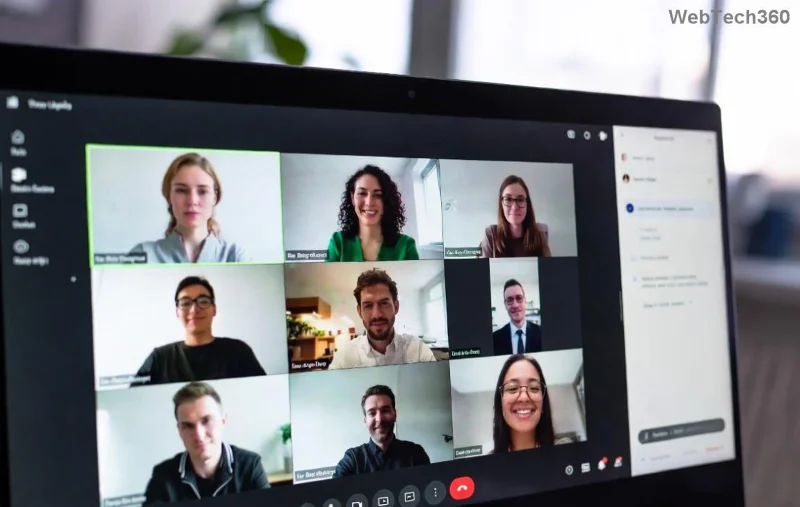
Microsoft Teams welcome screen stuck error illustration showing frozen loading screen

Spot the issue? Great—now let's fix it. Start with the simplest methods and escalate if needed. Pro tip: Test after each step to save time! ✅

Fix 1: Clear Teams Cache (Easiest First Step – 80% Success Rate! ⭐)

The #1 fix for Microsoft Teams welcome screen stuck. Cache buildup is sneaky but fixable in under 2 minutes.

  1. Quit Teams completely (use Task Manager on Windows: Ctrl+Shift+Esc, end all "Teams.exe" processes).
  2. Press Win + R, type %appdata%\Microsoft\Teams, hit Enter.
  3. Delete these folders: blob_storage, Cache, databases, GPUCache, IndexedDB, Local Storage, tmp.
  4. Restart Teams. Magic! ✨

For Mac: Go to ~/Library/Application Support/Microsoft/Teams and delete the same folders.

Fix 2: Sign Out and Back In (Quick Account Reset)

If cache isn't it, force a fresh login:

  1. On the stuck screen, try Ctrl + Alt + Shift to open hidden menu (if responsive).
  2. Select "Sign out." If frozen, skip to cache clear first.
  3. Reopen Teams, sign in with your credentials.
  4. Enable "Remember me" for smoother future logins.

Fix 3: Update or Repair Teams App

Outdated Teams? Update now:

  • Windows: Settings > Apps > Microsoft Teams > Modify > Repair (or Update via Microsoft Store).
  • Check for updates in Teams: Profile icon > Check for updates.

Still stuck? Reinstall:

  1. Uninstall via Settings > Apps.
  2. Download latest from official site.
  3. Reinstall and log in.
Step-by-step fix for Microsoft Teams welcome screen stuck with cache clear and reinstall visuals

Quick Fixes Comparison Table: Pick Your Speed!

Fix Method Time Needed Difficulty Success Rate Best For
Clear Cache 2 mins Easy 👆 80% Daily glitches
Sign Out/In 1 min Very Easy 60% Account issues
Update/Repair 5 mins Easy 70% Outdated app
Reinstall 10 mins Medium 95% Stubborn errors
Reset Network 3 mins Easy 50% Connection woes

Fix 4-6: Advanced Troubleshooting (When Basics Fail)

Fix 4: Network Reset 🌐
Run Command Prompt as admin: netsh int ip reset and netsh winsock reset. Restart PC.

Fix 5: Disable VPN/Proxy
Temporarily turn off VPNs or proxy settings in Windows (Settings > Network > Proxy).

Fix 6: Create New Profile
In Teams web (teams.microsoft.com), sign in. If it works, migrate chats via export.

Fix 7: Nuclear Option – Full Reset via PowerShell

For pros: Open PowerShell as admin, run:

Get-AppxPackage *teams* | Remove-AppxPackage

Then reinstall. Boom! 💥

Prevention tips: Regularly clear cache weekly, keep Teams updated, and use web version as backup. Stay glitch-free! 🎉

Still Stuck? Next Steps & Community Wins

If nothing works, check Microsoft's official troubleshooting or post in Teams forums. Thousands have fixed it—your turn!
Share your success in comments below. Happy teaming! 🙌

Leave a Comment

How to Fix Microsoft Teams Welcome Screen Stuck Error 2026

How to Fix Microsoft Teams Welcome Screen Stuck Error 2026

Frustrated with Microsoft Teams "Welcome" screen stuck on Error 2026? Discover proven, step-by-step fixes to resolve it fast and get back to seamless collaboration. Updated with the latest tips!

Troubleshooting Microsoft Teams Action Required Login Error

Troubleshooting Microsoft Teams Action Required Login Error

Struggling with Microsoft Teams "Action Required" login error? Discover step-by-step troubleshooting fixes, clear cache methods, and quick solutions to get back to seamless collaboration. Updated with the latest tips for instant relief.

How to Fix Microsoft Teams Webinar Registration Error

How to Fix Microsoft Teams Webinar Registration Error

Facing Microsoft Teams Webinar Registration Error? Follow our proven, step-by-step guide to fix it quickly and get back to seamless webinar registrations. Latest troubleshooting tips included!

How to Fix Microsoft Teams Joining Error Meeting Full

How to Fix Microsoft Teams Joining Error Meeting Full

Tired of Microsoft Teams "Joining Error: Meeting Full"? Get proven, step-by-step solutions to bypass the error and join instantly. Latest fixes for seamless meetings!

Solving Microsoft Teams Recording Error: Permission Required

Solving Microsoft Teams Recording Error: Permission Required

Tired of the frustrating Microsoft Teams recording error: Permission Required? Follow our expert, step-by-step guide to regain recording access instantly with the latest Teams policies and fixes. No tech skills needed!

Troubleshooting Microsoft Teams Error Report Not Sending

Troubleshooting Microsoft Teams Error Report Not Sending

Tired of Microsoft Teams Error Report Not Sending? Discover quick, effective troubleshooting steps to resolve it fast and get back to seamless collaboration. Expert tips included!

Troubleshooting Microsoft Teams Disabled Error Account Blocked

Troubleshooting Microsoft Teams Disabled Error Account Blocked

Struggling with Microsoft Teams "Disabled Error" or Account Blocked? Discover step-by-step fixes, common causes, and prevention tips to get back online instantly. No tech skills needed!

Solving Microsoft Teams Network Error on Wi-Fi

Solving Microsoft Teams Network Error on Wi-Fi

Struggling with Microsoft Teams "Network Error" on Wi-Fi? Discover step-by-step fixes for solving Microsoft Teams Network Error on Wi-Fi, from cache clearing to DNS tweaks. Get back to seamless calls now!

Troubleshooting Microsoft Teams Joining Error via Link

Troubleshooting Microsoft Teams Joining Error via Link

Struggling with Microsoft Teams "Joining Error" via link? Discover quick, step-by-step troubleshooting fixes for smooth meeting joins. Updated with the latest solutions for desktop, web, and mobile.

How to Fix Microsoft Teams MS Team Error 2026

How to Fix Microsoft Teams MS Team Error 2026

Frustrated by Microsoft Teams "MS Team Error" 2026? Discover proven, step-by-step solutions to get back online instantly. Latest 2026 updates included for seamless fixes.

How to Fix Microsoft Teams Loading Error Infinite Loop

How to Fix Microsoft Teams Loading Error Infinite Loop

Struggling with Microsoft Teams "Loading Error" infinite loop? Follow our expert, step-by-step guide to fix it quickly. Clear cache, update app, and more for seamless teamwork. Works on Windows, Mac & web.

How to Fix Microsoft Teams Chat Error Not Sending

How to Fix Microsoft Teams Chat Error Not Sending

Struggling with Microsoft Teams "Chat Error" not sending messages? Discover step-by-step fixes for the latest Teams issues, from cache clearing to network tweaks. Get back to chatting seamlessly in minutes!

How to Fix Microsoft Teams Meet Joining Error

How to Fix Microsoft Teams Meet Joining Error

Tired of Microsoft Teams "Meet" joining error blocking your meetings? Discover proven, step-by-step fixes to resolve Microsoft Teams Meet joining issues quickly and get back to seamless collaboration. Updated with the latest troubleshooting tips.

Troubleshooting Microsoft Teams Installation Has Failed on Windows 11

Troubleshooting Microsoft Teams Installation Has Failed on Windows 11

Struggling with Microsoft Teams "Installation Has Failed" on Windows 11? Follow our step-by-step troubleshooting guide with proven fixes, from clearing cache to advanced repairs, to resolve the error quickly and painlessly. Get Teams running smoothly today!

How to Fix Microsoft Teams Breakout Rooms Not Showing

How to Fix Microsoft Teams Breakout Rooms Not Showing

Tired of Microsoft Teams Breakout Rooms not showing up? Follow our ultimate guide with step-by-step fixes, troubleshooting tips, and prevention strategies to get breakout rooms working seamlessly for productive meetings.








