The light helps to enhance the overall appearance of your TV, giving it a subtle glow. And when the TV is new, that glow may not bother you. But over time, this glowing light can present a disturbance. It is especially frustrating when you’re trying to catch some shuteye. Most people are resigned to the annoyance. But you have other options.

In this article, you will learn how to turn off your TCL TV light for a better night’s sleep.
How to Turn Off Light
TCL is fixated on providing and enhancing user experience. With this at the core of their brand value, they have designed TVs with efficient customization options. This allows you to turn off the TCL TV light fairly easily. Follow the steps below to complete this process using your remote control:
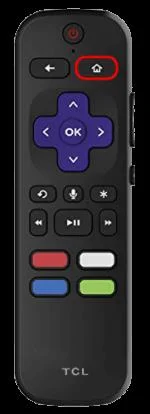
- Press the “Home” button on your TCL remote control to open the “Home Settings” menu.

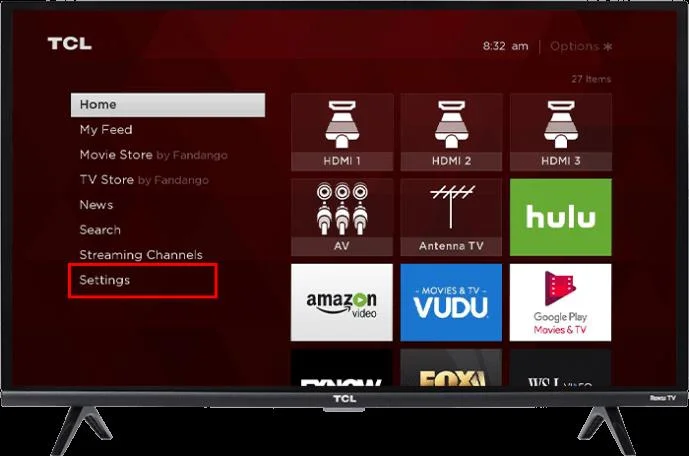
- Select “Settings.”

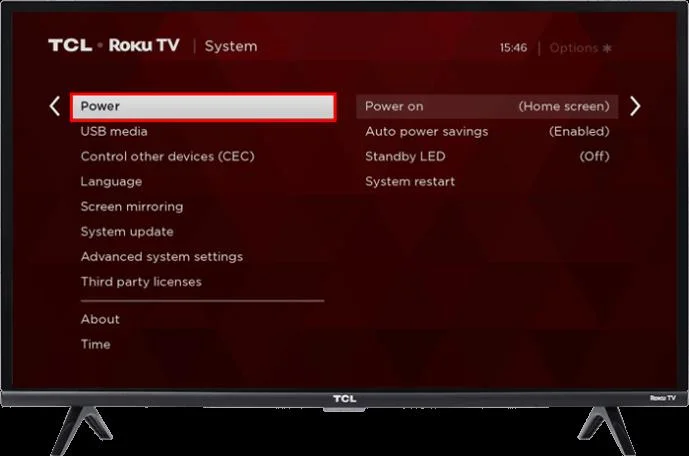
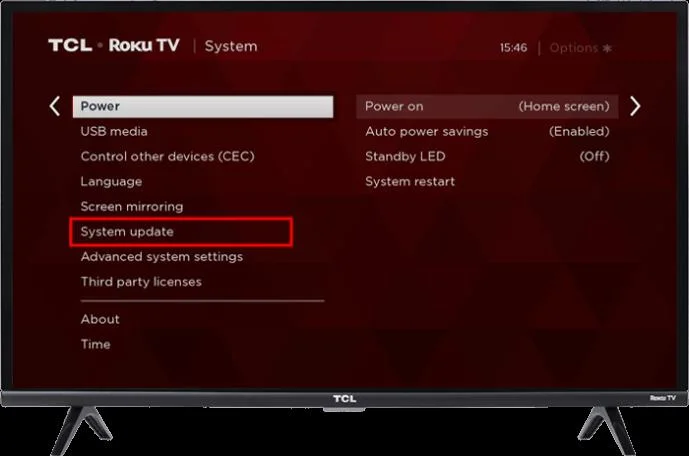
- Go to “System” settings. Select the “Power” option.

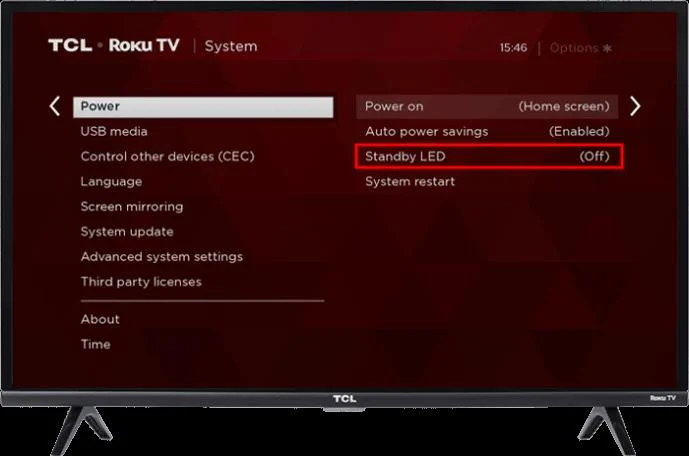
- Press “Standby LED” turn it off and press “Ok” to confirm.

These options may vary depending on the TCL TV model. In case you can’t access them on your TV, follow the steps below to turn off the light:
- Repeatedly press the “Home’ button five times in a row.

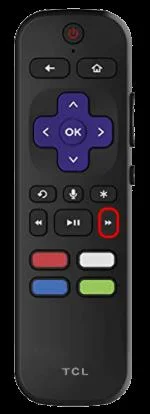
- Press the “Fast Forward” key on your remote.

- Select “Rewind.”

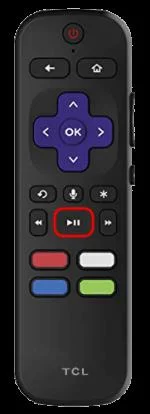
- Press “Play.”

- Select “Fast Forward” again.

A secret menu will appear on your TV once you run all these commands. Choose the LED Brightness option from the menu and reset the brightness level to zero. If your TCL TV also doesn’t have this option, you can’t turn off the standby light. You can only remedy the situation with simpler solutions, such as blocking the light with black tape.
Keep in mind that there is no way you can stop the light from blinking when using your remote control.
Understanding Standby Mode on TCL TV
Knowing the different meanings of the TCL TV LED lights is important. It’ll help ensure you don’t leave your TV on when it’s supposed to be off. Your TV goes into standby mode when you leave it on for a long time with no activity on the TV display. It is a power-efficient setting designed to help you cut back on electricity costs.
Keep in mind that you shouldn’t use this setting as an alternative to turning off your TV.
The section below will help you decode the different lights that will show up on your TCL TV:
- You will notice a slow pulsing blink on your TV when it starts up after being disconnected from the power supply.
- When the TV receives updates via the USB, the light blinks slowly until the update is complete. It also behaves in a similar manner when going into standby mode.
- The TV light blinks only once when receiving a command from the remote control.
If the light on your TCL TV behaves differently than the ones listed above, it points to a problem in your TV.
Troubleshooting TCL TV Light
You may notice that your TCL TV light keeps blinking persistently. This means that it’s stuck in standby mode. This section will highlight tried and tested solutions to help you fix this problem.
Reset Your TCL TV
Technical glitches can cause your TV to hang on standby mode. Performing a hard reset on your TV can help solve this issue. You can conduct a hard reset on your TCL TV by following these steps:
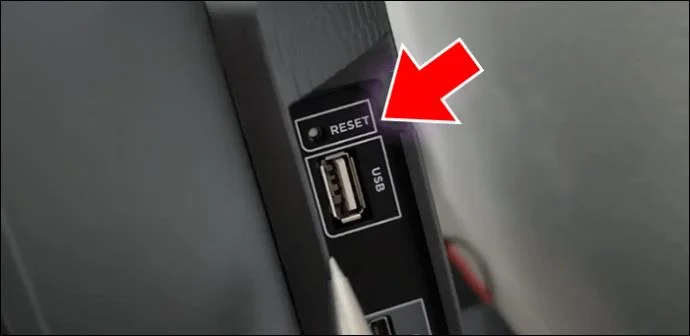
- Locate the “Reset” button next to the HDMI and USB ports.

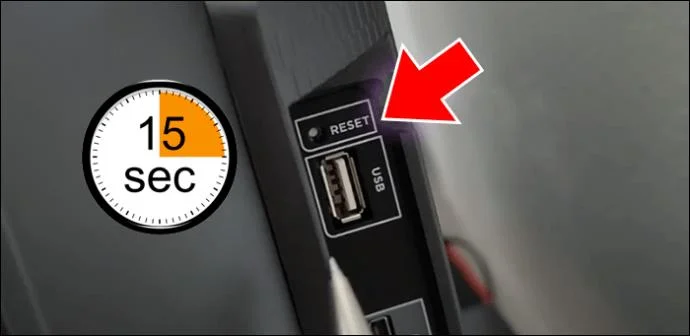
- Long press the reset button for at least 15 seconds.

- Repeat this process until the lights stop blinking.
Run a Power Cycle
The results of a power cycle are similar to those of a TV hard reset. But you’ll need to cut off the TV power supply for this method to work. Here’s how you can run a power cycle:
- Turn off your TV.

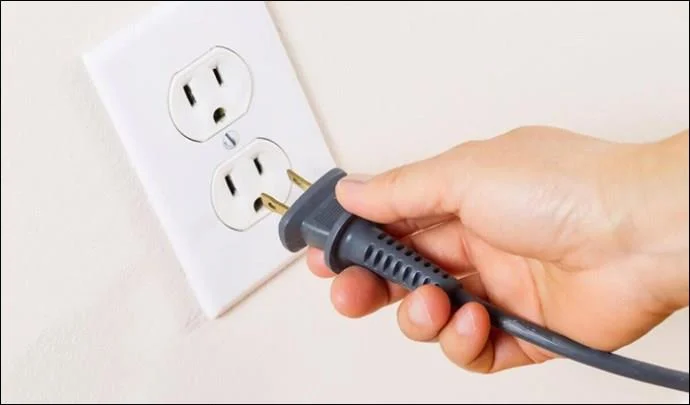
- Unplug the TV cord from the power source.

- Wait at least 30 seconds before powering it back on.
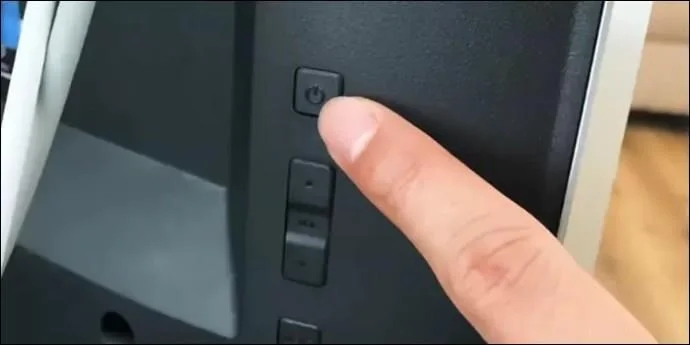
You can long press the power button on your TV for at least 10 seconds to drain off any remaining power on the TV. Don’t use your remote control. This will ensure your TCL TV undergoes a proper restart.
Check Your Internet Connection
A poor internet connection can cause your TV to get stuck on standby. This issue affects both wired and wireless TVs.
Wireless Connection
It’s best to try and reset your connection and also check your connection strength. Here’s how you can do this:
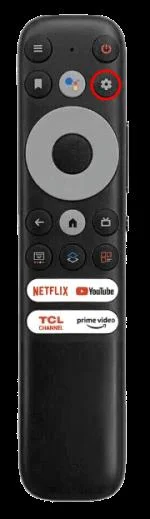
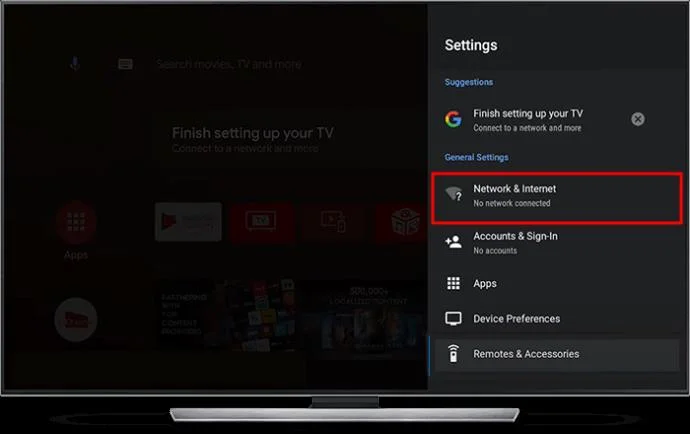
- Press the “Settings” menu on your remote.

- Select “Network” to check the strength of your network signal.

You can also try resetting your Wi-Fi by disconnecting it for at least 30 seconds and then connecting it again. If you’re using a modem, you can try refreshing your wireless connections by clicking the off button on your modem.
Wired Connection
You can check your cable by looking to see if the internet cable is plugged correctly into your Ethernet port.
Update Your TCL TV
If your remote is still unable to top the standby light from blinking, you should run an update on your TCL TV. Here’s what you need to do:
- Open “Settings.”

- Go to “System” and select “System Update” to run the update.

Keep in mind that your TCL TV has to be properly connected to the internet to run a successful update.
Check Your Remote Control Settings
A blinking TV light can be resolved by setting up your remote control settings correctly. This will ensure that your blinking TCL TV light is resolved. A disconnected remote can result in a constant blinking TV light. However, running a power cycle on your TV can help solve the issue.
Defective Backlight
If all the options listed above don’t solve the blinking light issue on your TV, the problem might be from a defective backlight. You should contact TCL TV customer service to help you fix the backlight. You will know your TV’s backlight is defective by shining a flashlight on a powered TV while in a dark room. Your TV’s backlight is broken if you can see a picture with the flashlight on the screen.
Escape the Piercing Light
The TCL standby light has many benefits. But it’s not everyone’s cup of tea; you don’t have to tolerate it if it bothers you. You can create a relaxing atmosphere by simply turning it off. However, keep in mind that the TV’s light is designed to display your TV’s current status. Switching it off may keep you from essential status updates.
Did you turn off the TCL TV light as soon as you got it? Or did it take a while for the standby light to bother you? Let us know in the comments section below.