Troubleshooting Microsoft Teams Call Error Disconnecting

😩 Frustrated by Microsoft Teams "Call Error" Disconnecting mid-meeting? You're not alone. This pesky issue disrupts workflows, but don't worry—our focused guide delivers quick, effective solutions. We'll pinpoint causes and walk you through fixes so you can reclaim smooth calls. Let's dive in and get your Teams calls stable! 👆

Common Causes of Microsoft Teams Call Error Disconnecting

Understanding why Microsoft Teams calls disconnect is step one. Here's a breakdown of top triggers:

  • Network Instability: Weak Wi-Fi, VPN glitches, or high latency spikes.
  • App Glitches: Outdated Teams version or corrupted cache.
  • Hardware Conflicts: Faulty mic, speakers, or USB devices.
  • Server-Side Issues: Temporary outages on Microsoft's end (rare but check status first).
  • Bandwidth Overload: Too many devices sharing connection during video calls.
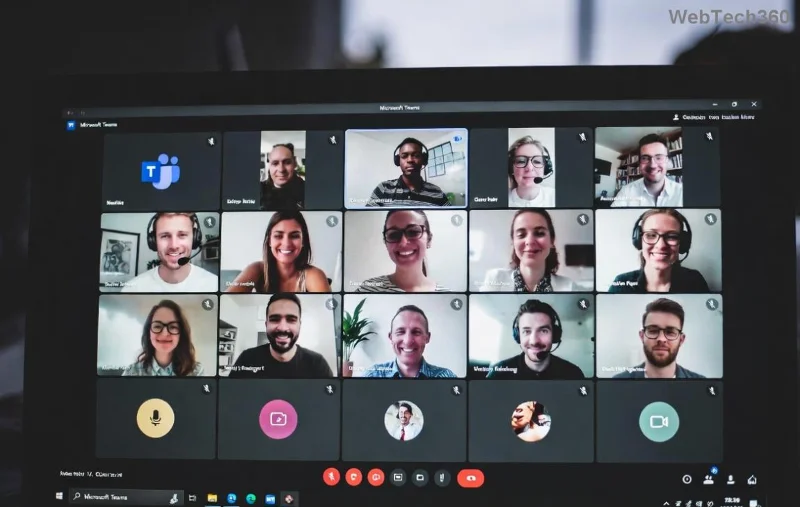
Microsoft Teams call error screen showing disconnect message

Pro Tip: Run a quick Teams Call Quality Dashboard check if you're an admin—it's a game-changer for spotting patterns.

Step-by-Step Troubleshooting Microsoft Teams "Call Error" Disconnecting

Follow these prioritized steps. Most users fix it in under 10 minutes! 1️⃣ Start basic, escalate as needed.

1️⃣ Verify Network Basics

  1. Test internet speed: Aim for 1.5 Mbps upload/download per call. Use Speedtest.net.
  2. Switch to wired Ethernet if on Wi-Fi—it's rock-solid.
  3. Disable VPN temporarily: VPNs add latency. Re-enable post-test.
  4. Restart router: Unplugs magic 80% of network woes.

2️⃣ Update and Restart Teams

  • Check for updates: Click profile icon > Check for updates.
  • Clear cache: Windows: %appdata%\Microsoft\Teams → Delete contents. Restart app.
  • Full restart: Close Teams via Task Manager, relaunch.
Teams settings menu for troubleshooting call errors

3️⃣ Hardware and Permissions Check

👇 Quick Checklist Action Expected Fix
Microphone/Speaker Test Teams Settings > Devices > Make a test call Detects hardware faults
Permissions OS Settings > Privacy > Microphone/Camera > Allow Teams Resolves access blocks
Unplug Devices Remove extra USB headsets/webcams Eliminates conflicts
Disable Exclusives Sound settings > Disable "Exclusive mode" Prevents app locks

4️⃣ Advanced Fixes for Stubborn Teams Call Disconnects

If basics fail:

  • Reset Teams: Settings > Apps > Teams > Advanced > Reset (keeps data).
  • Reinstall: Uninstall via Control Panel, download latest from official site.
  • Registry Tweak (Windows Pros): Run CMD as admin: netsh winsock reset then reboot.
  • Proxy Check: Settings > Network > Disable proxy.
Advanced Teams troubleshooting steps illustration

⭐ Still disconnecting? Monitor via Ctrl+Alt+Shift+1 for diagnostics—upload logs to support if needed.

Prevention Tips: Keep Microsoft Teams Calls Rock-Solid

Lock in reliability long-term:

  1. Use Teams Web App as backup: teams.microsoft.com—no installs.
  2. Schedule meetings during off-peak hours.
  3. Enable Adaptive Audio in settings for noisy environments.
  4. Regular maintenance: Weekly cache clear + updates.
  5. Monitor status: Teams Status Page for outages.

Bonus: For large orgs, deploy Teams Admin Policies for QoS—prioritizes call traffic. 😊

Ready for Flawless Calls?

Congratulations! You've mastered troubleshooting Microsoft Teams "Call Error" Disconnecting. Apply these steps sequentially, and watch drops vanish. If issues persist (e.g., enterprise firewalls), hit up Microsoft Support via app. Share your success story in comments—happy calling! 🎉
Leave a Comment

How to Fix Microsoft Teams Error occurred During Sign-In

How to Fix Microsoft Teams Error occurred During Sign-In

Frustrated by Microsoft Teams "Error occurred" during sign-in? Discover proven, step-by-step fixes to get back online fast. Clear cache, reset app, and more for seamless login. Works on Windows, Mac & web.

Troubleshooting Microsoft Teams Call Error Disconnecting

Troubleshooting Microsoft Teams Call Error Disconnecting

Struggling with Microsoft Teams "Call Error" Disconnecting? Discover proven, step-by-step fixes for call drops, network issues, and more. Get back to seamless meetings fast with our expert troubleshooting guide.

How to Fix Microsoft Teams Error 2603: Login Loop Fix

How to Fix Microsoft Teams Error 2603: Login Loop Fix

Stuck in Microsoft Teams Error 2603 login loop? Get proven step-by-step fixes to resolve the issue fast and restore seamless teamwork. Clear cache, reset, reinstall – all covered!

How to Fix Microsoft Teams Voice Call Error

How to Fix Microsoft Teams Voice Call Error

Tired of Microsoft Teams voice call errors? Follow our step-by-step guide to troubleshoot no audio, echo, or call drops. Proven fixes for crystal-clear calls every time.

How to Fix Microsoft Teams Workflows Error Power Automate

How to Fix Microsoft Teams Workflows Error Power Automate

Struggling with Microsoft Teams "Workflows Error" in Power Automate? Discover proven, step-by-step fixes to resolve connection issues, permissions, and more. Get your workflows running smoothly today!

How to Fix Microsoft Teams Reddit Popular Error Fixes

How to Fix Microsoft Teams Reddit Popular Error Fixes

Tired of Microsoft Teams crashes, black screens, and sign-in loops? Unlock Reddit's most popular, proven fixes to resolve common Microsoft Teams errors quickly and get back to productive meetings. Step-by-step guides inside!

Troubleshooting Microsoft Teams Error 53003: Access Denied

Troubleshooting Microsoft Teams Error 53003: Access Denied

Tired of Microsoft Teams Error 53003 Access Denied blocking your meetings? Discover proven, step-by-step fixes to troubleshoot and resolve it quickly – no tech expertise needed!

How to Fix Microsoft Teams Media Error During Calls

How to Fix Microsoft Teams Media Error During Calls

Tired of Microsoft Teams media errors ruining your calls? Follow our expert, step-by-step guide to fix audio, video, and media issues quickly. Restore crystal-clear meetings today!

How to Fix Microsoft Teams Classic Login Error

How to Fix Microsoft Teams Classic Login Error

Struggling with Microsoft Teams "Classic" login error? Discover proven, step-by-step fixes to get back online fast. Clear cache, reset credentials, and more—no tech skills needed!

Troubleshooting Microsoft Teams Test Call Mic Error

Troubleshooting Microsoft Teams Test Call Mic Error

Struggling with Microsoft Teams Test Call mic error? Discover step-by-step troubleshooting for microphone issues, from quick checks to advanced fixes. Restore crystal-clear audio in minutes!

Solving Microsoft Teams Error AADSTS90023: Invalid Authentication

Solving Microsoft Teams Error AADSTS90023: Invalid Authentication

Struggling with Microsoft Teams Error AADSTS90023 Invalid Authentication? Discover step-by-step fixes to resolve this Azure AD issue quickly. Clear cache, reset credentials, and get back to seamless collaboration today!

Solving Microsoft Teams Error 1200: Step-by-Step Recovery

Solving Microsoft Teams Error 1200: Step-by-Step Recovery

Struggling with Microsoft Teams Error 1200? Discover proven step-by-step fixes to resolve connection issues, clear cache, and get back to seamless collaboration. Quick recovery tips inside!

Why is My Microsoft Teams Status Stuck on Away?

Why is My Microsoft Teams Status Stuck on Away?

Frustrated with your Microsoft Teams status stuck on 'Away'? Uncover the top reasons like idle timeouts and power settings, plus step-by-step fixes to get back to 'Available' fast. Updated with the latest Teams features.

How to Fix Microsoft Teams Error: Administrator Has Disabled Chat

How to Fix Microsoft Teams Error: Administrator Has Disabled Chat

Stuck with Microsoft Teams error "Administrator Has Disabled Chat"? Discover proven step-by-step solutions for admins and users to restore chat functionality fast. No tech skills needed!

Troubleshooting Microsoft Teams Error CDL_WORKER_FAILURE

Troubleshooting Microsoft Teams Error CDL_WORKER_FAILURE

Stuck with Microsoft Teams Error CDL_WORKER_FAILURE? Follow this step-by-step guide to troubleshoot and fix it quickly. Proven solutions for seamless Teams experience.









