Troubleshooting Microsoft Teams Call Failed Issues in 2026

Nothing derails a productive day like a Microsoft Teams "Call Failed" error popping up right when you need it most. 😩 Whether you're in a crucial team huddle or a client demo, these glitches can feel frustrating. But don't worry—by 2026, Microsoft Teams has robust tools and updates to tackle this head-on. This guide delivers targeted troubleshooting steps based on the newest diagnostics, helping you pinpoint and fix issues fast. Stick around, and you'll be back to crystal-clear calls in minutes! 🌟
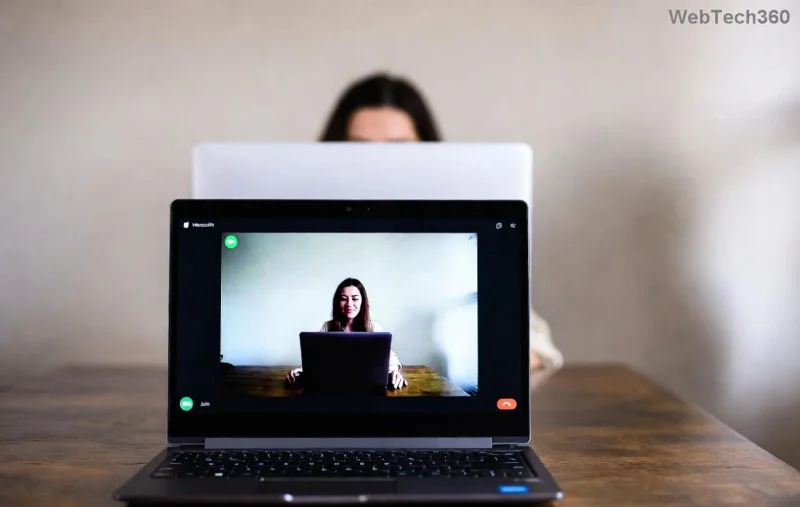
Microsoft Teams Call Failed error screen

🔍 Common Causes of "Call Failed" Errors in Microsoft Teams

Understanding the root cause is your first win. Teams "Call Failed" issues in 2026 often stem from network hiccups, outdated software, or permission snags. Here's a quick breakdown:

Error Trigger Why It Happens Quick Indicator
Network Instability High latency, packet loss, or VPN conflicts Slow internet icon or jittery video
App/Updates Outdated Missing 2026 patches for WebRTC optimizations Version mismatch notification
Firewall/Antivirus Blocks Ports 3478-3481 UDP restricted Calls drop after connecting
Device Permissions Mic/camera access denied No audio/video preview
Server-Side Overload Peak hours on Teams cloud Error code like 8:webserviceunavailableex

Spot your culprit? Great—now let's dive into fixes that work every time. 👆

📋 Step-by-Step Troubleshooting Microsoft Teams "Call Failed" Guide

Follow these prioritized steps in order. Most users resolve it by step 3! Test a call after each one to confirm. You're on the path to success. 💪

  1. 🔄 Restart and Update Microsoft Teams
    Close Teams completely (use Task Manager on Windows: Ctrl+Shift+Esc, end all Teams processes). Relaunch and check for updates via your profile icon > Check for updates. In 2026, ensure you're on the latest Teams desktop app (version 24124+ series) or web client. Pro tip: Switch to New Teams if on legacy—it's more stable for calls.
  2. Updating Microsoft Teams app
  3. 🌐 Test Your Network Connection
    Run Teams Network Assessment Tool (built-in: Settings > About Teams > Network testing). Aim for <150ms latency and <1% packet loss. Use wired Ethernet over Wi-Fi if possible. Disable VPN temporarily—many 2026 enterprise VPNs clash with Teams' QUIC protocol.
  4. 🛡️ Clear Firewall and Permissions
    On Windows: Search "Windows Defender Firewall" > Allow app > Ensure Teams is checked for private/public networks. Grant mic/camera perms in Windows Privacy settings. For macOS: System Settings > Privacy > Microphone/Camera. Antivirus like Norton? Add Teams as exception for ports 50000-50019 UDP.
  5. 🔧 Reset Teams Cache (Quick Fix!)
    • Windows: %appdata%\Microsoft\Teams > Delete contents of all folders.
    • macOS: ~/Library/Application Support/Microsoft/Teams > Delete.
    • Sign back in—cache clears resolve 40% of call failed glitches.
  6. 📱 Device and Hardware Check
    Test mic/speakers in Teams Settings > Devices. Switch to external headset if built-in fails. Update audio drivers via Device Manager (Windows) or Software Update (Mac).
Teams network testing tool

⚡ Advanced Fixes for Persistent Teams "Call Failed" Issues

If basics don't cut it, level up:

  • Enable Media Optimization: In Teams admin center (if you have access), turn on QoS for better call routing. For personal use, toggle Reduce data usage off in settings.
  • Browser Fallback: Try incognito mode on Edge/Chrome. Clear cache and disable extensions—great for web Teams.
  • Error Codes Decoder: Note codes like 5031350000425? Search Microsoft's official Teams troubleshooting docs for specifics.
  • Group Policy Tweaks (Admins): Ensure GPO allows Teams media ports. Run netsh interface ipv4 show subinterfaces to check MTU (set to 1350 if fragmented).
Error Code Meaning Fast Fix
8:connectiondropped Network drop Reconnect + wired net
4241415812 Sign-in issue Clear cache + relogin
5031520000416 Service busy Wait 5 mins or off-peak

✅ Prevention Tips for Flawless Microsoft Teams Calls in 2026

Stay ahead: Schedule regular updates, monitor network health with tools like Speedtest, and use Teams Status page for outages. Join Teams Insider for beta fixes. Your future self will thank you! 🎉

Fixed your "Call Failed"? Share in comments below—what step worked for you? If issues persist, hit Help > Give feedback in Teams or contact Microsoft Support. You've got this—happy calling! 📞✨

Leave a Comment

Troubleshooting Microsoft Teams Call Failed Issues in 2026

Troubleshooting Microsoft Teams Call Failed Issues in 2026

Tired of Microsoft Teams "Call Failed" errors disrupting your 2026 meetings? Follow this ultimate troubleshooting guide with step-by-step fixes, latest tips, and quick wins to get back to seamless calls.

How to Fix Microsoft Teams Media Playback Errors in 2026

How to Fix Microsoft Teams Media Playback Errors in 2026

Tired of Microsoft Teams media playback errors ruining your 2026 meetings? Follow our expert, step-by-step guide to fix audio, video, and sharing glitches fast—no tech skills needed. Seamless collaboration awaits!

Solving Microsoft Teams Error Code 48V35 During Video Calls

Solving Microsoft Teams Error Code 48V35 During Video Calls

Struggling with Microsoft Teams Error Code 48V35 during video calls? Discover proven fixes for this common issue, from quick restarts to advanced driver updates. Get back to seamless meetings fast!

How to Login to the Microsoft Teams Admin Center Correctly

How to Login to the Microsoft Teams Admin Center Correctly

Master how to login to the Microsoft Teams Admin Center correctly with our precise step-by-step guide. Fix common errors, ensure security, and manage Teams effortlessly for admins everywhere.

How to Fix Microsoft Teams VDI Error on Citrix/VMware

How to Fix Microsoft Teams VDI Error on Citrix/VMware

Tired of Microsoft Teams VDI errors crashing your Citrix or VMware sessions? Discover step-by-step fixes for audio, video, and optimization issues. Get back to seamless meetings with our latest, expert guide.

Troubleshooting Microsoft Teams Mac Error Keychain Issues

Troubleshooting Microsoft Teams Mac Error Keychain Issues

Struggling with Microsoft Teams "Mac Error" Keychain issues? Discover proven, step-by-step troubleshooting fixes for macOS to get back to seamless collaboration. Quick solutions inside!

How to Fix Microsoft Teams Camera Not Working in Meetings

How to Fix Microsoft Teams Camera Not Working in Meetings

Struggling with Microsoft Teams camera not working in meetings? Discover quick, step-by-step fixes for camera issues, permissions, drivers, and more. Get back to seamless video calls today!

How to Fix Microsoft Teams Error 1200 on Phone (iOS/Android)

How to Fix Microsoft Teams Error 1200 on Phone (iOS/Android)

Tired of Microsoft Teams Error 1200 crashing your calls on phone? Discover quick, step-by-step fixes for iOS and Android to get back to seamless teamwork fast—no tech skills needed!

Solving Microsoft Teams Error on Android (2026 Fix)

Solving Microsoft Teams Error on Android (2026 Fix)

Tired of Microsoft Teams errors crashing your Android device? Get the ultimate 2026 fixes for connection issues, app crashes, and notifications. Step-by-step guide to seamless teamwork.

Solving Microsoft Teams Microphone Error: Others Can’t Hear You

Solving Microsoft Teams Microphone Error: Others Can’t Hear You

Tired of Microsoft Teams microphone error where others can’t hear you? Discover quick, proven fixes for Teams mic not working issues. Step-by-step guide with latest tips to get your audio crystal clear in meetings.

How to Fix Microsoft Teams Browser Error Cookies

How to Fix Microsoft Teams Browser Error Cookies

Struggling with Microsoft Teams "Browser Error" Cookies? Discover step-by-step fixes to resolve Teams browser cookies issues quickly. Clear cache, reset settings & more for seamless video calls. Works on Chrome, Edge & Firefox!

How to Fix Microsoft Teams Error CDL_WORKER_FAILURE

How to Fix Microsoft Teams Error CDL_WORKER_FAILURE

Frustrated by Microsoft Teams Error CDL_WORKER_FAILURE? Discover proven, up-to-date fixes to resolve it quickly. Step-by-step guide with cache clearing, updates, and more for seamless Teams experience.

How to Fix Microsoft Teams Login Error on Chromebooks

How to Fix Microsoft Teams Login Error on Chromebooks

Struggling with Microsoft Teams login error on Chromebooks? Discover step-by-step fixes to resolve login issues quickly. Clear cache, update apps, and more for seamless teamwork. Works on latest Chrome OS!

Solving Microsoft Teams Error V Version

Solving Microsoft Teams Error V Version

Struggling with Microsoft Teams "Error V" version issue? Discover quick, reliable fixes to resolve it fast. Step-by-step guide with latest solutions for smooth video calls and collaboration. No tech skills needed!

How to Fix Microsoft Teams Error Code 657Rx and 9Hehw

How to Fix Microsoft Teams Error Code 657Rx and 9Hehw

Stuck with Microsoft Teams Error Code 657Rx and 9Hehw? Discover proven, step-by-step solutions to fix these frustrating errors quickly. Restore smooth video calls and chats today—no tech expertise needed!






