
Troubleshooting Microsoft Teams Error on Phone (iOS/Android)

Encountering the frustrating Microsoft Teams "Error on Phone" during calls on your iOS or Android device? 😩 Don't worry—this common issue disrupts meetings but is fixable with targeted steps. Whether it's dropping calls, audio glitches, or permission denials, this guide delivers troubleshooting Microsoft Teams "Error on Phone" (iOS/Android) solutions that work. Follow along for instant relief and smoother collaboration!
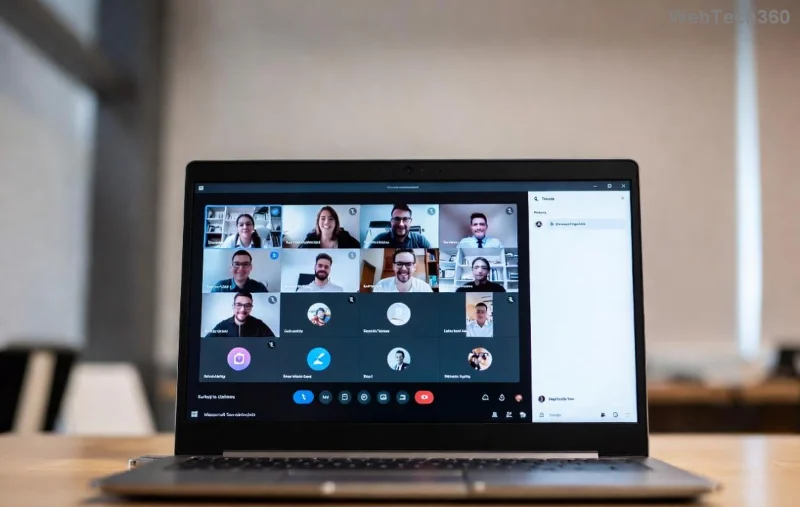
Microsoft Teams Error on Phone screenshot on mobile device

What Causes the Microsoft Teams "Error on Phone"?

This error typically pops up during voice or video calls, signaling problems like network hiccups, outdated apps, or denied permissions. On iOS and Android, it blocks incoming/outgoing calls, showing messages like "Error on Phone" or failed connection alerts.

Common triggers include:

  • 📱 App crashes or outdated versions
  • 🔒 Missing microphone/camera permissions
  • 🌐 Unstable Wi-Fi or mobile data
  • 💾 Corrupted cache/data
  • ⚙️ Device-specific bugs

Quick Checks Before Diving In

👆 First, verify Teams service status—outages happen! Ensure your device runs the latest OS (iOS 17+ or Android 14+ equivalents) and Teams app is updated via App Store or Google Play.

Step-by-Step Troubleshooting Microsoft Teams "Error on Phone" (iOS/Android)

Let's fix it systematically. Start from the top—most users resolve it in minutes! ✅

  1. Restart the Teams App & Device
    Force-close Teams: On iOS, swipe up from bottom and pause; on Android, use Recent Apps. Restart your phone. This clears temporary glitches 80% of the time!
  2. Grant Full Permissions
    Go to device Settings > Apps > Teams (Android) or Settings > Privacy > Microphone/Camera (iOS). Enable all: mic, camera, notifications. Test a call immediately.
  3. Switch Networks
    Toggle Airplane Mode on/off, or switch Wi-Fi ↔ Mobile Data. Use a VPN? Disable it temporarily—Teams hates interference.
  4. Clear Cache & Data (Android) or Offload App (iOS)
    Android: Settings > Apps > Teams > Storage > Clear Cache/Clear Data (sign in again).
    iOS: Settings > General > iPhone Storage > Teams > Offload App, then reinstall.
Step-by-step permissions fix for Microsoft Teams on Android/iOS

Device-Specific Fixes

Platform Quick Fix Pro Tip
iOS Reset Network Settings (Settings > General > Transfer/Reset > Reset > Reset Network Settings) Avoid iCloud sync conflicts—sign out/in Teams.
Android Disable Battery Optimization (Settings > Battery > App Optimization > Teams > Don't Optimize) Check Do Not Disturb mode exclusions.
  1. Update or Reinstall Teams
    Delete and reinstall from official stores. This grabs the latest patches fixing call errors.
  2. Sign Out & Back In
    In Teams: Profile > Settings > Sign Out. Relaunch and log in—refreshes authentication tokens.
  3. Test in Safe Mode or Alternate Account
    Boot Android in Safe Mode (hold Power > long-press Restart). Or join a test meeting with a guest account.

Advanced Solutions for Stubborn Error on Phone

If basics fail, dive deeper:

  • Check Firewall/VPN: Corporate networks? Contact IT for port 443 openness. Reference Microsoft's voice troubleshooting docs.
  • 📞 Teams Admin Console: Admins, verify user calling policies in the portal.
  • 🔧 Reset All Settings: iOS: Settings > General > Transfer/Reset > Reset All Settings. Android: Factory Reset as last resort (backup first!).

Pro users: Enable Teams logs (Settings > Help > Submit Feedback > Include Logs) and share with support for custom fixes.

Prevent Future Microsoft Teams Error on Phone Issues

Stay ahead:

  • ✅ Auto-update apps/OS
  • 🌟 Use stable Ethernet via hotspot for critical calls
  • 👏 Regularly clear cache weekly
  • 💡 Join Teams Insider program for early bug fixes

These habits keep your mobile Teams rock-solid! 🚀

Still Stuck? Next Steps

Congrats on troubleshooting so far—you're closer to victory! 🙌 If the Error on Phone persists, hit up Microsoft Teams Support with logs. Share your fix in comments below—what worked for you? Let's help others!

Back to seamless calls in Microsoft Teams—teamwork awaits! 🎉

Leave a Comment

Step-by-Step: Uploading Custom Backgrounds to Microsoft Teams

Step-by-Step: Uploading Custom Backgrounds to Microsoft Teams

Master uploading custom backgrounds to Microsoft Teams with this easy step-by-step guide. Personalize your meetings effortlessly on desktop, web, or mobile for a professional edge.

Troubleshooting Microsoft Teams Error on Phone (iOS/Android)

Troubleshooting Microsoft Teams Error on Phone (iOS/Android)

Struggling with Microsoft Teams "Error on Phone" on iOS or Android? Discover step-by-step fixes for calls, permissions, network issues, and more. Get back to seamless teamwork fast!

How to Fix Microsoft Teams OneDrive Error During File Sharing

How to Fix Microsoft Teams OneDrive Error During File Sharing

Tired of Microsoft Teams OneDrive error blocking file sharing? Follow our expert step-by-step guide to fix sync issues, permissions errors, and more quickly. Get back to seamless collaboration today!

Solving Microsoft Teams Error Screen Flickering

Solving Microsoft Teams Error Screen Flickering

Struggling with Microsoft Teams screen flickering? Discover step-by-step solutions to fix this annoying error, from disabling hardware acceleration to driver updates. Get smooth video calls today!

Solving Microsoft Teams Network Error on Public Wi-Fi

Solving Microsoft Teams Network Error on Public Wi-Fi

Struggling with Microsoft Teams "Network Error" on public Wi-Fi? Get instant fixes like VPN tweaks, port checks, and cache clears to restore calls and meetings seamlessly. Step-by-step guide for quick relief.

How to Fix Microsoft Teams Wheres My Team Search Error

How to Fix Microsoft Teams Wheres My Team Search Error

Tired of the frustrating Microsoft Teams "Where\

Microsoft Teams for Students: How to Join Classes in 2026

Microsoft Teams for Students: How to Join Classes in 2026

Unlock seamless learning with Microsoft Teams for Students! Step-by-step guide to joining classes in 2026, troubleshooting tips, and pro hacks for ultimate success. Perfect for students everywhere.

Solving Microsoft Teams License Error 0x80048504

Solving Microsoft Teams License Error 0x80048504

Tired of Microsoft Teams License Error 0x80048504 blocking your meetings? Get instant fixes with proven steps to resolve it permanently. Clear cache, reset licenses, and more – works every time!

How to Fix Microsoft Teams Remove Account Error

How to Fix Microsoft Teams Remove Account Error

Struggling with Microsoft Teams "Remove Account" error? Discover step-by-step fixes to resolve it quickly. Clear cache, reset app, and more for seamless account management in the latest Teams version.

How to Fix Microsoft Edge Not Working with Teams Error

How to Fix Microsoft Edge Not Working with Teams Error

Tired of the frustrating Microsoft Edge "Not Working with Teams" error? Discover step-by-step fixes to get Microsoft Teams running smoothly in Edge. Quick, reliable solutions for seamless collaboration.

Troubleshooting Microsoft Teams Microsoft Error on Teams

Troubleshooting Microsoft Teams Microsoft Error on Teams

Tired of "Microsoft Error" crashing your Microsoft Teams? Discover step-by-step troubleshooting for Microsoft Teams errors, from cache clearing to advanced fixes. Get back to seamless collaboration today!

Troubleshooting Microsoft Teams Meeting Error 2026

Troubleshooting Microsoft Teams Meeting Error 2026

Stuck with Microsoft Teams Meeting Error 2026? Follow our proven troubleshooting Microsoft Teams "Meeting Error" 2026 steps for instant fixes. Get back to smooth meetings fast with the latest solutions.

Solving Microsoft Teams Installing Error on Windows Server

Solving Microsoft Teams Installing Error on Windows Server

Struggling with Microsoft Teams "Installing Error" on Windows Server? Discover proven, step-by-step fixes including MSI deployment, cache clearing, and PowerShell tweaks to resolve issues fast and get Teams running smoothly. Updated with latest methods.

Troubleshooting Microsoft Teams Voice and VOIP Errors

Troubleshooting Microsoft Teams Voice and VOIP Errors

Struggling with Microsoft Teams voice issues? Master troubleshooting Microsoft Teams voice and VOIP errors like no audio, echo, or choppy calls. Proven fixes for crystal-clear communication in Teams.

Fixing Microsoft Teams Download Failed Due to Unexpected Error

Fixing Microsoft Teams Download Failed Due to Unexpected Error

Tired of the frustrating Microsoft Teams download failed due to unexpected error? Discover quick, step-by-step fixes to resolve it fast and download Teams smoothly on Windows, Mac, or web. No tech skills needed!






