Troubleshooting Microsoft Teams License Error: Subscription Expired

Encountering the dreaded Microsoft Teams License Error: Subscription Expired? You're not alone! 😤 This frustrating issue disrupts meetings, chats, and productivity. But don't worry – with our step-by-step troubleshooting Microsoft Teams license error guide, you'll resolve it fast and return to smooth teamwork. We've distilled the most effective, up-to-date solutions to keep you focused and frustration-free.

⚠️ What Causes Microsoft Teams License Error: Subscription Expired?

Understanding the root causes empowers quick fixes. Common triggers include:

  • Expired Subscriptions: Your Microsoft 365 or Teams plan reached its end date without renewal.
  • License Assignment Issues: Licenses not properly assigned to your user account in the admin center.
  • Sync Delays: Propagation lags between billing and Teams activation (usually 24-48 hours).
  • Cache or App Glitches: Corrupted local data blocking license verification.
  • Multiple Tenant Conflicts: Switching organizations without proper sign-out.

Pro tip: Always check your admin role first – only global admins or license managers can assign/renew. Ready to dive in? Let's fix it! 👇
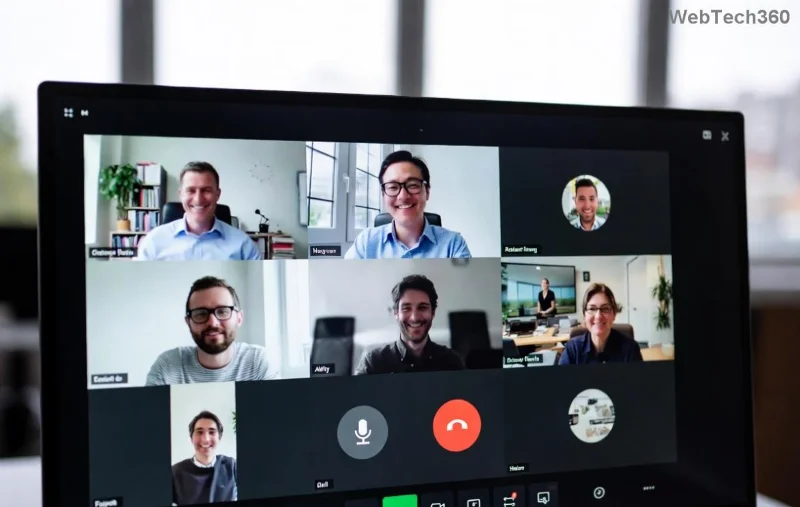
Microsoft Teams License Error Subscription Expired screenshot

✅ Step-by-Step Troubleshooting Microsoft Teams License Error: Subscription Expired

Follow these proven steps in order. Most users fix it by step 3! We'll use simple language and visuals for clarity.

Step 1: Verify Your Subscription Status ⭐

  1. Log into the Microsoft 365 Admin Center.
  2. Navigate to Billing > Your Products.
  3. Check if your Teams or Microsoft 365 subscription shows "Expired" or "Active."
  4. If expired, note the renewal date and proceed to renew (Step 2).

Can't access admin? Contact your IT admin – they hold the keys! 🔑

Step 2: Renew or Reassign Your License ⚡

  1. In Admin Center, go to Users > Active Users.
  2. Select your account > Licenses and Apps.
  3. Ensure Microsoft Teams (or Microsoft 365 E3/E5) is checked and assigned.
  4. If expired: Billing > Purchase Services > Renew your plan.
Subscription Type Teams Access Renewal Action
Microsoft 365 Business Basic Full Teams Auto-renew or manual buy
Microsoft 365 E3/E5 Enterprise Teams Admin Center renewal
Teams Standalone Essentials only Separate license purchase

After renewal, wait 15-30 minutes for sync. Sign out/in Teams to test. Still stuck? Next step!

Renew Microsoft Teams subscription in admin center

Step 3: Clear Teams Cache and Reset App 🧹

Local glitches often mimic license errors. Quick reset:

  1. Quit Teams completely (Task Manager > End Task).
  2. Delete cache: %appdata%\Microsoft\Teams folder (Windows) or ~/Library/Application Support/Microsoft/Teams (Mac).
  3. Reinstall Teams from official site.
  4. Sign in fresh – license should activate! 🎉

Step 4: Advanced Fixes for Persistent Issues 🔧

  • Browser Mode: Use web.teams.microsoft.com to bypass desktop issues.
  • PowerShell Check: Run Get-MgSubscribedSku via Microsoft Graph (requires module install).
  • Multi-Factor Bypass Test: Temporarily disable MFA if enabled.
  • Contact support: Open a ticket via Admin Center > Support > New Service Request.
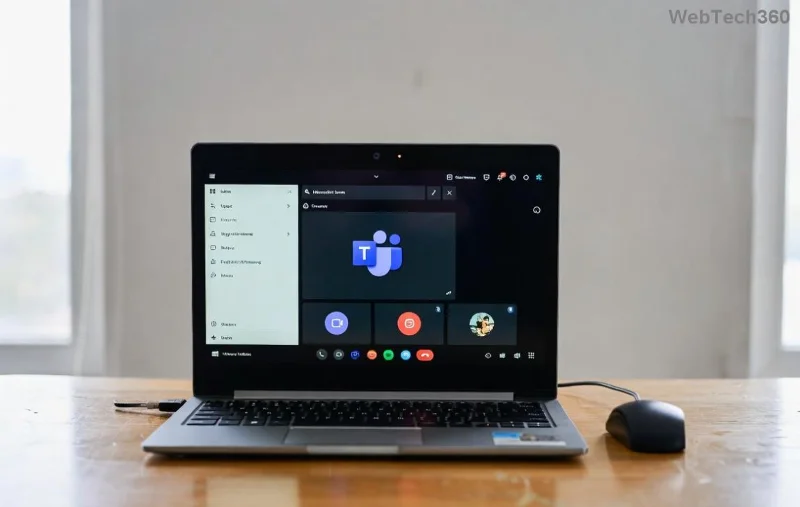
Clear Teams cache folder for license error fix

Bonus: For enterprises, check Azure AD sync with Microsoft Teams Licensing Docs.

🚀 Prevent Future Microsoft Teams License Error: Subscription Expired

Stay ahead:

  • Enable auto-renewal in billing settings.
  • Set calendar reminders 30 days before expiry.
  • Monitor via Microsoft 365 Reports > Usage > Teams.
  • Upgrade to annual plans for stability. 💪

❓ FAQ: Quick Answers to Troubleshooting Microsoft Teams License Error

Q: How long after renewal does Teams activate?
A: Up to 24 hours, but usually minutes. Refresh licenses!

Q: Free Teams shows expired – what now?
A: Free version is discontinued; upgrade to paid Essentials.

Q: Error persists post-fix?
A: Escalate to Microsoft Support – provide error codes.

Congrats! You've conquered the Microsoft Teams License Error: Subscription Expired. Share your success in comments below – what's your go-to fix? 👏 Stay productive, and bookmark this for next time!
Leave a Comment

How to Install the Microsoft Teams Add-in for Outlook 2026

How to Install the Microsoft Teams Add-in for Outlook 2026

Master the installation of the Microsoft Teams Add-in for Outlook 2026 effortlessly. Boost your productivity with seamless scheduling and meetings. Follow our proven, up-to-date steps for instant success!

How to Fix Microsoft Teams License Error 2026

How to Fix Microsoft Teams License Error 2026

Struggling with Microsoft Teams "License Error" 2026? Discover proven, step-by-step solutions to resolve it fast. Clear cache, check licenses, and get back to seamless collaboration—no IT help needed!

The Best Exercises for 50+

The Best Exercises for 50+

Whether youre in your 50s, 60s, or even 70s, its not too late to prioritize your health and put yourself first. Here are the best exercises for people 50 and older.

Solving Microsoft Teams Error Caa50024 on Windows 10/11

Solving Microsoft Teams Error Caa50024 on Windows 10/11

Struggling with Microsoft Teams Error Caa50024 on Windows 10/11? Follow our step-by-step fixes to resolve crashes and launch issues quickly. Latest proven solutions for seamless teamwork.

How to Fix Microsoft Teams Login Error AADSTS50011

How to Fix Microsoft Teams Login Error AADSTS50011

Stuck with Microsoft Teams login error AADSTS50011? Discover proven, step-by-step fixes to resolve the reply URL mismatch issue and log in seamlessly. No tech skills needed!

How to Fix Microsoft Teams Win 7 Compatibility Error

How to Fix Microsoft Teams Win 7 Compatibility Error

Tired of the frustrating Microsoft Teams "Win 7" Compatibility Error blocking your meetings? Get instant fixes with our step-by-step guide, including workarounds for older Windows versions. Resolve it now and stay connected!

Solving Microsoft Teams Error R Restart

Solving Microsoft Teams Error R Restart

Tired of the endless Microsoft Teams "Error R" restart loop? Get step-by-step fixes to solve Microsoft Teams Error R quickly. Clear cache, reset, reinstall & more for smooth collaboration. Works on Windows, Mac & web.

Solving Microsoft Teams Bị lỗi Troubleshooting Guide

Solving Microsoft Teams Bị lỗi Troubleshooting Guide

Struggling with Microsoft Teams "Bị lỗi" issues? Discover proven fixes for crashes, sign-in errors, and more in this comprehensive troubleshooting guide. Get back to seamless collaboration!

Troubleshooting Microsoft Teams How Download Error

Troubleshooting Microsoft Teams How Download Error

Struggling with the Microsoft Teams "How Download" error? Discover step-by-step fixes for smooth file downloads, app updates, and more. Get back to collaborating without frustration!

How to Fix Microsoft Teams Error Code 2603 (2026)

How to Fix Microsoft Teams Error Code 2603 (2026)

Frustrated by Microsoft Teams Error Code 2603? Get instant relief with our step-by-step guide to fix installation failures, crashes, and more in the latest 2026 updates. Works for all users!

Solving Microsoft Teams Wiki in Teams Error Loading

Solving Microsoft Teams Wiki in Teams Error Loading

Tired of the frustrating Microsoft Teams "Wiki in Teams" error loading? Get step-by-step fixes for Wiki not loading in Teams, clear cache, reset settings, and more. Resolve it fast with our expert guide.

How to Keep Microsoft Teams Active and Available All Day

How to Keep Microsoft Teams Active and Available All Day

Master how to keep Microsoft Teams active and "Available" all day. Proven tips, tools, and settings to avoid "Away" status, boost productivity, and never miss a beat in your workday.

How to Download Microsoft Teams for Windows 11 in 2026

How to Download Microsoft Teams for Windows 11 in 2026

Discover how to download Microsoft Teams for Windows 11 in 2026 with our ultimate guide. Official methods, troubleshooting, and pro tips for seamless installation and instant collaboration.

How to Fix Microsoft Teams Groups Visibility Error

How to Fix Microsoft Teams Groups Visibility Error

Tired of missing groups in Microsoft Teams? Discover how to fix the "Groups" Visibility Error with simple, up-to-date steps. Restore your teams visibility fast and frustration-free.

The Best Vitamins and Minerals for Your Eyes

The Best Vitamins and Minerals for Your Eyes

The eyes are the windows to the soul. So take good care of them with the following eye vitamins.









