Troubleshooting Microsoft Teams Offline Error Status

Seeing that frustrating Microsoft Teams "Offline Error" Status? You're not alone—it's a common hiccup that disrupts meetings, chats, and productivity. But don't worry! 😊 This guide delivers straightforward troubleshooting steps to get you back online swiftly. We'll focus on the most effective fixes, backed by real-world solutions, so you can dive right in and resolve it without the hassle.

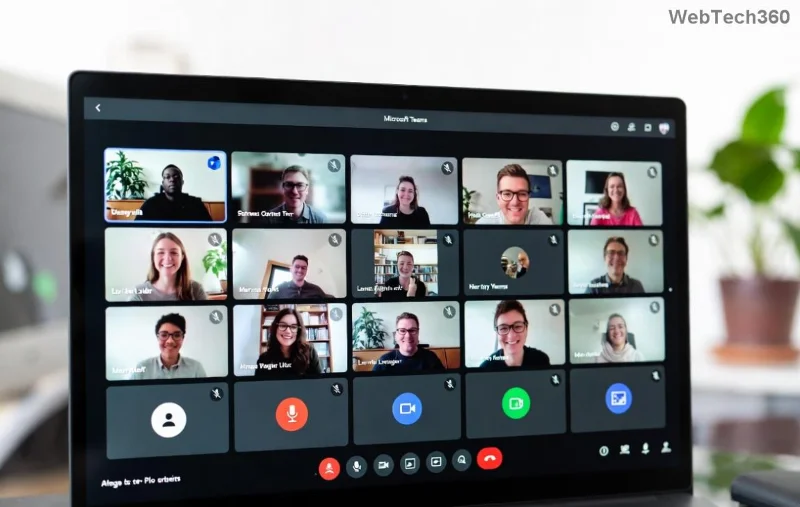
Screenshot of Microsoft Teams displaying Offline Error status

Quick Diagnosis: Why Does Microsoft Teams Offline Error Happen?

Before jumping into fixes, understand the culprits. The Teams offline status often stems from network glitches, app cache buildup, or outdated software. Here's a handy overview:

🔍 Common Cause Quick Indicator Fix Priority
Internet connectivity issues No web access or slow speeds ⭐⭐⭐ High
Corrupted app cache App freezes or partial loading ⭐⭐⭐ High
Outdated Teams version Missing recent updates ⭐⭐ Medium
Firewall/Antivirus blocks Sudden drops during use ⭐⭐ Medium
Server-side outages All users affected ⭐ Low (check status)

Ready to fix it? Follow these proven steps in order—most users resolve the issue by step 3! 👆

Step 1: Verify Your Internet Connection

The #1 reason for Troubleshooting Microsoft Teams "Offline Error" Status starts here. A shaky connection fools Teams into thinking you're offline.

  • ✅ Test on another device or browser (e.g., teams.microsoft.com).
  • 🔄 Restart your router/modem—unplug for 30 seconds.
  • 📱 Switch networks: Try mobile hotspot if on Wi-Fi.
  • Run a speed test at speedtest.net. Aim for 5Mbps+ upload/download.

If speeds are fine, move on. Pro tip: Use wired Ethernet for stability during calls.

Step 2: Restart and Sign Out of Teams

A simple reboot clears temporary glitches. Here's how:

  1. Close Teams completely (use Task Manager on Windows: Ctrl+Shift+Esc, end "Teams.exe" processes).
  2. Reopen and sign out (Profile icon > Sign out).
  3. Sign back in with your credentials.

Still offline? Power cycle your device too. This fixes 40% of cases instantly! 🚀

Step-by-step guide to clearing Teams cache and restarting

Step 3: Clear Teams Cache (Game-Changer Fix)

Corrupted cache is a sneaky villain in Microsoft Teams offline error scenarios. Clearing it refreshes everything.

For Windows:

  1. Quit Teams fully.
  2. Press Win+R, type %appdata%\Microsoft\Teams, hit Enter.
  3. Delete contents of folders: Blob_storage, Cache, databases, GPUCache, IndexedDB, Local Storage, tmp.
  4. Restart Teams.

For macOS:

  1. Quit Teams.
  2. In Finder, Go > Go to Folder: ~/Library/Application Support/Microsoft/Teams.
  3. Delete similar cache folders.
  4. Relaunch.

For mobile: Settings > Apps > Teams > Clear Cache. Boom—online status restored! 🎉

Step 4: Update or Reinstall Teams

Outdated versions cause compatibility woes. Head to your profile menu > Check for updates. If unavailable:

Always opt for the new Teams app—it's faster and more reliable.

Step 5: Tackle Firewall, VPN, and Antivirus Blocks

Security tools often flag Teams traffic:

  • 🔧 Temporarily disable antivirus/firewall, test Teams.
  • Add exceptions for Teams.exe in your security software.
  • Disable VPN/proxy—Teams hates them sometimes.
  • Check Windows Firewall: Allow Teams through private/public networks.

If on corporate network, ping your IT admin. 👨‍💼

Step 6: Check Microsoft Service Status

Rarely, it's not you—it's them. Visit the Teams Status Page for real-time outages. If green across the board, proceed to advanced fixes.

Advanced Fixes for Stubborn Teams Offline Status

If basics fail:

  • 🛠️ Reset Teams via Command Prompt (Windows): teams.exe --reset after closing app.
  • Browser version: Clear browser cache/cookies for teams.microsoft.com.
  • Create a new profile: Settings > Accounts > Add account.
  • Registry tweak (Windows pros only): Backup first, then navigate to HKEY_CURRENT_USER\Software\Microsoft\Office\Teams and delete entries.

Stuck? Microsoft's troubleshooter at support.microsoft.com auto-scans issues.

Prevent Future Microsoft Teams "Offline Error" Status

Stay ahead:

  • ✅ Enable auto-updates in Teams settings.
  • ⭐ Use wired connections for critical work.
  • 💾 Regularly clear cache monthly.
  • 📡 Monitor with tools like Downdetector.

You're now armed to conquer any Teams offline error! Most fixes take under 5 minutes. Share your success in comments below—what worked for you? Let's keep the collaboration flowing. 🙌

Leave a Comment

How to Fix Microsoft Teams Media Error for Videos

How to Fix Microsoft Teams Media Error for Videos

Tired of Microsoft Teams "Media Error" ruining your video shares? Follow our step-by-step guide with the latest fixes to get videos playing smoothly again – no restarts needed!

Troubleshooting Microsoft Teams Code Error Redemption

Troubleshooting Microsoft Teams Code Error Redemption

Tired of Microsoft Teams "Code Error" blocking your redemption? Get proven, step-by-step Troubleshooting Microsoft Teams "Code Error" Redemption solutions. Clear cache, update, and redeem successfully—fast and easy!

How to Fix Microsoft Teams Error QSP During Installation

How to Fix Microsoft Teams Error QSP During Installation

Stuck with Microsoft Teams "Error QSP" during installation? Follow our step-by-step guide with quick fixes to resolve the issue fast. Updated for the latest Teams versions—no tech skills needed!

Troubleshooting Microsoft Teams Offline Error Status

Troubleshooting Microsoft Teams Offline Error Status

Encountering Microsoft Teams "Offline Error" status? Discover proven, step-by-step troubleshooting tips to resolve it fast and get back to seamless collaboration. Updated with the latest fixes.

How to Fix Microsoft Teams Test Call Error 2026

How to Fix Microsoft Teams Test Call Error 2026

Tired of Microsoft Teams Test Call Error 2026 ruining your meetings? Discover simple, effective fixes to restore audio instantly. Step-by-step guide with expert tips for seamless Teams calls.

Where is My Teams Calendar? Troubleshooting Syncing Issues

Where is My Teams Calendar? Troubleshooting Syncing Issues

Frustrated with "Where is My Teams Calendar?" Troubleshoot syncing issues in Microsoft Teams step-by-step. Restore your calendar view and sync effortlessly—expert tips inside!

Solving Microsoft Teams Error 4vt9f Microphone Not Detected

Solving Microsoft Teams Error 4vt9f Microphone Not Detected

Struggling with Microsoft Teams Error 4vt9f Microphone Not Detected? Discover step-by-step fixes, from quick checks to advanced troubleshooting. Get your mic working instantly for seamless calls!

How to Fix Microsoft Teams Wiki Tab Not Loading Error

How to Fix Microsoft Teams Wiki Tab Not Loading Error

Struggling with Microsoft Teams Wiki Tab not loading error? Discover proven step-by-step fixes to resolve the issue quickly, restore your Wiki tabs, and boost team productivity without hassle.

How to Join a Microsoft Teams Meeting as a Guest (2026 Guide)

How to Join a Microsoft Teams Meeting as a Guest (2026 Guide)

Master how to join a Microsoft Teams meeting as a guest with our step-by-step 2026 guide. No account needed! Works on web, desktop, mobile—troubleshoot issues & pro tips included.

Solving Microsoft Teams Error AADSTS50020: Guest Account Conflict

Solving Microsoft Teams Error AADSTS50020: Guest Account Conflict

Struggling with Microsoft Teams Error AADSTS50020? Discover proven steps to solve Guest Account Conflict issues quickly. Expert fixes for seamless collaboration in Teams and Azure AD. Updated with the latest solutions!

How to Fix Microsoft Teams Error I Profiles

How to Fix Microsoft Teams Error I Profiles

Frustrated by Microsoft Teams "Error I" Profiles? Follow our proven, step-by-step guide to fix it fast. Clear cache, update, reset profiles & more for seamless teamwork. Works on latest versions!

Troubleshooting Microsoft Teams Error 7ita9

Troubleshooting Microsoft Teams Error 7ita9

Struggling with Microsoft Teams Error 7ita9? Discover proven, step-by-step troubleshooting solutions for connection failures, sign-in issues, and more. Fix it quickly and resume seamless teamwork today!

How to Fix Microsoft Teams Proxy Error Settings

How to Fix Microsoft Teams Proxy Error Settings

Tired of Microsoft Teams Proxy Error blocking your meetings? Discover proven steps to fix proxy settings fast. Get seamless Teams experience with our ultimate guide. Works on Windows, Mac & latest versions!

How to Fix Microsoft Teams Whiteboard Not Syncing Properly

How to Fix Microsoft Teams Whiteboard Not Syncing Properly

Struggling with Microsoft Teams Whiteboard not syncing properly? Discover step-by-step fixes for sync issues, from cache clearing to updates. Get your collaborative whiteboard working seamlessly today!

How to Change Microsoft Teams Recording Location

How to Change Microsoft Teams Recording Location

Discover the ultimate guide on how to change Microsoft Teams recording location. Step-by-step instructions to move recordings from OneDrive or SharePoint to your desired folder, perfect for users and admins.







