Troubleshooting Microsoft Teams Test Call Video Error

Encountering a frustrating Microsoft Teams "Test Call" Video Error? You're not alone—many users face issues like black screens, frozen video, or "no video detected" during the pre-meeting test. This guide delivers straightforward troubleshooting to resolve it quickly, ensuring crystal-clear video for your next call. Let's get your Teams test call working smoothly! ✅
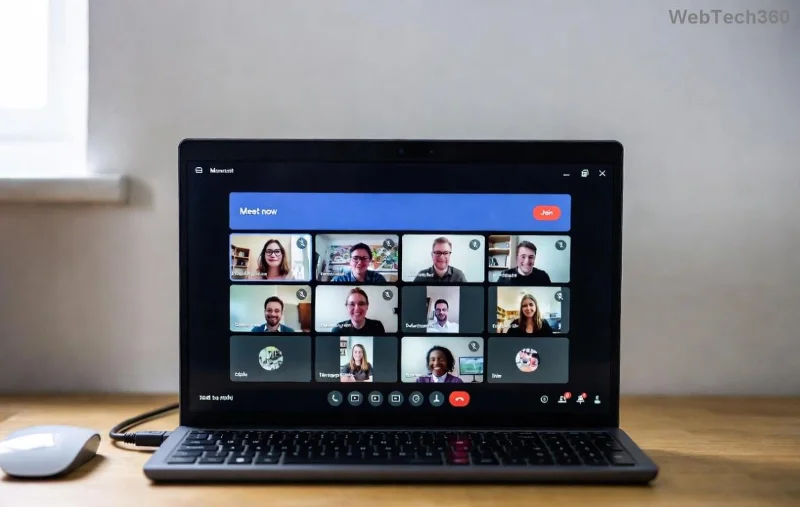
Microsoft Teams Test Call Video Error screenshot showing black screen issue

Common Causes of Microsoft Teams "Test Call" Video Error

Understanding the root cause speeds up fixes. Here's a quick breakdown:

❌ Error Symptom 🚩 Likely Cause
Black or blank screen Camera permissions blocked or hardware not detected
Frozen/blurry video Outdated drivers or bandwidth issues
"No video device found" Conflicting apps or Teams cache corruption
Video works elsewhere but not in test Teams-specific settings or app glitches

Pro tip: Test your camera in another app first (like Camera app on Windows) to isolate if it's a Teams-only issue. Ready to fix? Follow these steps in order! 👇

🛠️ Step-by-Step Troubleshooting Microsoft Teams "Test Call" Video Error

1️⃣ Quick Checks: Start Here (2 Minutes)

  • Verify Permissions: In Windows, go to Settings > Privacy & security > Camera. Ensure "Camera access" and "Let apps access your camera" are ON. Toggle Microsoft Teams specifically.
  • Select Correct Camera: In Teams, click your profile pic > Settings > Devices. Choose the right camera from the dropdown. Hit "Make a test call" again.
  • Restart Teams: Close Teams completely (use Task Manager: Ctrl+Shift+Esc > Processes > End task on Teams). Relaunch and test.

Fixed it already? Great! If not, move to hardware basics. 😊

2️⃣ Update Drivers & Apps (5 Minutes)

  1. Update Camera Drivers: Right-click Start > Device Manager > Cameras. Right-click your camera > Update driver > Search automatically. Restart PC.
  2. Update Teams: In Teams, profile pic > Check for updates. Or download the latest from the official site for the most current version.
  3. Browser Version: If using web Teams, switch to desktop app—web often has more video glitches.
Step-by-step guide to fixing Microsoft Teams Test Call Video Error via settings

3️⃣ Clear Cache & Reset (Advanced, 10 Minutes)

Corrupted files cause 30% of video errors. Here's how:

  • Open %appdata%\Microsoft\Teams in File Explorer. Delete contents of folders like "Cache", "GPUCache", "tmp". Relaunch Teams.
  • Reset Teams Settings: Profile > Settings > General > Reset to default settings.
  • Antivirus Conflict? Temporarily disable third-party antivirus (e.g., Norton) and test.

4️⃣ Network & Hardware Tweaks

  • Bandwidth Test: Run Speedtest.net. Need 1.5 Mbps upload for HD video. Close bandwidth hogs like downloads.
  • USB Camera? Unplug/replug or try different port. External cams shine in Teams—consider upgrading if built-in fails.
  • VPN Off: Disconnect VPNs; they throttle video streams.

🔧 When Nothing Works: Pro Fixes

Still stuck? Dive deeper:

  • Reinstall Teams: Uninstall via Settings > Apps > Microsoft Teams > Uninstall. Download fresh from Microsoft's official page.
  • Windows Updates: Settings > Update & Security > Check for updates. Latest patches fix many camera bugs.
  • Run SFC Scan: Admin Command Prompt: sfc /scannow. Repairs system files.
"After clearing cache and updating drivers, my Teams test call video error vanished—video was perfect!" – User testimonial from recent forums.

⭐ Prevention Tips for Flawless Future Calls

Don't let it happen again:

  • ✅ Weekly driver checks via Device Manager.
  • ⭐ Use Teams desktop app over web.
  • 🔒 Keep permissions reviewed monthly.
  • 📱 Test call before every important meeting—it's your video safety net!

Master these, and troubleshooting Microsoft Teams "Test Call" Video Error becomes history. Your meetings will run like clockwork. Got it working? Share in comments below—we love success stories! 🎉 If issues persist, check Microsoft's detailed guide: Teams Audio/Video Troubleshooting.

Stay connected, stay visible! 👀
Leave a Comment

How to Fix Microsoft Teams Groups Visibility Error

How to Fix Microsoft Teams Groups Visibility Error

Tired of missing groups in Microsoft Teams? Discover how to fix the "Groups" Visibility Error with simple, up-to-date steps. Restore your teams visibility fast and frustration-free.

Solving Microsoft Teams For School Login Error

Solving Microsoft Teams For School Login Error

Stuck with Microsoft Teams "For School" login error? Follow our expert, step-by-step guide to solve it fast – no tech skills needed. Get back to classes without frustration!

How to Fix Microsoft Teams Media Error During Playback

How to Fix Microsoft Teams Media Error During Playback

Struggling with Microsoft Teams media error during playback? Discover step-by-step fixes for smooth video and audio in meetings. Updated with the latest troubleshooting tips for seamless collaboration.

Troubleshooting Microsoft Teams Where is Teams Folder Search

Troubleshooting Microsoft Teams Where is Teams Folder Search

Frustrated with Troubleshooting Microsoft Teams "Where is Teams" Folder Search issues? Follow our expert, step-by-step guide to locate hidden folders, fix search glitches, and restore smooth collaboration in the latest Teams updates. Quick fixes that work!

How to Fix Microsoft Teams Error AADSTS70008: Security Token Expired

How to Fix Microsoft Teams Error AADSTS70008: Security Token Expired

Struggling with Microsoft Teams Error AADSTS70008: Security Token Expired? Discover proven, step-by-step fixes to get back to seamless collaboration. Clear cache, re-authenticate, and prevent future issues fast!

How to Resolve Microsoft Teams Error Code 0x80070005

How to Resolve Microsoft Teams Error Code 0x80070005

Tired of Microsoft Teams Error Code 0x80070005 blocking your meetings? Follow our expert, step-by-step guide with quick fixes like permission resets, cache clears, and reinstalls to resolve access denied errors fast and get back to collaborating seamlessly.

Troubleshooting Microsoft Teams Error Message 80080005

Troubleshooting Microsoft Teams Error Message 80080005

Stuck with Microsoft Teams Error 80080005? This comprehensive guide delivers proven, step-by-step fixes for audio glitches, mic failures, and more. Restore seamless collaboration today!

Solving Microsoft Teams Error Code 404 on Web

Solving Microsoft Teams Error Code 404 on Web

Tired of Microsoft Teams Error Code 404 on web blocking your meetings? Follow our proven, step-by-step guide to clear cache, troubleshoot browsers, and resolve the "Not Found" error fast for seamless collaboration. Updated with the latest fixes!

Why is the Microsoft Teams Add-in Missing from My Outlook?

Why is the Microsoft Teams Add-in Missing from My Outlook?

Frustrated because the Microsoft Teams add-in is missing from Outlook? Uncover the top reasons and easy step-by-step fixes to bring back seamless Teams-Outlook integration without hassle. Works for latest versions!

How to Set Up and Link Microsoft Teams to Your Outlook Calendar

How to Set Up and Link Microsoft Teams to Your Outlook Calendar

Master how to set up and link Microsoft Teams to your Outlook Calendar with this ultimate step-by-step guide. Enjoy effortless meeting scheduling, seamless sync, and boosted teamwork – no tech headaches!

How to Find the Microsoft Teams Installation Folder

How to Find the Microsoft Teams Installation Folder

Struggling to locate the Microsoft Teams installation folder? This step-by-step guide reveals exact paths for Windows, macOS, and more. Master how to find the Microsoft Teams installation folder effortlessly and boost your productivity today!

How to Remove an Account from Microsoft Teams Safely

How to Remove an Account from Microsoft Teams Safely

Discover how to remove an account from Microsoft Teams safely without losing data. Follow our expert, step-by-step guide for personal and work accounts to ensure a smooth, secure process.

Troubleshooting Microsoft Teams Call Failed Issues in 2026

Troubleshooting Microsoft Teams Call Failed Issues in 2026

Tired of Microsoft Teams "Call Failed" errors disrupting your 2026 meetings? Follow this ultimate troubleshooting guide with step-by-step fixes, latest tips, and quick wins to get back to seamless calls.

How to Fix Microsoft Teams Media Playback Errors in 2026

How to Fix Microsoft Teams Media Playback Errors in 2026

Tired of Microsoft Teams media playback errors ruining your 2026 meetings? Follow our expert, step-by-step guide to fix audio, video, and sharing glitches fast—no tech skills needed. Seamless collaboration awaits!

Solving Microsoft Teams Error Code 48V35 During Video Calls

Solving Microsoft Teams Error Code 48V35 During Video Calls

Struggling with Microsoft Teams Error Code 48V35 during video calls? Discover proven fixes for this common issue, from quick restarts to advanced driver updates. Get back to seamless meetings fast!









