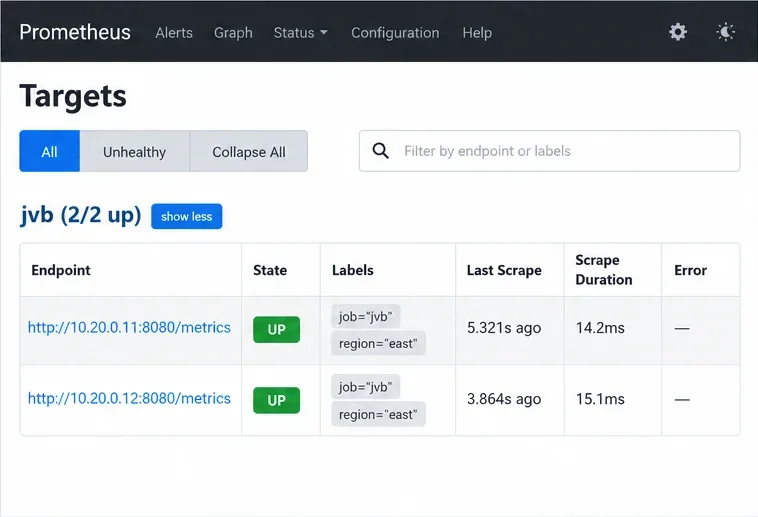
Track Jitsi Videobridge Health With Prometheus and Grafana
Scrape each JVB’s private metrics endpoint securely, confirm Prometheus targets are healthy, and build Grafana panels for bridge load and meeting traffic.
Office holiday parties can be a relaxed way to connect with colleagues, but the mix of workplace relationships, social expectations, and sometimes alcohol can make them feel less straightforward than an ordinary get-together. This six-step guide is for employees, managers, and guests who want to enjoy the event, respect different comfort levels, and leave on good terms. These are practical etiquette suggestions; your employer’s policies still apply at work-sponsored events. SHRM advises that workplace rules and expectations continue to matter at such gatherings, and the EEOC explains how to report workplace harassment.
Read the invitation for the venue, start and end times, guest policy, dress code, and whether food or drinks will be served. Check your employee handbook or event message for guidance about conduct, alcohol, photos, and guests. A work-sponsored party may be held away from the office, but it remains connected to work. If an instruction is unclear, ask the organizer or HR before the event.
Decide whether you can attend and for how long. A brief appearance can be enough to greet people and thank the hosts. You do not need to explain private reasons for leaving early or declining an invitation.
Use the stated dress code as your baseline. If none is given, choose neat clothing that suits the venue and lets you move comfortably. A restaurant reception may call for more polish than a casual office gathering. When uncertain, ask a trusted colleague or the organizer instead of guessing based on a photo from a different year.
Keep in mind that the event is still professional. Choose an outfit you would feel comfortable wearing around coworkers and supervisors, and avoid treating a festive setting as a reason to ignore your company’s standards.
Arrive near the announced start time, rather than turning up very late or interrupting a planned program. Greet the host or organizer, thank them for arranging the event, and say hello to people you know. If you are new or attending as a guest, ask the host to introduce you to a few colleagues.
Use easy, inclusive conversation starters: ask how someone’s year has been, what they enjoy doing outside work, or whether they have tried the food. Keep work talk light. Avoid turning a party conversation into a performance review, a complaint session, or a pitch for a promotion. Give people room to join and leave a conversation naturally.

Take a reasonable portion and let others reach the buffet. If you have a dietary restriction, check the labels or ask the organizer; do not assume every dish is safe for you. If alcohol is available, you can decline without explanation. Choose a nonalcoholic drink if you prefer, and do not pressure anyone else to drink.
If you do drink, pace yourself, eat, and follow the event’s rules. Avoid driving after drinking; arrange a sober ride, taxi, or transit before you need one. SHRM’s employee guidance also cautions against overdrinking and driving after consuming alcohol. These are simple ways to keep the event comfortable and the trip home safe.
Keep physical contact and jokes within the other person’s comfort level. A holiday party is not permission to flirt persistently, comment on someone’s body, or ask intrusive questions about religion, relationships, family plans, or health. If someone seems uninterested, change the subject or let them rejoin another group.
Remember that colleagues may celebrate different holidays, none at all, or prefer not to discuss their beliefs. Use the event’s inclusive language, and do not assume everyone is available to attend or celebrate. If you witness conduct that concerns you, prioritize the affected person’s comfort and use the employer’s reporting process. For more on workplace harassment and reporting options, consult the U.S. Equal Employment Opportunity Commission’s harassment guidance.
When you are ready to go, thank the host or organizer and say a short goodbye to the people you have been speaking with. You do not need to be the last person there. If you promised to follow up about a work matter, send a concise message during normal work hours rather than relying on a late-night conversation to settle details.
Photos and posts deserve the same care as conversation. Ask before posting images that identify coworkers, and follow company rules about photography. Avoid sharing embarrassing moments or private details. The aim is to let everyone enjoy the gathering without creating an unwanted record of it.
That depends on your employer’s policy and the circumstances. Review the invitation and ask your manager or HR if attendance is unclear. You can decline politely when you cannot or do not wish to attend; you do not need to disclose personal details.
There is no universal required duration. If you attend, arriving on time, greeting the host, connecting with a few people, and thanking the organizer before leaving is a considerate approach. Follow any schedule or attendance expectations your employer has communicated.
Ask coworkers before posting identifiable photos, and follow your company’s rules. Some people prefer not to appear online or may not want their attendance shared. When in doubt, keep the photo private or do not post it.
Scrape each JVB’s private metrics endpoint securely, confirm Prometheus targets are healthy, and build Grafana panels for bridge load and meeting traffic.
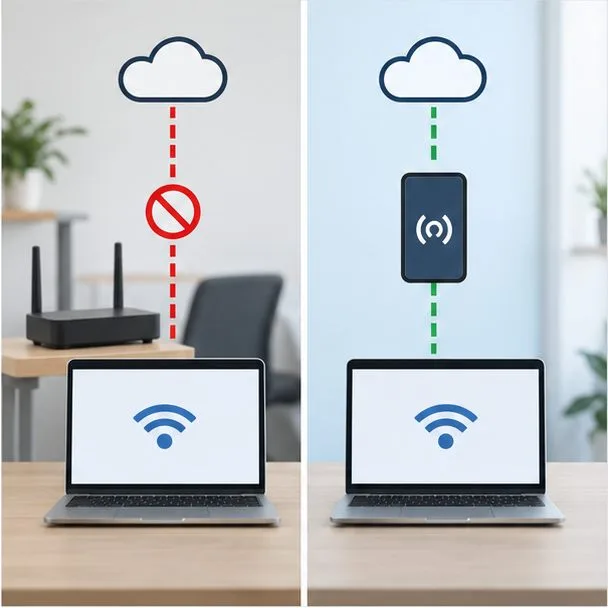
Trace webcam failures to browser permission, a restricted network, or the BigBlueButton server’s UDP and NAT setup, then verify the stream in a live meeting.
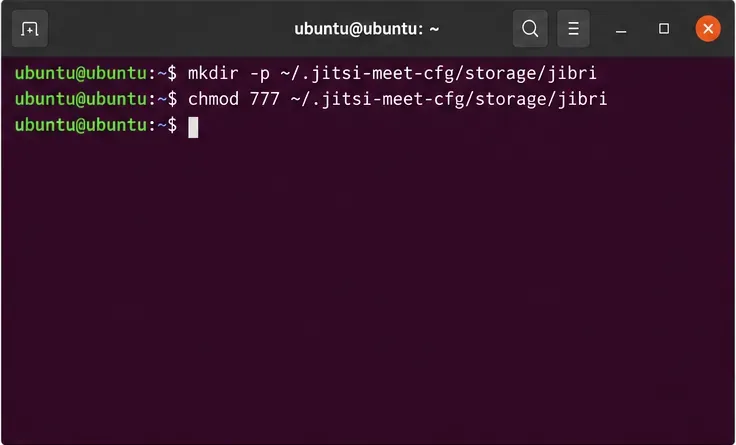
Enable Jitsi Meet recording and live streaming with the official Docker Compose Jibri service, secure XMPP credentials, writable storage, and practical verification steps.
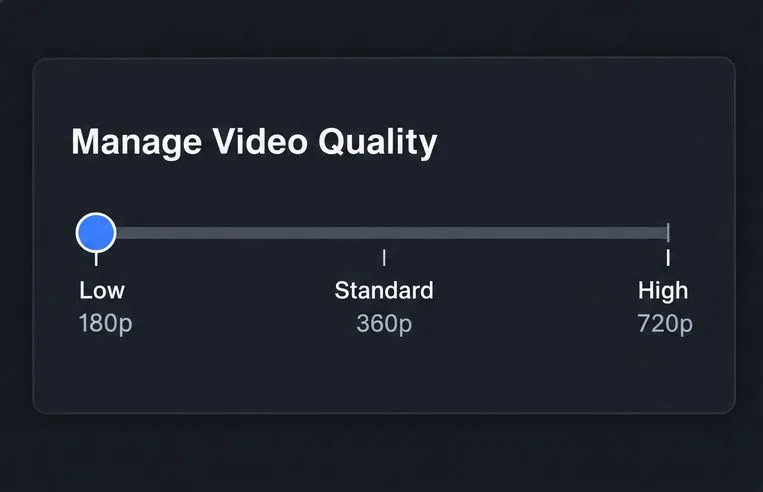
Lower Jitsi Meet video quality to 180p or 360p, reduce outgoing camera traffic, and test bitrate caps without sacrificing meeting audio.
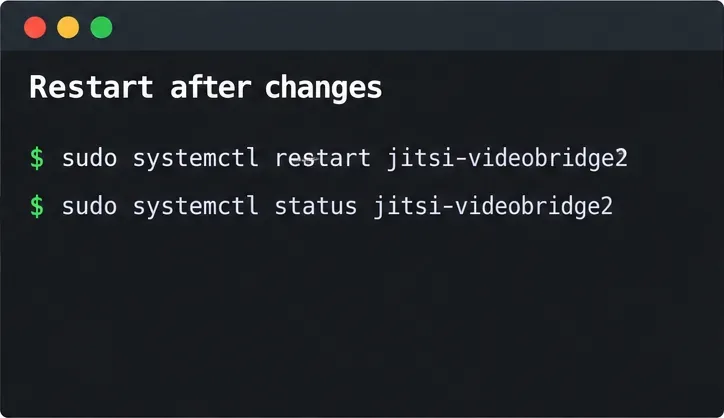
Trace bridge failures from service health to UDP 10000 and NAT mapping, then retest Jitsi Meet without opening unrelated firewall ports.
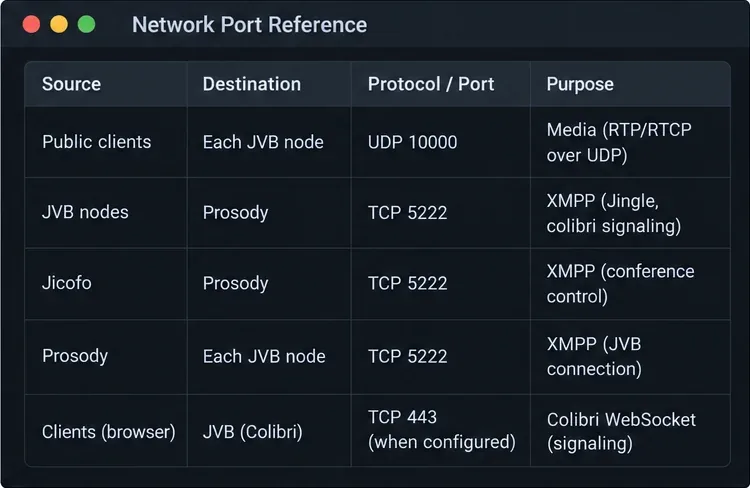
Add Jitsi Videobridge nodes for more concurrent meetings, configure OCTO only when a single conference must span bridges, and verify network paths and bridge discovery.
Discover whether the Rockefeller Center Christmas Tree is worth the hype. Follow 5 proven steps to avoid crowds and enjoy the holiday display.
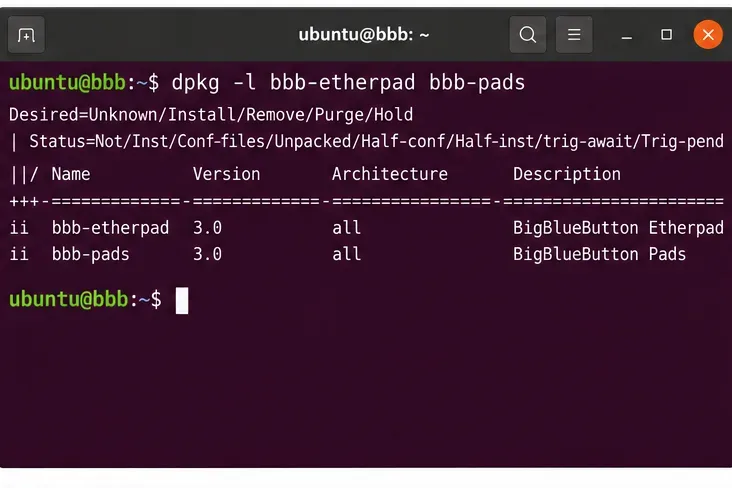
Check the version first, then install BBB 3.0's Etherpad packages and set the shared-notes editor globally or per meeting.
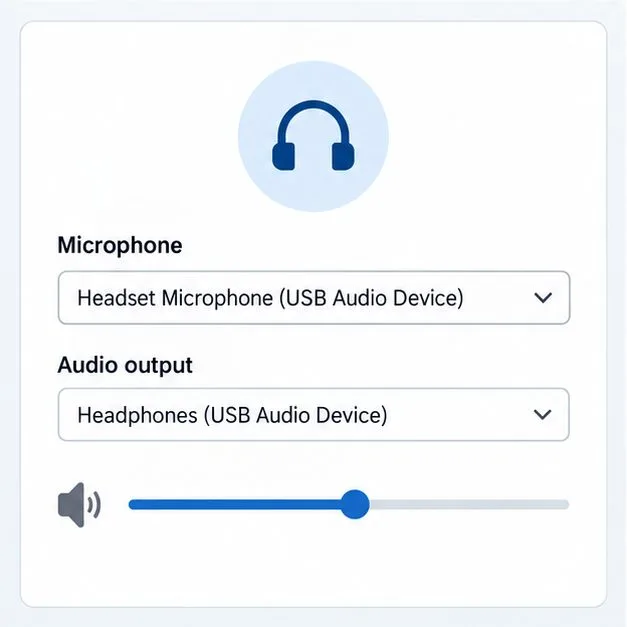
Use BigBlueButton’s echo test, headset, and browser audio settings to stop microphone feedback, then isolate network or server causes of audio lag.