The computer's CPU is the brain that is extremely important to help your computer process data as well as information transmitted to the machine quickly or not depends on this compact CPU. So to know if the CPU is fast or not we will have to find the CPU clock. Wondering what the CPU clock speed is as well as its use? WebTech360 will answer your questions about computer clocks through the following section of the article.

What is CPU clock speed and its use
What is CPU clock speed?
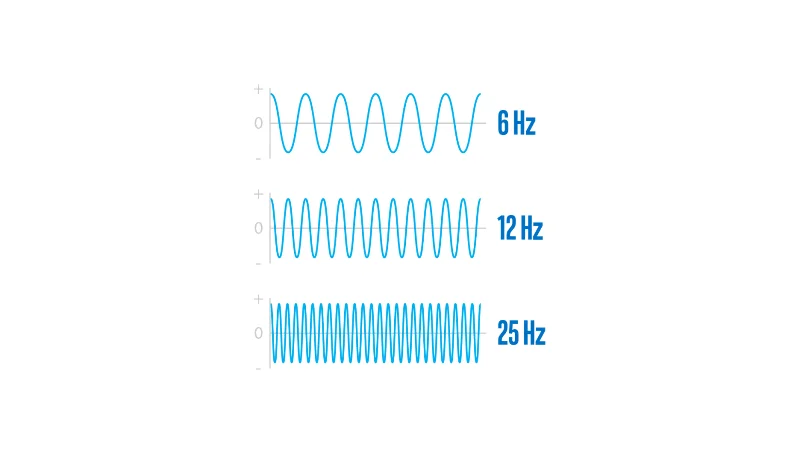
CPU clock speed is a parameter that represents / represents cycles per second that the CPU can process and execute. Therefore, the clock speed is one of the important parameters for users to evaluate the performance and processing speed of the CPU, fast or slow.

Clock speed is the CPU's 1 second instruction processing time
In a simple and understandable way, CPUs with high clock speed and frequency have better signal and information processing performance than CPUs with lower clock speed and frequency. When the CPU processes information and commands quickly, it will help people working on the computer be more efficient and save time. Therefore, CPU clock speed is one of the factors that customers are always interested in when choosing to buy a CPU.
The computer CPU will process many instructions from one or more different programs at the same time. The most basic example for you to easily imagine: you open 2 files at the same time 1 is a pdf file 2 is a word file just for comparison.

The machine that CPU has a higher clock speed, that machine can process instructions faster
Meanwhile, the CPU will handle at least the command to open the file from pdf, word as well as the speed of moving the mouse between the two sides… CPU clock speed is the speed that displays the cycle measurement that the CPU can handle. in every second.
What is the unit of measurement for CPU clock speed?
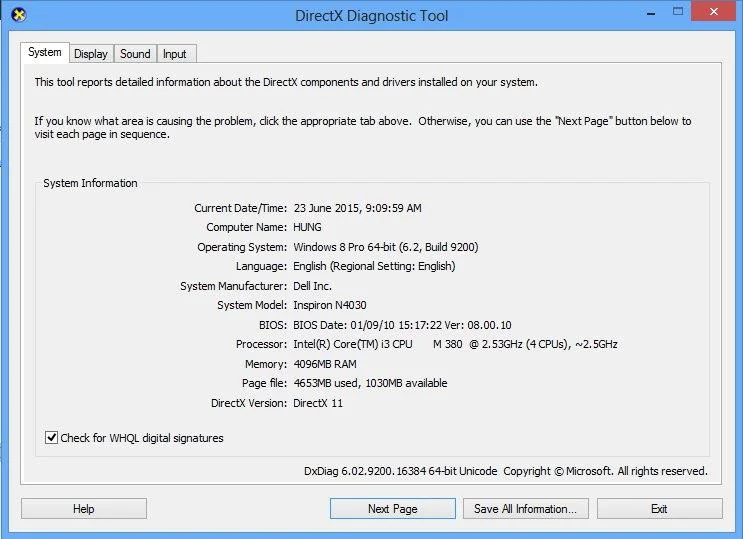
The unit of measurement for CPU clock speed is GHz - gigahertz. It can be seen through this measurement that the CPU processes billions of instructions per second. This you can see in any machine, the manufacturer gives the GHZ parameter.
What effect does CPU clock speed have?
In the case of comparing similar CPUs in other hardware, those with a higher clock speed will usually process operations faster and over time that CPU will be more durable. Simple example to make it easier for you to imagine: Your CPU has a clock speed of 3.4Ghz. That is, you can understand that every second this CPU can execute a maximum of 3.4 billion cycles.

Which CPU has a higher clock speed is usually better
Therefore many people often think that a CPU with a higher clock speed is usually better. This is correct only when other parameters of the CPU are the same. Because when comparing the actual 2 types of CPUs belonging to the same line but generation, we can consider the clock speed. If the product is different, but the clock speed is the same, then you should choose the latest product because it has a more stable speed over time than the old product.
For example, you are referring to 2 Core i5 CPUs of the same family and generation, its speed may be as different as 1 type of 2.4GHz clock; and one with a clock speed of 3.6GHz. Thus, the maximum operating clock speed of the two models is different, they differ by more than 60%.
Nowadays, CPU clock speed only works to a limited speed, very rarely when it works at full capacity. As a result many people seek to upgrade from base CPU clock speeds to higher and faster speeds - known by many as maximum turbo.
But you need to keep in mind that the higher the CPU clock speed runs, the more powerful it is, the more heat it generates. Therefore, to be able to regulate heat, to help prevent this hardware from overheating, the CPU always has a cooling unit. This helps the product to be more durable and good over time. In addition, a few other factors affect CPU clock speed: hard drive, number of cores, SSD and RAM.

CPU clock speed can also be increased thanks to Ram and SSD
The above is a summary of the information that WebTech360 sends to you to answer the question of what clock speed is and its uses. Hopefully through this article can help you better understand CPU clock speed . In addition, if you want to consult, buy a CPU and upgrade the clock speed, you can refer to the website: WebTech360.vn.