What to do if your Netflix account is hacked? Here's what you need to know when your Netflix account is hacked.
What to do when Netflix gets hacked
Signs that your Netflix account has been hacked
First, you need to check whether the Netflix account you are using has been compromised by bad guys or not. Proceed as follows:
Log in to your Netflix account
Besides some hackers silently observing user activities, there are still hackers openly changing your login information, from passwords to email addresses, to take over all the data you own to sell to others. other.
So, even though you can still log in to your Netflix account, that doesn't mean you're absolutely safe.
Observe recently viewed tabs
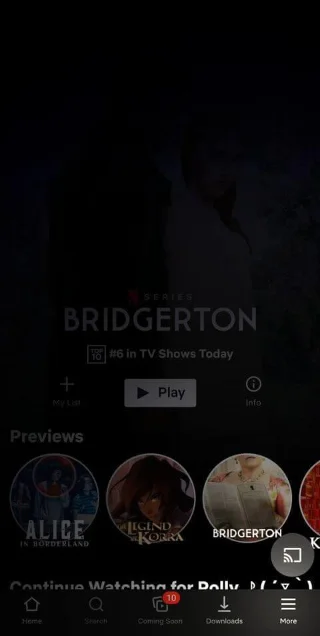
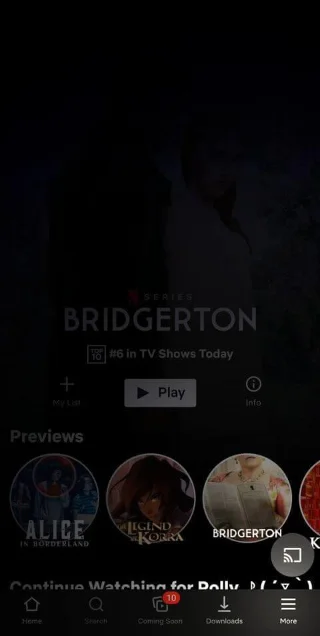
Some of the best clues that someone has visited your account are inappropriate suggestions. It could be a movie in the Watch It Again section or a series of shows you're currently watching but you've never opened the Continue Watching tab .

Tab continues watching on Netflix
Check out the activity
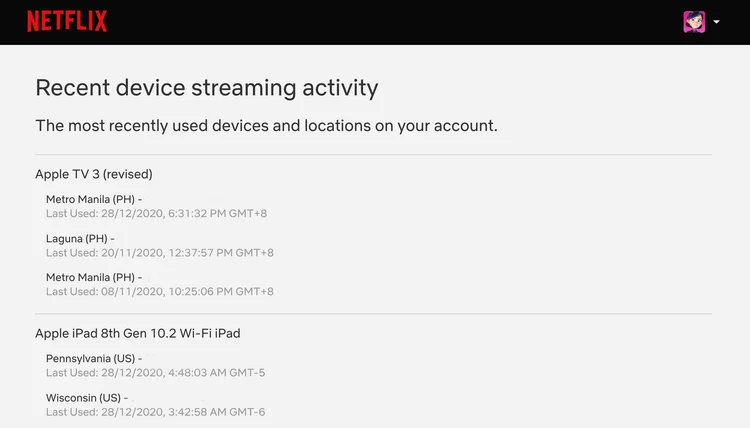
On your Netflix account, go to Account > Viewing Activity > Recent Device Streaming Activity .

Recent Netflix viewing activity
On the screen that appears, you can check for suspicious login information from other locations. Remember that some of the people you authorize to share your Netflix account may use a VPN to access certain content. So, check out your Netflix history with them.
What you need to do when your Netflix account is hacked
Exit all users
Before doing anything, first make sure you're the only person logged into your current Netflix account. After confirming that Netfilx has been hacked, you should next remove access for others by going to Account > Settings > selecting Sign out of all devices .
Change the password
Once you're sure no one else is using your account, change your password. Unfortunately, the option to change your password directly on the Netflix app is not available on iOS devices, so please follow the instructions in your browser.


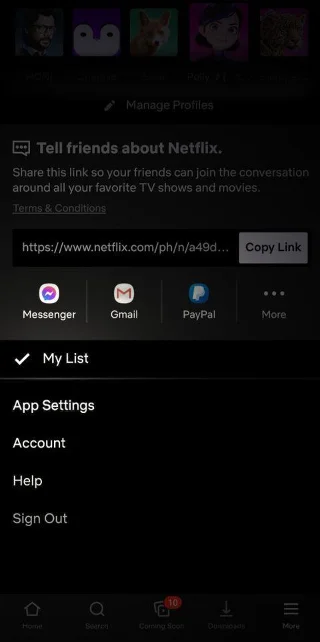
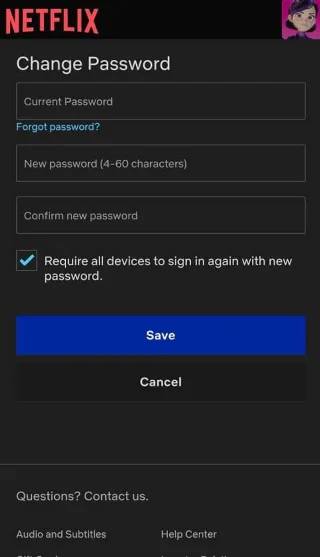
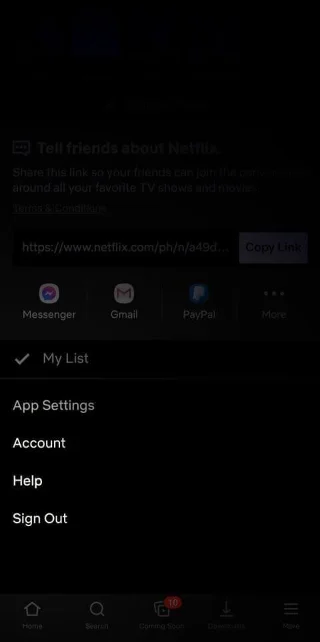
To change the password on a mobile device via Netflix for Android, go to More > App Settings > Account > Change password . Here, enter the current and new password.
Don't forget to check Require all devices to sign in again with the new password . Additionally, this could be the perfect opportunity to enable two-factor authentication. After updating the new password, tap Save .

Account information page on Netflix
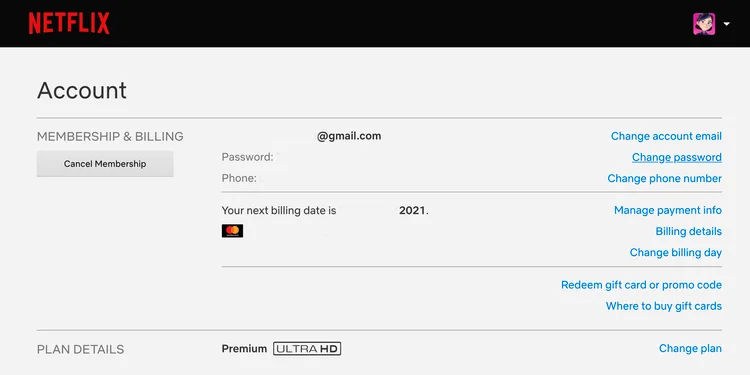
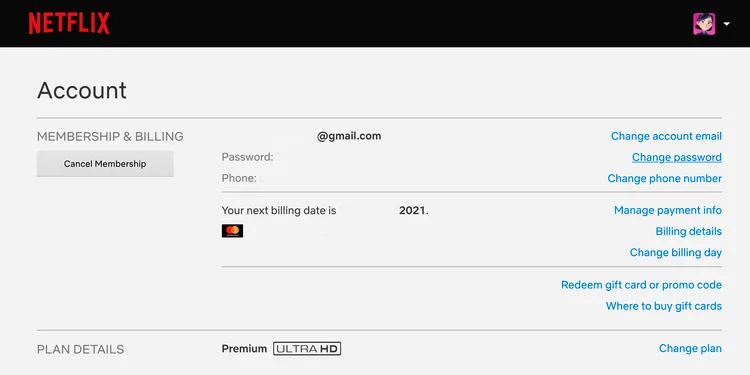
Additionally, you can also log in to your Netflix account on your web browser. Click User Icon and select Account from the drop-down menu. In Membership Billing , select Change Password and follow the instructions to confirm.
Request help from Netflix
In this case, the hacker changes the email address associated with the Netflix account. Any attempt to change passwords or other information can be sent to hackers.
If you want to check if hackers have changed your Netflix email address, log in to your account on your web browser. Click User Icon and select Account from the drop-down menu. Then, check the accuracy of the email address next to Membership & Billing .

Check your Netflix email address again
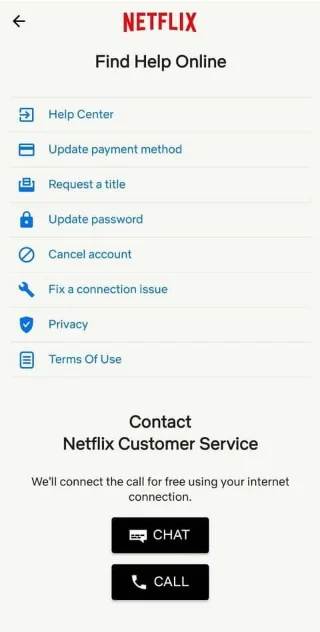
If you discover that someone has changed this information, you need to ask Netflix for help. To do this, you can ask the other account holder who is still logged in to report the issue to Netflix through the support center on both iOS and Android by going to More > Help > Chat or Call .


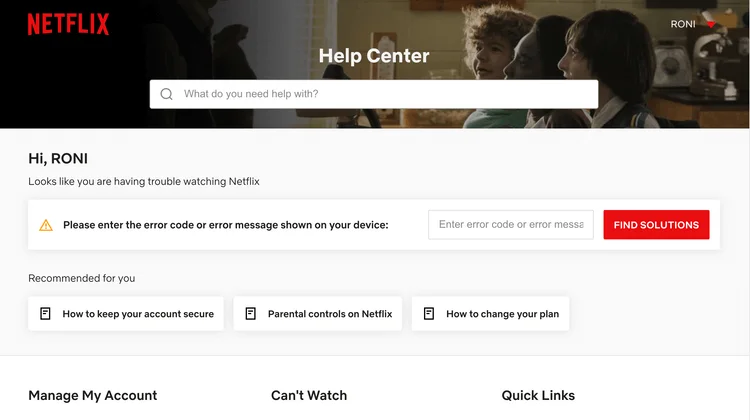
You can also go to the Netflix Help Center. In Manage My Account , you can select My email was changed without my permission .

Netflix Help Center
You'll see two options: you received an email notifying you of the change, or you can't find the account using your email address.

Help page on Netflix
Additionally, if you scroll down to the Help Center page, you also have the option to call Call Us or chat directly with Start Live Chat . Both require confirmation of identity before continuing.
However, if the hacker has changed information such as credit cards, you will have difficulty getting your hacked Netflix account back. In this case, consider deleting your account.
How to protect your Netflix account from being hacked
The biggest challenge that Netflix users often encounter is account management because it is often shared among many people. Therefore, safety requires the unity and cooperation of all involved. Here are some ways to protect your Netflix account from hackers:
- Create shared rules : Discuss with everyone the account is shared with and come up with common usage guidelines that all must follow.
- Save passwords securely : Protect your Netflix account like any other online account you have. Start by creating strong, unique passwords for each account, and avoid sharing them with strangers, even people you trust.
- Use the Internet safely : Do not connect to public wifi networks when using Netflix. Try to check the safety of your home Internet regularly, avoid clicking on suspicious links and don't forget to exit the device when not in use.
Above are the things you should do when you lose your Netflix account. Hope the article is useful to you.