Where are Microsoft Teams Recordings Saved in 2026?

Ever finished a crucial Microsoft Teams meeting only to wonder, "Where are my Microsoft Teams recordings saved?" 😩 You're not alone! In 2026, knowing the precise Teams recording location is key to effortless collaboration. This guide cuts through the confusion, revealing default storage spots, quick access hacks, and smart management tips. Stick around—you'll master your recordings in minutes! 🚀
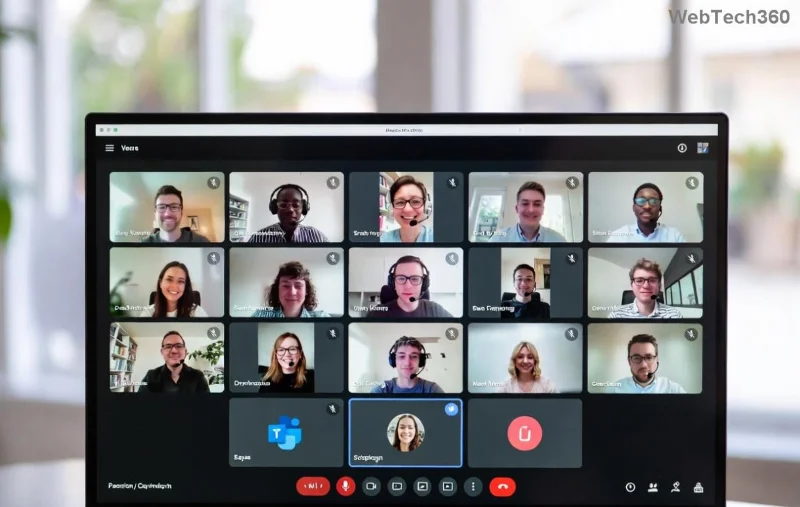
Microsoft Teams recording interface showing save options

🔍 Default Microsoft Teams Recordings Storage Locations in 2026

Microsoft Teams recordings no longer route through separate streaming services—they land directly in Microsoft's cloud ecosystem for speed and security. Here's the breakdown:

Meeting Type Storage Location Who Owns It? Access Method
Personal (1:1 or non-channel) OneDrive for Business Meeting organizer Direct link or OneDrive app
Channel meetings SharePoint site of the team Team members (group-owned) Teams Files tab or SharePoint
Town halls or large events OneDrive or SharePoint (event-specific) Organizer or event team Event recap or direct storage

Pro tip: Teams recording location depends on your organization's policies. Admins can tweak retention via the Microsoft Teams admin center. Files auto-transcribe and index for searchability—game-changer for productivity! ⭐

1️⃣ How to Find and Access Your Microsoft Teams Recordings Fast

Locating recordings is a breeze once you know the paths. Follow these steps:

  1. In Teams App: Go to Chat or ChannelFiles tab → Recordings folder. Boom—play instantly! ⏯️
  2. OneDrive Route: Open OneDrive → Teams folder → Recordings. Download or share with one click.
  3. SharePoint Magic: Navigate to your team's SharePoint site → Recordings folder under General.
  4. Post-Meeting Email: Organizers get a notification link—expires never, thanks to 2026 updates.
OneDrive folder showing Microsoft Teams recordings

Can't find it? Check the Recap tab in the meeting chat—it links directly to your Teams recording storage. For mobile users, the Teams app mirrors desktop views seamlessly. 👍

🛠️ Managing, Sharing, and Deleting Teams Recordings

Storage full? No sweat. Microsoft Teams recordings respect your license limits:

  • OneDrive: Up to 5TB per user—plenty for HD videos.
  • SharePoint: Site quotas scale with your plan (1TB+ base).
  • Auto-Delete: Policies kick in after 60-365 days; customize in admin settings.

To share: Right-click → Copy link. Permissions inherit from storage—team members see channel files automatically. Need advanced edits? Export to Stream (now embedded) or third-party tools.

Troubleshooting common hiccups:

  • Not visible? Wait 1-2 hours for processing; check permissions.
  • Missing folder? Ensure recording was enabled pre-meeting.
  • Access denied? Verify guest/external policies via Microsoft support.

🚀 New 2026 Features for Microsoft Teams Recordings

Microsoft's latest updates supercharge storage:

  • AI Clips: Auto-generate highlights from recordings—share key moments without full files.
  • Live Captions Sync: Recordings now include real-time transcripts editable post-save.
  • Cross-Platform Search: Query across OneDrive/SharePoint via Copilot in Teams.
  • Enhanced Security: End-to-end encryption and sensitivity labels for compliance.

These make where are Teams recordings saved even more powerful—your content stays organized and actionable. Excited? Dive into admin previews for betas! ✨

📈 Pro Tips to Maximize Your Teams Recording Location

Keep readers hooked with these gems:

  1. Enable automatic recording for recurring meetings via scheduler.
  2. Organize with folders: Rename Recordings subfolders by date/topic.
  3. Backup externally: OneDrive/SharePoint syncs to local drives automatically.
  4. Monitor usage: Teams admin dashboard shows storage breakdowns.

Ready to reclaim hours? Implement one tip today and watch collaboration soar. 👏

Final Thoughts: Master Your Microsoft Teams Recordings Today

Now you know exactly where are Microsoft Teams recordings saved in 2026: OneDrive for personal, SharePoint for teams—secure, searchable, and simple. No more hunting! Bookmark this, share with your team, and elevate your meetings. Got questions? Drop them below—we're here to help. 🎉

Leave a Comment

How to Fix Microsoft Teams Media Error for Videos

How to Fix Microsoft Teams Media Error for Videos

Tired of Microsoft Teams "Media Error" ruining your video shares? Follow our step-by-step guide with the latest fixes to get videos playing smoothly again – no restarts needed!

Troubleshooting Microsoft Teams Code Error Redemption

Troubleshooting Microsoft Teams Code Error Redemption

Tired of Microsoft Teams "Code Error" blocking your redemption? Get proven, step-by-step Troubleshooting Microsoft Teams "Code Error" Redemption solutions. Clear cache, update, and redeem successfully—fast and easy!

How to Fix Microsoft Teams Error QSP During Installation

How to Fix Microsoft Teams Error QSP During Installation

Stuck with Microsoft Teams "Error QSP" during installation? Follow our step-by-step guide with quick fixes to resolve the issue fast. Updated for the latest Teams versions—no tech skills needed!

Troubleshooting Microsoft Teams Offline Error Status

Troubleshooting Microsoft Teams Offline Error Status

Encountering Microsoft Teams "Offline Error" status? Discover proven, step-by-step troubleshooting tips to resolve it fast and get back to seamless collaboration. Updated with the latest fixes.

How to Fix Microsoft Teams Test Call Error 2026

How to Fix Microsoft Teams Test Call Error 2026

Tired of Microsoft Teams Test Call Error 2026 ruining your meetings? Discover simple, effective fixes to restore audio instantly. Step-by-step guide with expert tips for seamless Teams calls.

Solving Microsoft Teams Error 4vt9f Microphone Not Detected

Solving Microsoft Teams Error 4vt9f Microphone Not Detected

Struggling with Microsoft Teams Error 4vt9f Microphone Not Detected? Discover step-by-step fixes, from quick checks to advanced troubleshooting. Get your mic working instantly for seamless calls!

How to Fix Microsoft Teams Error I Profiles

How to Fix Microsoft Teams Error I Profiles

Frustrated by Microsoft Teams "Error I" Profiles? Follow our proven, step-by-step guide to fix it fast. Clear cache, update, reset profiles & more for seamless teamwork. Works on latest versions!

Troubleshooting Microsoft Teams Error 7ita9

Troubleshooting Microsoft Teams Error 7ita9

Struggling with Microsoft Teams Error 7ita9? Discover proven, step-by-step troubleshooting solutions for connection failures, sign-in issues, and more. Fix it quickly and resume seamless teamwork today!

How to Fix Microsoft Teams Proxy Error Settings

How to Fix Microsoft Teams Proxy Error Settings

Tired of Microsoft Teams Proxy Error blocking your meetings? Discover proven steps to fix proxy settings fast. Get seamless Teams experience with our ultimate guide. Works on Windows, Mac & latest versions!

How to Change Microsoft Teams Recording Location

How to Change Microsoft Teams Recording Location

Discover the ultimate guide on how to change Microsoft Teams recording location. Step-by-step instructions to move recordings from OneDrive or SharePoint to your desired folder, perfect for users and admins.

How to Fix Microsoft Teams Error A Startup

How to Fix Microsoft Teams Error A Startup

Struggling with Microsoft Teams "Error A" Startup? Discover step-by-step fixes, from cache clearing to reinstalls, to resolve this frustrating issue quickly and get back to seamless collaboration. Updated with the latest tips.

Solving Microsoft Teams Meeting Web App Login Problems

Solving Microsoft Teams Meeting Web App Login Problems

Struggling with Microsoft Teams meeting web app login problems? Get proven, step-by-step solutions to clear cache, fix browser glitches, and resolve account errors for seamless access. Works on latest browsers!

Where are Microsoft Teams Recordings Saved in 2026?

Where are Microsoft Teams Recordings Saved in 2026?

Unlock the exact locations where Microsoft Teams recordings are saved in 2026. Master OneDrive and SharePoint storage, easy access tips, and pro management strategies for seamless collaboration.

How to Fix Microsoft Teams Room Error on Surface Hub

How to Fix Microsoft Teams Room Error on Surface Hub

Struggling with Microsoft Teams "Room Error" on Surface Hub? Discover proven, step-by-step solutions to fix it fast—no tech expertise needed. Get seamless meetings back in minutes with our ultimate guide.

How to Fix Microsoft Teams Error E Installation

How to Fix Microsoft Teams Error E Installation

Stuck with Microsoft Teams Error E during installation? Discover proven, step-by-step fixes for Microsoft Teams "Error E" installation issues. Get back to seamless collaboration in minutes—no tech expertise needed!








