Skype Free Phone Calls

Skype Free Phone Calls let you connect with friends and family worldwide at no cost. Follow this guide to set up and start making free calls quickly and easily.
Ever finished a crucial Microsoft Teams meeting only to hunt endlessly for the recording? 😩 You're not alone. In 2026, understanding where Microsoft Teams stores recordings is key to seamless collaboration. This guide cuts through the confusion, revealing exact locations, access hacks, and time-saving tips. Stick around—you'll master it in minutes and boost your productivity! 🚀
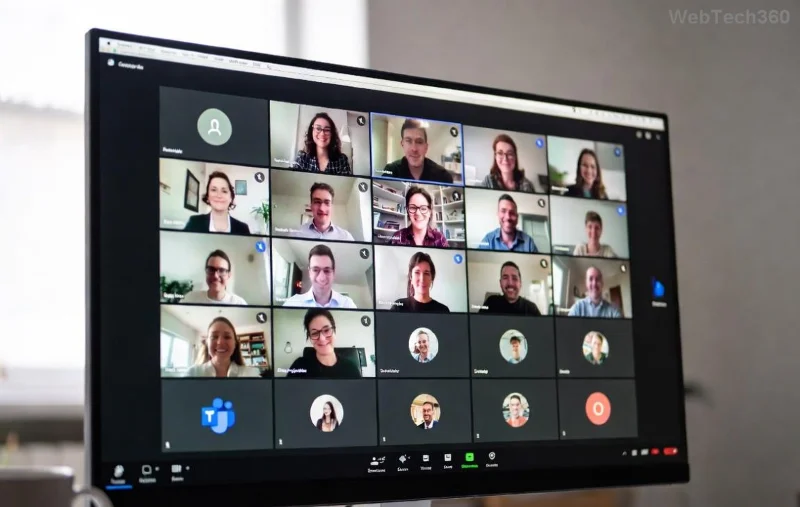
The short version? Microsoft Teams stores recordings primarily in OneDrive for Business or SharePoint, depending on the meeting type. No more guessing—here's the breakdown:
| ⭐ Meeting Type | 📍 Primary Storage | 🔗 Post-Meeting Link |
|---|---|---|
| Personal or 1:1 Meetings | OneDrive of the meeting organizer | Posted in chat with organizer |
| Channel Meetings (Standard) | SharePoint site of the Team | Posted in channel Tab & Files |
| Private Channel Meetings | SharePoint of the private channel | Posted in private channel |
| Shared Channel Meetings | Parent Team's SharePoint | Posted in shared channel |
This table is your 2026 cheat sheet. But why these spots? Teams integrates deeply with Microsoft 365 ecosystem for secure, scalable storage. Recordings auto-upload post-meeting (up to 4 hours processing time for large files). Ready to dive deeper? Let's explore each. 👇
For non-channel meetings—like 1:1s or ad-hoc group calls—Microsoft Teams stores recordings in the organizer's OneDrive for Business. Path: Recordings > Meetings folder.
Why OneDrive? It's personal, encrypted, and expires after retention policy (default 120 days in many orgs). Customize via admin center for longer keeps. 
Channel meetings land in the Team's SharePoint document library. Exact spot: Team site > Recordings folder under the channel.
Bonus: Transcripts and captions store here too! For large Teams, use search with keywords like "recording [meeting name]". Admins: Set retention via Microsoft Purview for compliance gold. 🏆
Lost a file? Follow this foolproof path:
Pro tip: Pin frequent folders in OneDrive/SharePoint quick access. 👍
Recordings vanish? Here's the fix kit:
Still stuck? Search Teams globally: "recordings from [date/meeting]". Magic! ✨
Don't just find—optimize:
2026 update: AI-powered search in OneDrive scans transcripts—query "discuss budget" to jump to clips! Game-changer. 🎉
Q: Do guest users access recordings? A: Yes, if shared—via link in chat.
Q: What's the file size limit? A: 250GB per recording (cloud magic).
Q: Can I change storage post-recording? A: Yes, move anytime between OneDrive/SharePoint.
Q: Live captions/transcripts location? A: Same folder as video.
Mastered it? Your Teams game just leveled up. Share this guide, bookmark for later, and conquer those recordings! Got tips? Drop in comments. 👏
Skype Free Phone Calls let you connect with friends and family worldwide at no cost. Follow this guide to set up and start making free calls quickly and easily.
Stuck in the Discord Update Failed Loop? Follow these targeted fixes to break the cycle and complete the update without repeated failures or reinstalls.
Travel planning used to mean folders full of printed confirmations, handwritten notes, guidebooks, and a slightly terrifying number of browser tabs. Now, pretty much everything you need for a trip can live on the device already in your pocket.
Discover how Canva Free for Teachers gives educators full access to premium design tools at no cost. Verify your status and start creating classroom materials in minutes.
Skype How to Call International is simple and cost-effective once you set up credit and use the right country codes. Follow this guide to place clear calls from anywhere.
Make Skype to Skype Calls Free in minutes with this clear guide. Set up your account, add contacts, and start unlimited voice and video calls at no cost.
Fix the Your Connection is Not Private Chrome error quickly with these exact steps. Restore secure browsing by addressing certificate and settings issues in minutes.
Record heat has lifted air-conditioning demand while gas-market shocks have returned volatility to power prices. That creates a real risk of painful bills—but not a guaranteed, Europe-wide price explosion.
Large format printing has long faced criticism for its environmental impact. Traditional substrates, solvent-based inks, and short-lived promotional campaigns have all contributed to the perception that eye-catching graphics come at a high environmental cost.
Long-distance travel can involve heavy traffic, changing weather conditions, and rider fatigue. If you are also dealing with the responsibilities of moving home, such as packing belongings or coordinating accommodation, a long ride may add unnecessary pressure to an already busy schedule.





