How to Update Google Chrome Browser

Learn how to update Google Chrome browser on Windows, Mac, and Android in minutes to enjoy better security, speed, and new features. Follow these clear steps.
Plugin helps make GIMP more awesome. They add new features, improve workflows, and make GIMP the best free alternative to Photoshop.
However, the GIMP support plugin is complex. The overall GIMP plugin experience is not user-friendly. They are hard to come by, have trouble installing and are having a lot of compatibility issues.
Any discomfort and annoyance will be "beaten" when you finish reading this article. Here are the best GIMP plugins and how to install them.
Plugins were once gathered at the GIMP Registry but are no longer the case. That is, they are currently scattered throughout the vast Internet world.
Some of them are "antique goods". Many cases over the past decade or more have not been updated. There is no guarantee that the plugin will work properly on the latest version of GIMP. Indeed, popular names like the GIMP DDS plugin or BIMP plugin have now been dropped or are no longer working.
You have two ways to install the GIMP plugin:
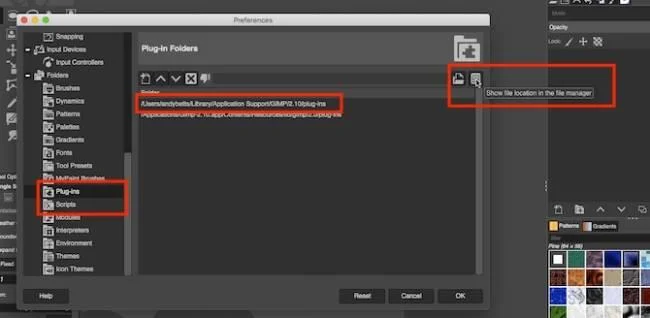
Method 1 is the usual manual installation method. If the plugin is in a ZIP file, you need to copy the content into the GIMP plugins and the script directory.
The second way is the automatic method. Some plugins have their own installer. You just need to double click on it and install as usual.
The available installers depend on the operating system platform. Also, you should know that opening random installers on the Internet is a risky job. Therefore, make sure to keep your antivirus software up to date and running them properly.
We also have another option to install a customized version of the entire GIMP application, which is a popular tool at partha.com containing a few pre-installed plugins, including Resynthesizer and G'MIC.
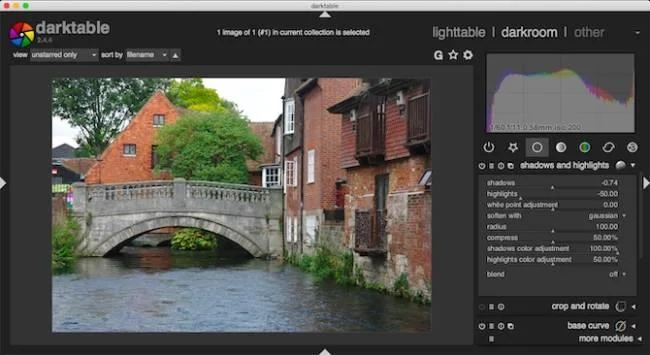
GIMP 2.10 is one of the best free photo editing applications available today. You can even use it with RAW images, but you need to add the RAW editor first. There are two main options here: DarkTable & RawTherapee.
Both are worth a try. However, DarkTable is often preferred because the interface is easy to access, familiar to and contains some advanced features such as Mask tools. Once installed, you can drag RAW images into GIMP and it opens DarkTable. Here, you can start editing. You will get the same effect as the famous graphic design software like Photoshop, Adobe Camera Raw.
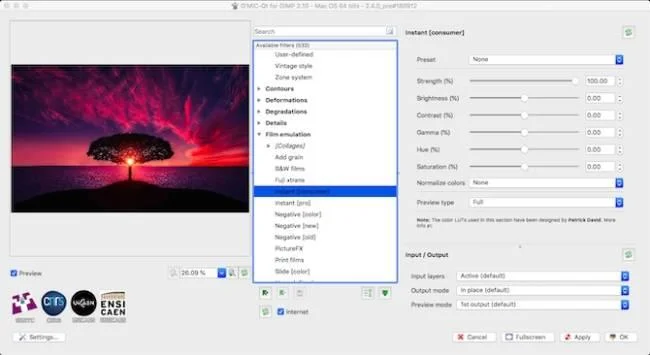
G'MIC provides more than 500 filters and lighting effects for your photos. It includes basic features like video film simulation, diverse frames. More advanced features include noise reduction, repair tools, even some 3D effects. You can use each tool with its respective default settings with one click. However, if you want, you can use a series of sliders for each filter to customize the work, producing exactly the results you want.
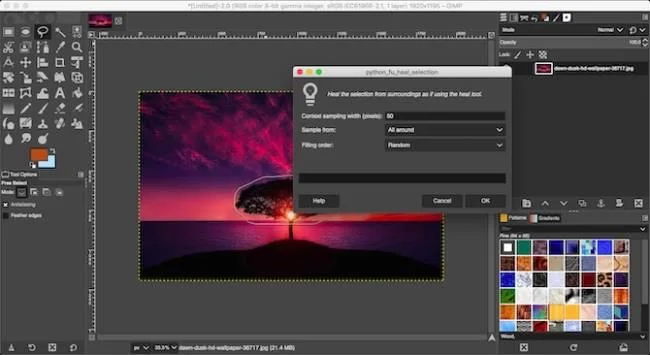
Resynthesizer is the oldest and most essential plugin for GIMP. It provides a range of graphics processing tools. You will find the main part in the Enhance: Heal Selection menu.
This plugin is equivalent to Photoshop's Content Aware Fill tool, a feature that GIMP has never had. It allows you to seamlessly move unwanted objects from a photo.
Heal Selection magically replaces the overflow image background and blends perfectly. Therefore, if you move something from the sky, that space will be filled with the same sky area, in harmony with the surrounding background. Normally only Clone can do that but it takes you more time.
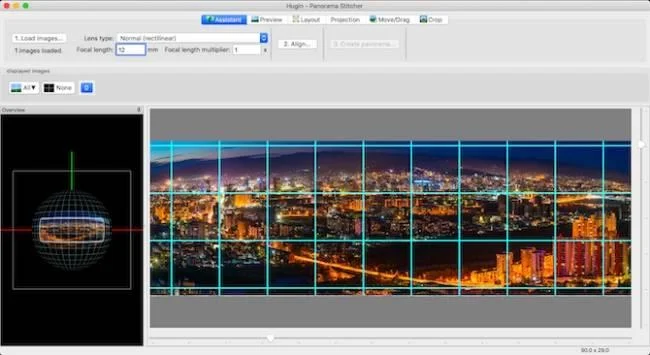
When you need to stitch together a series of photos to create a panoramic image using GIMP, Hugin is the best plugin option. Getting started using it is simple. Just upload photos, choose a few things in common. Afterwards, Hugin will merge them together. It also corrects inappropriate angles & exposures.
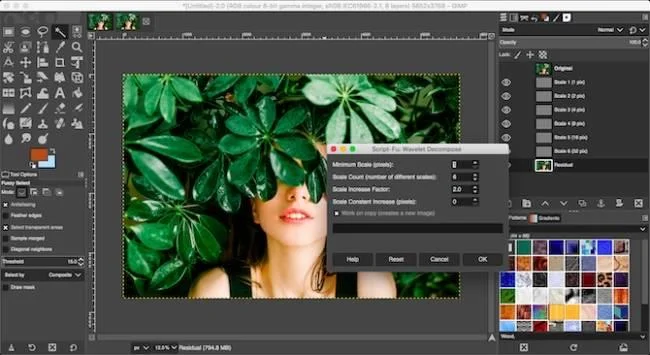
Skin editing is an integral part of portrait photo editing and Wavelet Decompose is the best plugin to do it on GIMP.
This plugin uses advanced frequency division. It divides the image into layers. Each class contains different sets of details. This feature gives you good control over every detail you want to smooth or maintain.
It sounds complicated, but actually made it much easier. You just need to upload the plugin and use the blur & smooth tool to make the interface shine.
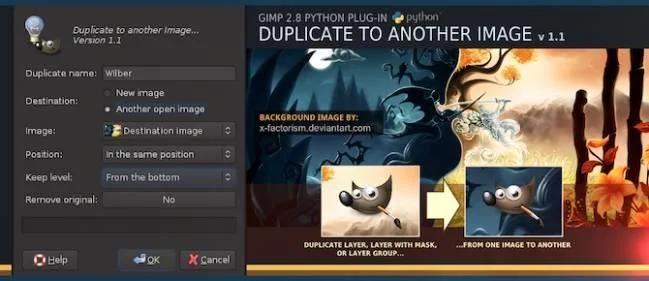
This GIMP plugin really saves you considerable time. The name describes exactly what it can do: duplicate the selection to another image file. In addition, you can copy the selection to a new image the same size as the original. In particular, the image object remains in place and users can easily change the photo background.
You can also copy an area to a new image, crop it to size when you want to isolate each object, and duplicate the object to another.
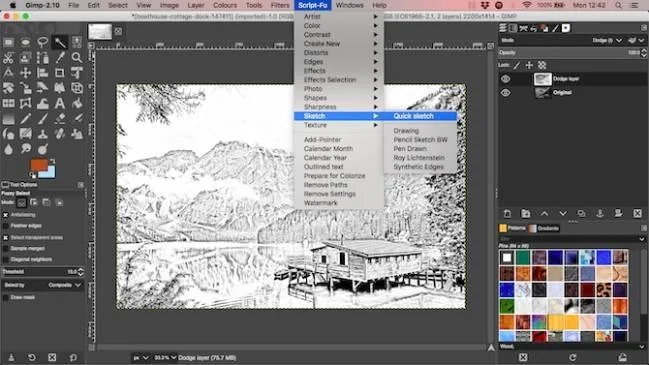
This is a collection of over 100 scripts, providing you with a rich set of shortcuts for editing common images and performing graphic design tasks. You have an outline plugin on GIMP, a few scrips to sharpen photos or add frames. Others serve to create effects or simulate film images.
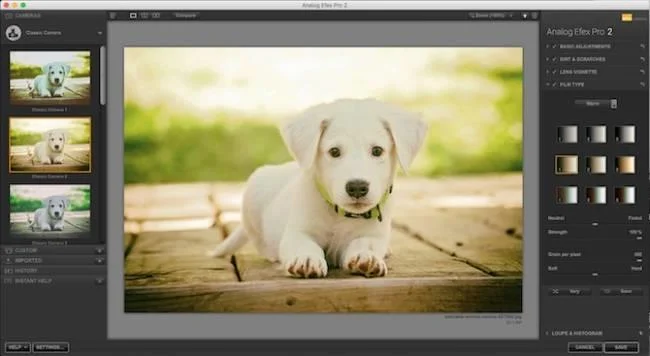
Google Nik Collection Google Nik Collection for Mac
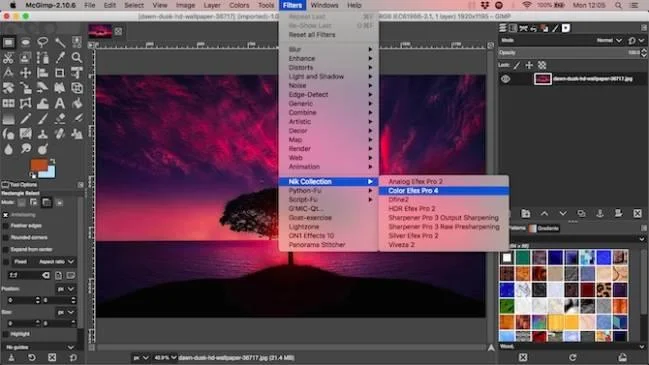
Finally, Nik Collection is a professional photo editing plugin. It brings great noise reduction and sharpening tools, color filters, stunning HDR effects and more. It really takes GIMP to the next level.
Once you have installed the GIMP plugin, you will find it in the selected folder, possibly in the Filter, Image, Layer or submenu menus. Occasionally, plugins run as a standalone application. You can run it whenever you need.
When you find your favorite plugin, make sure to keep a copy of the downloaded file because you don't know when it will disappear. This is the downside when installing plugins for GIMP.
Even so, the GIMP plugin is still very useful in many cases. Hopefully the names above will help you fix photos better on GIMP.
Learn how to update Google Chrome browser on Windows, Mac, and Android in minutes to enjoy better security, speed, and new features. Follow these clear steps.
Learn how to download old media from WhatsApp and recover photos or videos from past chats. Follow these clear steps to save files that no longer appear in your gallery.
Facebook Messenger Isn T Working on your device? Use these exact troubleshooting steps to restore chats, calls, and notifications fast on Android, iOS, or desktop.
How to See Deleted WhatsApp Messages using your phone's built-in tools. Follow these exact steps to recover messages that contacts have deleted from chats.
Learn how to clear browser history in Chrome on desktop and Android with this exact step-by-step process. Keep your browsing private and free up storage space quickly.
Master how to use CapCut with this practical walkthrough covering project setup, editing tools, effects, and export options for high-quality video results.
Get the latest WhatsApp App Update Download from official sources to access new features and security improvements. Follow these clear steps for Android and iOS devices.
Learn how to safely Download WhatsApp App for Android from the official Google Play Store. Follow our clear step-by-step instructions to install the latest version quickly and securely.
Google Download WhatsApp App safely through the Google Play Store with this clear guide. Get the official version on your Android device quickly and avoid fake downloads.
Facebook and Messenger not working can disrupt your day. Follow these targeted fixes to restore access quickly on mobile and desktop.








