BigBlueButton or Jitsi? Compare Server Load and Features
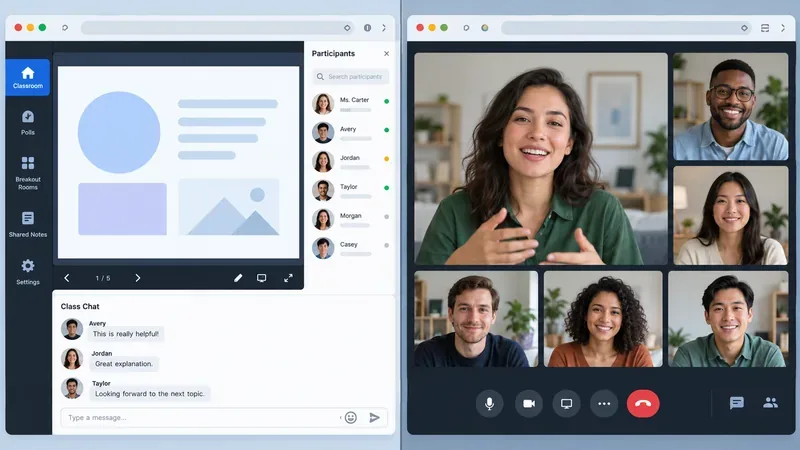
Compare documented server sizing, recording costs, classroom tools, and scaling options to choose between BigBlueButton and Jitsi Meet.
If your priority is a browser-based class with presentations, polls, shared notes, and breakout rooms, BigBlueButton is usually the closer fit. If you need a flexible video meeting platform and want to start with fewer dedicated server resources, Jitsi Meet is usually the lighter starting point. There is no trustworthy universal “users per CPU” winner: actual load depends on video quality, active cameras, meeting size, network, recording, and how the server is deployed.
A current documentation change worth knowing about is BigBlueButton 4.0’s redesigned sidebar and Apps Gallery for tools such as polls, breakout rooms, timers, and audio captions. The project’s 4.0 documentation labels that branch as in development, so treat those notes as a roadmap for installations, not proof that every 4.0 feature is in your stable build. The baseline resource figures below use the documented BigBlueButton 3.0 production requirements and Jitsi’s currently published self-hosting guidance.
BigBlueButton 3.0’s installation guide recommends a dedicated production server with Ubuntu 22.04, 16 GB RAM, eight CPU cores with strong single-thread performance, 250 Mbps symmetrical bandwidth, and at least 500 GB of free disk for recordings (or 50 GB if recording is disabled). These are project-recommended production requirements, not a promise that one server can support a fixed number of concurrent users under every workload.
Jitsi’s self-hosting requirements page suggests 8 GB RAM for a typical server, 4 GB for small meetings, and 2 GB for a test or very small meeting. It says four dedicated CPU cores can be enough for a basic server and describes 20 GB of disk as sufficient unless logging or other needs require more. The scalable-deployment guide separately suggests 4 CPU/8 GB for the Jitsi Meet control server and 4 or 8 CPU/8 GB for a videobridge under its example setup.
| Decision factor | BigBlueButton | Jitsi Meet |
|---|---|---|
| Published starting point | 3.0 production baseline: 16 GB RAM, 8 cores, dedicated Ubuntu 22.04 server | Typical self-hosting guidance: 8 GB RAM; 4 dedicated cores can be enough for a basic server |
| Disk and recordings | 500 GB suggested when keeping recordings; 50 GB when recording is disabled | 20 GB may be enough for the core service; recording adds Jibri capacity and storage |
| Meeting experience | Classroom tools: presentation, shared notes, whiteboard, polls, breakout rooms | Video meetings: audio/video, screen sharing, chat, and extensible integrations |
| Recording model | Records meeting media and events for later processing and playback | Self-hosted recordings commonly use Jibri, a separate encoding component |
| Scaling approach | Dedicated servers and load-balanced clusters for larger deployments | Add videobridges and use the documented scalable setup/OCTO architecture |
These figures are not an apples-to-apples benchmark. BigBlueButton’s baseline explicitly includes its production configuration, while Jitsi’s page gives general advice for a flexible architecture. Use them to compare operating posture and required components, not to predict concurrent capacity.
For the core meeting service, Jitsi has the lower published entry point in its own deployment guidance. That can make it attractive for small teams who can accept a simpler meeting workflow and tune their deployment. Yet recording changes the calculation: Jitsi documents Jibri as a resource-heavy video-encoding service and says one Jibri instance handles one meeting recording at a time. Its guidance calls for at least 8 GB RAM for a single recording at the stated 1080×720 resolution, with more for higher output dimensions. Therefore, do not size a recording server from the core Jitsi numbers alone.
BigBlueButton’s production baseline is larger, but its educational features are integral to the product’s design. Its recording flow captures meeting events and media for processing into playback, including items such as slides, chat, audio, screen sharing, whiteboard events, notes, polls, and webcams. The tradeoff is a larger all-in-one deployment expectation and meaningful disk needs when recordings are retained.
Both services relay real-time media, so network capacity can become the limiting resource before CPU or memory. Jitsi’s documentation specifically highlights bandwidth and latency; BigBlueButton also recommends symmetrical bandwidth and dedicated CPU. Several active webcams, high-resolution video, screen sharing, and simultaneous rooms can change usage sharply. A mostly audio-based seminar is a different workload from a session where every participant streams video.
BigBlueButton’s strongest distinction is its teaching workflow. In addition to conferencing, it brings presentations, a collaborative whiteboard, polls, shared notes, and breakout-room controls into the session. The newer 4.0 design groups tools into an Apps Gallery, while 3.0 already provides the central classroom capabilities. If instructors need those tools every session, building them into the conference can reduce the need to coordinate separate services.
Jitsi Meet focuses on quick audio/video meetings, screen sharing, chat, and flexible integration. It supports scaling through separate videobridges, and its developer features make it useful when a team wants to embed meetings into another product. The feature set can vary with the server operator’s configuration and enabled components; a hosted Jitsi instance and a self-hosted deployment may not expose identical functions.
Jitsi is not limited to one-to-one calls, and BigBlueButton is not limited to schools. The more useful question is whether your recurring meetings depend on teaching artifacts such as slides, polls, and classroom-style breakout work, or mainly need people to talk and share screens.
Test with the same number of participants and the same media behavior on both platforms. A comparison that leaves cameras off in one service and records every session in the other will mostly measure the test setup. Also check the exact release and add-ons: BigBlueButton 4.0 documentation currently marks that branch as in development, while the installation guide for 3.0 specifies Ubuntu 22.04; avoid applying a development-version feature list to a stable production server.
The resource figures above come from project documentation, not independent lab testing. No controlled, same-hardware BigBlueButton-versus-Jitsi benchmark was used here, so the article does not claim one platform supports more participants per core.
Compare documented server sizing, recording costs, classroom tools, and scaling options to choose between BigBlueButton and Jitsi Meet.
Estimate BigBlueButton 3.0 nodes, memory, bandwidth, storage, and failover for 500 participants using official guidance and a clearly labeled workload example.
Compare Matrix homeserver maturity, feature gaps, operational demands, and resource claims before choosing a lightweight self-hosted server.
Learn why RAM numbers vary, compare both platforms with a fair workload, and pinpoint whether storage, caching, workers, or background jobs cause slowdowns.
Compare Collabora Online and ONLYOFFICE Docs on the same server with a repeatable test for memory use, document-open time, and collaborative editing delay.
Compare document, spreadsheet, and layout behavior in ONLYOFFICE Docs and Microsoft 365 web apps, then use a quick test to choose the safer editor for your files.
Trace formula mismatches to syntax, regional separators, recalculation, date systems, or unsupported functions, then verify the workbook before sharing it.
See what recent release data can—and cannot—prove, then compare both office suites on the same files and computer.
Compare exact matches, left-side lookups, missing-value handling, and version support so you can choose a reliable Calc formula.
Learn how Writer page styles and Word section links affect cover pages, Roman numerals, and numbering restarts when you move a document.