BigBlueButton or Jitsi? Compare Server Load and Features

Compare documented server sizing, recording costs, classroom tools, and scaling options to choose between BigBlueButton and Jitsi Meet.
For 500 concurrent BigBlueButton participants, plan a pool of at least three dedicated BBB 3.0 media servers using the project’s roughly 200-user-per-minimum-server rule of thumb. Add a fourth server if you need the remaining nodes to have nominal capacity for 500 after one node fails; users on the failed node may still disconnect. This is a sizing calculation, not a capacity guarantee.
Illustrative scenario: A university runs ten simultaneous 50-person classes. Each class has one presenter webcam, students mostly listen, and recordings are enabled. This example is hypothetical; it is not a benchmark or a report of a real deployment.
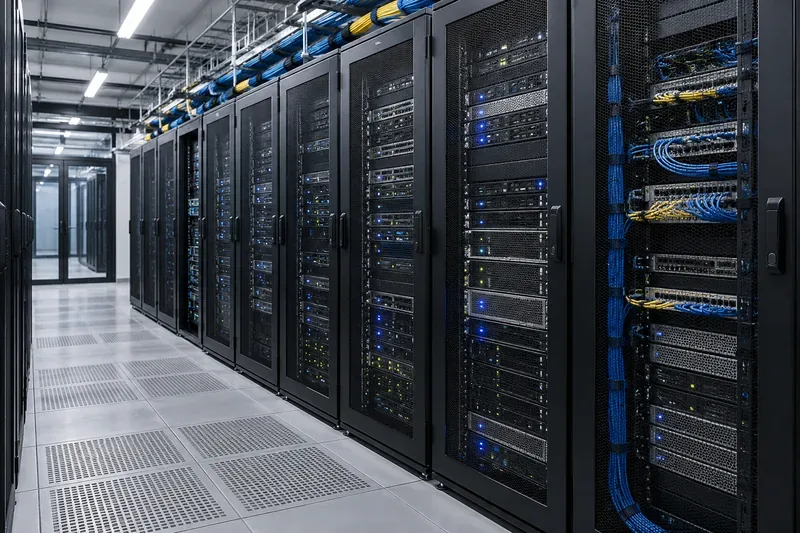
BigBlueButton’s official FAQ says a server that meets its minimum requirements should support about 200 simultaneous users, and recommends keeping any single session at or below 200. The FAQ also warns that actual capacity depends on server CPU, memory, disk, bandwidth, meeting activity, client uplink, configuration, and BigBlueButton version. A 500-person all-listen lecture is therefore a different load from 500 people publishing webcams.
For the example above, assume ten rooms of 50 people each. Distribute rooms across three active media nodes for a non-redundant first estimate, or four nodes for one-node failure capacity. The arithmetic follows from the 200-user guideline; it does not replace a load test with the same room sizes and media rules.
The current BigBlueButton 3.0 installation guide lists production minimums. Treat these as a baseline for each media node, not as a tested recipe for 500 people on one machine.
| Resource | Per BBB 3.0 node | Four-node illustrative pool |
|---|---|---|
| Compute | 8 CPU cores with high single-thread performance; use dedicated CPU capacity | 32 cores total |
| Memory | 16 GB RAM with swap enabled | 64 GB total |
| Network | FAQ recommends 1 Gbit/s in both directions | 1 Gbit/s in each direction on every node |
| Recording storage | 500 GB free or more; 50 GB if recording is disabled | About 2 TB free across four nodes when each stores recordings locally |
| Platform and ports | Ubuntu 22.04 64-bit, current Docker, public TCP 80/443, UDP 16384–32768, IPv4 and IPv6 | Apply the requirements to every node |
The install page lists 250 Mbit/s symmetric bandwidth among its minimum requirements, while the FAQ’s server bandwidth section recommends 1 Gbit/s in each direction. For a 500-user design, use the higher FAQ recommendation as a planning target and verify sustained throughput with your provider. Cloud instances should have dedicated rather than heavily shared or throttled CPU. Keep the conferencing nodes dedicated to BigBlueButton; unrelated web apps can compete for CPU and disrupt real-time audio.
For recording-enabled servers, the install guide’s 500 GB figure is free disk space per server. The four-node estimate above assumes local recording files on each node. Calculate retention from your expected recorded hours and storage policy; recordings and backups should not silently consume the space needed for active sessions.
BigBlueButton’s FAQ gives a rough webcam bitrate of 0.25 Mbit/s for 320 × 240 video and estimates server webcam traffic as incoming bandwidth = webcams × bitrate, and outgoing bandwidth = webcams × (viewers − 1) × bitrate. For one presenter webcam in each 50-person room, the ten rooms together use roughly 2.5 Mbit/s of incoming video and 122.5 Mbit/s of outgoing video before audio, screen sharing, protocol overhead, or other traffic.
If all 50 people in each room publish that same low-resolution webcam, the same formula estimates about 6.125 Gbit/s of aggregate outgoing video across the ten rooms. Even when evenly spread over four nodes, that is roughly 1.53 Gbit/s per node before other traffic. In this hypothetical, a 1 Gbit/s-per-node network target would not cover that all-camera estimate; limit simultaneous cameras, add network capacity, or benchmark a different configuration before promising the audience size.
Voice also scales with the number of active participants. The FAQ estimates about 0.04 Mbit/s in each direction per user for a VoIP connection; 500 two-way audio users would therefore represent roughly 20 Mbit/s each way, while listen-only participants send less audio. Screen sharing can add considerably more traffic when the shared desktop changes frequently. These figures are planning estimates, not a guarantee of observed consumption.
For the example, three minimum-sized nodes represent about 600 users under the FAQ’s rough rule of thumb, so 500 concurrent users fit arithmetically only while all three are available. A four-node pool gives a simple N+1 scenario: after losing one node, the remaining three would average about 167 users each if the load balancer can place new meetings and your operations can recover or redistribute existing sessions. Existing users may be disconnected when a node fails, so this is not seamless meeting failover.
Use a scaler such as Scalelite to distribute new meetings among healthy BigBlueButton servers, and keep the web frontend, scaler, and database from consuming media-node resources where practical. A scaler does not remove the need for browser-to-BBB connectivity: the BBB cluster documentation says media streams and WebSocket traffic go directly between participants and the server running their meeting. Budget firewall and routing capacity on each node, not just on the front door.
Rehearse the illustrative ten-room workload on the intended hardware, using the same camera limit, audio mode, screen sharing, recording, and client networks expected in production. Increase load in stages and monitor CPU per core, memory and swap, network ingress and egress, packet loss, audio quality, and recording disk growth. The FAQ notes that audio can start degrading when CPU reaches about 80% during its suggested stress test, so treat that level as a warning boundary and leave measured headroom.
After installation, run sudo bbb-conf --check on every node and resolve reported configuration problems. Confirm TCP 80/443 and the documented UDP range are reachable from test participants, then run a full rehearsal with realistic clients. The official FAQ specifically recommends testing your own server because activity patterns change capacity. Do not call the pool “500-user ready” until the rehearsal passes with acceptable audio, video, and recovery behavior at peak load.
For version-specific values, consult the BigBlueButton 3.0 installation requirements, the official capacity and bandwidth FAQ, and the cluster proxy documentation. Recheck those pages when moving to a later major release.
Compare documented server sizing, recording costs, classroom tools, and scaling options to choose between BigBlueButton and Jitsi Meet.
Estimate BigBlueButton 3.0 nodes, memory, bandwidth, storage, and failover for 500 participants using official guidance and a clearly labeled workload example.
Compare Matrix homeserver maturity, feature gaps, operational demands, and resource claims before choosing a lightweight self-hosted server.
Learn why RAM numbers vary, compare both platforms with a fair workload, and pinpoint whether storage, caching, workers, or background jobs cause slowdowns.
Compare Collabora Online and ONLYOFFICE Docs on the same server with a repeatable test for memory use, document-open time, and collaborative editing delay.
Compare document, spreadsheet, and layout behavior in ONLYOFFICE Docs and Microsoft 365 web apps, then use a quick test to choose the safer editor for your files.
Trace formula mismatches to syntax, regional separators, recalculation, date systems, or unsupported functions, then verify the workbook before sharing it.
See what recent release data can—and cannot—prove, then compare both office suites on the same files and computer.
Compare exact matches, left-side lookups, missing-value handling, and version support so you can choose a reliable Calc formula.
Learn how Writer page styles and Word section links affect cover pages, Roman numerals, and numbering restarts when you move a document.