Pop Culture Costume Ideas That Will Dominate Halloween 2026

Plan a recognizable Halloween 2026 look with pop culture costumes inspired by Spider-Man, Supergirl, Toy Story 5, Moana, Mario, and Wednesday.
Micron has officially launched its latest NVMe SSD under the Crucial brand: the Crucial P310 M.2. This is essentially an improved M.2 variant of the existing drive of the same name, but the new Crucial P310 M.2 comes in a 2280 form factor instead of a 2230. Micron distinguishes the two variants as the "P310 2280" and the "P310 2230".
Both versions are built on PCIe Gen4 technology, and while it's not the latest or greatest, it's still enough to provide a solid, solid experience for the vast majority of commercial users. In terms of performance, Micron makes some pretty impressive claims about the Crucial P310 2280's performance on Windows, especially when it comes to booting up and launching tasks. The new SSD is said to be 20% faster than Samsung's 990 Evo SSD and Western Digital's (WD) SN580. Micron also says that application and game load times will be significantly improved.
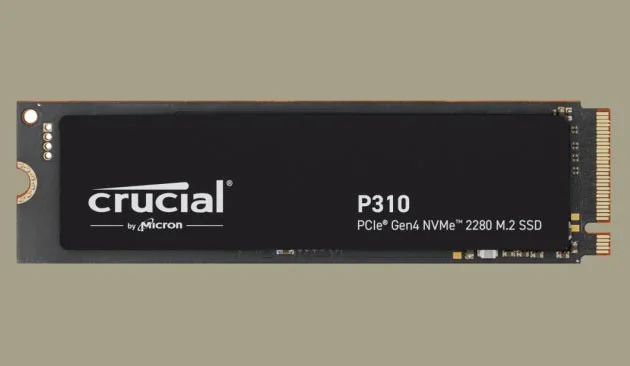
These claims are based on the results of synthetic tests on UL Benchmarks' PCMark 10 and 3DMark, which provide a rough estimate of system performance. Specifically, users can expect up to 20% faster performance in real-world tasks with the Crucial P310 2280 compared to other Gen4 SSDs when operating in a Windows environment. For example, quick launch of applications like Adobe Photoshop and Illustrator as well as seamless loading of games on PC are experiences that the new product can guarantee.
The performance advantage the P310 enjoys is understandable. The new Crucial SSD boasts higher sequential read and write speeds of 7,100 MB/s and 6,000 MB/s, respectively. Meanwhile, the Samsung 990 Evo achieves 5,000 MB/s and 4,200 MB/s read/write performance, respectively, and the SN580 is rated at 4,150 MB/s for both reads and writes. The Micron does not offer random throughput (IOPS).
Things get even more interesting when you consider the price, however. Micron is launching the Crucial SSD P310 2280 in three capacities, 500GB, 1TB, and 2TB, with retail prices of $88.99, $114.99, and $189.99, respectively.
This list price is cheaper than the Samsung 990 Evo at launch ($124.99 for the 1TB model and $209.99 for the 2TB variant), although it’s now much cheaper. Meanwhile, the WD Blue SN580 is cheaper at $79.99 for the 1TB version and $134.99 for the 2TB version. Like the 990 Evo, the WD is now also much cheaper in actual retail.
Therefore, the Crucial P310 will definitely have a higher competitive advantage if the actual selling price remains similar to the 990 Evo and WD SN580. One important thing to note about the Crucial SSD is that it is built on QLC NAND compared to the TLC on the two competitors. This means that the endurance on the P310 2280 can be much lower, only 440 TBW for the 2TB variant and 220 for the 1TB variant.
Plan a recognizable Halloween 2026 look with pop culture costumes inspired by Spider-Man, Supergirl, Toy Story 5, Moana, Mario, and Wednesday.
Sort leftover Halloween candy safely, share or repurpose sealed treats, and choose food use or compost for pumpkins based on their condition.
Compare workplace Halloween costume choices by respect, dress code, mobility, and safety—and learn when a subtle accessory or a policy check is the better option.
Find a couples costume that fits your style, budget, and comfort level, from Addams Family classics to original inside-joke duos.
Need a last-minute high school Halloween costume? Compare 10 easy closet-based ideas by prep time, comfort, school-day practicality, and simple safety checks.
Use a simple 2026 Halloween decorating timeline for indoor décor, outdoor displays, and fresh pumpkins, with practical adjustments for weather and events.
Mix five vivid, approachable Halloween cocktails with measured recipes, simple prep tips, and an alcohol-free option for your party guests.
Find 15 office-friendly Halloween costume ideas for 2026, with practical checks for dress codes, respectful themes, comfort, and workplace safety.
Plan a fun elementary school Halloween party with easy crafts, games, inclusive treats, costume tips, and a sample 75-minute classroom schedule.
Compare realistic side hustles for 2026 by startup cost, fees, flexibility, and income control, with current tax and scam guidance from official sources.








