Solving Microsoft Teams Web Error Browser Login

🚨 Encountering the frustrating Microsoft Teams "Web Error" during browser login? You're not alone. This common issue disrupts workflows, but don't worry – we've got your back with straightforward, effective fixes. In this guide, we'll walk you through the quickest ways to resolve Teams web login errors, so you can jump back into seamless collaboration. Let's dive in and banish that error for good! 👍

What Causes the Microsoft Teams Web Error?

The Microsoft Teams "Web Error" typically pops up when logging into Teams via browsers like Chrome, Edge, or Firefox. It often shows messages like "Something went wrong" or specific codes (e.g., AADSTS50011). Key culprits include:

  • Corrupted browser cache or cookies.
  • Outdated browser or conflicting extensions.
  • Network glitches, VPN interference, or firewall blocks.
  • Multiple active sessions or account sync issues.
  • Temporary Microsoft service outages.

Understanding these helps you target the right fix. Pro tip: Always start with the simplest steps for the fastest results! ⭐
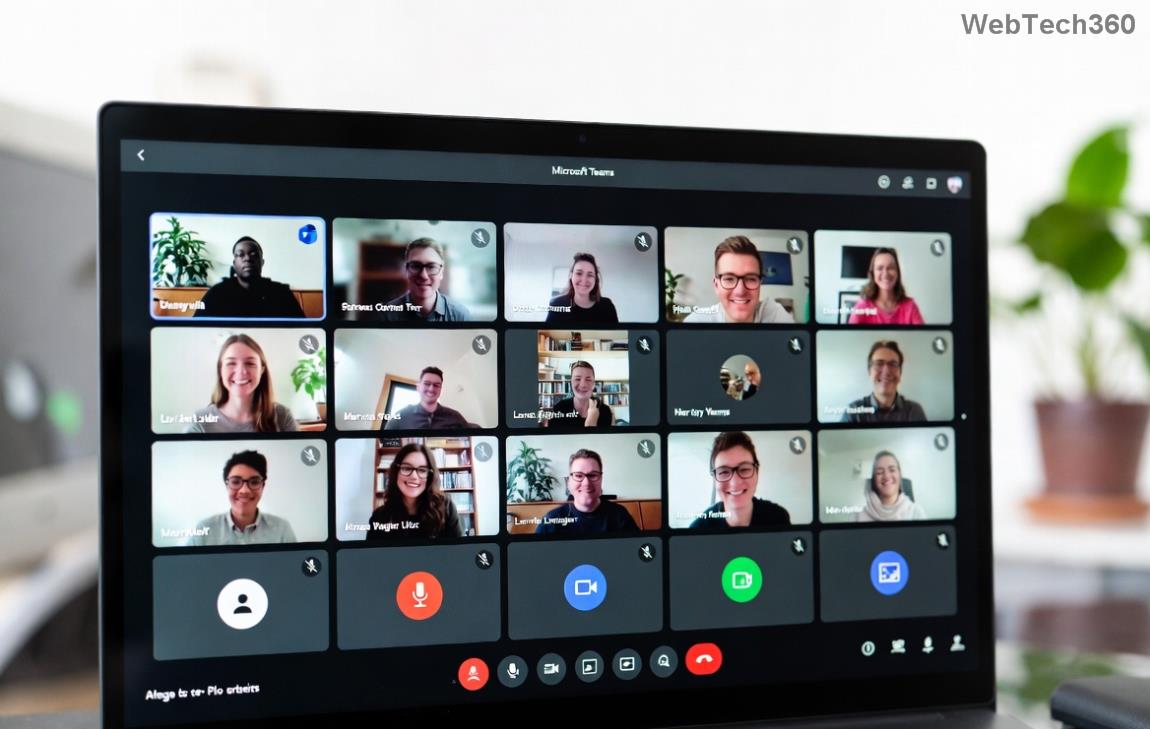
Screenshot of Microsoft Teams Web Error during browser login

Step-by-Step Fixes for Teams Browser Login Error

Follow these proven methods in order. Most users fix the issue in under 5 minutes. We'll prioritize browser-based solutions since that's where the Microsoft Teams Web Error strikes.

1️⃣ Clear Browser Cache and Cookies

The #1 cause? Stale data. Here's how:

  1. Open your browser settings (Chrome: chrome://settings/; Edge: edge://settings/).
  2. Navigate to Privacy > Clear browsing data.
  3. Select "Cookies and other site data" and "Cached images/files" for All time.
  4. Click Clear data, then restart the browser.
  5. Try logging into Teams web again.

💡 This resets session data without losing your files. Works 70% of the time!

2️⃣ Use Incognito/Private Mode

Bypass extensions and cache entirely:

  1. Chrome: Ctrl+Shift+N | Edge/Firefox: Ctrl+Shift+P.
  2. Navigate to Teams and log in.
  3. If successful, the issue is extensions or cache – disable suspects one by one.

Quick win for testing! 🚀

Clearing browser cache to fix Microsoft Teams Web Error

3️⃣ Update Browser and Disable Extensions

Ensure you're on the latest version:

Browser Update Method Compatibility Note
Google Chrome Menu > Help > About Google Chrome Fully supports Teams web
Microsoft Edge Settings > About Microsoft Edge Recommended for best integration
Firefox Menu > Help > About Firefox Disable hardware acceleration if issues persist

Disable all extensions (chrome://extensions/), reload Teams, then re-enable gradually. Ad blockers often clash! 😤

4️⃣ Network and Account Tweaks

  • Disable VPN/Proxy: Switch to a stable connection.
  • Sign out everywhere: Go to Microsoft Account > Security > Sign out all sessions.
  • Check Teams Status: Visit Teams Status for outages.
  • Try Another Browser: Edge often resolves Chrome-specific glitches.

Successful Microsoft Teams login after fixing web error

5️⃣ Advanced Fixes for Stubborn Teams Web Login Errors

If basics fail:

  1. Reset Browser Settings: Chrome: Settings > Reset settings.
  2. Flush DNS: Windows: cmd as admin, type ipconfig /flushdns.
  3. Re-register Microsoft Account: In Teams web, use "Use another account."
  4. Desktop App Fallback: Download from official site while troubleshooting web.

For enterprise users, contact your IT admin – policies might block web access.

Prevent Future Microsoft Teams Web Error Issues

Stay ahead:

  • ⭐ Enable auto-updates for browsers.
  • Regularly clear cache weekly.
  • Use Edge for optimal Teams performance.
  • Monitor Teams Admin Center if admin.

These habits keep your Teams browser login smooth. 🎉

Still Stuck? Next Steps

If the Microsoft Teams "Web Error" persists, share your browser/version/error code in comments below – we'll help! Or reach Microsoft Support via the in-app help icon. You've got this – productive meetings await! 👏

Proven on latest browsers as of 2026. Always back up data before resets.
Leave a Comment

Solving Microsoft Teams Web Error Browser Login

Solving Microsoft Teams Web Error Browser Login

Tired of Microsoft Teams "Web Error" blocking your browser login? Follow our step-by-step guide with proven fixes to resolve Teams web login issues fast and securely. Get back to work!

How to Fix Microsoft Teams Error O Offline

How to Fix Microsoft Teams Error O Offline

Stuck with Microsoft Teams "Error O" Offline? Discover proven, step-by-step fixes to get back online fast. Clear cache, restart, and more – no tech skills needed!

Where is Microsoft Teams in Outlook? Locating the Missing Icon

Where is Microsoft Teams in Outlook? Locating the Missing Icon

Frustrated by the missing Microsoft Teams icon in Outlook? Learn exactly where to find it, why it disappears, and proven steps to restore it for effortless meetings. Updated for the latest versions!

Solving Microsoft Teams Windows 10 Error Login Issues

Solving Microsoft Teams Windows 10 Error Login Issues

Struggling with Microsoft Teams "Windows 10 Error" login issues? Get instant fixes for cache clears, updates, and more. Step-by-step solutions to solve Microsoft Teams login error on Windows 10 fast and frustration-free.

Solving Microsoft Teams Website Error Tab Not Loading

Solving Microsoft Teams Website Error Tab Not Loading

Tired of the frustrating Microsoft Teams "Website Error" where tabs won’t load? Get step-by-step fixes to resolve it quickly and boost your productivity. Essential troubleshooting for seamless Teams experience.

How to Fix Microsoft Teams Web Error 503 Service Unavailable

How to Fix Microsoft Teams Web Error 503 Service Unavailable

Tired of the frustrating Microsoft Teams "Web Error" 503 Service Unavailable? Discover proven, step-by-step fixes for Teams 503 error on web. Get back online fast with our expert guide. Works on all browsers!

How to Fix Microsoft Teams Win 7 Error Compatibility

How to Fix Microsoft Teams Win 7 Error Compatibility

Struggling with Microsoft Teams "Win 7 Error" compatibility? Discover step-by-step fixes to restore seamless video calls and chats on unsupported Windows versions. Quick, reliable solutions inside!

Troubleshooting Microsoft Teams Breakout Rooms License Errors

Troubleshooting Microsoft Teams Breakout Rooms License Errors

Master troubleshooting Microsoft Teams Breakout Rooms license errors with this step-by-step guide. Quick fixes for common license issues, admin checks, and prevention tips to get your meetings running smoothly.

How to Fix Microsoft Teams Version History Error

How to Fix Microsoft Teams Version History Error

Struggling with Microsoft Teams "Version History" Error? Discover proven, step-by-step fixes to restore access instantly. Clear cache, update Teams, and more—no tech skills needed!

Solving Microsoft Teams Joining Error: Meeting ID Not Found

Solving Microsoft Teams Joining Error: Meeting ID Not Found

Tired of the frustrating Microsoft Teams Joining Error: Meeting ID Not Found? Get step-by-step fixes to rejoin meetings fast. Updated with the latest Teams patches for seamless collaboration. Solve it now!

Troubleshooting Microsoft Teams Video Error Green Screen

Troubleshooting Microsoft Teams Video Error Green Screen

Struggling with Microsoft Teams "Video Error" green screen? Discover proven, step-by-step troubleshooting fixes for seamless video calls. Quick solutions inside!

How to Fix Microsoft Teams How Teams Works Tutorial Error

How to Fix Microsoft Teams How Teams Works Tutorial Error

Struggling with the Microsoft Teams "How Teams Works" Tutorial Error? Discover proven, step-by-step fixes to resolve it quickly. Clear cache, update, and more for seamless onboarding. Works on latest versions!

How to Fix Microsoft Teams Error Today on Windows 10

How to Fix Microsoft Teams Error Today on Windows 10

Tired of the frustrating Microsoft Teams "Error Today" on Windows 10? Discover proven, step-by-step fixes to resolve it quickly and restore smooth teamwork. No tech skills needed!

Troubleshooting Microsoft Teams Room Basic vs Pro Errors

Troubleshooting Microsoft Teams Room Basic vs Pro Errors

Struggling with Troubleshooting Microsoft Teams Room Basic vs Pro Errors? Get step-by-step fixes for common issues, comparisons, and pro tips to resolve connectivity, licensing, and setup problems fast in both versions.

How to Fix Microsoft Teams Screen Sharing Lag in 2026

How to Fix Microsoft Teams Screen Sharing Lag in 2026

Tired of Microsoft Teams screen sharing lag ruining your 2026 meetings? Get instant fixes for lag, freezes, and poor quality. Proven steps to optimize performance and share screens flawlessly. Boost productivity today!