Desk Decorating Ideas for a Spooky Office Cubicle

Create a spooky office cubicle with Halloween desk decor ideas that keep your workspace usable, tidy, and mindful of workplace safety.
Smartphones are becoming more powerful, reliable, and feature-rich every year. However, there is one important aspect that has barely changed and is slowly falling behind other smartphone technologies: Battery technology. Most devices, even high-end ones, still use lithium-ion batteries that are not really high-performance. Experts are expecting graphene batteries to be a “game changer.” Here are three ways graphene batteries could revolutionize smartphones in the near future.
Faster charging speed
One of the biggest advantages of graphene batteries is that they can be charged significantly faster than traditional lithium-ion batteries. While most smartphones with lithium-ion batteries take about an hour to fully charge, even with fast charging technology, graphene batteries can be fully charged in just a few minutes.
There have been numerous demonstrations of graphene batteries charging at extremely fast speeds.
Furthermore, unlike current fast charging technology, which can degrade battery life over time, graphene’s high thermal conductivity helps reduce heat buildup. In other words, graphene not only makes battery charging more efficient, but also safer.
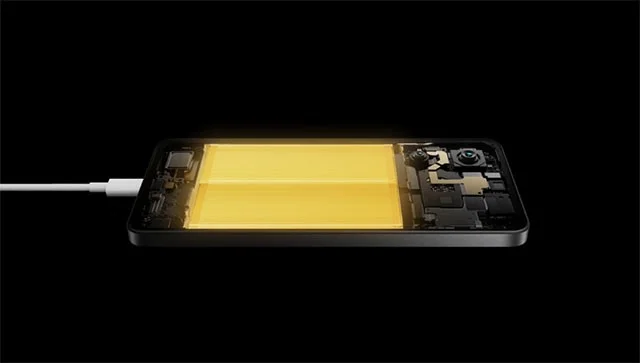
Higher energy density, longer battery life
The latest flagship smartphones with lithium-ion batteries use silicon-carbon composite materials to increase battery capacity by improving energy density. However, graphene batteries have a much higher energy density from the start. This means that smartphones using this technology can store more energy in the same physical space than current lithium-ion batteries.
This has many practical benefits, such as smartphones that can easily last more than a day on a single charge. Because graphene batteries can hold more energy, phones can become thinner and lighter without sacrificing battery life.
Longer battery life
Battery degradation is a major problem with lithium-ion batteries as they lose capacity over time, requiring more frequent replacement. Graphene batteries, on the other hand, have a significantly longer lifespan. A typical lithium-ion battery can last about 500 to 800 charge cycles. However, graphene batteries can last more than 1,500 charge cycles before showing significant degradation.
This means users can use their phones for years without worrying about replacing batteries or battery life issues. Longer lasting batteries also help reduce e-waste, making the technology more sustainable and environmentally friendly.
The future of smartphone batteries
In short, graphene batteries have the potential to revolutionize the smartphone industry with super-fast charging in just minutes, extended battery life that reduces waste, and higher energy efficiency that extends battery life while making smartphones thinner. Unfortunately, the technology is still too expensive to use in commercial products, but it is being developed and promises to become the trend of the future.
Create a spooky office cubicle with Halloween desk decor ideas that keep your workspace usable, tidy, and mindful of workplace safety.
Plan a recognizable Halloween 2026 look with pop culture costumes inspired by Spider-Man, Supergirl, Toy Story 5, Moana, Mario, and Wednesday.
Sort leftover Halloween candy safely, share or repurpose sealed treats, and choose food use or compost for pumpkins based on their condition.
Compare workplace Halloween costume choices by respect, dress code, mobility, and safety—and learn when a subtle accessory or a policy check is the better option.
Find a couples costume that fits your style, budget, and comfort level, from Addams Family classics to original inside-joke duos.
Need a last-minute high school Halloween costume? Compare 10 easy closet-based ideas by prep time, comfort, school-day practicality, and simple safety checks.
Use a simple 2026 Halloween decorating timeline for indoor décor, outdoor displays, and fresh pumpkins, with practical adjustments for weather and events.
Mix five vivid, approachable Halloween cocktails with measured recipes, simple prep tips, and an alcohol-free option for your party guests.
Find 15 office-friendly Halloween costume ideas for 2026, with practical checks for dress codes, respectful themes, comfort, and workplace safety.
Plan a fun elementary school Halloween party with easy crafts, games, inclusive treats, costume tips, and a sample 75-minute classroom schedule.








