How to backup data without using external hard drive

Sometimes, you just can't find an external hard drive when you need it most. After losing important files a few times, some people have found a simple and reliable way to back up everything, even when the hard drive is unavailable.

6. Email important files to yourself

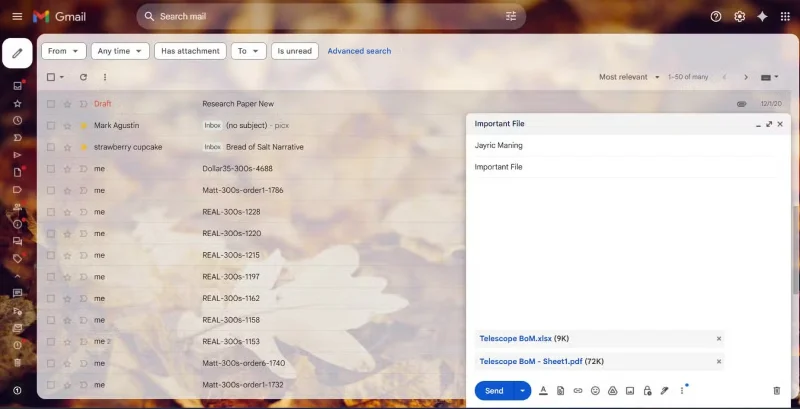
Whenever you need to back up a Word document, spreadsheet, or small PDF , you can simply send it directly to Gmail . This is quick and fits into many people’s workflows, especially since Gmail is often open in another tab while they’re working or researching. If you like to keep your emails archived for years, you can easily search for and restore old attachments if something goes wrong with the original. This has saved you from backup woes more than once.
How to backup data without using external hard drive
Email yourself important files

5. Save files to cloud storage

Cloud storage has become the go-to backup solution for all the photos and videos you take on your phone. Google Drive gives you plenty of space for the essentials. The great thing about cloud storage is that you can access your files from anywhere. At home, at a coffee shop, or halfway around the world, as long as you have an internet connection. Just log in and it’s there.

How to backup data without using external hard drive
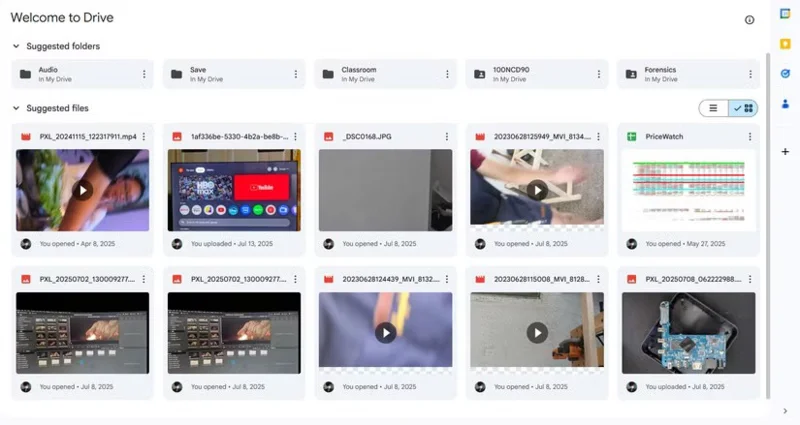
Backup with Google Drive

Even though I have access to my own homemade NAS, I still love the automatic backup feature that Google Drive offers. When you take a photo on your phone, it automatically copies the file to the cloud, allowing you to safely free up space on your phone when you need it. Plus, you don’t have to remember to back it up every time.

4. Save files to NAS (Network-Attached Storage)

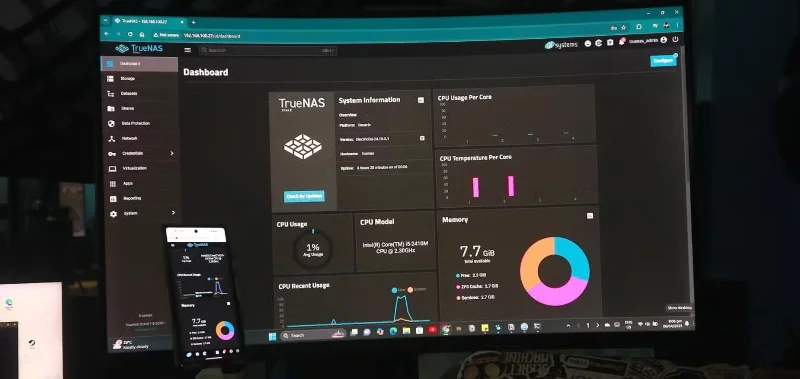
In addition to relying on cloud storage, always keep another copy of your files on your homemade NAS. Building your own NAS from an old laptop is one of the most rewarding tech projects you can ever undertake. With TrueNAS installed and the device connected to your home network, you create a backup system that works just like private cloud storage, but without the monthly fees. This setup allows you to easily back up large files and keep everything organized.

How to backup data without using external hard drive
TrueNAS running on an old laptop connected to a monitor.

Having your own NAS doesn't just give you more storage space. It allows you to follow the 3-2-1 backup rule, adds a layer of protection, and turns old hardware into something actually useful.

3. Use a USB flash drive or SD card

When it comes to backing up small but important files on physical media, USB flash drives and SD cards are tried and tested favorites. They're so affordable these days that you can just buy a few and use them as cheap storage for all sorts of data.

How to backup data without using external hard drive
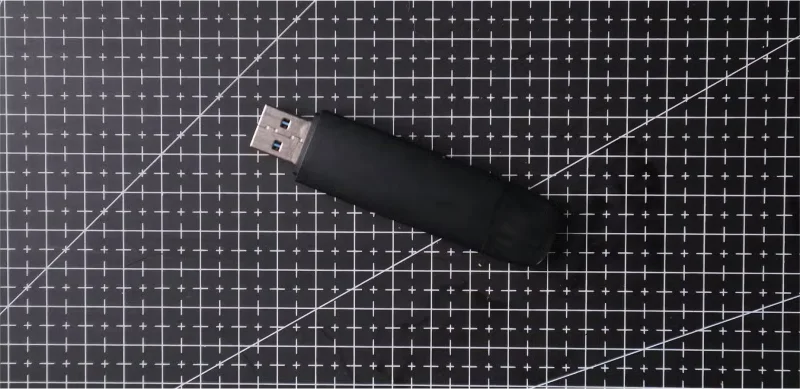
USB flash drive for computer repair.

USB flash drives are extremely portable. You can carry one around for quick data transfers or emergency backups, especially when you're commuting to work or just want to keep some files close at hand. Since they're so lightweight, it's easy to slip one into your bag.

2. Backup to a secondary computer using Thunderbolt

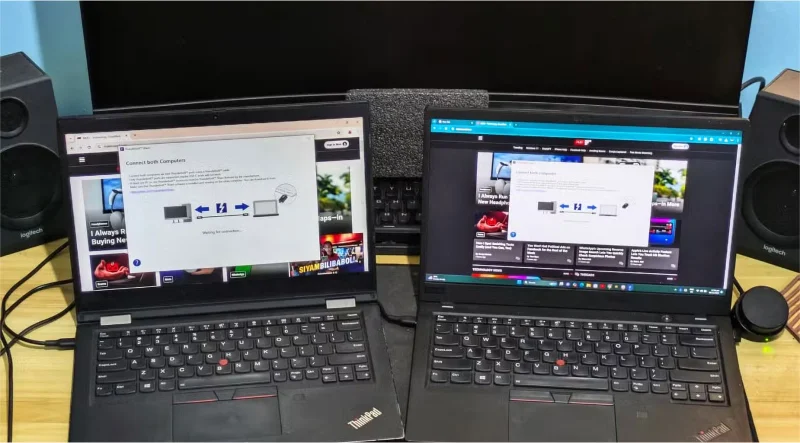
Backing up to a secondary computer isn’t your first choice, but it’s been surprisingly useful on more than one occasion. When you need to pass your old laptop to a family member, you’ll find that a lot of your personal files are still on the drive. If you don’t have time to organize everything, use a Thunderbolt USB-C cable to quickly transfer the entire drive to your desktop using Thunderbolt Share. The transfer is quick, and you don’t have to worry about losing any important data.

How to backup data without using external hard drive
Transfer files from old laptop to new laptop

1. Upload files to social networks and keep them private

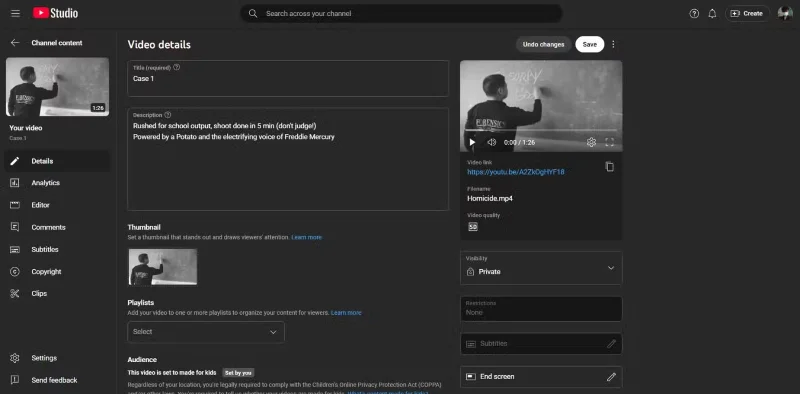
Many people used to think of social media as just a place to share life updates, but now YouTube and Facebook have quietly become part of their backup strategy for certain files. Whenever they think they've captured something interesting or recorded a family event, many people upload it to YouTube and set it to private or unlisted. For photos, create private albums on Facebook - after any special trip or moment, save those memories in an album set to "Only Me." This will keep your favorite photos and videos safe online, no matter what happens to your devices at home.

How to backup data without using external hard drive
Save videos on YouTube
Tags: #System
Sign up and earn $1000 a day ⋙

Leave a Comment

How to Run and Stop Clean Boot on Windows 11

How to Run and Stop Clean Boot on Windows 11

Clean Boot is a troubleshooting technique used to start Windows with a basic, essential set of drivers and startup programs.

How to clone Windows hard drive without third party software

How to clone Windows hard drive without third party software

The cloning process involves moving data from one storage device to another (in this case, a hard drive) with an exact copy copied from the destination drive.

How to Disable Fast Startup on Windows

How to Disable Fast Startup on Windows

Fast Startup Windows 11 helps your computer boot faster, but it can also be the reason why your Windows computer doesn't shut down completely.

How to enable cloud storage file search on Windows 11

How to enable cloud storage file search on Windows 11

Search on Windows 11 pulls results not only from files and apps on your computer, but also from cloud storage linked to your Microsoft account.

Coding is not as difficult as you think

Coding is not as difficult as you think

Once you learn and actually try it out for yourself, you will find that encryption is incredibly easy to use and incredibly practical for everyday life.

How to Open Control Panel on Windows 11

How to Open Control Panel on Windows 11

Control Panel still plays a vital role in many of the configuration tasks you need on your new operating system. Here are a few different ways you can access Control Panel on Windows 11.

How to Enable Unicode UTF-8 in Windows 11

How to Enable Unicode UTF-8 in Windows 11

Changing the display language in Windows 11 may cause some programs to not display text in the language you want. If this is the case, you should enable Unicode UTF-8 to help Windows display text correctly in the language you want.

Microsoft has stopped supporting Internet Explorer, but you can still use it in Windows 11

Microsoft has stopped supporting Internet Explorer, but you can still use it in Windows 11

Internet Explorer was removed from Windows computers in 2022, replaced by Microsoft Edge. While Edge is far superior, Internet Explorer still comes pre-installed on Windows 11 — and it's incredibly easy to access.

6 Free Windows Tools to Find Out Whats Slowing Down Your Computer

6 Free Windows Tools to Find Out Whats Slowing Down Your Computer

Over the years, people have discovered a collection of free Windows tools that help diagnose what's causing their system to slow down.

5 Ways to Open Sound Settings on Windows PC

5 Ways to Open Sound Settings on Windows PC

When you're having audio problems or want to improve your PC's audio levels, it's time to dive into your Windows sound settings and make some tweaks. But did you know there are shortcuts and tricks to quickly get where you need to go?

Summary of ways to fix laptop webcam errors

Summary of ways to fix laptop webcam errors

Errors related to webcams on laptops will affect users when they want to communicate directly via webcam.

Instructions for activating virtual machines on Windows 11

Instructions for activating virtual machines on Windows 11

Virtual Machine on Windows 11 will support users to run an operating system other than Windows right on your computer.

How to turn off Reserved Storage to free up Windows space

How to turn off Reserved Storage to free up Windows space

In case you need to free up urgent storage space, you can temporarily turn off Reserved Storage Windows, according to the article below.

Windows 11s built-in security tools cant protect you from these threats

Windows 11s built-in security tools cant protect you from these threats

Windows today is much better at protecting your security than it used to be, but Windows Security and its associated tools are still not perfect. You need to be on the lookout for threats that computer security doesn't have a solution for.

Outdated Drivers Are Slowing Down Your Windows PC: What to Do?

Outdated Drivers Are Slowing Down Your Windows PC: What to Do?

Windows PCs can sometimes feel slow, but Task Manager doesn't show anything suspicious. At this stage, most people check for malware or storage issues, but outdated drivers can also cause performance issues.

How to Run and Stop Clean Boot on Windows 11

How to Run and Stop Clean Boot on Windows 11

Clean Boot is a troubleshooting technique used to start Windows with a basic, essential set of drivers and startup programs.

How to clone Windows hard drive without third party software

How to clone Windows hard drive without third party software

The cloning process involves moving data from one storage device to another (in this case, a hard drive) with an exact copy copied from the destination drive.

How to Disable Fast Startup on Windows

How to Disable Fast Startup on Windows

Fast Startup Windows 11 helps your computer boot faster, but it can also be the reason why your Windows computer doesn't shut down completely.

How to enable cloud storage file search on Windows 11

How to enable cloud storage file search on Windows 11

Search on Windows 11 pulls results not only from files and apps on your computer, but also from cloud storage linked to your Microsoft account.

Coding is not as difficult as you think

Coding is not as difficult as you think

Once you learn and actually try it out for yourself, you will find that encryption is incredibly easy to use and incredibly practical for everyday life.

How to Open Control Panel on Windows 11

How to Open Control Panel on Windows 11

Control Panel still plays a vital role in many of the configuration tasks you need on your new operating system. Here are a few different ways you can access Control Panel on Windows 11.

How to Enable Unicode UTF-8 in Windows 11

How to Enable Unicode UTF-8 in Windows 11

Changing the display language in Windows 11 may cause some programs to not display text in the language you want. If this is the case, you should enable Unicode UTF-8 to help Windows display text correctly in the language you want.

Microsoft has stopped supporting Internet Explorer, but you can still use it in Windows 11

Microsoft has stopped supporting Internet Explorer, but you can still use it in Windows 11

Internet Explorer was removed from Windows computers in 2022, replaced by Microsoft Edge. While Edge is far superior, Internet Explorer still comes pre-installed on Windows 11 — and it's incredibly easy to access.

6 Free Windows Tools to Find Out Whats Slowing Down Your Computer

6 Free Windows Tools to Find Out Whats Slowing Down Your Computer

Over the years, people have discovered a collection of free Windows tools that help diagnose what's causing their system to slow down.

5 Ways to Open Sound Settings on Windows PC

5 Ways to Open Sound Settings on Windows PC

When you're having audio problems or want to improve your PC's audio levels, it's time to dive into your Windows sound settings and make some tweaks. But did you know there are shortcuts and tricks to quickly get where you need to go?

Summary of ways to fix laptop webcam errors

Summary of ways to fix laptop webcam errors

Errors related to webcams on laptops will affect users when they want to communicate directly via webcam.

Instructions for activating virtual machines on Windows 11

Instructions for activating virtual machines on Windows 11

Virtual Machine on Windows 11 will support users to run an operating system other than Windows right on your computer.

How to turn off Reserved Storage to free up Windows space

How to turn off Reserved Storage to free up Windows space

In case you need to free up urgent storage space, you can temporarily turn off Reserved Storage Windows, according to the article below.

Windows 11s built-in security tools cant protect you from these threats

Windows 11s built-in security tools cant protect you from these threats

Windows today is much better at protecting your security than it used to be, but Windows Security and its associated tools are still not perfect. You need to be on the lookout for threats that computer security doesn't have a solution for.

Outdated Drivers Are Slowing Down Your Windows PC: What to Do?

Outdated Drivers Are Slowing Down Your Windows PC: What to Do?

Windows PCs can sometimes feel slow, but Task Manager doesn't show anything suspicious. At this stage, most people check for malware or storage issues, but outdated drivers can also cause performance issues.