Home
» Today
»
How to Complete the FAFSA: A Step-by-Step Guide for Students and Families (2027–28)
How to Complete the FAFSA: A Step-by-Step Guide for Students and Families (2027–28)
The 2027–28 Free Application for Federal Student Aid (FAFSA) is now available to the public. The U.S. Department of Education announced the launch on September 23, 2026, so students planning to attend college, career school, or trade school during the 2027–28 award year can start now. The FAFSA is free, and schools, states, and the federal government use information from it to determine eligibility for grants, work-study, and federal student loans. See the Department of Education's 2027–28 launch announcement.
A hypothetical example to follow
Example for illustration only: Avery is a high school senior who plans to begin college in fall 2027. Avery lives with two married parents and expects to be treated as a dependent student for FAFSA purposes. One parent will start as the required parent contributor, and the form will indicate whether the other parent also needs to participate. Avery is considering four colleges in two states.
Avery's family has not completed a real application in this example, and no aid result is being predicted. The scenario simply gives us a consistent way to show how the process works. Your family structure, dependency status, tax situation, schools, and required contributors may be different.
Step 1: Create a StudentAid.gov account for each person who needs one
The student needs a StudentAid.gov account to complete the FAFSA online. Each required contributor—such as a parent, stepparent, or spouse—also needs a separate account. Federal Student Aid emphasizes that accounts are individual and should not be shared. A contributor without a Social Security number can still create an account and participate in the FAFSA process.
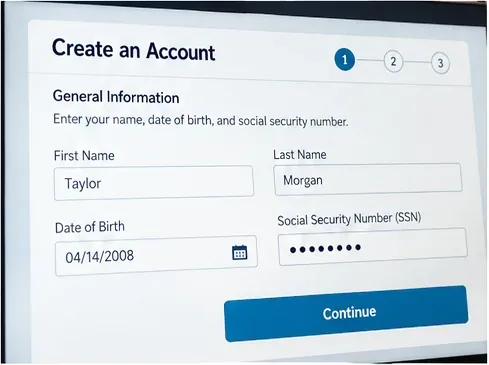
In Avery's case, Avery creates a student account first. The parent who expects to be invited creates a separate parent account. Each person should use their own email address and keep their login credentials private. The official account instructions are available in Federal Student Aid's StudentAid.gov account guide.
Start by creating your own StudentAid.gov account. Every required contributor needs a separate account rather than sharing the student’s login.
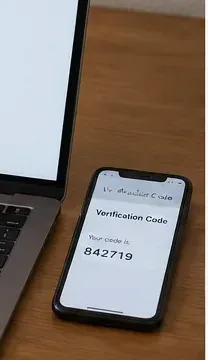
Account verification can involve email, phone, and identity checks. Build in time for this before a school or state deadline rather than waiting until the last day.
Keep your phone and email available while setting up the account so you can complete verification steps and secure account access.
Step 2: Gather the information you may need before opening the form
Federal Student Aid recommends preparing your StudentAid.gov account, contributor information, tax records that may be needed for additional questions, records of child support received, current asset information, and a list of schools you are considering. Most federal tax information is transferred from the IRS after the required consent and approval, but the form can still ask for additional financial information.
Avery makes one folder for the family's FAFSA materials and a simple list of the four colleges under consideration. The family also checks current balances for cash, checking, savings, and investments that the FAFSA asks them to report. Asset amounts are generally based on their current value when the FAFSA is signed, not a past tax-year balance. The official preparation list is in the FAFSA checklist from Federal Student Aid.
Gather the records you may need before you start. Having financial documents and a college list nearby reduces interruptions while completing the form.
Step 3: Start the correct FAFSA and complete the student identity section
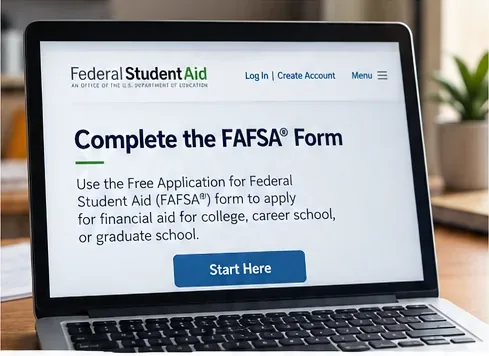
Go to the official FAFSA page on StudentAid.gov and start the 2027–28 form if that is the school year for which you need aid. Choosing the correct award year matters: a student attending in a different year may need a different FAFSA.
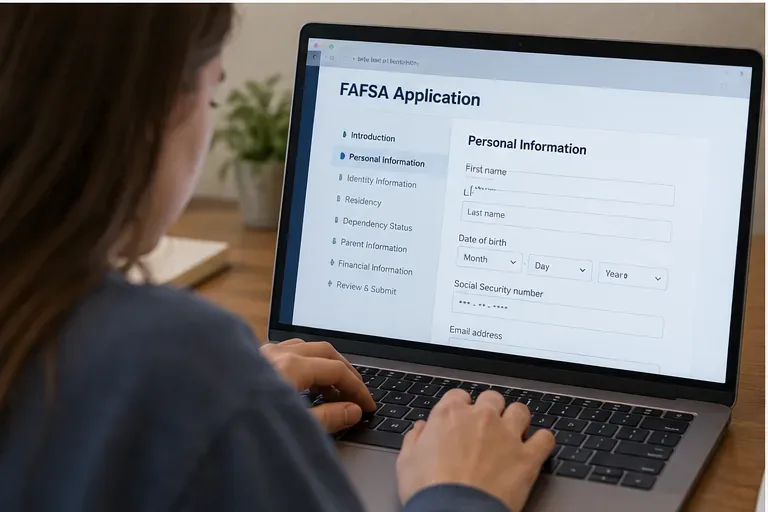
Avery starts the form as the student and checks prefilled identity information against the StudentAid.gov account. Federal Student Aid advises students to review their legal name, date of birth, contact information, state of residence, and other identity details carefully. If account information is wrong, correct it in the StudentAid.gov account settings rather than guessing inside the FAFSA.
Review identity information carefully at the start of the student section. The exact 2027–28 screen may differ from this visual example, so follow the labels shown on the live StudentAid.gov form.
Step 4: Answer personal-circumstances questions and let the form determine dependency status
The FAFSA asks questions that determine whether the student is dependent or independent for federal student aid purposes. This legal test is not simply based on whether a student lives with parents, receives money from them, or is claimed on a tax return.
Avery answers the questions as written and is treated as a dependent student in our hypothetical example. That means parent information is required. Students with unusual circumstances that prevent them from contacting a parent can encounter a different path in the form. Students whose parents simply refuse to provide information should read the warnings carefully because submitting without parent information can sharply limit federal aid eligibility.
Answer dependency and personal-circumstances questions based on your real situation. Do not choose an answer just to avoid inviting a parent or other contributor.
Step 5: Provide consent and complete the financial sections
The student and every required contributor must provide consent and approval for federal tax information to be transferred from the IRS into the FAFSA. Federal Student Aid states that this consent is required even when a person did not file a federal tax return. Without the required consent and approval, the student is not eligible for federal student aid.
After the IRS transfer, complete any financial questions that still appear. These can include current cash, savings and checking balances, certain investments, businesses or income-producing farms when applicable, and child support received. Enter zero where the form calls for a numerical answer and the correct amount is zero. Do not substitute a different tax year because it seems more current; use the year the FAFSA specifies.
Use the live FAFSA at StudentAid.gov for the current 2027–28 questions. This visual shows the type of starting screen a student may encounter, not a substitute for the official form.
Step 6: Add the colleges and career schools that should receive your FAFSA information
Add every school you are seriously considering, even if you have not decided where to enroll. Federal Student Aid's current student guidance says the online FAFSA can send information to up to 20 colleges, career schools, or trade schools. You can change the list later.
Avery adds all four schools. For federal student aid, the order generally does not matter, but some state aid programs can have ordering requirements. Pay attention to any instruction the FAFSA gives you and check each state's own aid deadline. School and state deadlines can be much earlier than the federal deadline, so filing early can protect access to limited state or institutional funds.
Step 7: Invite required contributors and have each person complete their own section
For 2027–28, the Department of Education says students can invite a contributor by text message as well as by email. Contributor invitations are designed to connect the correct student form to the correct parent or spouse account. Federal Student Aid also recommends that the student start and complete the student section first, which can reduce errors.
Avery sends the required parent invitation. The parent signs in with the parent's own StudentAid.gov account, reviews identity information, provides consent and approval for the IRS tax-information transfer, answers the parent questions, and signs the parent section. Being a FAFSA contributor does not by itself make a parent responsible for paying college costs or taking a loan.
Each contributor uses a separate StudentAid.gov account. Make sure the account belongs to the person completing that contributor section.
Step 8: Review, sign, submit, and confirm that the form is actually complete
Before signing, review the student answers, school list, and contributor status. The FAFSA cannot be fully processed until all required contributors have completed and signed their sections. A student signing their own section is not the same as the whole application being complete.
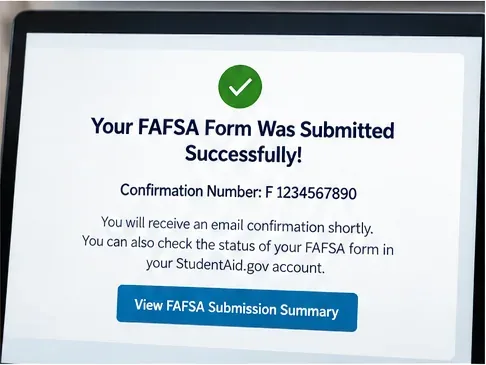
In our example, Avery checks that the parent section is finished, signs the student section, and submits. After submission, save the confirmation information and monitor the FAFSA status in StudentAid.gov. Federal Student Aid says most online forms are processed immediately, though some take one to three days.
After all required sections are signed, look for the submission confirmation and then monitor your FAFSA status in StudentAid.gov.
What to do after the FAFSA is submitted
Submission is the beginning of the aid-review process, not the end. After processing, review the FAFSA Submission Summary for your Student Aid Index (SAI), estimated federal aid information, school information, and any flags or next steps. If you see an error, you can make a correction. If a school selects you for verification, respond to that school's request rather than ignoring it.
The FAFSA Submission Summary is not a financial aid offer. Each school determines the aid package it can offer after admission and after reviewing your FAFSA information. Federal Student Aid explains this distinction in its FAFSA Submission Summary guide.
2027–28 points families should know right now
Question
Practical answer
Is the 2027–28 FAFSA open?
Yes. The Department of Education announced public availability on September 23, 2026.
Should I wait for an October 1 launch?
No. The form is already public. State and college deadlines may be earlier than the federal deadline, so check them separately.
Can a contributor be invited by text?
Yes. The Department lists text-message contributor invitations as a 2027–28 enhancement, in addition to email.
Does a parent contributor become responsible for tuition?
No. Providing FAFSA information does not itself create responsibility for college charges or a loan.
Is the FAFSA Submission Summary the school's final aid offer?
No. It summarizes FAFSA processing and estimates; individual schools issue their own financial aid offers.
Common FAFSA mistakes to avoid
Using the wrong award year. Match the FAFSA year to the academic year you will attend.
Sharing one StudentAid.gov account. The student and each contributor need their own account.
Inviting the wrong parent. Families with divorced, separated, remarried, or complex household situations should follow the FAFSA's contributor logic rather than assuming which parent belongs on the form.
Skipping consent for IRS data. Required contributors must provide consent and approval for federal tax information transfer.
Leaving contributors unfinished. A student's section can be complete while the overall FAFSA still cannot be processed.
Waiting for the federal deadline. State and school aid can have earlier deadlines and limited funds.
Treating an estimate as an award. Wait for each school's financial aid offer before comparing actual aid packages and out-of-pocket costs.
A quick completion checklist
Create separate StudentAid.gov accounts for the student and likely contributors.
Open the correct 2027–28 FAFSA on the official StudentAid.gov site.
Review identity and state-of-residence information.
Answer dependency and personal-circumstances questions accurately.
Provide the required IRS tax-information consent and complete remaining financial questions.
Add the colleges or career schools you want to receive the FAFSA.
Invite contributors and confirm that each required person finishes and signs.
Sign and submit the student section, then verify that the whole form is submitted.
Review the FAFSA Submission Summary after processing and correct errors promptly.
Check state and school deadlines and respond to any verification or financial aid office requests.
Where to get authoritative FAFSA help
Use Federal Student Aid resources rather than third-party sites that charge for filing or ask for unnecessary account credentials. Start with the Federal Student Aid student step-by-step guide, the official parent guide, and the official FAFSA deadlines page. The 2027–28 form is newly public as of September 23, 2026, so families should rely on the live form and current Federal Student Aid pages if a screen label or workflow differs from older screenshots or instructions.